Numeric Correction Calculator
Easy correct by touching disp
iPhone, iPad, iPod touch için tasarlandı
Ücretsiz
- Yaş sınırı4+
- KategoriYardımcılar
- GeliştiriciNobuyuki Kumakura
- Dillerİngilizce+ 2 dil daha
- Boyut8,9 MB
Resmi App Store sayfasına bağlanır
Download.org, Numeric Correction Calculator için hiçbir dosya barındırmaz. Düğme, uygulamanın App Store üzerindeki sayfasını açar; uygulamayı orada Nobuyuki Kumakura yayınlar. Sayfanın son kontrolü: 13.11.2026.
Ekran görüntüleri
Hakkında
Geliştirici bu metni dilinizde sunmamış.
Overview
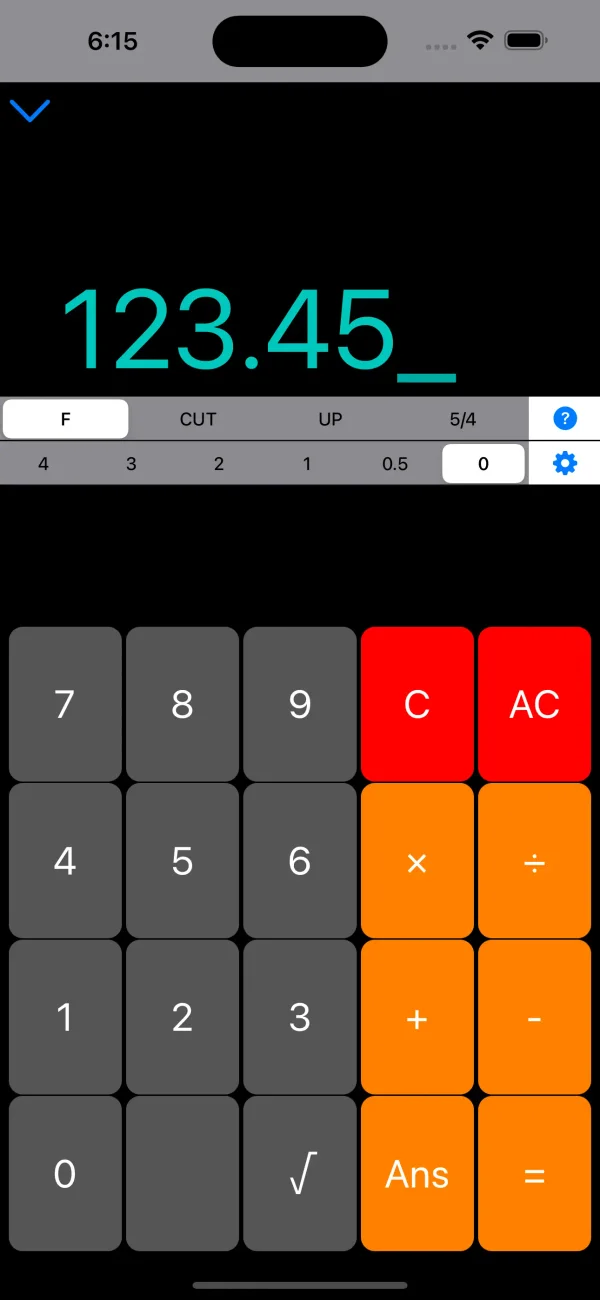
A calculator that can be corrected by touching the displayed number.
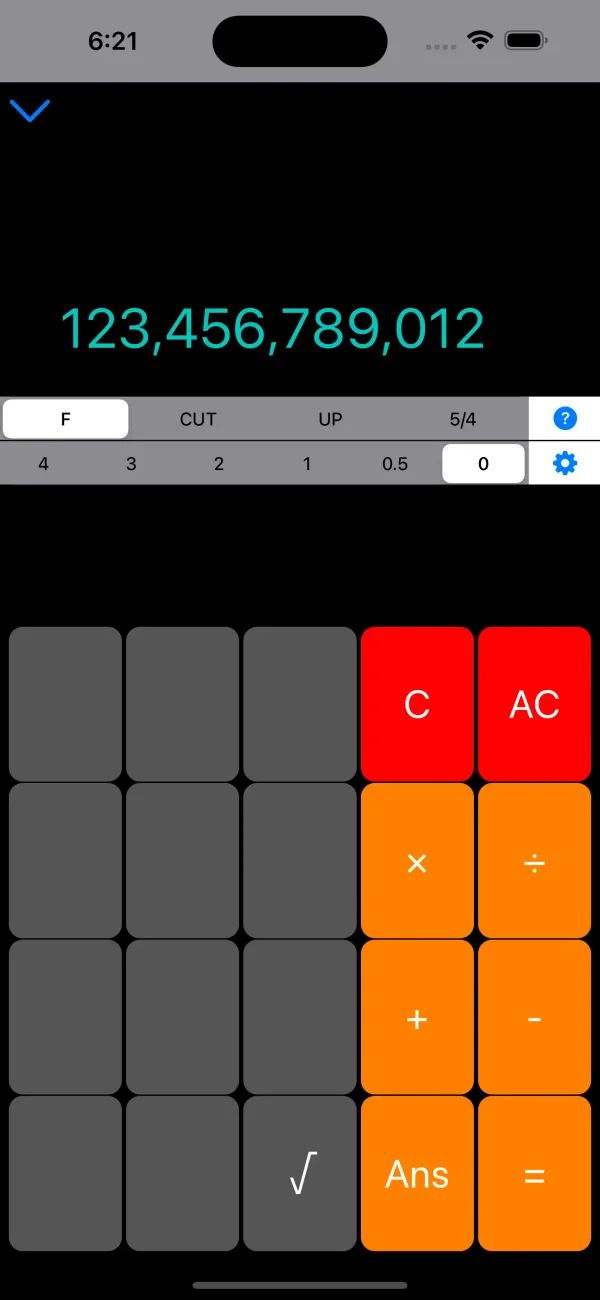
It has a round selector and a decimal point selector(4,3,2,1,0.5,0) for decimal point calculation.
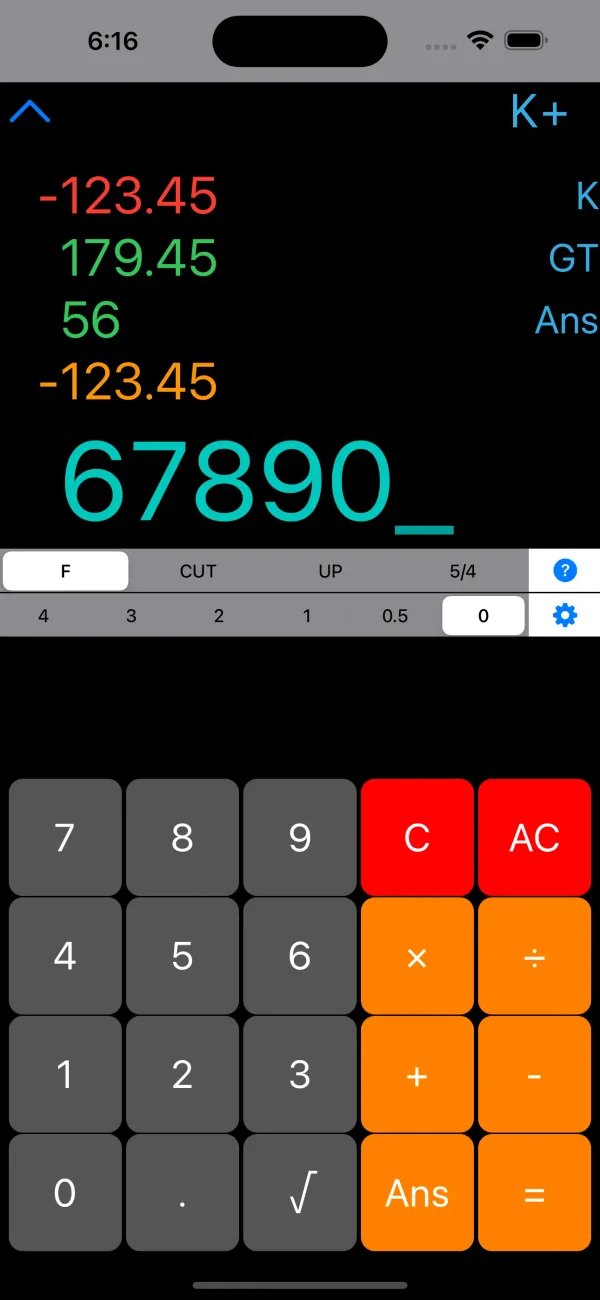
With multi-line display, you can calculate while displaying constant (K), grand total (GT), last answer (Ans), and intermediate result value.
Detail
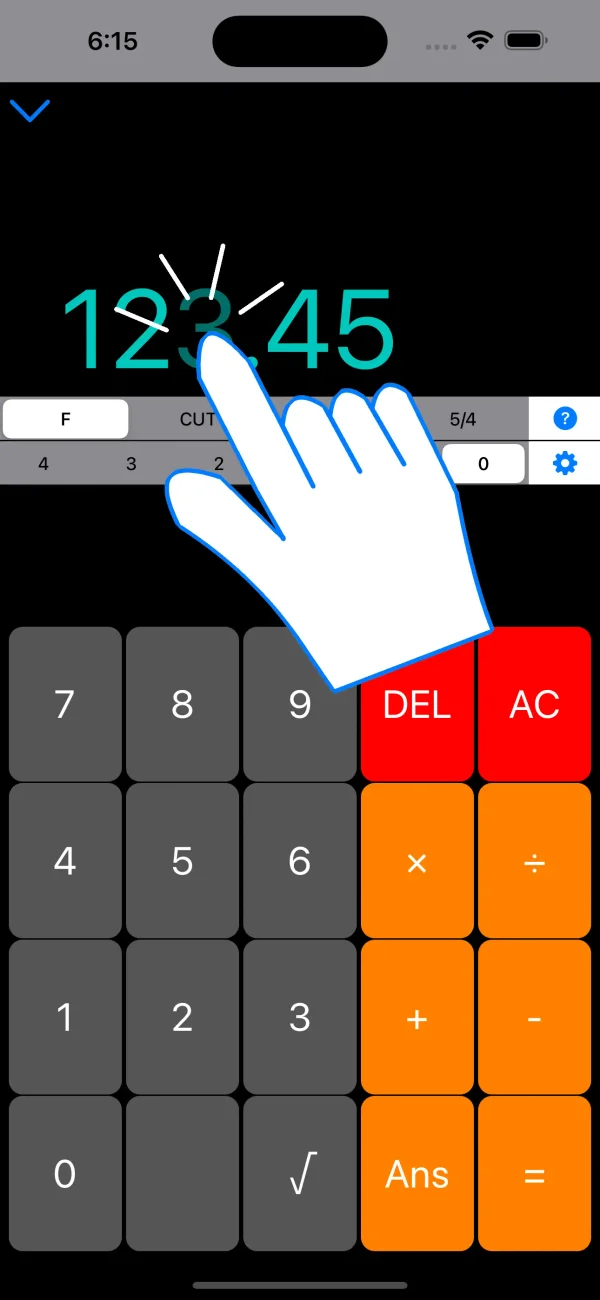
Touch the displayed number to correct.
If you want to correct input number or intermediate result, touch the number itself.
Then the number will blink, press the number key to correct it.
Press the DEL key to delete numbers.
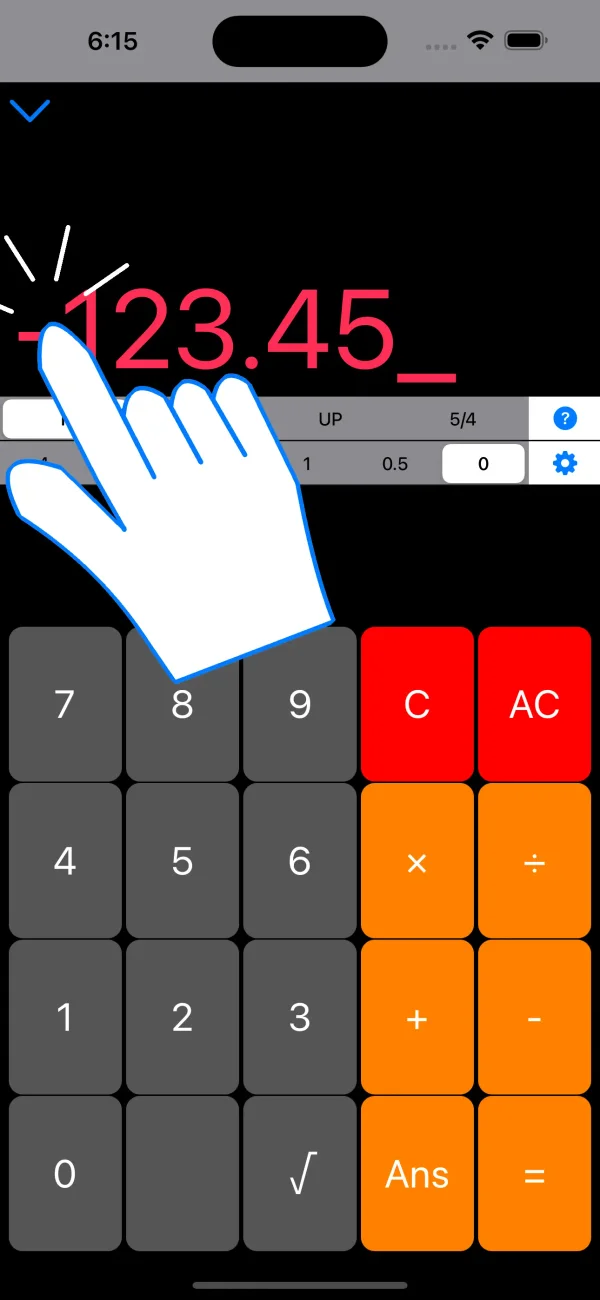
Sign Change(+/-)
Touch the left edge to switch between plus and minus (+/-).
Set the round selector to UP, DOWN or 5/4.
Set the decimal point selector to one of 4,3,2,1,0,5,0.
You can round numbers by pressing the = key.
0.5 "rounds" by 0.5.
Detailed results are displayed by touching the down button on the upper left of the screen.
Constant(K)
Grand Total(GT)
Calculation's result value, last answer(Ans). Also used for Ans memory calculations.
intermediate result
Decimal point can be set from the setting.
example:"1,234.5", "1.234,5", "1 234,5", "1'234.5" For Digit separator "3"
Digit separator can be set from the setting.
3-digit, 4-digit, First 3 digits then 2nd digits separator(Indian comma)
Numeric color can be set from the setting.
The maximum number of digits is 12 digits.
Disclaimer
This application is subject to change without notice.
The Developer assumes no responsibility for any loss or claims by third parties which may arise from the use of this application.
Yenilikler
Sürüm 1.2.1 · 18.12.2023
ver1.2→ver1.2.1
Modified Help screen.
ver1.1→ver1.2
Added setting items.
It is now possible to set the decimal point display used in European countries.
example:"1,234.5", "1.234,5", "1 234,5", "1'234.5" For Digit separator(Comma) "3".
It is now possible to select the numeric color.
Uygulama gizliliği
Bu uygulamanın verileri nasıl işlediği hakkında Nobuyuki Kumakura tarafından App Store üzerinde yapılan beyan.
-
Sizi izlemek için kullanılan veriler
Başka şirketlere ait uygulamalarda ve web sitelerinde sizi izlemek için kullanılabilir.
- Konum
- Tanımlayıcılar
- Kullanım verileri
-
Sizinle ilişkilendirilen veriler
Toplanabilir ve kimliğinizle ilişkilendirilebilir.
- Konum
- Tanımlayıcılar
- Kullanım verileri
-
Sizinle ilişkilendirilmeyen veriler
Toplanabilir ancak kimliğinizle ilişkilendirilmez.
- Tanılama
Gizlilik uygulamaları, örneğin kullandığınız özelliklere veya yaşınıza göre değişiklik gösterebilir.
Bilgiler
- Satıcı
- Nobuyuki Kumakura
- Kategori
- Yardımcılar
- Sürüm
- 1.2.1
- Güncellendi
- 18.12.2023
- Yayın tarihi
- 17.05.2023
- Boyut
- 8,9 MB
- Gereksinim
- iOS 15.4 veya sonrası
- Yaş sınırı
- 4+
- Fiyat
- Ücretsiz
- Diller
- İngilizce, Japonca, Rusça
- Telif hakkı
- © Nobuyuki Kumakura