Numeric Correction Calculator
Easy correct by touching disp
Projetado para iPhone, iPad, iPod touch
Grátis
- Classificação etária4+
- CategoriaUtilidades
- DesenvolvedorNobuyuki Kumakura
- IdiomasInglêse mais 2
- Tamanho8,9 MB
Leva à página oficial na App Store
O Download.org não hospeda nenhum arquivo de Numeric Correction Calculator. O botão abre a página do app na App Store, onde Nobuyuki Kumakura o publica. Página verificada pela última vez em 13/11/2026.
Capturas de tela
Sobre
O desenvolvedor não forneceu este texto no seu idioma.
Overview
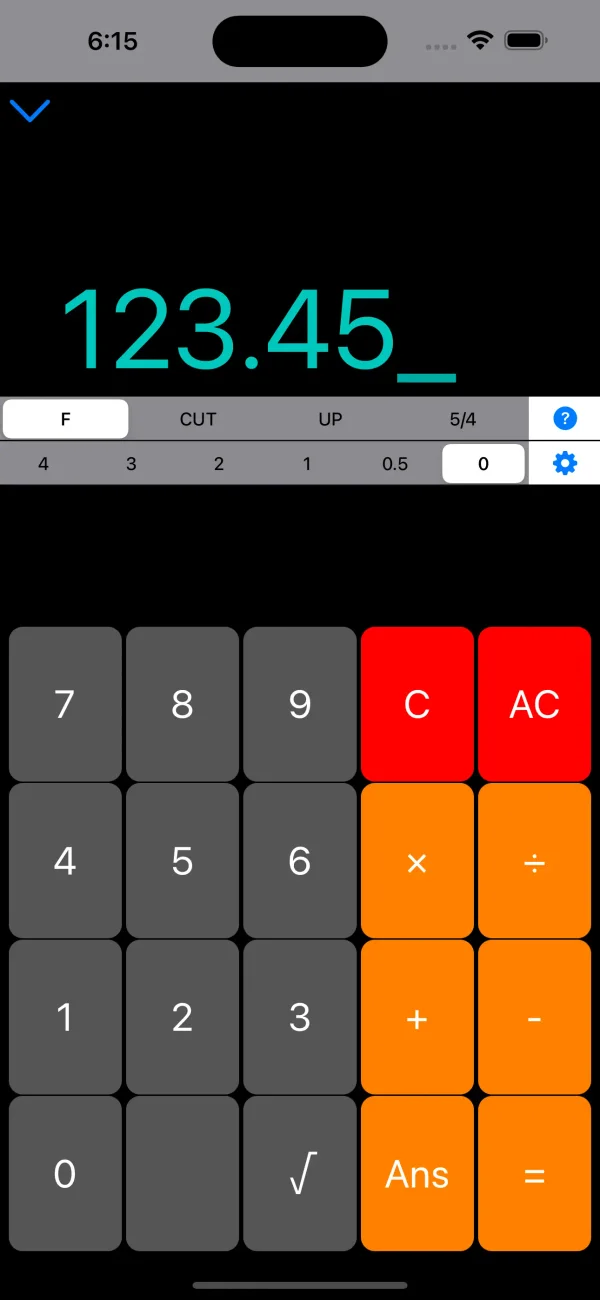
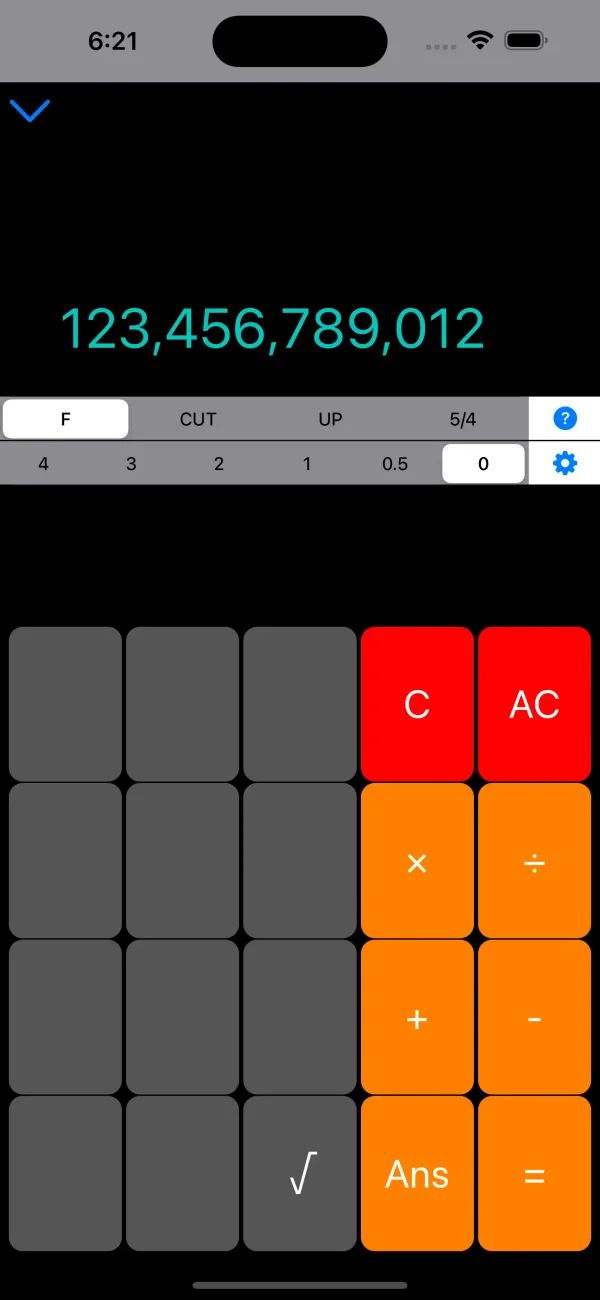
A calculator that can be corrected by touching the displayed number.
It has a round selector and a decimal point selector(4,3,2,1,0.5,0) for decimal point calculation.
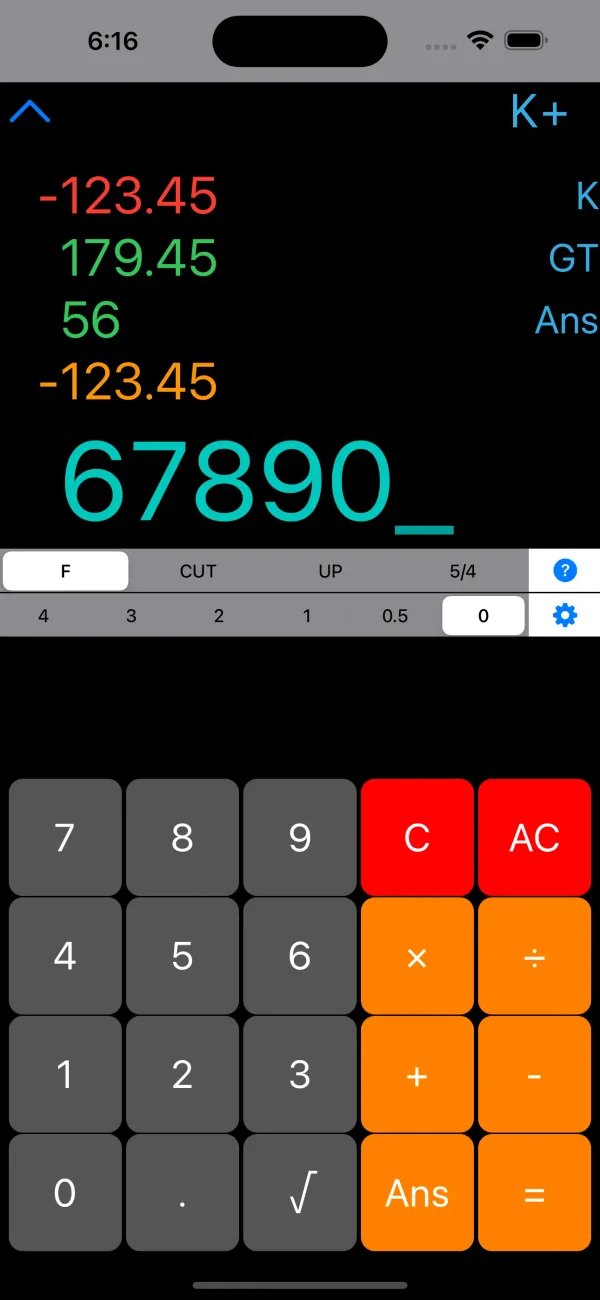
With multi-line display, you can calculate while displaying constant (K), grand total (GT), last answer (Ans), and intermediate result value.
Detail
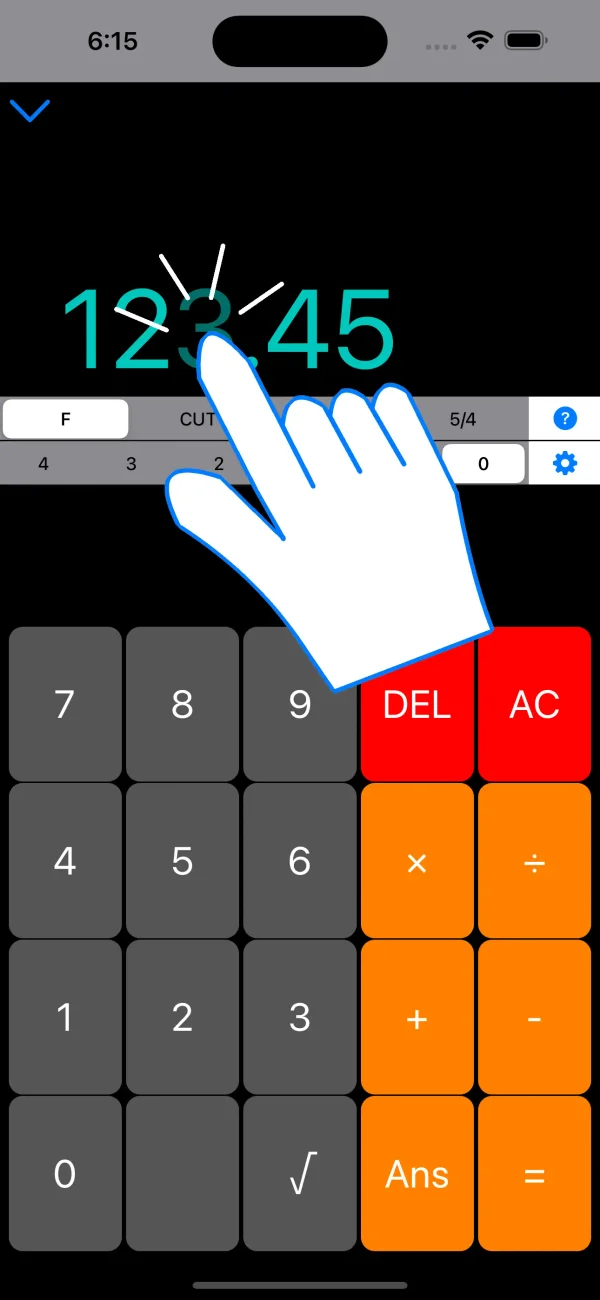
Touch the displayed number to correct.
If you want to correct input number or intermediate result, touch the number itself.
Then the number will blink, press the number key to correct it.
Press the DEL key to delete numbers.
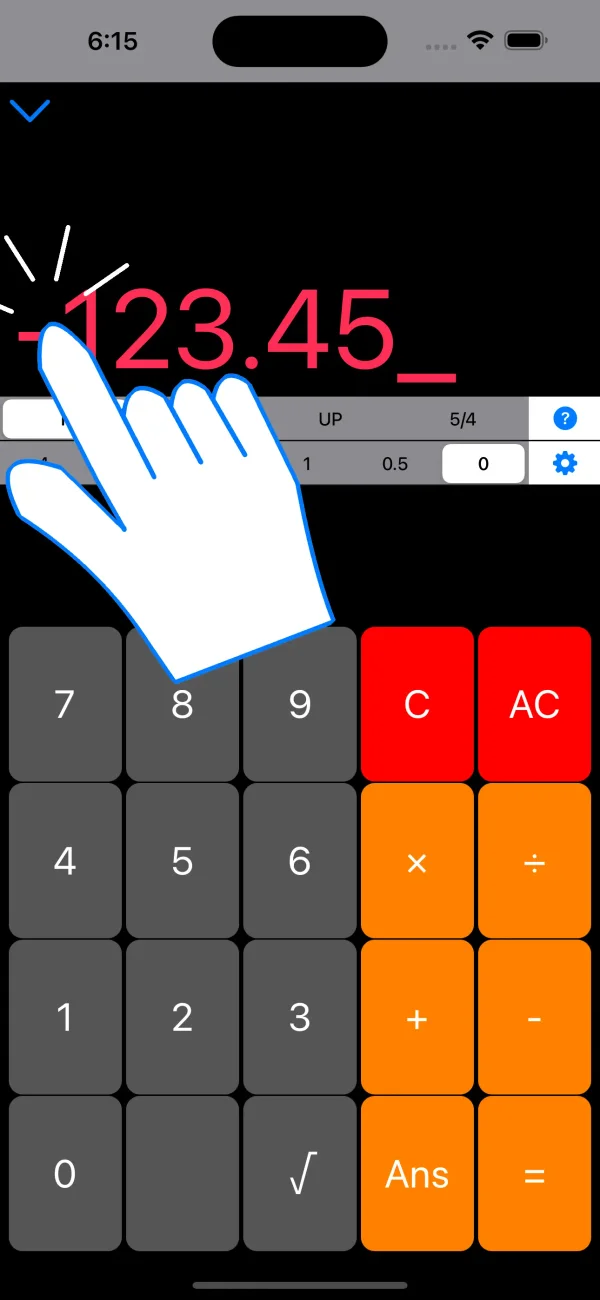
Sign Change(+/-)
Touch the left edge to switch between plus and minus (+/-).
Set the round selector to UP, DOWN or 5/4.
Set the decimal point selector to one of 4,3,2,1,0,5,0.
You can round numbers by pressing the = key.
0.5 "rounds" by 0.5.
Detailed results are displayed by touching the down button on the upper left of the screen.
Constant(K)
Grand Total(GT)
Calculation's result value, last answer(Ans). Also used for Ans memory calculations.
intermediate result
Decimal point can be set from the setting.
example:"1,234.5", "1.234,5", "1 234,5", "1'234.5" For Digit separator "3"
Digit separator can be set from the setting.
3-digit, 4-digit, First 3 digits then 2nd digits separator(Indian comma)
Numeric color can be set from the setting.
The maximum number of digits is 12 digits.
Disclaimer
This application is subject to change without notice.
The Developer assumes no responsibility for any loss or claims by third parties which may arise from the use of this application.
Novidades
Versão 1.2.1 · 18/12/2023
ver1.2→ver1.2.1
Modified Help screen.
ver1.1→ver1.2
Added setting items.
It is now possible to set the decimal point display used in European countries.
example:"1,234.5", "1.234,5", "1 234,5", "1'234.5" For Digit separator(Comma) "3".
It is now possible to select the numeric color.
Privacidade do app
O que Nobuyuki Kumakura declara na App Store sobre como este app lida com os dados.
-
Dados usados para rastrear você
Podem ser usados para rastrear você em apps e sites de outras empresas.
- Localização
- Identificadores
- Dados de uso
-
Dados vinculados a você
Podem ser coletados e vinculados à sua identidade.
- Localização
- Identificadores
- Dados de uso
-
Dados não vinculados a você
Podem ser coletados, mas não são vinculados à sua identidade.
- Diagnóstico
As práticas de privacidade podem variar, por exemplo, com base nos recursos que você usa ou na sua idade.
Informações
- Vendedor
- Nobuyuki Kumakura
- Categoria
- Utilidades
- Versão
- 1.2.1
- Atualizado
- 18/12/2023
- Lançamento
- 17/05/2023
- Tamanho
- 8,9 MB
- Requer
- iOS 15.4 ou posterior
- Classificação etária
- 4+
- Preço
- Grátis
- Idiomas
- Inglês, Japonês, Russo
- Copyright
- © Nobuyuki Kumakura