Pixel Forge: Pixel Art Maker
Draw sprites, share your art
Diseñada para iPhone, iPad
Gratis
- Clasificación por edad4+
- CategoríaDiseño gráfico
- DesarrolladorIllia Hroshev
- IdiomasInglés
- Tamaño26,8 MB
Enlaza a la página oficial de App Store
Download.org no aloja ningún archivo de Pixel Forge: Pixel Art Maker. El botón abre la página de la aplicación en App Store, donde la publica Illia Hroshev. Ficha comprobada por última vez el 18/11/2026.
Capturas de pantalla

Acerca de
El desarrollador no ha proporcionado este texto en tu idioma.
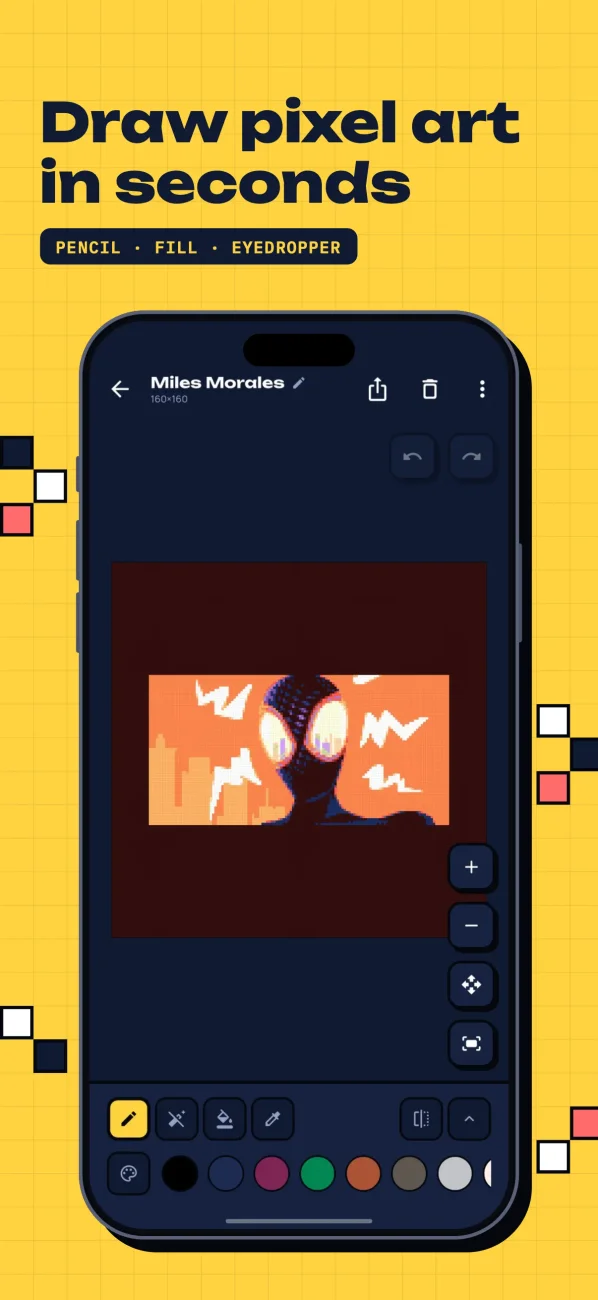
Pixel Forge is a fast, playful pixel art editor built for your iPhone. Pick a canvas, grab a color, and start drawing sprites, icons, avatars and retro game art in seconds.
START WITH THE RIGHT CANVAS
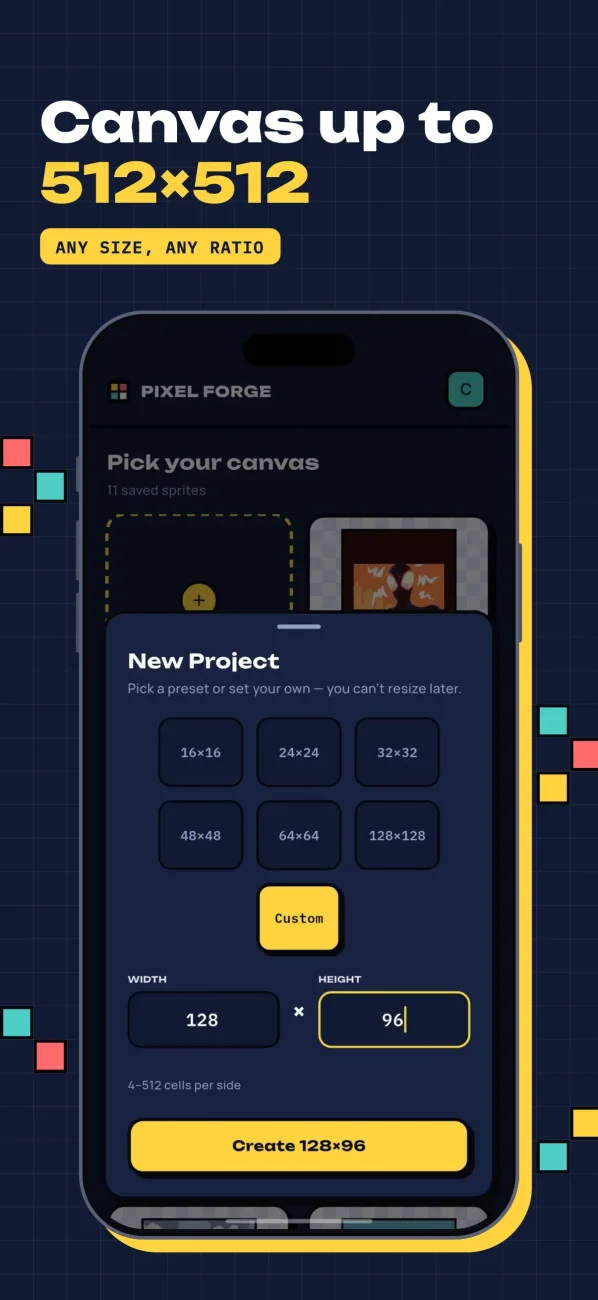
Choose a square grid from 16x16 up to 128x128 pixels. Small canvases for chunky retro sprites, big ones for detailed scenes.
DRAW YOUR WAY
• Pencil to paint pixel by pixel or drag to draw lines
• Eraser to clear pixels back to transparent
• Eyedropper to pick any color already on your canvas and keep drawing with it
• Undo and redo for every stroke, so you can experiment without fear
COLORS THAT FIT YOUR STYLE
• A ready-to-use palette right at your thumb
• A custom color picker with a color square, hue slider and HEX input for exactly the shade you want
WORK COMFORTABLY
• Zoom in for precise pixel work and zoom out to see the whole picture
• Pan mode to move around large canvases without accidentally drawing
• Fit to screen to jump back to a full view instantly
YOUR GALLERY OF SPRITES
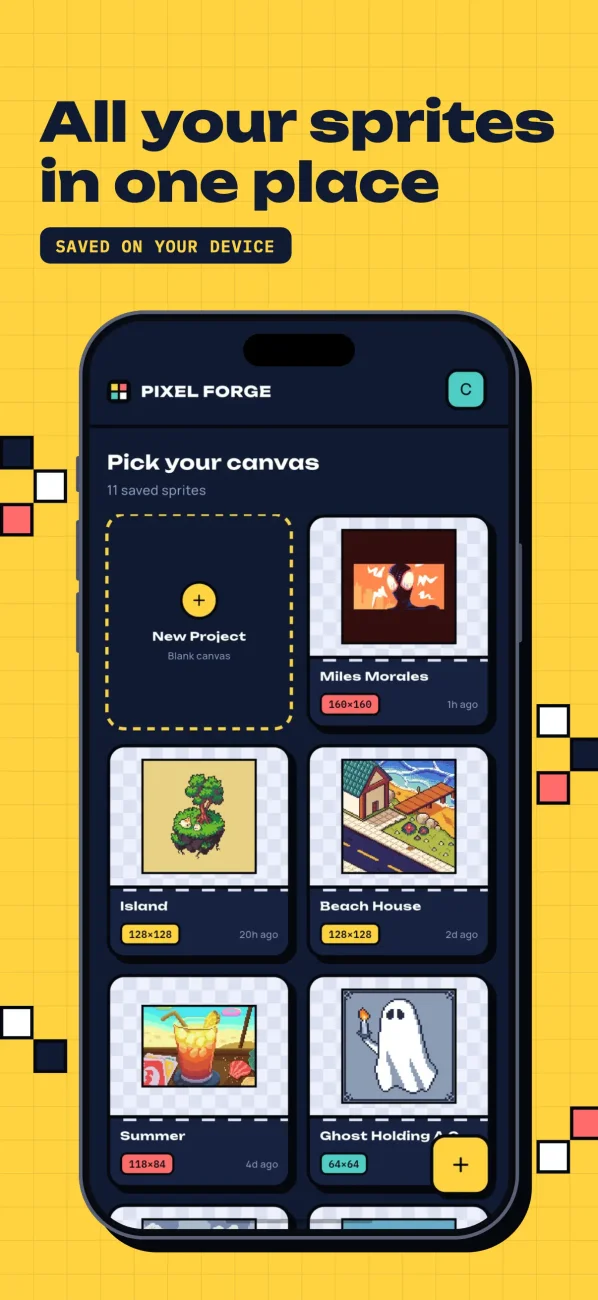
• All your projects live in one colorful grid
• Rename projects, reopen them any time, and delete the ones you no longer need
• Your work is stored on your device, no account required
SHARE YOUR ART
• Card: a stylish, ready-to-post picture of your artwork with the Pixel Forge look
• Image: a clean PNG of just your pixels, with real transparency for the empty areas, ready to use as an asset in games and other projects
• Share to any app, or save straight to your Photos library
Whether you are making your first sprite or your hundredth, Pixel Forge keeps the tools simple and the fun high.
Download Pixel Forge and start forging pixels today.
Novedades
Versión 1.1.1 · 17/11/2026
Big drawing update!
• Fill bucket, line, rectangle and ellipse tools
• Mirror symmetry drawing
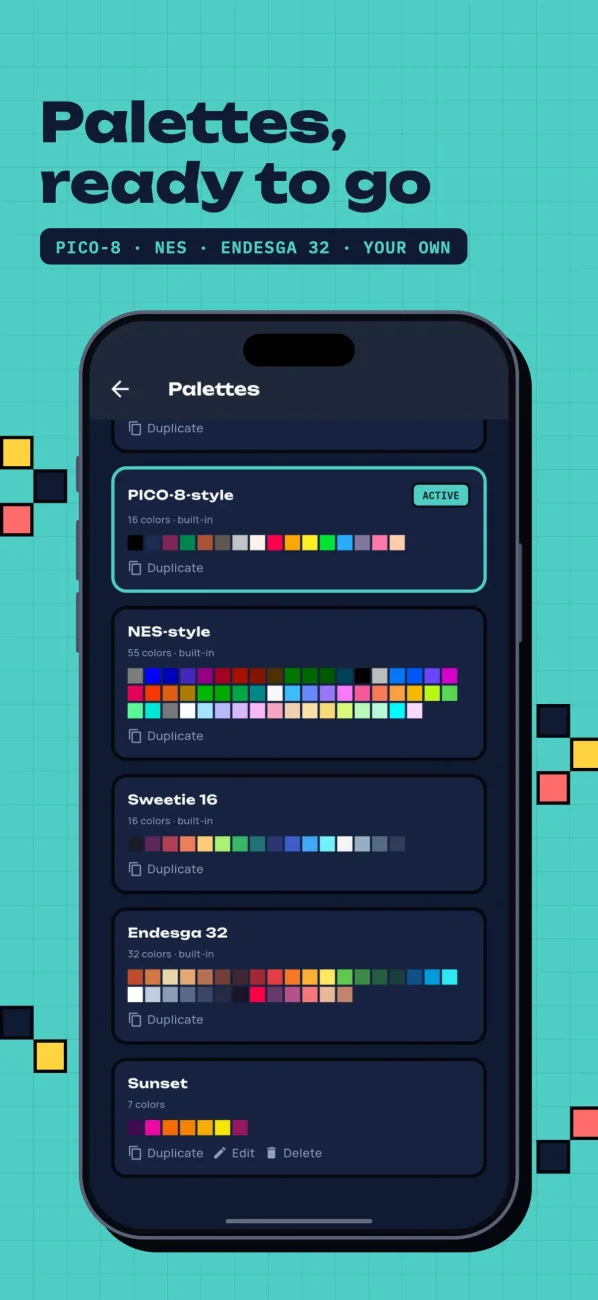
• Ready-made palettes (PICO-8, NES, Endesga 32…) and your own custom palettes
• Brush sizes 1×1–3×3 and dither patterns
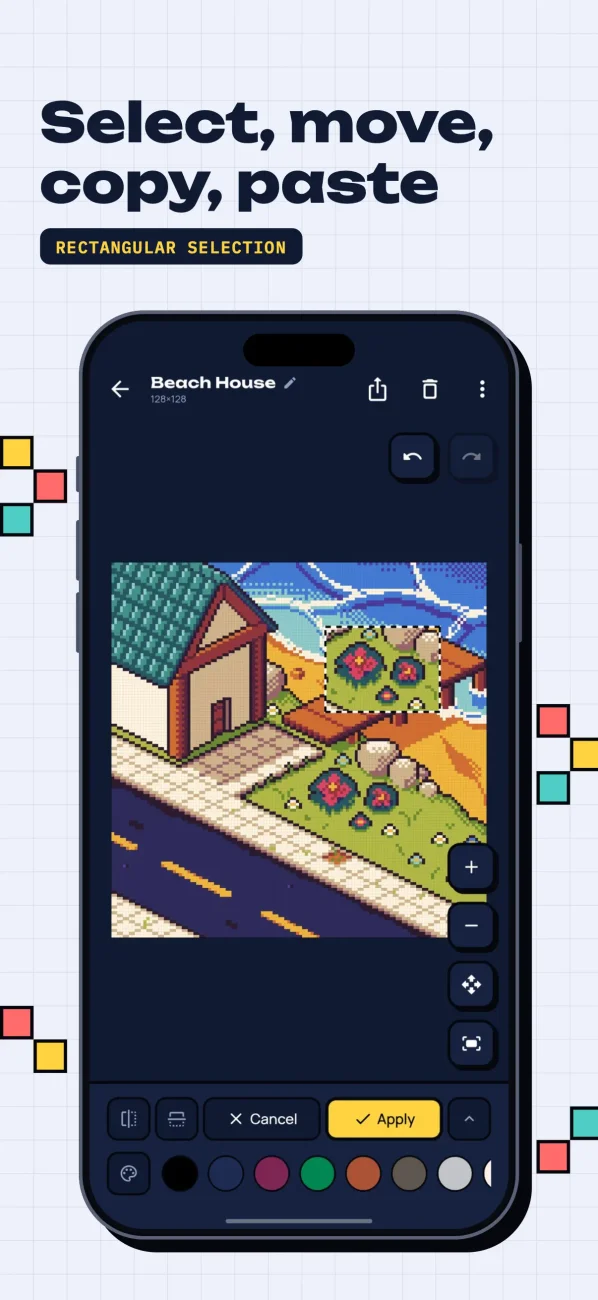
• Select, move, copy, cut, paste and flip any area
• Rotate and flip the whole canvas, replace a color everywhere
• Canvas sizes up to 512×512 with any aspect ratio
Privacidad de la aplicación
Lo que Illia Hroshev declara en App Store sobre cómo esta aplicación gestiona los datos.
-
Datos usados para rastrearte
Pueden usarse para rastrearte en aplicaciones y sitios web propiedad de otras empresas.
- Ubicación
- Identificadores
- Datos de uso
- Diagnóstico
-
Datos no vinculados a ti
Pueden recopilarse, pero no se vinculan a tu identidad.
- Ubicación
- Identificadores
- Datos de uso
- Diagnóstico
Las prácticas de privacidad pueden variar, por ejemplo, según las funciones que uses o tu edad.
Información
- Vendedor
- Illia Hroshev
- Categoría
- Diseño gráfico
- Versión
- 1.1.1
- Actualizado
- 17/11/2026
- Publicado
- 29/9/2026
- Tamaño
- 26,8 MB
- Requiere
- iOS 17.6 o posterior
- Clasificación por edad
- 4+
- Precio
- Gratis
- Idiomas
- Inglés
- Copyright
- © 2026 Illia Hroshev
Quizá también te guste
-
 dotStudioDiseño gráfico
-
 Pixel Painter PlusDiseño gráfico
-
 Pixel Art Maker - AnywhereDiseño gráfico
-
 PixelCreaterPixel art y foto a píxeles
-
 Simple Pixel Art MakerDiseño gráfico
-
 Draw Pixel: Lienzo de Píxeles¡Crea tu pixel art ahora!
-
 NPS Image EditorDiseño gráfico
-
 PIXIO Pixel StudioDiseño gráfico
-
 PixSprite: Pixel Art StudioDiseño gráfico
-
 Chroma8: Pixel Art StudioDiseño gráfico