
Pixel Forge: Pixel Art Maker
Draw sprites, share your art
Được thiết kế cho iPhone, iPad
Miễn phí
- Độ tuổi4+
- Danh mụcĐồ Họa & Thiết Kế
- Nhà phát triểnIllia Hroshev
- Ngôn ngữTiếng Anh
- Kích thước26,8 MB
Liên kết đến trang App Store chính thức
Download.org không lưu trữ tệp nào của Pixel Forge: Pixel Art Maker. Nút này mở trang ứng dụng trên App Store, nơi Illia Hroshev phát hành ứng dụng. Trang được kiểm tra lần cuối: 18/11/2026.
Ảnh chụp màn hình

Giới thiệu
Nhà phát triển chưa cung cấp nội dung này bằng ngôn ngữ của bạn.
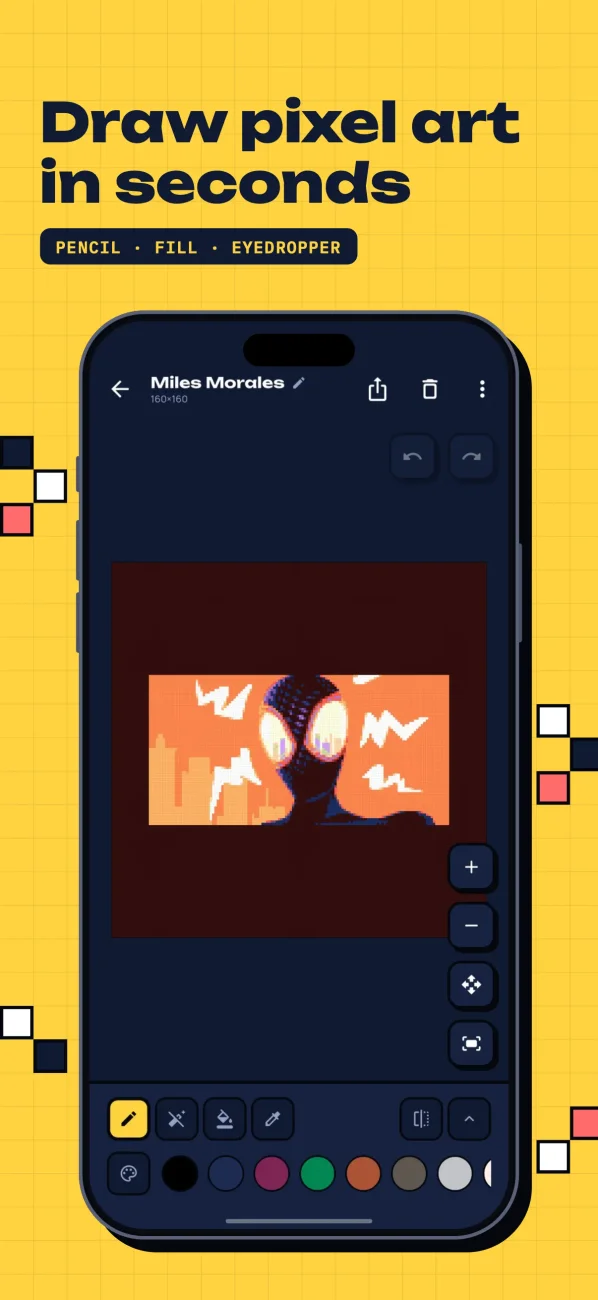
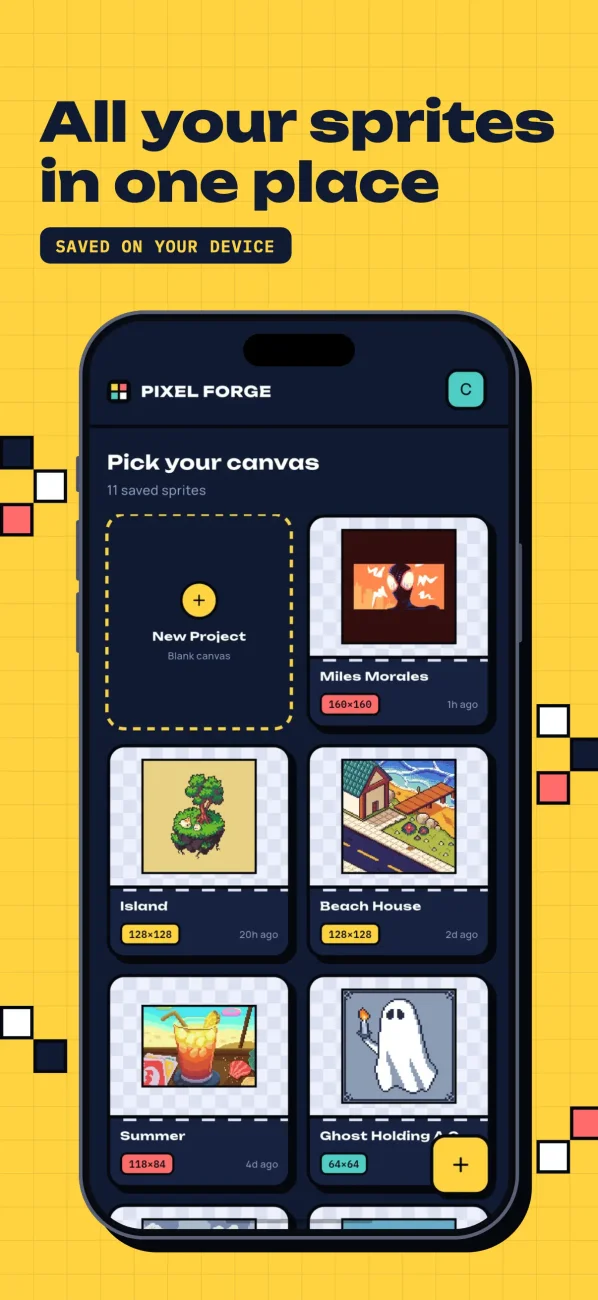
Pixel Forge is a fast, playful pixel art editor built for your iPhone. Pick a canvas, grab a color, and start drawing sprites, icons, avatars and retro game art in seconds.
START WITH THE RIGHT CANVAS
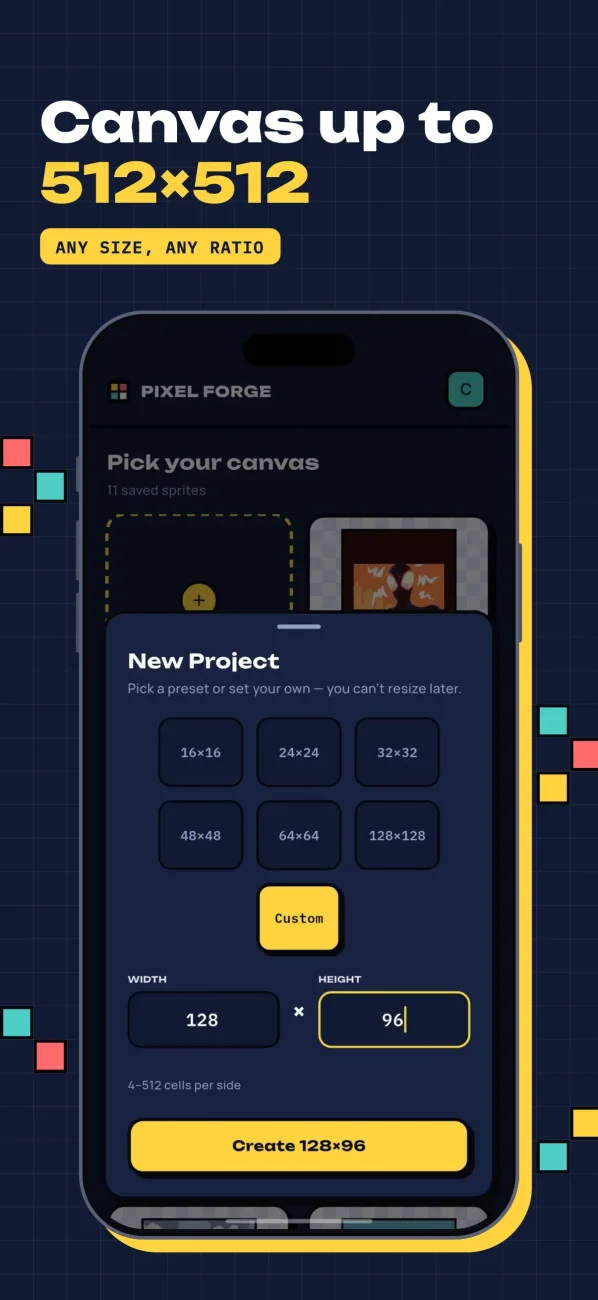
Choose a square grid from 16x16 up to 128x128 pixels. Small canvases for chunky retro sprites, big ones for detailed scenes.
DRAW YOUR WAY
• Pencil to paint pixel by pixel or drag to draw lines
• Eraser to clear pixels back to transparent
• Eyedropper to pick any color already on your canvas and keep drawing with it
• Undo and redo for every stroke, so you can experiment without fear
COLORS THAT FIT YOUR STYLE
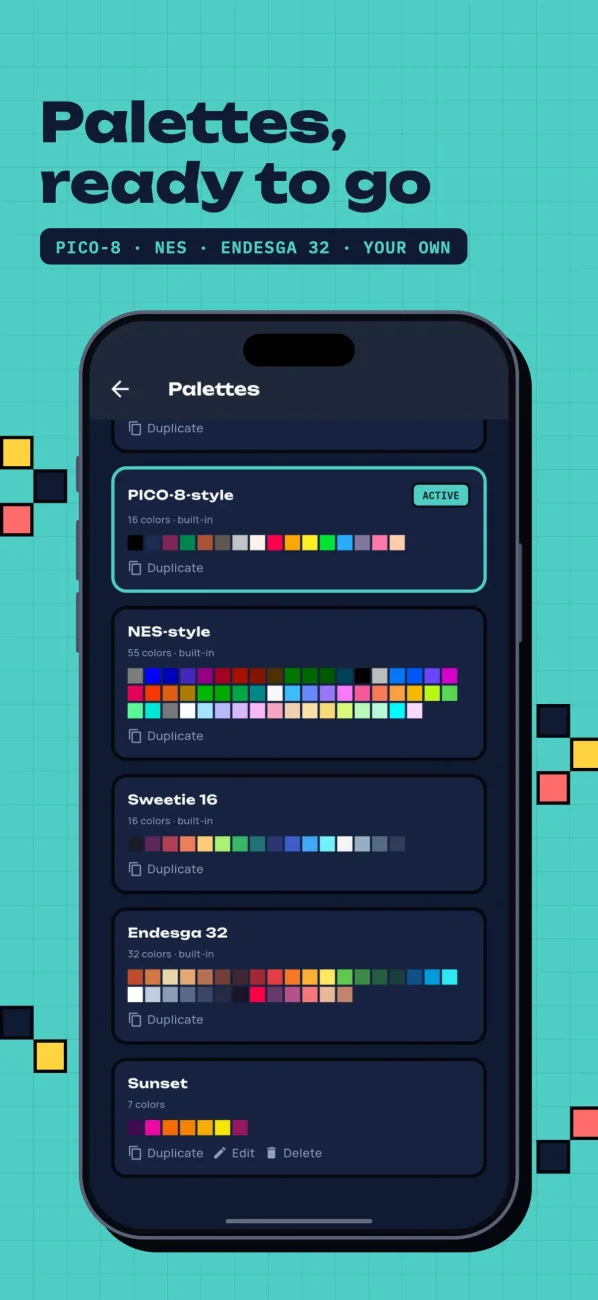
• A ready-to-use palette right at your thumb
• A custom color picker with a color square, hue slider and HEX input for exactly the shade you want
WORK COMFORTABLY
• Zoom in for precise pixel work and zoom out to see the whole picture
• Pan mode to move around large canvases without accidentally drawing
• Fit to screen to jump back to a full view instantly
YOUR GALLERY OF SPRITES
• All your projects live in one colorful grid
• Rename projects, reopen them any time, and delete the ones you no longer need
• Your work is stored on your device, no account required
SHARE YOUR ART
• Card: a stylish, ready-to-post picture of your artwork with the Pixel Forge look
• Image: a clean PNG of just your pixels, with real transparency for the empty areas, ready to use as an asset in games and other projects
• Share to any app, or save straight to your Photos library
Whether you are making your first sprite or your hundredth, Pixel Forge keeps the tools simple and the fun high.
Download Pixel Forge and start forging pixels today.
Có gì mới
Phiên bản 1.1.1 · 17/11/2026
Big drawing update!
• Fill bucket, line, rectangle and ellipse tools
• Mirror symmetry drawing
• Ready-made palettes (PICO-8, NES, Endesga 32…) and your own custom palettes
• Brush sizes 1×1–3×3 and dither patterns
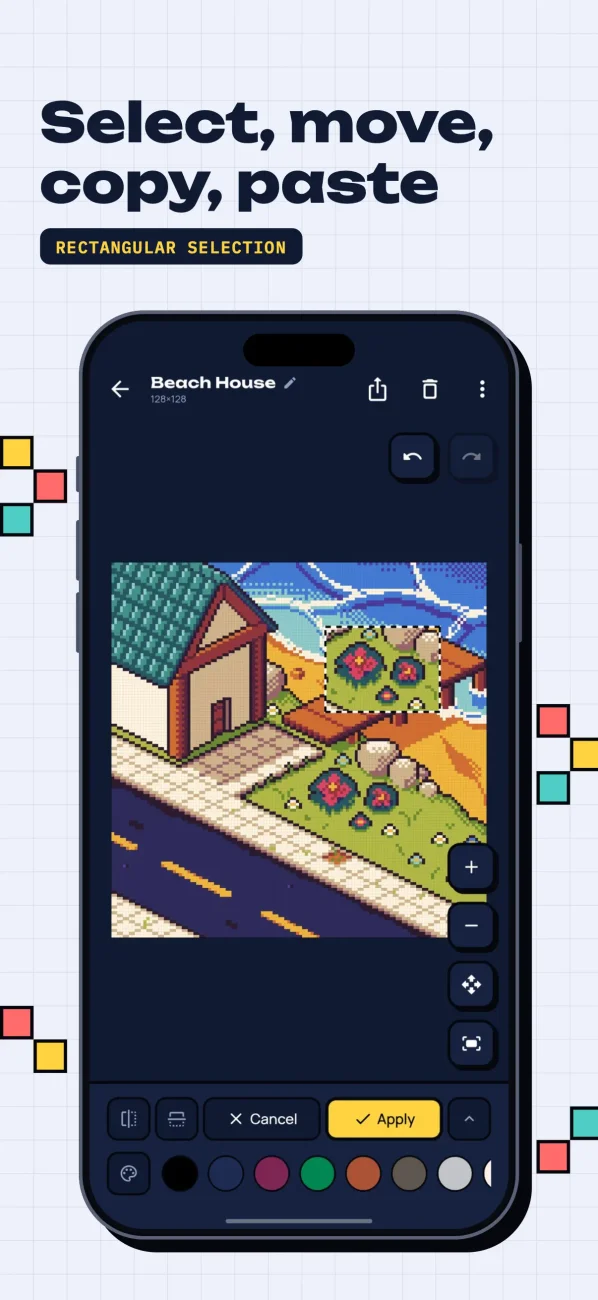
• Select, move, copy, cut, paste and flip any area
• Rotate and flip the whole canvas, replace a color everywhere
• Canvas sizes up to 512×512 with any aspect ratio
Quyền riêng tư của ứng dụng
Những gì Illia Hroshev khai báo trên App Store về cách ứng dụng này xử lý dữ liệu.
-
Dữ liệu được sử dụng để theo dõi bạn
Có thể được sử dụng để theo dõi bạn trên các ứng dụng và trang web do công ty khác sở hữu.
- Vị trí
- Mã định danh
- Dữ liệu sử dụng
- Chẩn đoán
-
Dữ liệu không liên kết với bạn
Có thể được thu thập nhưng không liên kết với danh tính của bạn.
- Vị trí
- Mã định danh
- Dữ liệu sử dụng
- Chẩn đoán
Phương thức đảm bảo quyền riêng tư có thể khác nhau, chẳng hạn như tuỳ theo các tính năng bạn sử dụng hoặc độ tuổi của bạn.
Thông tin
- Người bán
- Illia Hroshev
- Danh mục
- Đồ Họa & Thiết Kế
- Phiên bản
- 1.1.1
- Cập nhật
- 17/11/2026
- Phát hành
- 29/09/2026
- Kích thước
- 26,8 MB
- Yêu cầu
- iOS 17.6 trở lên
- Độ tuổi
- 4+
- Giá
- Miễn phí
- Ngôn ngữ
- Tiếng Anh
- Bản quyền
- © 2026 Illia Hroshev
Có thể bạn cũng thích
-
 dotStudioĐồ Họa & Thiết Kế
-
 Pixel Painter PlusĐồ Họa & Thiết Kế
-
 Pixel Art Maker - AnywhereĐồ Họa & Thiết Kế
-
 PixelCreaterĐồ Họa & Thiết Kế
-
 Simple Pixel Art MakerĐồ Họa & Thiết Kế
-
 Draw Pixel: Pixel Art CanvasĐồ Họa & Thiết Kế
-
 NPS Image EditorĐồ Họa & Thiết Kế
-
 PIXIO Pixel StudioĐồ Họa & Thiết Kế
-
 PixSprite: Pixel Art StudioĐồ Họa & Thiết Kế
-
 Chroma8: Pixel Art StudioĐồ Họa & Thiết Kế