Prime Speed Controller
A-B Loop, Speed & Seek
Diseñada para iPhone, iPad, iPod touch
Gratis
- Clasificación por edad4+
- CategoríaUtilidades
- DesarrolladorKohei Ishikawa
- IdiomasInglés
- Tamaño776,0 KB
Enlaza a la página oficial de App Store
Download.org no aloja ningún archivo de Prime Speed Controller. El botón abre la página de la aplicación en App Store, donde la publica Kohei Ishikawa. Ficha comprobada por última vez el 10/11/2026.
Capturas de pantalla


Acerca de
El desarrollador no ha proporcionado este texto en tu idioma.
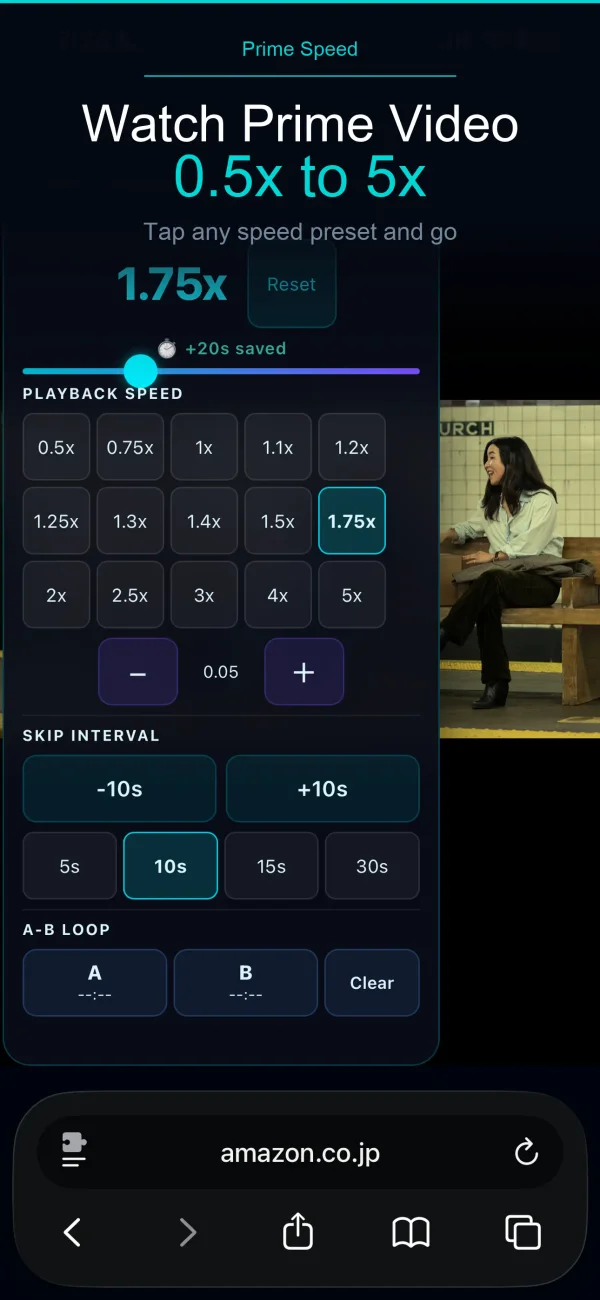
Prime Speed Controller is a Safari extension that adds A-B loop repeat, playback speed control, seek, and time-saved tracking exclusively to Prime Video on iPhone and iPad. Perfect for language learners and anyone who wants to get more out of Prime Video.
■ A-B Loop Repeat
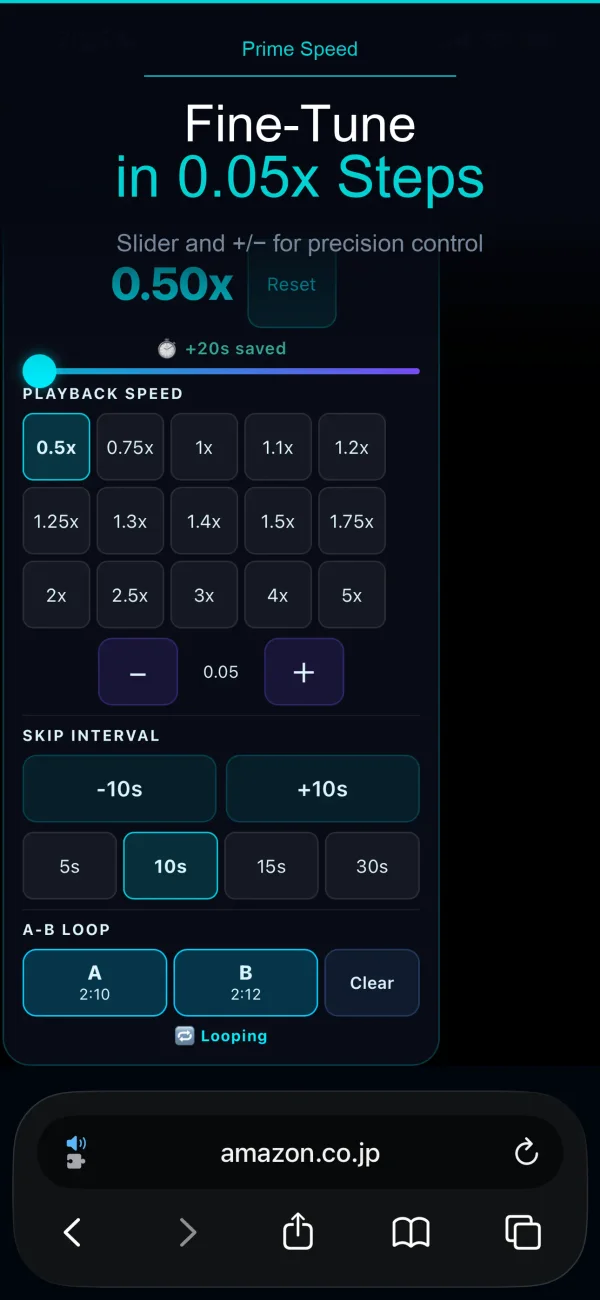
Tap A to mark a start point, tap B to mark an end point — the video loops that segment continuously. Replay any dialogue, scene, or lecture as many times as you need.
■ Playback Speed
15 presets from 0.5x to 5x, with 0.05x fine-tuning. Subtle steps like 1.1x and 1.2x let you boost speed while keeping audio clear.
■ Forward & Rewind
Choose 5, 10, 15, or 30-second intervals. Jump back instantly to catch missed dialogue.
■ Time-Saved Tracker
The panel shows how much real time you have saved by watching above 1.0x speed, accumulated across sessions.
Key Features
• A-B Loop: mark any segment for continuous repeat
• 15 playback speed presets from 0.5x to 5x
• Fine-tune in 0.05x steps
• Forward and rewind at 5, 10, 15, or 30 seconds
• Time-saved tracker displayed in the panel
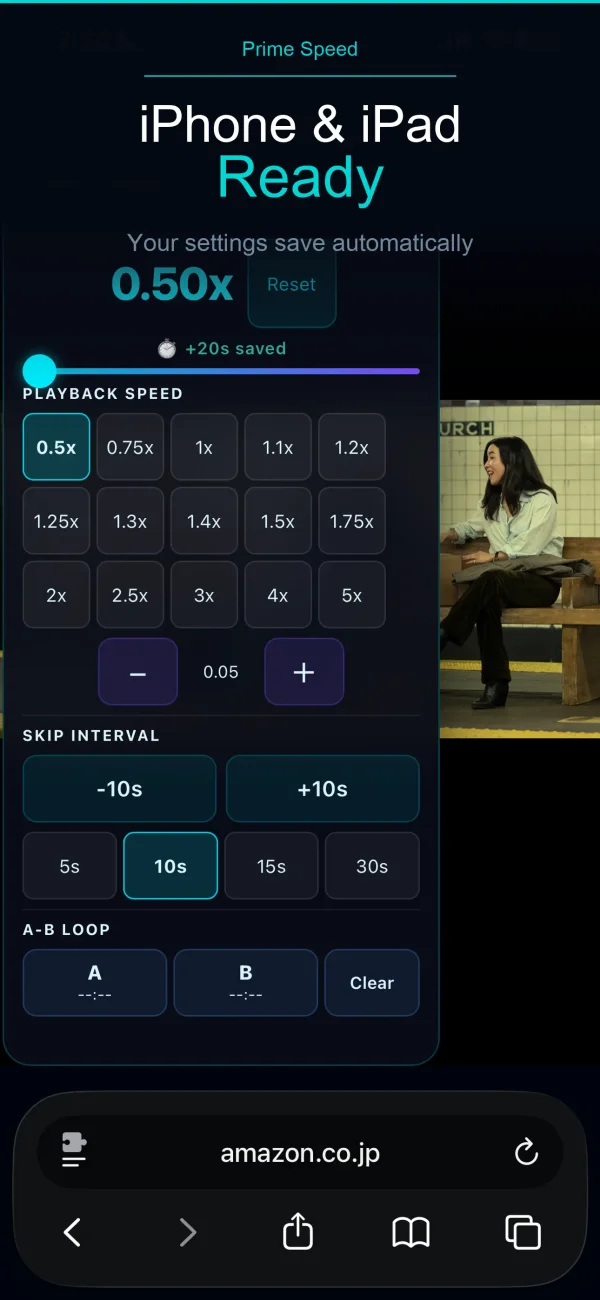
• Settings saved automatically across sessions
• Works on iPhone and iPad
• Activates only on Prime Video — no other sites
• No data sent to external servers
How to Use
1. Follow the in-app guide to enable the extension in Safari Settings.
2. Open Prime Video in Safari and start a video.
3. Use the floating panel to set speed, seek interval, or A-B loop points.
Playback speed or seeking may be restricted by Prime Video for certain titles. This app does not detect or skip advertisements.
This is an independent, unofficial Safari extension. It is not provided, endorsed, or approved by Amazon, Prime Video, or their affiliates. Amazon and Prime Video are trademarks or registered trademarks of their respective owners.
Privacidad de la aplicación
Lo que Kohei Ishikawa declara en App Store sobre cómo esta aplicación gestiona los datos.
-
No se recopilan datos
El desarrollador no recopila ningún dato de esta aplicación.
Las prácticas de privacidad pueden variar, por ejemplo, según las funciones que uses o tu edad.
Información
- Vendedor
- Kohei Ishikawa
- Categoría
- Utilidades
- Versión
- 1.0
- Actualizado
- 21/9/2026
- Publicado
- 20/9/2026
- Tamaño
- 776,0 KB
- Requiere
- iOS 15.0 o posterior
- Clasificación por edad
- 4+
- Precio
- Gratis
- Idiomas
- Inglés
- Copyright
- © 2026 Kohei Ishikawa
Quizá también te guste
-
 Chess Clock: Tempo Blitz TimerUtilidades
-
 動画2倍速Utilidades
-
 AuraVideo: Video EditorUtilidades
-
 Just Chess ClockUtilidades
-
 Control de velocidad de vídeoMíralo todo a tu ritmo
-
 ZapPix-Video SidekickUtilidades
-
 Video SpeedifierUtilidades
-
 AppStashListUtilidades
-
 Comprimir Vídeo: ReducirPara Email & Messenger · GB
-
 ALBA: Vídeos y BóvedaArchivos, 2FA y modo offline