Prime Speed Controller
A-B Loop, Speed & Seek
Conçue pour iPhone, iPad, iPod touch
Gratuit
- Classification d’âge4+
- CatégorieUtilitaires
- DéveloppeurKohei Ishikawa
- LanguesAnglais
- Taille776,0 Ko
Renvoie vers la page App Store officielle
Download.org n’héberge aucun fichier de Prime Speed Controller. Le bouton ouvre la page de l’application sur App Store, où Kohei Ishikawa la publie. Fiche vérifiée pour la dernière fois le 10/11/2026.
Captures d’écran


À propos
Le développeur n’a pas fourni ce texte dans votre langue.
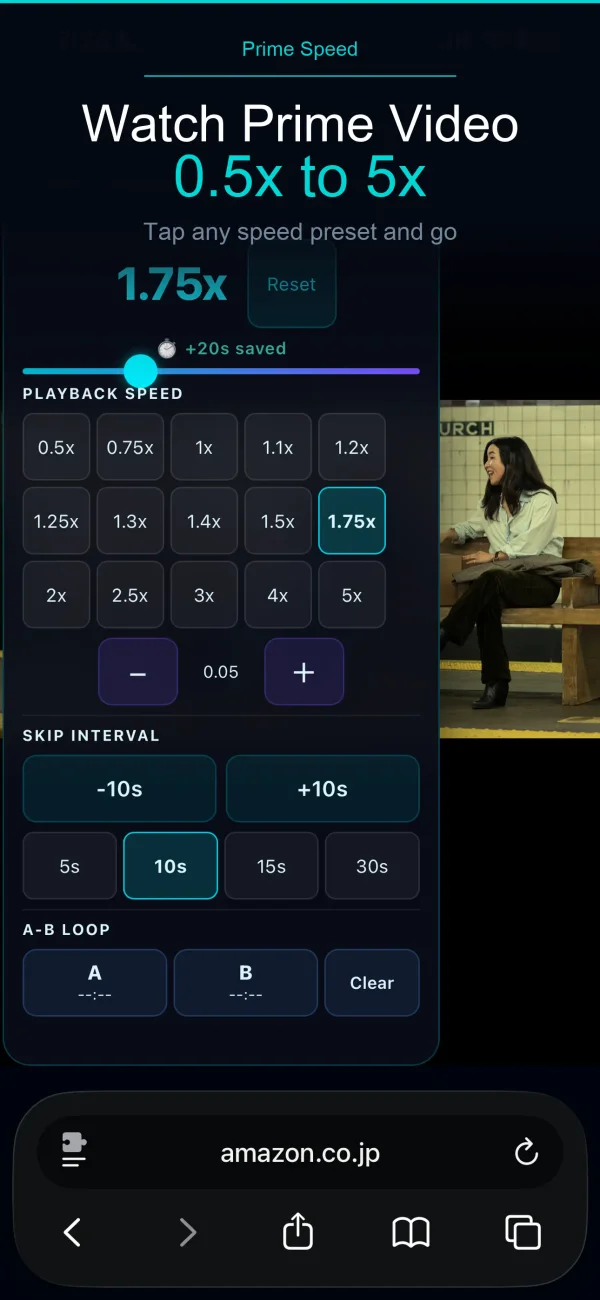
Prime Speed Controller is a Safari extension that adds A-B loop repeat, playback speed control, seek, and time-saved tracking exclusively to Prime Video on iPhone and iPad. Perfect for language learners and anyone who wants to get more out of Prime Video.
■ A-B Loop Repeat
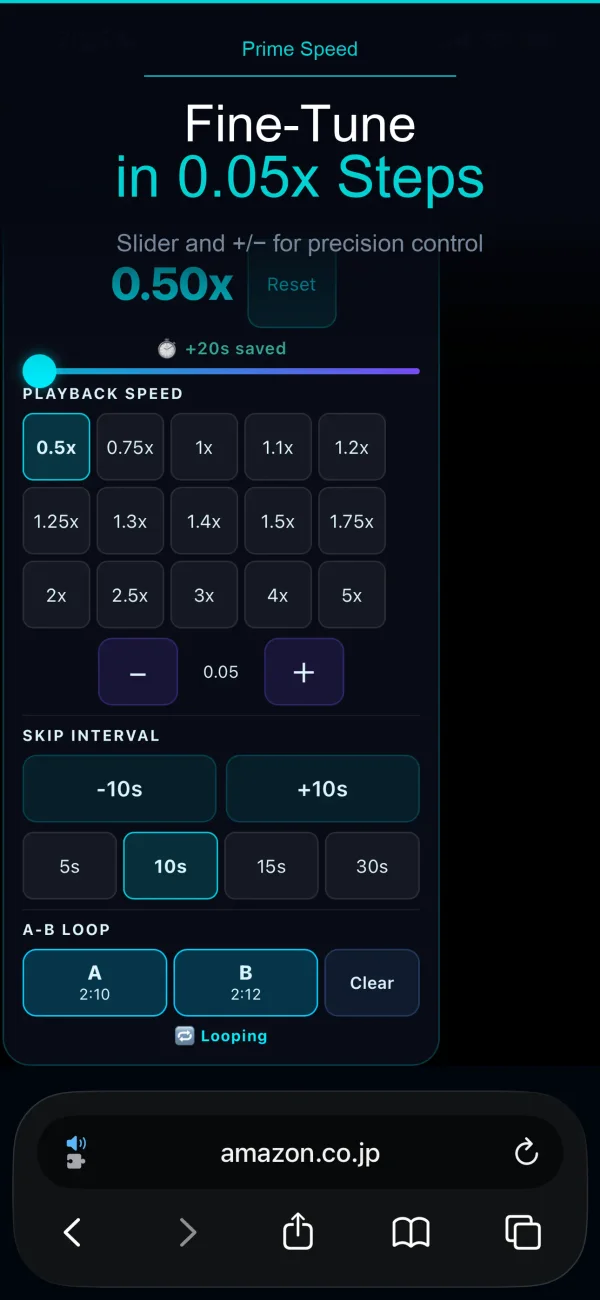
Tap A to mark a start point, tap B to mark an end point — the video loops that segment continuously. Replay any dialogue, scene, or lecture as many times as you need.
■ Playback Speed
15 presets from 0.5x to 5x, with 0.05x fine-tuning. Subtle steps like 1.1x and 1.2x let you boost speed while keeping audio clear.
■ Forward & Rewind
Choose 5, 10, 15, or 30-second intervals. Jump back instantly to catch missed dialogue.
■ Time-Saved Tracker
The panel shows how much real time you have saved by watching above 1.0x speed, accumulated across sessions.
Key Features
• A-B Loop: mark any segment for continuous repeat
• 15 playback speed presets from 0.5x to 5x
• Fine-tune in 0.05x steps
• Forward and rewind at 5, 10, 15, or 30 seconds
• Time-saved tracker displayed in the panel
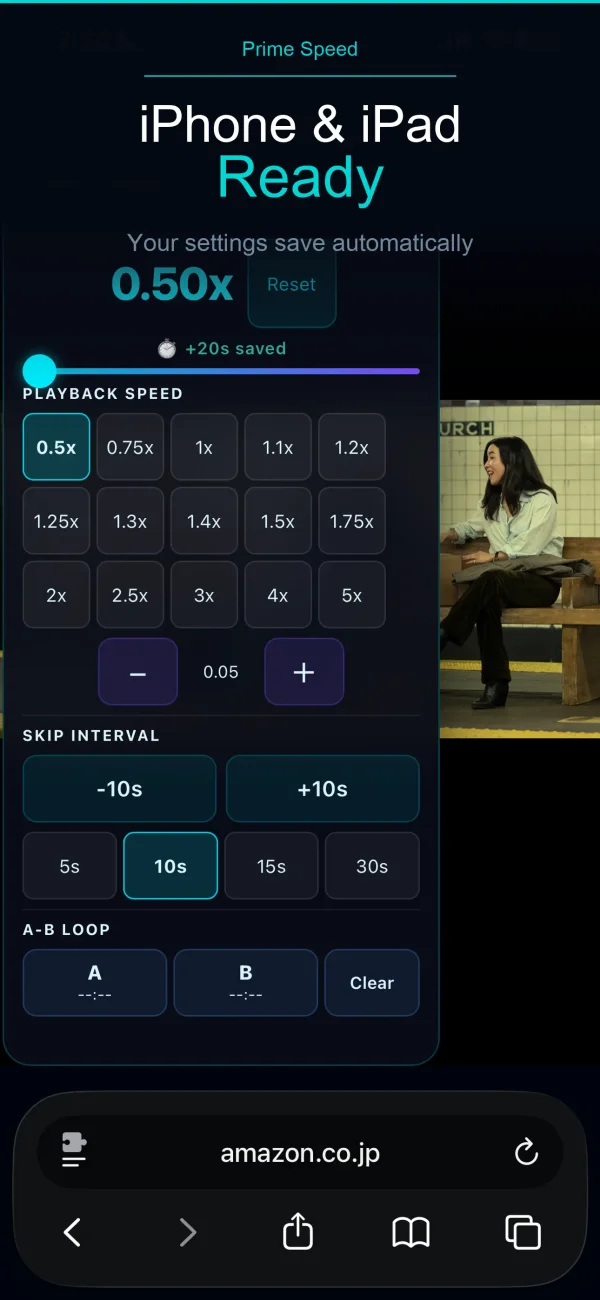
• Settings saved automatically across sessions
• Works on iPhone and iPad
• Activates only on Prime Video — no other sites
• No data sent to external servers
How to Use
1. Follow the in-app guide to enable the extension in Safari Settings.
2. Open Prime Video in Safari and start a video.
3. Use the floating panel to set speed, seek interval, or A-B loop points.
Playback speed or seeking may be restricted by Prime Video for certain titles. This app does not detect or skip advertisements.
This is an independent, unofficial Safari extension. It is not provided, endorsed, or approved by Amazon, Prime Video, or their affiliates. Amazon and Prime Video are trademarks or registered trademarks of their respective owners.
Confidentialité de l’application
Ce que Kohei Ishikawa déclare sur l’App Store au sujet du traitement des données par cette application.
-
Données non collectées
Le développeur ne collecte aucune donnée à partir de cette application.
Les pratiques en matière de confidentialité peuvent varier, notamment en fonction des fonctionnalités que vous utilisez ou de votre âge.
Informations
- Vendeur
- Kohei Ishikawa
- Catégorie
- Utilitaires
- Version
- 1.0
- Mis à jour
- 21/09/2026
- Publié
- 20/09/2026
- Taille
- 776,0 Ko
- Nécessite
- iOS 15.0 ou version ultérieure
- Classification d’âge
- 4+
- Prix
- Gratuit
- Langues
- Anglais
- Copyright
- © 2026 Kohei Ishikawa
Vous aimerez peut-être aussi
-
 Chess Clock: Tempo Blitz TimerUtilitaires
-
 動画2倍速Utilitaires
-
 AuraVideo: Video EditorUtilitaires
-
 Just Chess ClockUtilitaires
-
 Contrôle de vitesse vidéoRegardez à votre rythme
-
 ZapPix-Video SidekickUtilitaires
-
 Video SpeedifierUtilitaires
-
 AppStashListUtilitaires
-
 Compresseur Vidéo: −90%E-mail & Messenger · −Taille
-
 ALBA: Video Saver & VaultUtilitaires