Prime Speed Controller
A-B Loop, Speed & Seek
Dirancang untuk iPhone, iPad, iPod touch
Gratis
- Batasan usia4+
- KategoriKegunaan
- PengembangKohei Ishikawa
- BahasaInggris
- Ukuran776,0 KB
Tertaut ke halaman resmi App Store
Download.org tidak menyimpan file Prime Speed Controller apa pun. Tombol ini membuka halaman aplikasi di App Store, tempat Kohei Ishikawa menerbitkannya. Halaman terakhir diperiksa pada 10/11/2026.
Tangkapan layar


Tentang
Pengembang belum menyediakan teks ini dalam bahasa Anda.
Prime Speed Controller is a Safari extension that adds A-B loop repeat, playback speed control, seek, and time-saved tracking exclusively to Prime Video on iPhone and iPad. Perfect for language learners and anyone who wants to get more out of Prime Video.
■ A-B Loop Repeat
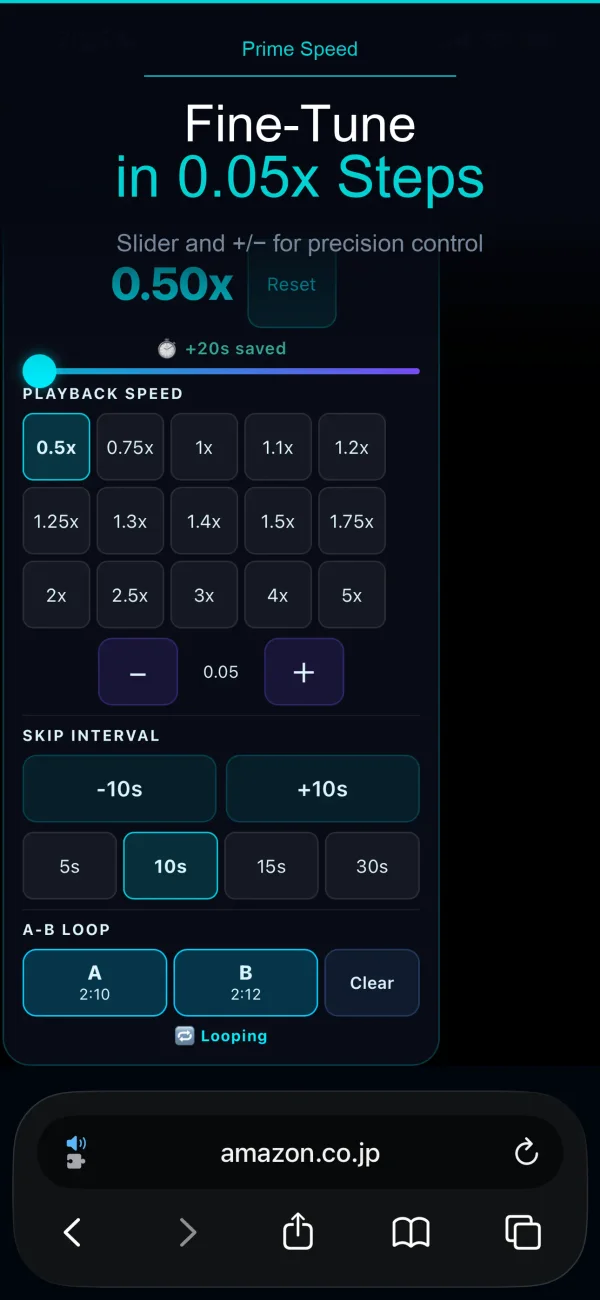
Tap A to mark a start point, tap B to mark an end point — the video loops that segment continuously. Replay any dialogue, scene, or lecture as many times as you need.
■ Playback Speed
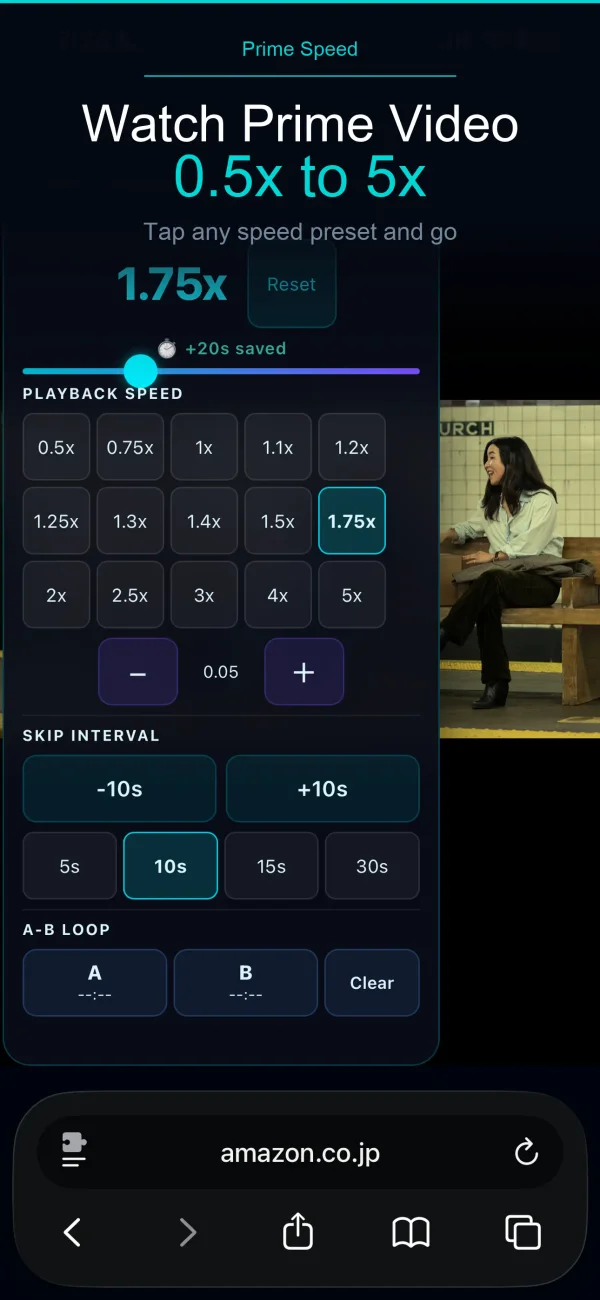
15 presets from 0.5x to 5x, with 0.05x fine-tuning. Subtle steps like 1.1x and 1.2x let you boost speed while keeping audio clear.
■ Forward & Rewind
Choose 5, 10, 15, or 30-second intervals. Jump back instantly to catch missed dialogue.
■ Time-Saved Tracker
The panel shows how much real time you have saved by watching above 1.0x speed, accumulated across sessions.
Key Features
• A-B Loop: mark any segment for continuous repeat
• 15 playback speed presets from 0.5x to 5x
• Fine-tune in 0.05x steps
• Forward and rewind at 5, 10, 15, or 30 seconds
• Time-saved tracker displayed in the panel
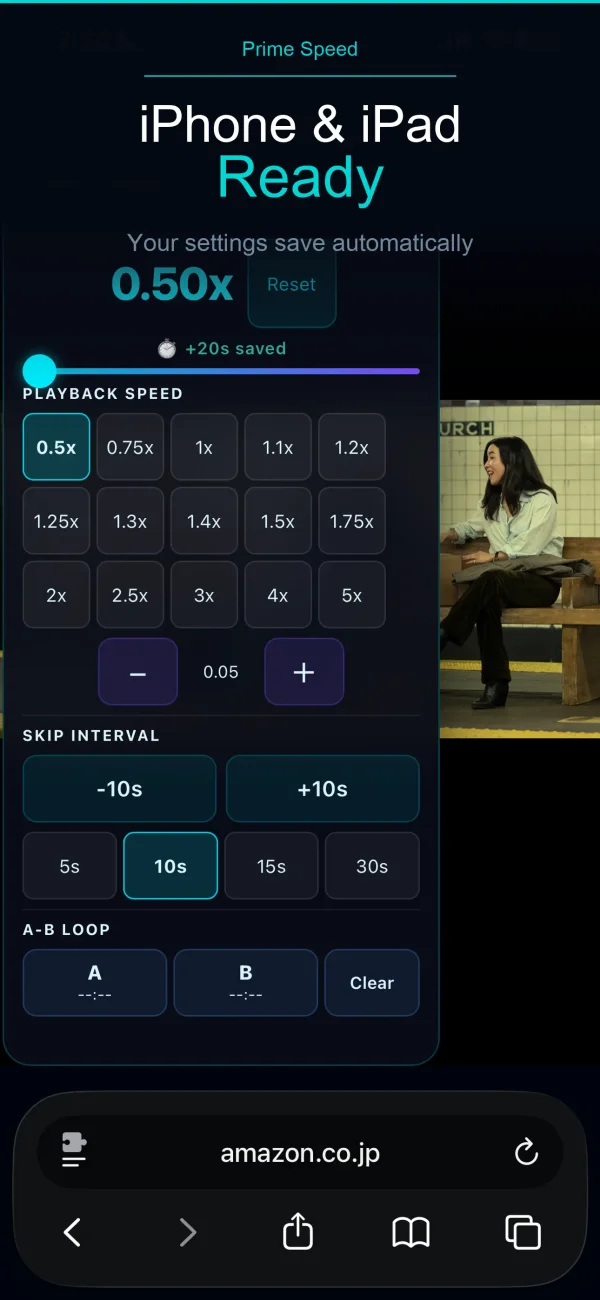
• Settings saved automatically across sessions
• Works on iPhone and iPad
• Activates only on Prime Video — no other sites
• No data sent to external servers
How to Use
1. Follow the in-app guide to enable the extension in Safari Settings.
2. Open Prime Video in Safari and start a video.
3. Use the floating panel to set speed, seek interval, or A-B loop points.
Playback speed or seeking may be restricted by Prime Video for certain titles. This app does not detect or skip advertisements.
This is an independent, unofficial Safari extension. It is not provided, endorsed, or approved by Amazon, Prime Video, or their affiliates. Amazon and Prime Video are trademarks or registered trademarks of their respective owners.
Privasi aplikasi
Yang dinyatakan Kohei Ishikawa di App Store tentang cara aplikasi ini menangani data.
-
Data tidak dikumpulkan
Pengembang tidak mengumpulkan data apa pun dari aplikasi ini.
Praktik privasi dapat bervariasi, misalnya berdasarkan fitur yang Anda gunakan atau usia Anda.
Informasi
- Penjual
- Kohei Ishikawa
- Kategori
- Kegunaan
- Versi
- 1.0
- Diperbarui
- 21/9/2026
- Dirilis
- 20/9/2026
- Ukuran
- 776,0 KB
- Memerlukan
- iOS 15.0 atau yang lebih baru
- Batasan usia
- 4+
- Harga
- Gratis
- Bahasa
- Inggris
- Hak cipta
- © 2026 Kohei Ishikawa
Mungkin Anda juga suka
-
 Chess Clock: Tempo Blitz TimerKegunaan
-
 動画2倍速Kegunaan
-
 AuraVideo: Video EditorKegunaan
-
 Just Chess ClockKegunaan
-
 Pengatur Kecepatan VideoTonton sesuai ritme Anda
-
 ZapPix-Video SidekickKegunaan
-
 Video SpeedifierKegunaan
-
 AppStashListKegunaan
-
 Kompres Video: PerkecilMessenger & Gmail · Hemat GB
-
 ALBA: Simpan Video & BrankasFile Pribadi, Akses Offline