Prime Speed Controller
A-B Loop, Speed & Seek
iPhone, iPad, iPod touch için tasarlandı
Ücretsiz
- Yaş sınırı4+
- KategoriYardımcılar
- GeliştiriciKohei Ishikawa
- Dillerİngilizce
- Boyut776,0 KB
Resmi App Store sayfasına bağlanır
Download.org, Prime Speed Controller için hiçbir dosya barındırmaz. Düğme, uygulamanın App Store üzerindeki sayfasını açar; uygulamayı orada Kohei Ishikawa yayınlar. Sayfanın son kontrolü: 10.11.2026.
Ekran görüntüleri


Hakkında
Geliştirici bu metni dilinizde sunmamış.
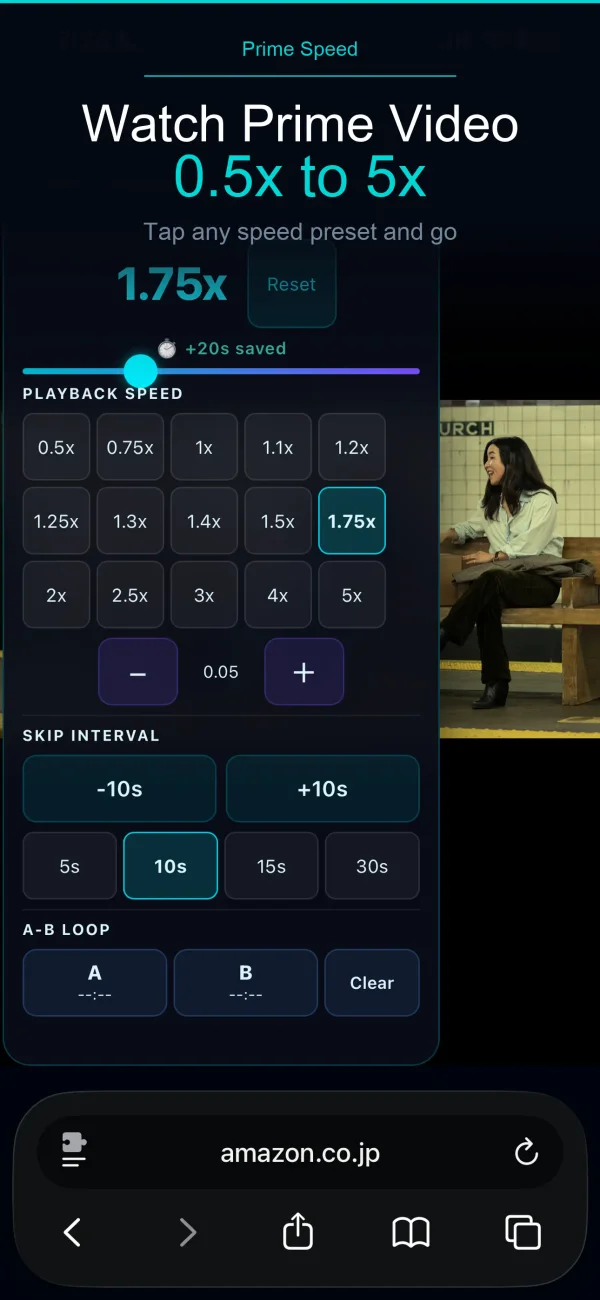
Prime Speed Controller is a Safari extension that adds A-B loop repeat, playback speed control, seek, and time-saved tracking exclusively to Prime Video on iPhone and iPad. Perfect for language learners and anyone who wants to get more out of Prime Video.
■ A-B Loop Repeat
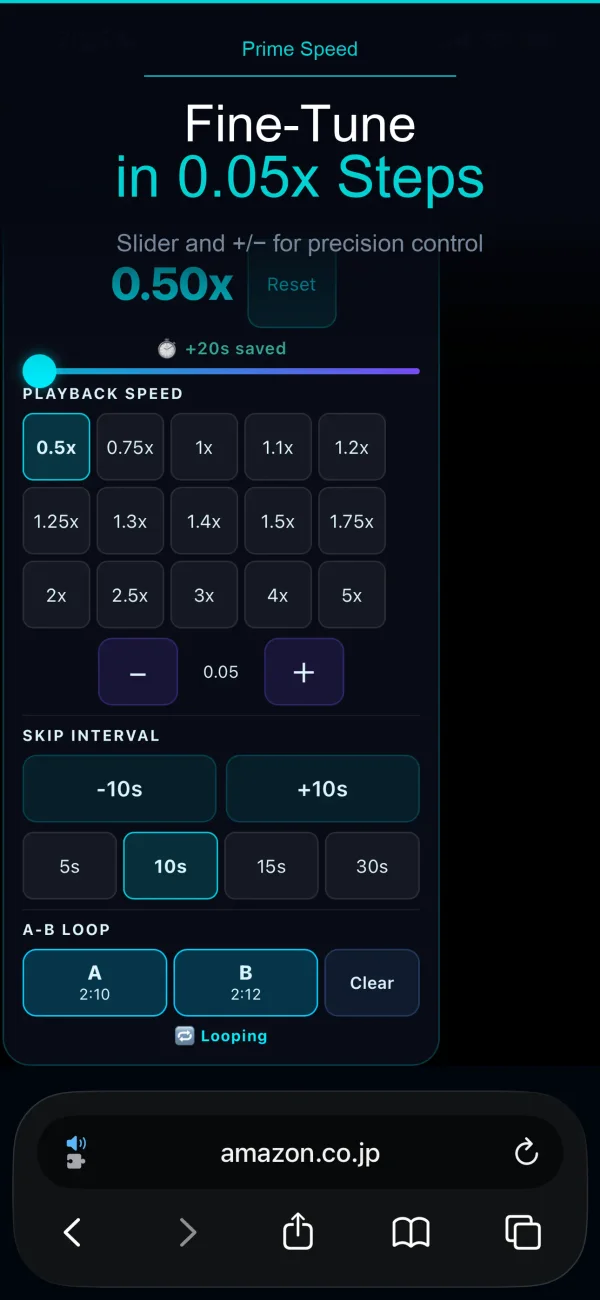
Tap A to mark a start point, tap B to mark an end point — the video loops that segment continuously. Replay any dialogue, scene, or lecture as many times as you need.
■ Playback Speed
15 presets from 0.5x to 5x, with 0.05x fine-tuning. Subtle steps like 1.1x and 1.2x let you boost speed while keeping audio clear.
■ Forward & Rewind
Choose 5, 10, 15, or 30-second intervals. Jump back instantly to catch missed dialogue.
■ Time-Saved Tracker
The panel shows how much real time you have saved by watching above 1.0x speed, accumulated across sessions.
Key Features
• A-B Loop: mark any segment for continuous repeat
• 15 playback speed presets from 0.5x to 5x
• Fine-tune in 0.05x steps
• Forward and rewind at 5, 10, 15, or 30 seconds
• Time-saved tracker displayed in the panel
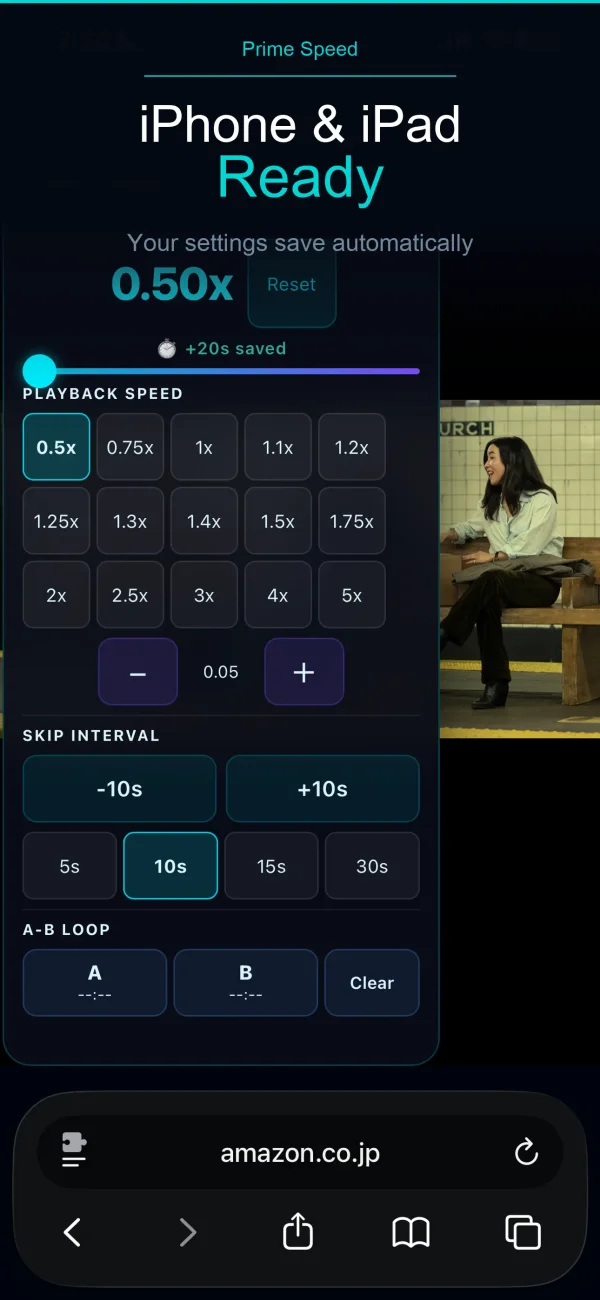
• Settings saved automatically across sessions
• Works on iPhone and iPad
• Activates only on Prime Video — no other sites
• No data sent to external servers
How to Use
1. Follow the in-app guide to enable the extension in Safari Settings.
2. Open Prime Video in Safari and start a video.
3. Use the floating panel to set speed, seek interval, or A-B loop points.
Playback speed or seeking may be restricted by Prime Video for certain titles. This app does not detect or skip advertisements.
This is an independent, unofficial Safari extension. It is not provided, endorsed, or approved by Amazon, Prime Video, or their affiliates. Amazon and Prime Video are trademarks or registered trademarks of their respective owners.
Uygulama gizliliği
Bu uygulamanın verileri nasıl işlediği hakkında Kohei Ishikawa tarafından App Store üzerinde yapılan beyan.
-
Veri toplanmıyor
Geliştirici bu uygulamadan hiçbir veri toplamıyor.
Gizlilik uygulamaları, örneğin kullandığınız özelliklere veya yaşınıza göre değişiklik gösterebilir.
Bilgiler
- Satıcı
- Kohei Ishikawa
- Kategori
- Yardımcılar
- Sürüm
- 1.0
- Güncellendi
- 21.09.2026
- Yayın tarihi
- 20.09.2026
- Boyut
- 776,0 KB
- Gereksinim
- iOS 15.0 veya sonrası
- Yaş sınırı
- 4+
- Fiyat
- Ücretsiz
- Diller
- İngilizce
- Telif hakkı
- © 2026 Kohei Ishikawa
Bunları da beğenebilirsiniz
-
 Chess Clock: Tempo Blitz TimerYardımcılar
-
 動画2倍速Yardımcılar
-
 AuraVideo: Video EditorYardımcılar
-
 Just Chess ClockYardımcılar
-
 Video Hız DenetleyicisiKendi hızınızda izleyin
-
 ZapPix-Video SidekickYardımcılar
-
 Video SpeedifierYardımcılar
-
 AppStashListYardımcılar
-
 Video Sıkıştırıcı: KüçültE-posta, Messenger · GB Aç
-
 ALBA: Video Saver & VaultYardımcılar