Prime Speed Controller
A-B Loop, Speed & Seek
Được thiết kế cho iPhone, iPad, iPod touch
Miễn phí
- Độ tuổi4+
- Danh mụcTiện Ích
- Nhà phát triểnKohei Ishikawa
- Ngôn ngữTiếng Anh
- Kích thước776,0 KB
Liên kết đến trang App Store chính thức
Download.org không lưu trữ tệp nào của Prime Speed Controller. Nút này mở trang ứng dụng trên App Store, nơi Kohei Ishikawa phát hành ứng dụng. Trang được kiểm tra lần cuối: 10/11/2026.
Ảnh chụp màn hình


Giới thiệu
Nhà phát triển chưa cung cấp nội dung này bằng ngôn ngữ của bạn.
Prime Speed Controller is a Safari extension that adds A-B loop repeat, playback speed control, seek, and time-saved tracking exclusively to Prime Video on iPhone and iPad. Perfect for language learners and anyone who wants to get more out of Prime Video.
■ A-B Loop Repeat
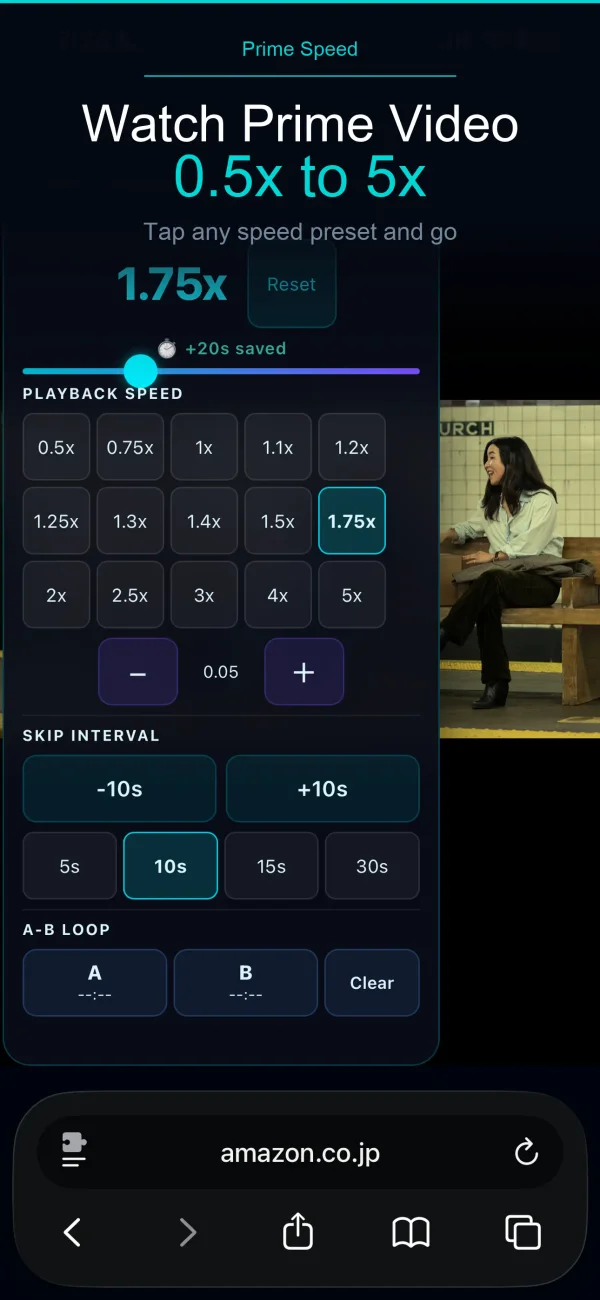
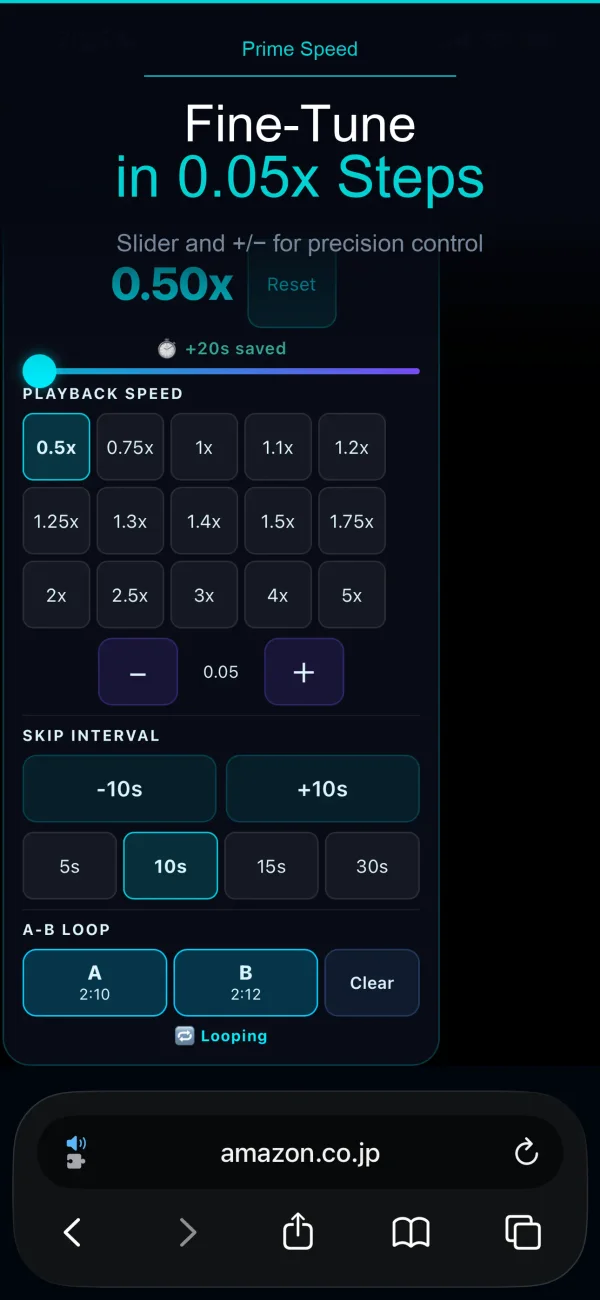
Tap A to mark a start point, tap B to mark an end point — the video loops that segment continuously. Replay any dialogue, scene, or lecture as many times as you need.
■ Playback Speed
15 presets from 0.5x to 5x, with 0.05x fine-tuning. Subtle steps like 1.1x and 1.2x let you boost speed while keeping audio clear.
■ Forward & Rewind
Choose 5, 10, 15, or 30-second intervals. Jump back instantly to catch missed dialogue.
■ Time-Saved Tracker
The panel shows how much real time you have saved by watching above 1.0x speed, accumulated across sessions.
Key Features
• A-B Loop: mark any segment for continuous repeat
• 15 playback speed presets from 0.5x to 5x
• Fine-tune in 0.05x steps
• Forward and rewind at 5, 10, 15, or 30 seconds
• Time-saved tracker displayed in the panel
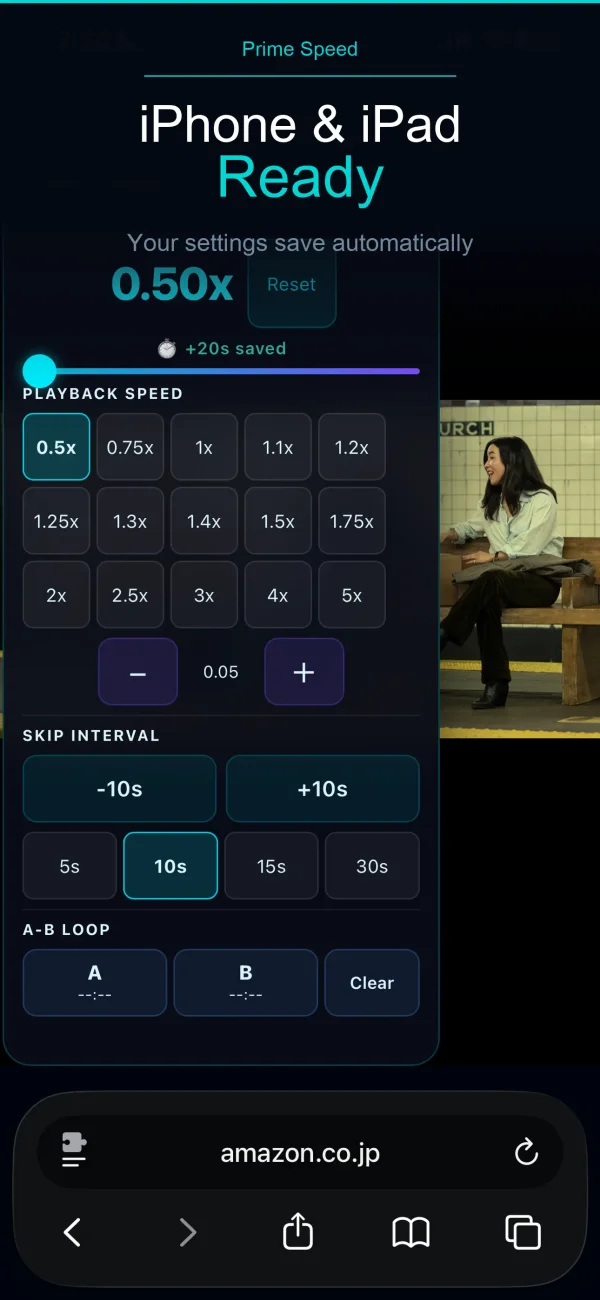
• Settings saved automatically across sessions
• Works on iPhone and iPad
• Activates only on Prime Video — no other sites
• No data sent to external servers
How to Use
1. Follow the in-app guide to enable the extension in Safari Settings.
2. Open Prime Video in Safari and start a video.
3. Use the floating panel to set speed, seek interval, or A-B loop points.
Playback speed or seeking may be restricted by Prime Video for certain titles. This app does not detect or skip advertisements.
This is an independent, unofficial Safari extension. It is not provided, endorsed, or approved by Amazon, Prime Video, or their affiliates. Amazon and Prime Video are trademarks or registered trademarks of their respective owners.
Quyền riêng tư của ứng dụng
Những gì Kohei Ishikawa khai báo trên App Store về cách ứng dụng này xử lý dữ liệu.
-
Dữ liệu không được thu thập
Nhà phát triển không thu thập bất kỳ dữ liệu nào từ ứng dụng này.
Phương thức đảm bảo quyền riêng tư có thể khác nhau, chẳng hạn như tuỳ theo các tính năng bạn sử dụng hoặc độ tuổi của bạn.
Thông tin
- Người bán
- Kohei Ishikawa
- Danh mục
- Tiện Ích
- Phiên bản
- 1.0
- Cập nhật
- 21/09/2026
- Phát hành
- 20/09/2026
- Kích thước
- 776,0 KB
- Yêu cầu
- iOS 15.0 trở lên
- Độ tuổi
- 4+
- Giá
- Miễn phí
- Ngôn ngữ
- Tiếng Anh
- Bản quyền
- © 2026 Kohei Ishikawa
Có thể bạn cũng thích
-
 Chess Clock: Tempo Blitz TimerTiện Ích
-
 動画2倍速Tiện Ích
-
 AuraVideo: Video EditorTiện Ích
-
 Just Chess ClockTiện Ích
-
 Trình điều khiển tốc độ videoXem theo nhịp của riêng bạn
-
 ZapPix-Video SidekickTiện Ích
-
 Video SpeedifierTiện Ích
-
 AppStashListTiện Ích
-
 Nén Video: Giảm Kích ThướcCho Zalo · Messenger · GB
-
 ALBA: Video Saver & VaultTiện Ích