
Remote Mouse for Mac
Wireless trackpad for your Mac
Diseñada para iPhone, iPad, iPod touch
Gratis · Compras en la aplicación
- Clasificación por edad4+
- CategoríaUtilidades
- Desarrolladorjoon kwang kim
- IdiomasInglés+ 3 más
- Tamaño5,6 MB
Enlaza a la página oficial de App Store
Download.org no aloja ningún archivo de Remote Mouse for Mac. El botón abre la página de la aplicación en App Store, donde la publica joon kwang kim. Ficha comprobada por última vez el 15/11/2026.
Capturas de pantalla


Acerca de
El desarrollador no ha proporcionado este texto en tu idioma.
Turn your iPhone and iPad into a wireless trackpad for your Mac.
Remote Mouse for Mac lets you control your Mac using the device in your hand — just like a Magic Trackpad, with no cables and no extra mouse. From the couch, during a presentation, or in bed, move your Mac's cursor freely from anywhere.
■ Just Like a Real Trackpad
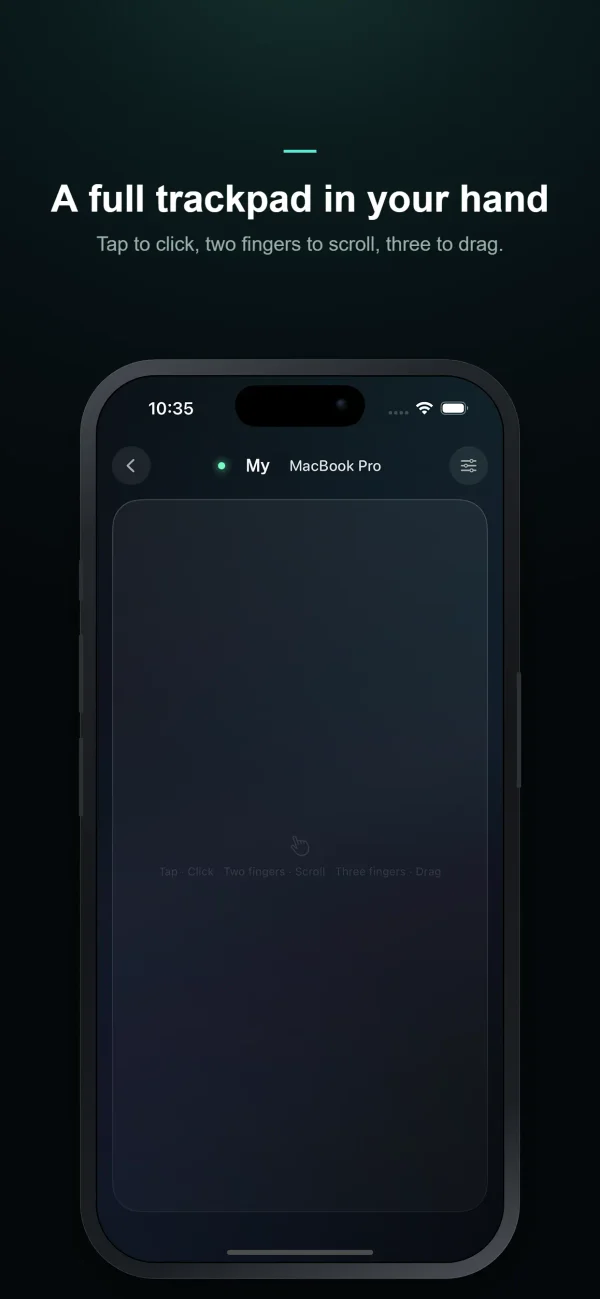
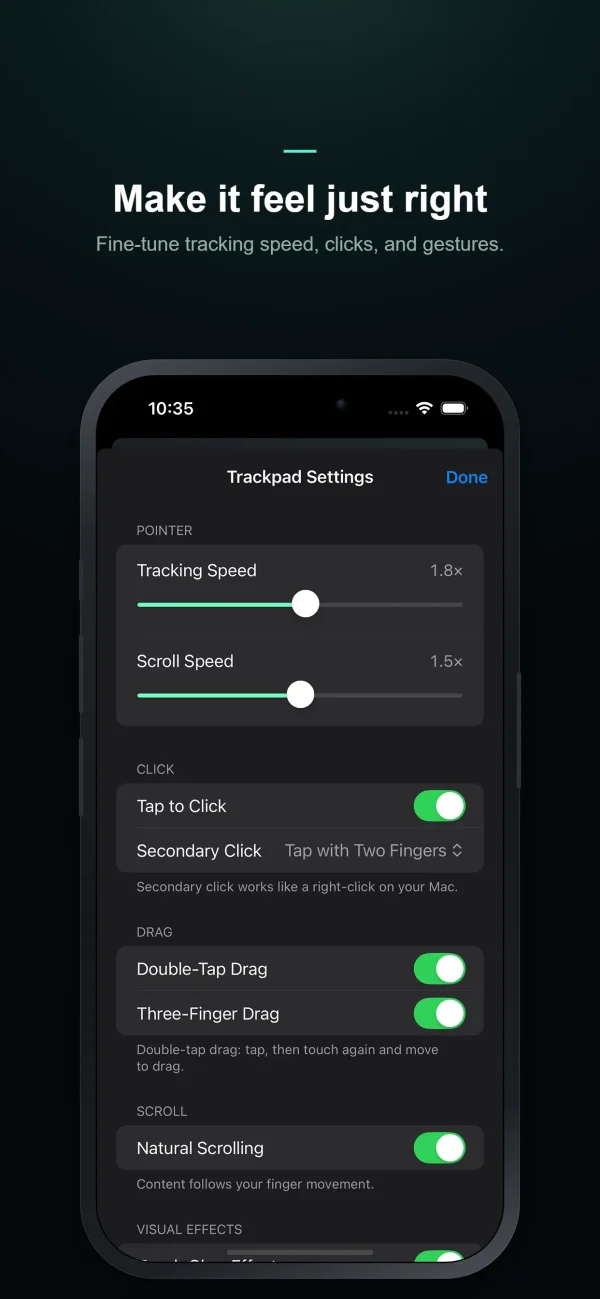
· Tap to click, two-finger tap to right-click
· Two-finger scroll
· Three-finger drag and double-tap drag
· Adjust tracking speed and scroll sensitivity to your liking
It feels exactly like a Magic Trackpad.
■ Connect Without Cables
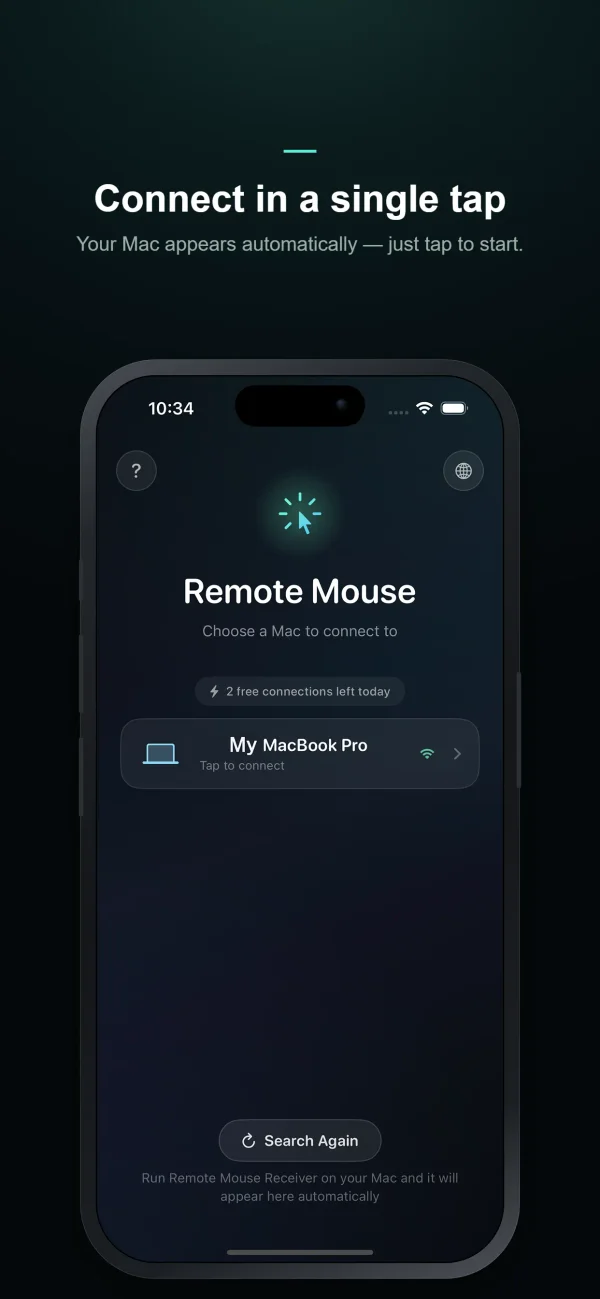
On the same Wi-Fi, your Mac is discovered automatically and shown in the list. One tap connects. No Wi-Fi? It connects over Bluetooth too.
■ Multiple Macs at Once
Home and office, MacBook and Mac mini — every Mac running the Receiver appears in the list, so you can pick and connect to any of them.
■ Secure by Design
When your iPhone connects, your Mac must approve it. No one can access your Mac without permission.
■ A Refined Experience
A neon glow blooms with every touch, wrapped in a design like no other. Available in Korean, English, Japanese, and Chinese, following your device language automatically.
■ Getting Started
1. Install this app.
2. Run the free Receiver on your Mac (download from remotemouseformac.com).
3. Pick your Mac in the app, approve it, and it becomes a trackpad instantly.
Note: To control your Mac's cursor, you need to run the free Receiver app on your Mac once. After the first launch, it starts automatically at login.
Novedades
Versión 1.0.4 · 6/11/2026
• iPhone Duo support: unfolded, the trackpad gets a scroll strip and Left/Right Click buttons. Half-fold it like a laptop and the lower screen becomes the trackpad.
• The same wide layout on iPad.
• Hold Left Click and slide on the trackpad to drag.
Privacidad de la aplicación
Lo que joon kwang kim declara en App Store sobre cómo esta aplicación gestiona los datos.
-
No se recopilan datos
El desarrollador no recopila ningún dato de esta aplicación.
Las prácticas de privacidad pueden variar, por ejemplo, según las funciones que uses o tu edad.
Información
- Vendedor
- joon kwang kim
- Categoría
- Utilidades
- Versión
- 1.0.4
- Actualizado
- 6/11/2026
- Publicado
- 11/7/2026
- Tamaño
- 5,6 MB
- Requiere
- iOS 15.0 o posterior
- Clasificación por edad
- 4+
- Precio
- Gratis
- Compras en la aplicación
- Sí
- Idiomas
- Inglés, Japonés, Coreano, Chino simplificado
- Copyright
- © 2026 JKIT
Quizá también te guste
-
 Amplificador de volumen!Aumentar Volumen al Máximo
-
 DueSnap: control de caducidadEscanea fechas de vencimiento
-
 TV Remote: Smart & UniversalUtilidades
-
 EasyBeauty-Beauty is so easyUtilidades
-
 VRLinkADB Tools,Debug Control
-
 QuickCast ProCast, Mirror & TV Remote
-
 Grabadora IA: TranscripciónHablantes y resúmenes con IA
-
 Pinger - Network MonitorUtilidades
-
 SideTVsUtilidades
-
 WiMouse: Remote Mouse KeyboardUtilidades