
Remote Mouse for Mac
Wireless trackpad for your Mac
iPhone, iPad, iPod touch için tasarlandı
Ücretsiz · Uygulama içi satın alma
- Yaş sınırı4+
- KategoriYardımcılar
- Geliştiricijoon kwang kim
- Dillerİngilizce+ 3 dil daha
- Boyut5,6 MB
Resmi App Store sayfasına bağlanır
Download.org, Remote Mouse for Mac için hiçbir dosya barındırmaz. Düğme, uygulamanın App Store üzerindeki sayfasını açar; uygulamayı orada joon kwang kim yayınlar. Sayfanın son kontrolü: 15.11.2026.
Ekran görüntüleri

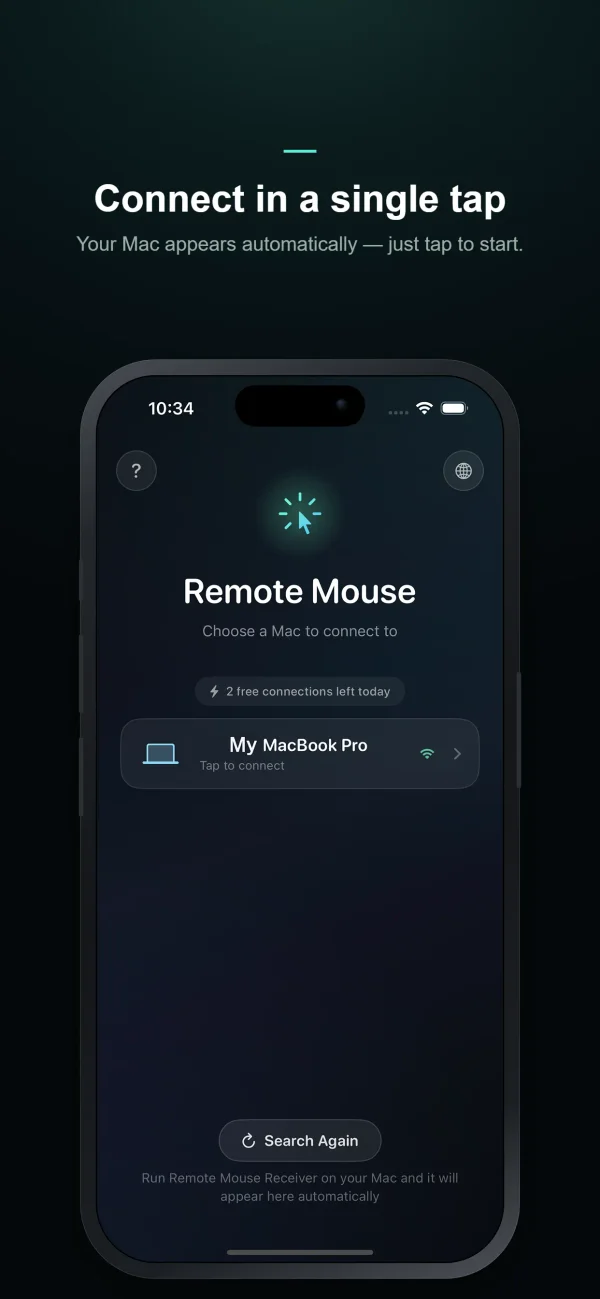

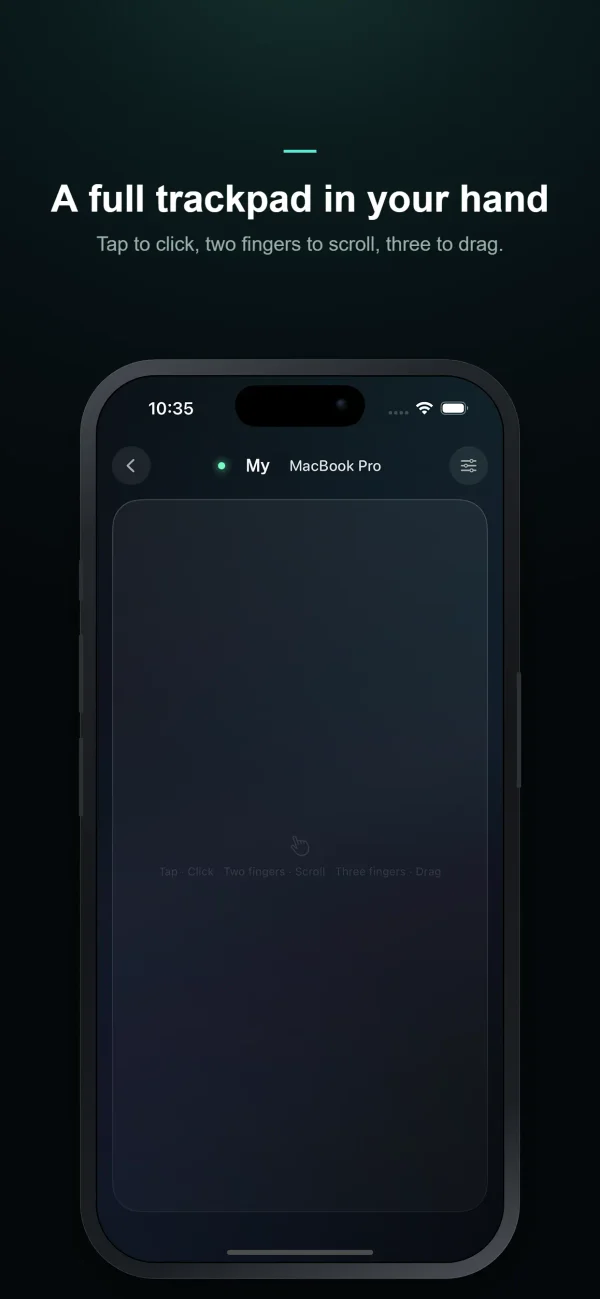
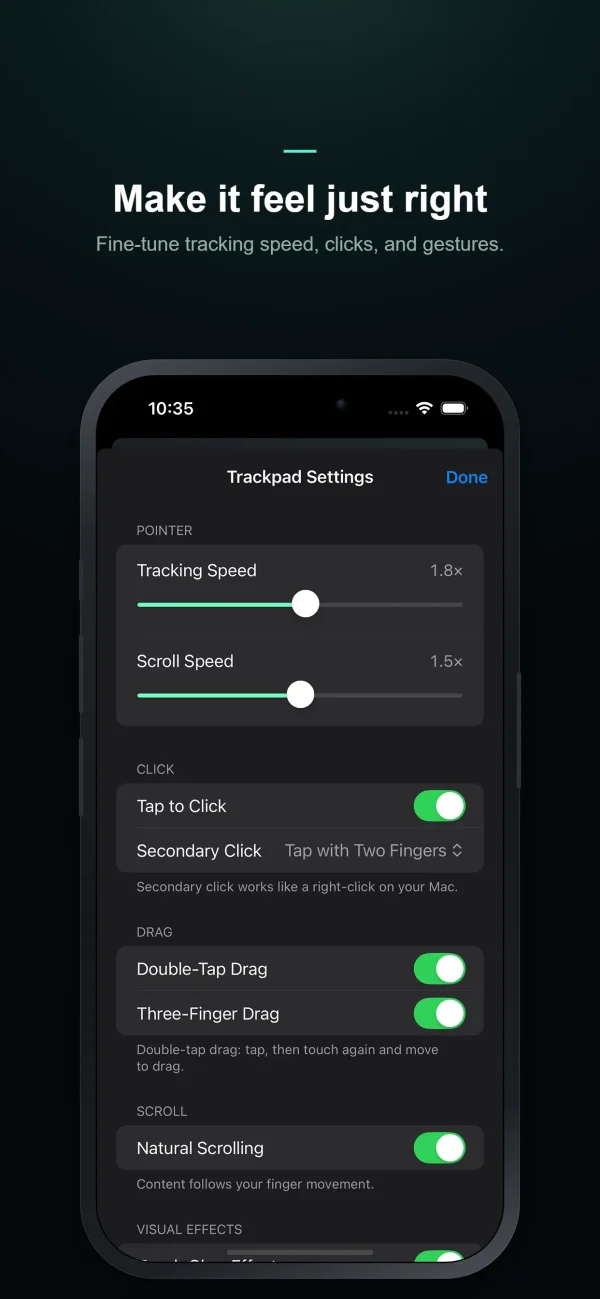
Hakkında
Geliştirici bu metni dilinizde sunmamış.
Turn your iPhone and iPad into a wireless trackpad for your Mac.
Remote Mouse for Mac lets you control your Mac using the device in your hand — just like a Magic Trackpad, with no cables and no extra mouse. From the couch, during a presentation, or in bed, move your Mac's cursor freely from anywhere.
■ Just Like a Real Trackpad
· Tap to click, two-finger tap to right-click
· Two-finger scroll
· Three-finger drag and double-tap drag
· Adjust tracking speed and scroll sensitivity to your liking
It feels exactly like a Magic Trackpad.
■ Connect Without Cables
On the same Wi-Fi, your Mac is discovered automatically and shown in the list. One tap connects. No Wi-Fi? It connects over Bluetooth too.
■ Multiple Macs at Once
Home and office, MacBook and Mac mini — every Mac running the Receiver appears in the list, so you can pick and connect to any of them.
■ Secure by Design
When your iPhone connects, your Mac must approve it. No one can access your Mac without permission.
■ A Refined Experience
A neon glow blooms with every touch, wrapped in a design like no other. Available in Korean, English, Japanese, and Chinese, following your device language automatically.
■ Getting Started
1. Install this app.
2. Run the free Receiver on your Mac (download from remotemouseformac.com).
3. Pick your Mac in the app, approve it, and it becomes a trackpad instantly.
Note: To control your Mac's cursor, you need to run the free Receiver app on your Mac once. After the first launch, it starts automatically at login.
Yenilikler
Sürüm 1.0.4 · 06.11.2026
• iPhone Duo support: unfolded, the trackpad gets a scroll strip and Left/Right Click buttons. Half-fold it like a laptop and the lower screen becomes the trackpad.
• The same wide layout on iPad.
• Hold Left Click and slide on the trackpad to drag.
Uygulama gizliliği
Bu uygulamanın verileri nasıl işlediği hakkında joon kwang kim tarafından App Store üzerinde yapılan beyan.
-
Veri toplanmıyor
Geliştirici bu uygulamadan hiçbir veri toplamıyor.
Gizlilik uygulamaları, örneğin kullandığınız özelliklere veya yaşınıza göre değişiklik gösterebilir.
Bilgiler
- Satıcı
- joon kwang kim
- Kategori
- Yardımcılar
- Sürüm
- 1.0.4
- Güncellendi
- 06.11.2026
- Yayın tarihi
- 11.07.2026
- Boyut
- 5,6 MB
- Gereksinim
- iOS 15.0 veya sonrası
- Yaş sınırı
- 4+
- Fiyat
- Ücretsiz
- Uygulama içi satın alma
- Evet
- Diller
- İngilizce, Japonca, Korece, Basitleştirilmiş Çince
- Telif hakkı
- © 2026 JKIT
Bunları da beğenebilirsiniz
-
 Air Pods Pro: Ses Yükselticiİşitme Cihazı Ses Yükseltici
-
 DueSnap: Expiry Date TrackerYardımcılar
-
 TV Remote: Smart & UniversalYardımcılar
-
 EasyBeauty-Beauty is so easyYardımcılar
-
 VRLinkYardımcılar
-
 QuickCast ProYardımcılar
-
 AI Ses Kaydedici: DeşifreKonuşmacı etiketi ve AI özet
-
 Pinger - Network MonitorYardımcılar
-
 SideTVsYardımcılar
-
 WiMouse: Remote Mouse KeyboardYardımcılar