
Remote Mouse for Mac
Wireless trackpad for your Mac
Dirancang untuk iPhone, iPad, iPod touch
Gratis · Pembelian dalam aplikasi
- Batasan usia4+
- KategoriKegunaan
- Pengembangjoon kwang kim
- BahasaInggris+ 3 lainnya
- Ukuran5,6 MB
Tertaut ke halaman resmi App Store
Download.org tidak menyimpan file Remote Mouse for Mac apa pun. Tombol ini membuka halaman aplikasi di App Store, tempat joon kwang kim menerbitkannya. Halaman terakhir diperiksa pada 15/11/2026.
Tangkapan layar


Tentang
Pengembang belum menyediakan teks ini dalam bahasa Anda.
Turn your iPhone and iPad into a wireless trackpad for your Mac.
Remote Mouse for Mac lets you control your Mac using the device in your hand — just like a Magic Trackpad, with no cables and no extra mouse. From the couch, during a presentation, or in bed, move your Mac's cursor freely from anywhere.
■ Just Like a Real Trackpad
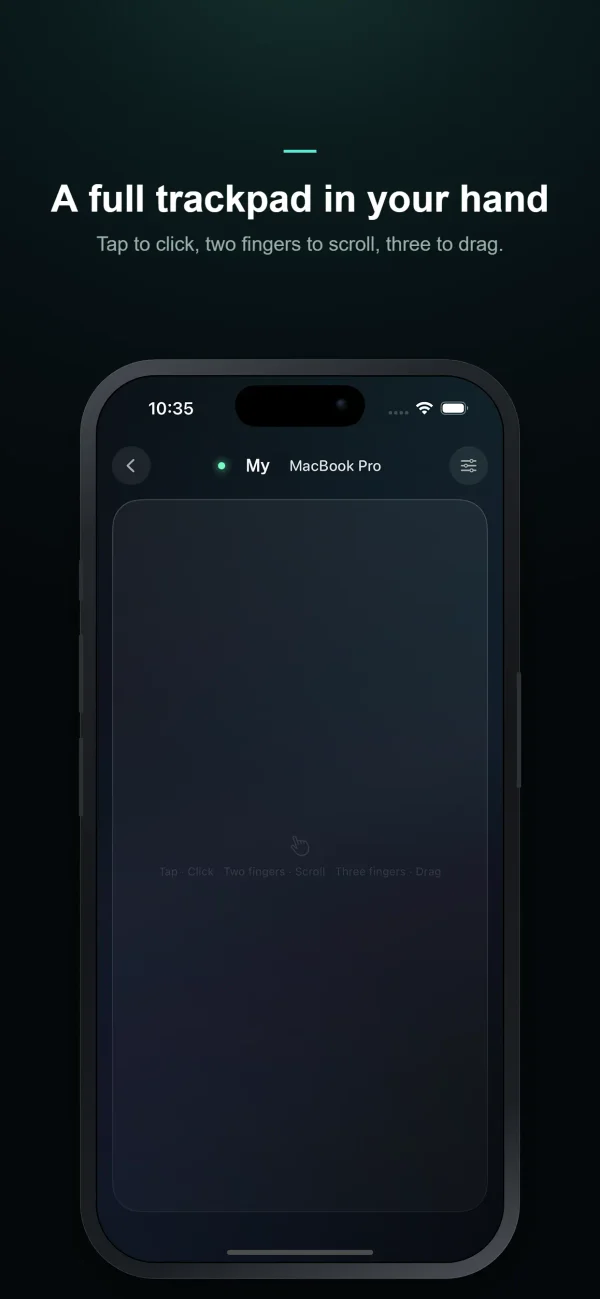
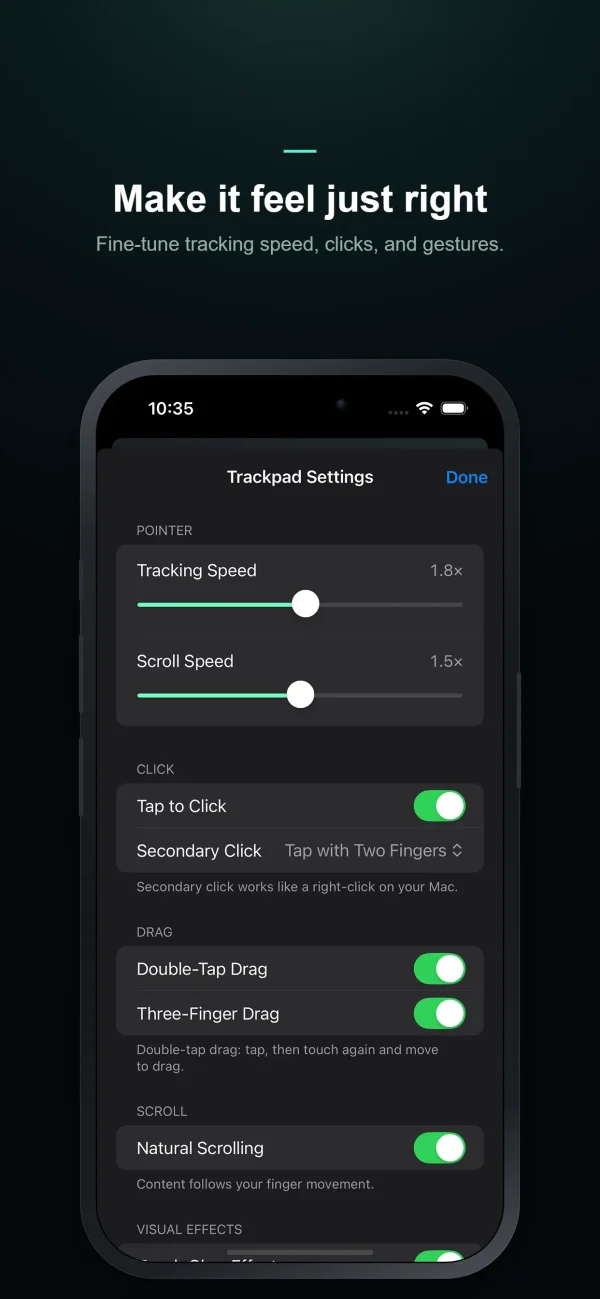
· Tap to click, two-finger tap to right-click
· Two-finger scroll
· Three-finger drag and double-tap drag
· Adjust tracking speed and scroll sensitivity to your liking
It feels exactly like a Magic Trackpad.
■ Connect Without Cables
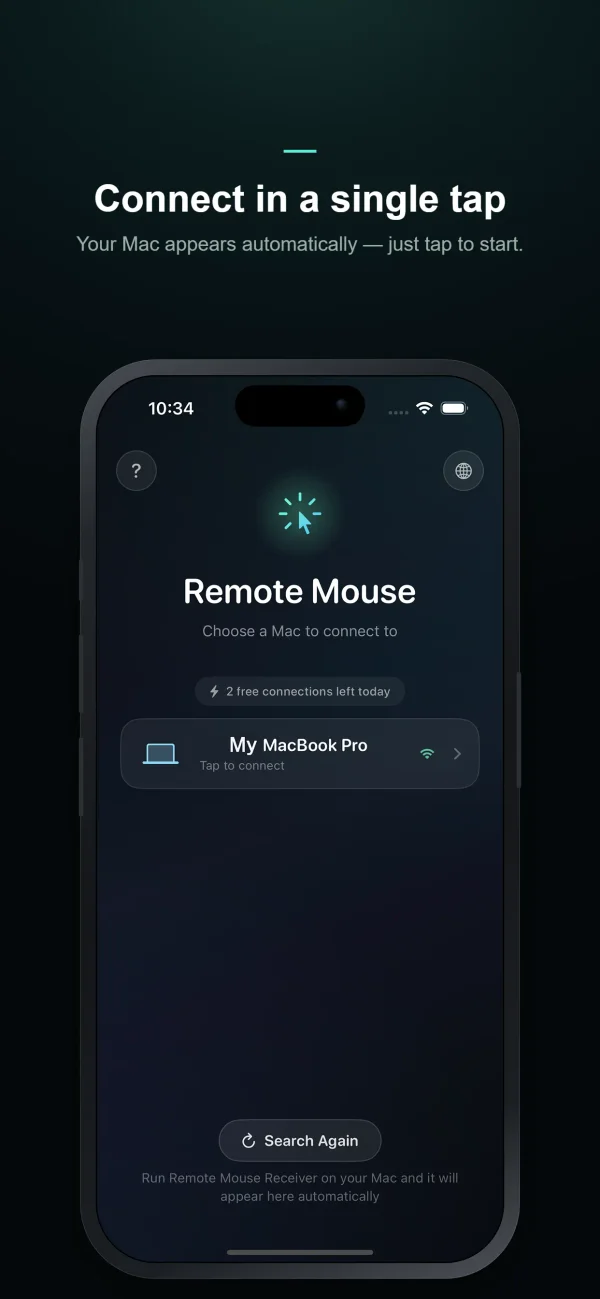
On the same Wi-Fi, your Mac is discovered automatically and shown in the list. One tap connects. No Wi-Fi? It connects over Bluetooth too.
■ Multiple Macs at Once
Home and office, MacBook and Mac mini — every Mac running the Receiver appears in the list, so you can pick and connect to any of them.
■ Secure by Design
When your iPhone connects, your Mac must approve it. No one can access your Mac without permission.
■ A Refined Experience
A neon glow blooms with every touch, wrapped in a design like no other. Available in Korean, English, Japanese, and Chinese, following your device language automatically.
■ Getting Started
1. Install this app.
2. Run the free Receiver on your Mac (download from remotemouseformac.com).
3. Pick your Mac in the app, approve it, and it becomes a trackpad instantly.
Note: To control your Mac's cursor, you need to run the free Receiver app on your Mac once. After the first launch, it starts automatically at login.
Yang baru
Versi 1.0.4 · 6/11/2026
• iPhone Duo support: unfolded, the trackpad gets a scroll strip and Left/Right Click buttons. Half-fold it like a laptop and the lower screen becomes the trackpad.
• The same wide layout on iPad.
• Hold Left Click and slide on the trackpad to drag.
Privasi aplikasi
Yang dinyatakan joon kwang kim di App Store tentang cara aplikasi ini menangani data.
-
Data tidak dikumpulkan
Pengembang tidak mengumpulkan data apa pun dari aplikasi ini.
Praktik privasi dapat bervariasi, misalnya berdasarkan fitur yang Anda gunakan atau usia Anda.
Informasi
- Penjual
- joon kwang kim
- Kategori
- Kegunaan
- Versi
- 1.0.4
- Diperbarui
- 6/11/2026
- Dirilis
- 11/7/2026
- Ukuran
- 5,6 MB
- Memerlukan
- iOS 15.0 atau yang lebih baru
- Batasan usia
- 4+
- Harga
- Gratis
- Pembelian dalam aplikasi
- Ya
- Bahasa
- Inggris, Jepang, Korea, Tionghoa Sederhana
- Hak cipta
- © 2026 JKIT
Mungkin Anda juga suka
-
 Air Pods Pro: Volume BoosterPenguat Suara Alat Dengar
-
 DueSnap: Pengingat KedaluwarsaMakanan, obat, kupon & garansi
-
 TV Remote: Smart & UniversalKegunaan
-
 EasyBeauty-Beauty is so easyKegunaan
-
 VRLinkKegunaan
-
 QuickCast ProKegunaan
-
 Perekam Suara AI: TranskripLabel pembicara & ringkasan AI
-
 Pinger - Network MonitorKegunaan
-
 SideTVsKegunaan
-
 WiMouse: Remote Mouse KeyboardKegunaan