
Remouse - Mac Remote Control
Control Mac from iPhone & iPad
Diseñada para iPhone, iPad, iPod touch
Gratis
- Clasificación por edad4+
- CategoríaUtilidades
- Desarrollador佳 廖
- IdiomasInglés+ 4 más
- Tamaño12,2 MB
Enlaza a la página oficial de App Store
Download.org no aloja ningún archivo de Remouse - Mac Remote Control. El botón abre la página de la aplicación en App Store, donde la publica 佳 廖. Ficha comprobada por última vez el 12/11/2026.
Capturas de pantalla
Acerca de
El desarrollador no ha proporcionado este texto en tu idioma.
Since I use the TV as a monitor for my Macbook, but I was sitting on the sofa, it was very inconvenient for me to control the MacBook, so I developed this app for myself to use for free. If you have more improvement suggestions, you can always send an email to my email address (7666535@gmail.com), I will follow your suggestions and optimize it. From the following, I will start a very formal introduction to the app.
# Remouse - Wireless Mac Controller
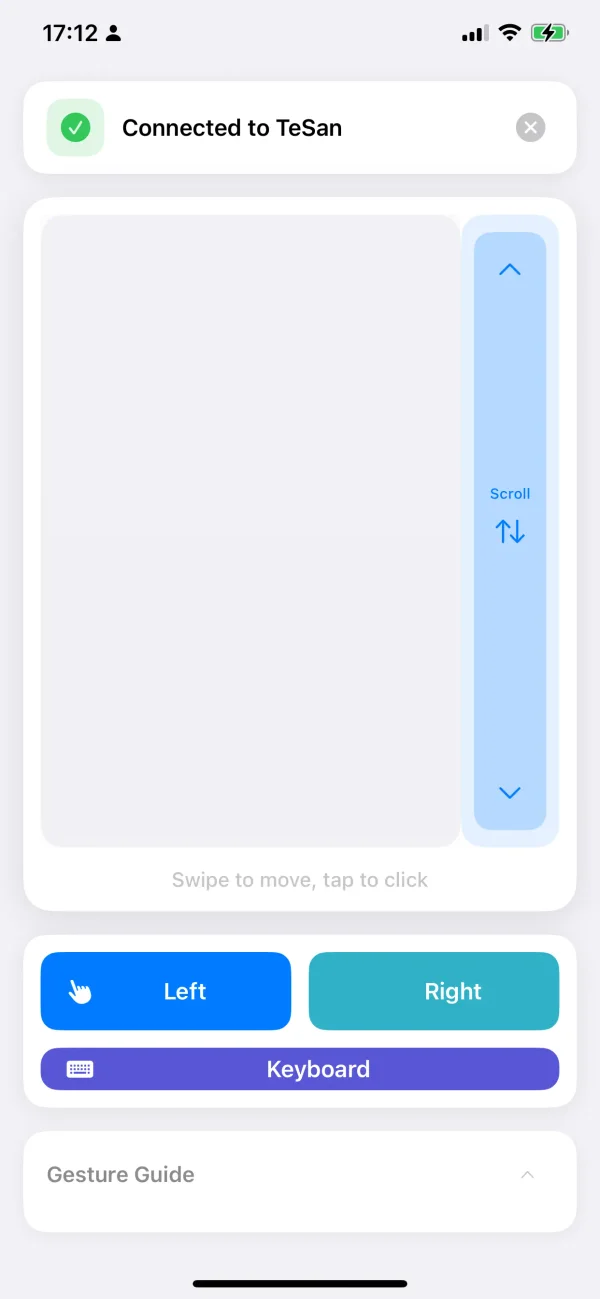
Transform your iPhone into a powerful wireless touchpad and keyboard for your Mac. Control your computer from across the room with precision and ease.
## KEY FEATURES
Precision Touchpad
• Smooth cursor control with adjustable sensitivity
• Natural gesture support: tap, double-tap, two-finger scroll
• Auto-scroll by long-pressing the scroll bar
• Instant response with minimal latency
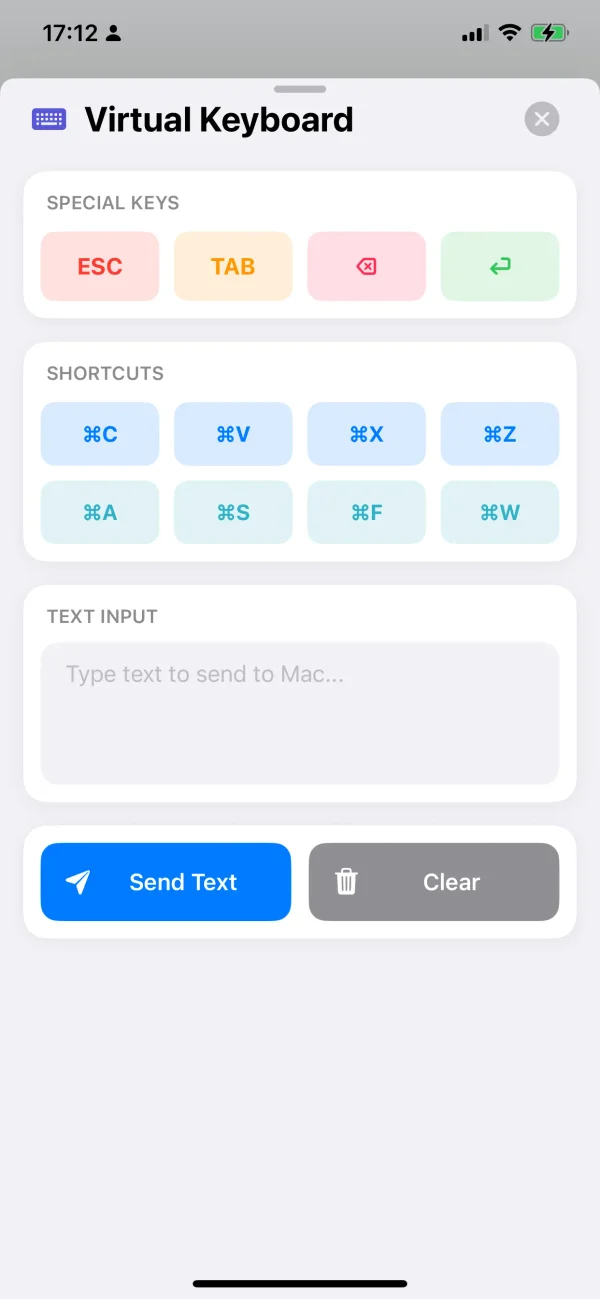
Full Keyboard Support
• Complete virtual keyboard with special keys
• Function keys (F1-F12) and modifier keys
• Quick text input for any Mac application
Seamless Connection
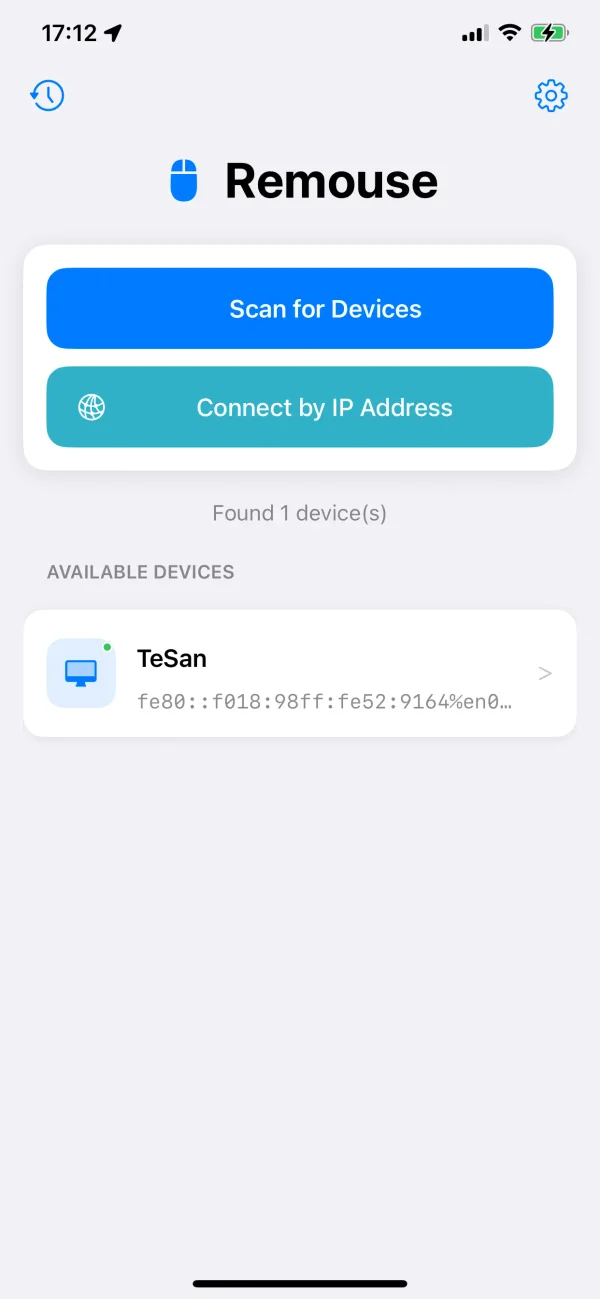
• Automatic device discovery via Bonjour
• Manual connection by IP address
• Connection history for quick reconnect
• Secure local network communication
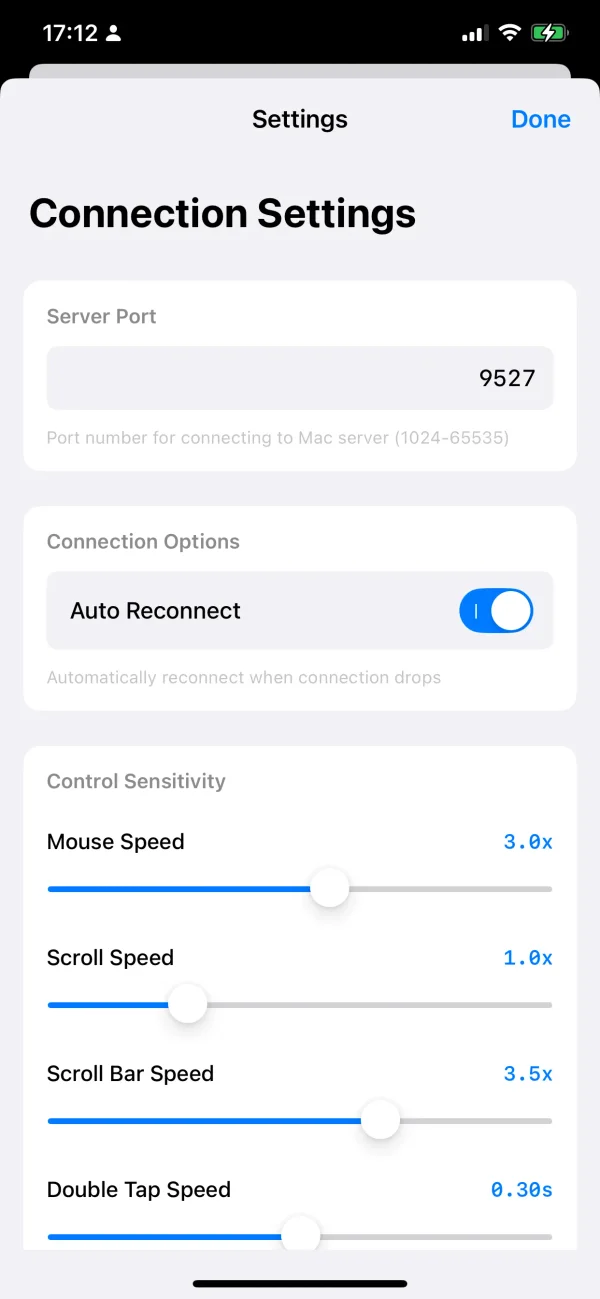
Customizable Settings
• Adjustable cursor sensitivity (0.5x - 5.0x)
• Adjustable scroll sensitivity (0.5x - 5.0x)
• Adjustable scroll bar sensitivity
• Personalized control experience
## PERFECT FOR
• Presentations and demos
• Media center control from your couch
• Working from a distance
• Accessibility needs
• Multi-screen setups
## HOW IT WORKS
1. Install RemouseServer on your Mac (available on AppStore)
2. Connect both devices to the same WiFi network
3. Launch Remouse on your iPhone
4. Select your Mac from the discovered devices
5. Start controlling!
## REQUIREMENTS
• iPhone running iOS 15.0 or later
• Mac running macOS 12.0 or later
• Both devices on the same WiFi network
• RemouseServer app installed on Mac
## PRIVACY & SECURITY
• All communication stays on your local network
• No internet connection required
• No data collection or tracking
---
Experience the freedom of wireless control. Download Remouse today and turn your iPhone into the ultimate Mac controller!
Novedades
Versión 1.2 · 3/11/2025
The control logic has been optimized and some issues have been fixed.
Privacidad de la aplicación
Lo que 佳 廖 declara en App Store sobre cómo esta aplicación gestiona los datos.
-
No se recopilan datos
El desarrollador no recopila ningún dato de esta aplicación.
Las prácticas de privacidad pueden variar, por ejemplo, según las funciones que uses o tu edad.
Información
- Vendedor
- 佳 廖
- Categoría
- Utilidades
- Versión
- 1.2
- Actualizado
- 3/11/2025
- Publicado
- 27/10/2025
- Tamaño
- 12,2 MB
- Requiere
- iOS 15.6 o posterior
- Clasificación por edad
- 4+
- Precio
- Gratis
- Idiomas
- Inglés, Francés, Alemán, Japonés, Chino simplificado
- Copyright
- © Jiager
Quizá también te guste
-
 USBEE – Free Up SpaceUtilidades
-
 Mivory: Bookmark ManagerUtilidades
-
 Linkboard - Portapapeles SyncSincronización P2P segura
-
 Trackless Links Pro: URL+Enlaces limpios, sin rastreo
-
 Poplet ShareUtilidades
-
 Audio Extractor: VoxCutVideo to Audio, MP3 Converter
-
 Video to MP3 Converter ©Utilidades
-
 FullControl: Remote for MacUtilidades
-
 Reenviar SMS – OTP y 2FAReenvío automático a Email
-
 Countdown: Minimal Event TimerUtilidades