
Remouse - Mac Remote Control
Control Mac from iPhone & iPad
Được thiết kế cho iPhone, iPad, iPod touch
Miễn phí
- Độ tuổi4+
- Danh mụcTiện Ích
- Nhà phát triển佳 廖
- Ngôn ngữTiếng Anh+ 4 ngôn ngữ khác
- Kích thước12,2 MB
Liên kết đến trang App Store chính thức
Download.org không lưu trữ tệp nào của Remouse - Mac Remote Control. Nút này mở trang ứng dụng trên App Store, nơi 佳 廖 phát hành ứng dụng. Trang được kiểm tra lần cuối: 12/11/2026.
Ảnh chụp màn hình
Giới thiệu
Nhà phát triển chưa cung cấp nội dung này bằng ngôn ngữ của bạn.
Since I use the TV as a monitor for my Macbook, but I was sitting on the sofa, it was very inconvenient for me to control the MacBook, so I developed this app for myself to use for free. If you have more improvement suggestions, you can always send an email to my email address (7666535@gmail.com), I will follow your suggestions and optimize it. From the following, I will start a very formal introduction to the app.
# Remouse - Wireless Mac Controller
Transform your iPhone into a powerful wireless touchpad and keyboard for your Mac. Control your computer from across the room with precision and ease.
## KEY FEATURES
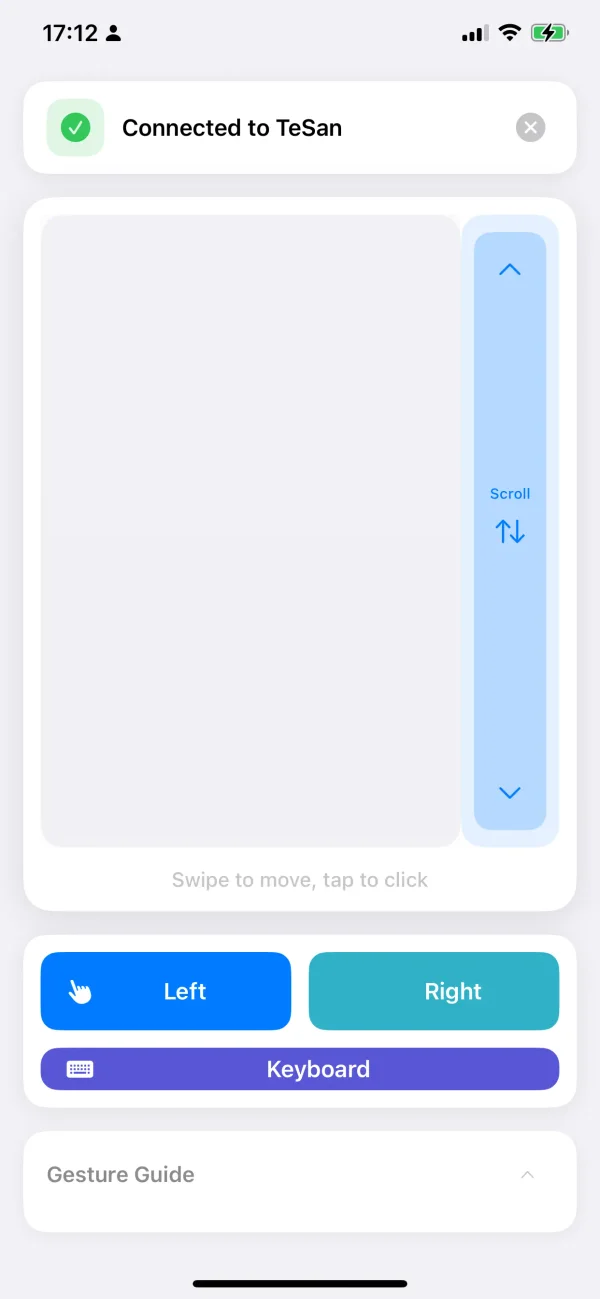
Precision Touchpad
• Smooth cursor control with adjustable sensitivity
• Natural gesture support: tap, double-tap, two-finger scroll
• Auto-scroll by long-pressing the scroll bar
• Instant response with minimal latency
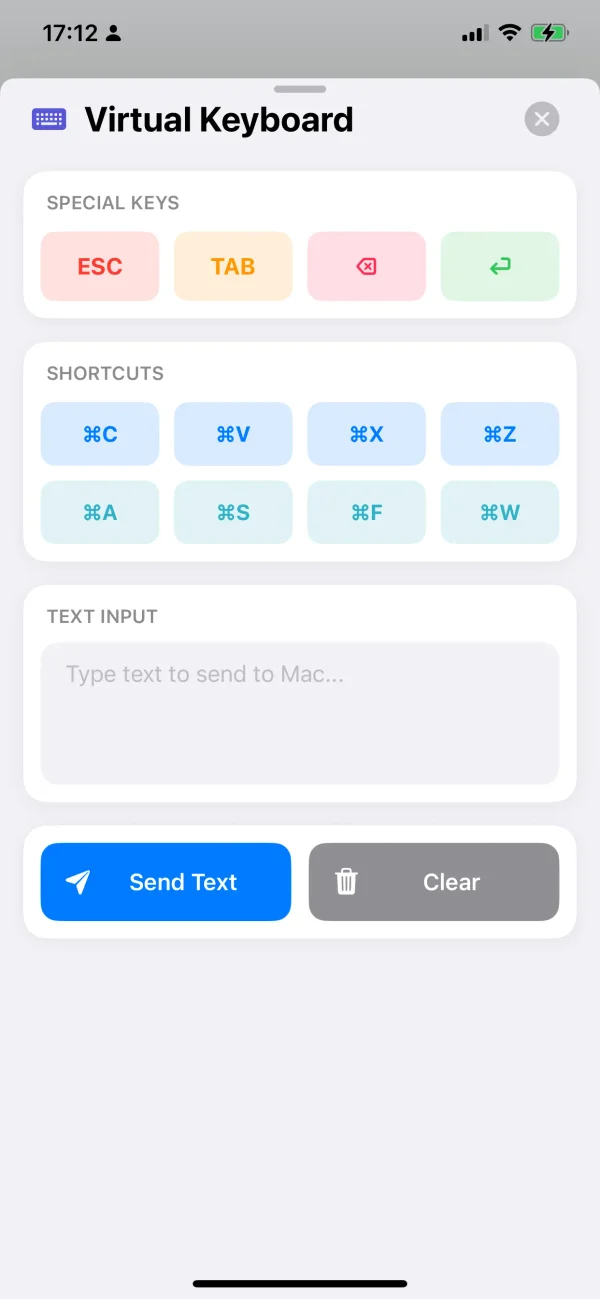
Full Keyboard Support
• Complete virtual keyboard with special keys
• Function keys (F1-F12) and modifier keys
• Quick text input for any Mac application
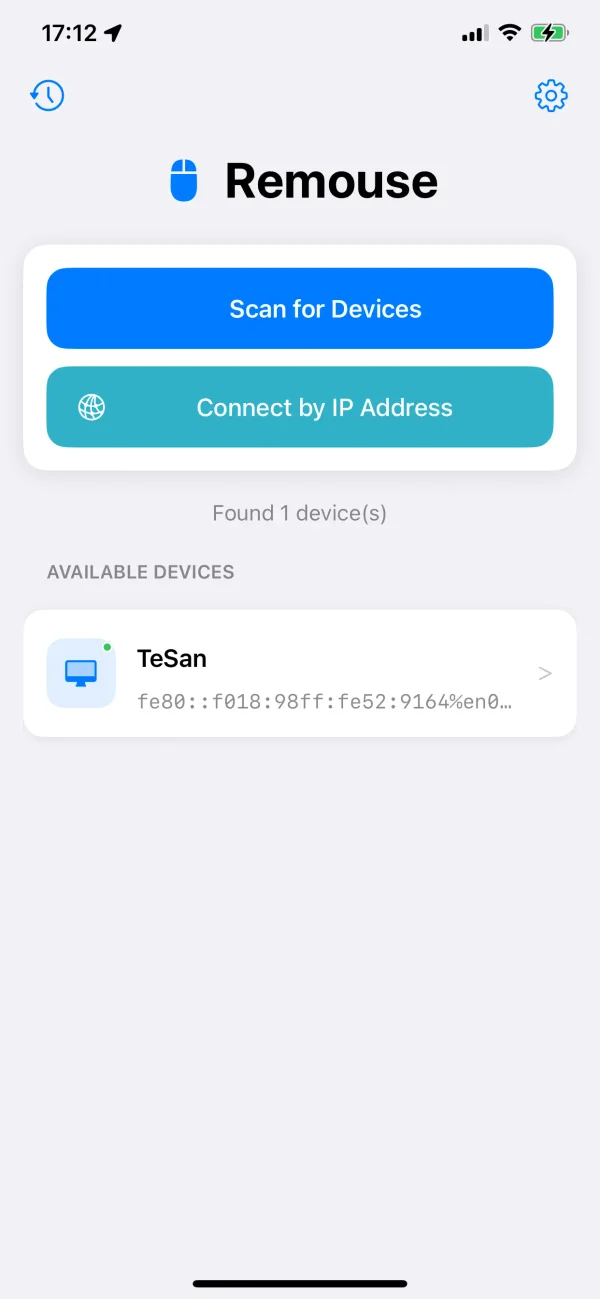
Seamless Connection
• Automatic device discovery via Bonjour
• Manual connection by IP address
• Connection history for quick reconnect
• Secure local network communication
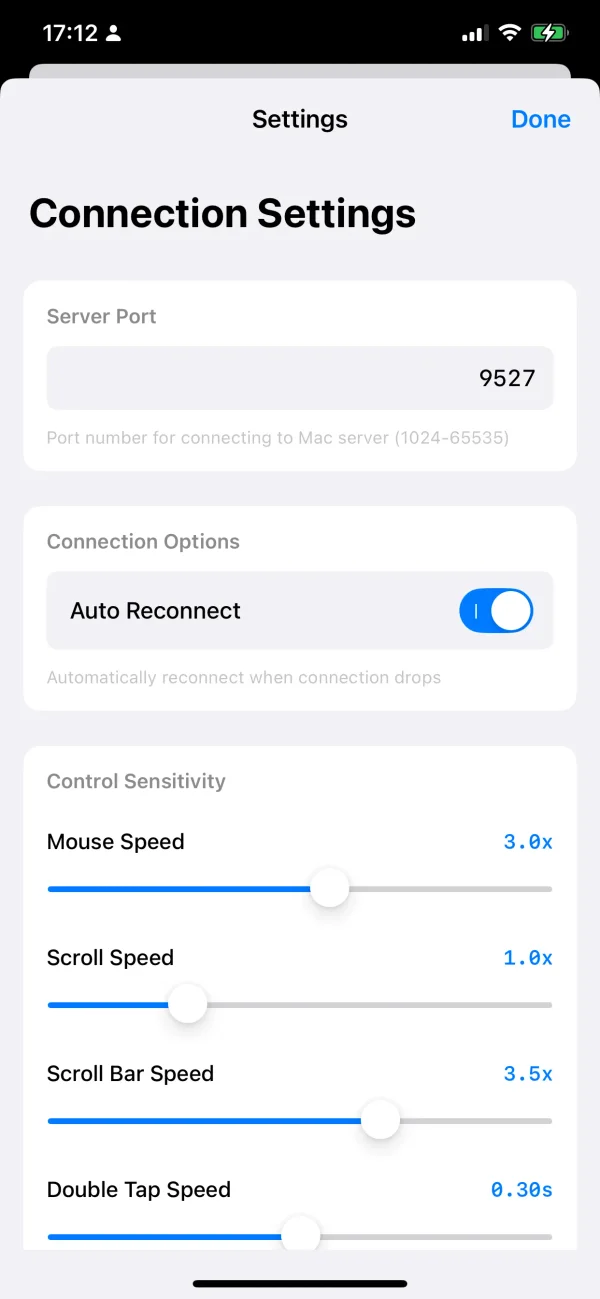
Customizable Settings
• Adjustable cursor sensitivity (0.5x - 5.0x)
• Adjustable scroll sensitivity (0.5x - 5.0x)
• Adjustable scroll bar sensitivity
• Personalized control experience
## PERFECT FOR
• Presentations and demos
• Media center control from your couch
• Working from a distance
• Accessibility needs
• Multi-screen setups
## HOW IT WORKS
1. Install RemouseServer on your Mac (available on AppStore)
2. Connect both devices to the same WiFi network
3. Launch Remouse on your iPhone
4. Select your Mac from the discovered devices
5. Start controlling!
## REQUIREMENTS
• iPhone running iOS 15.0 or later
• Mac running macOS 12.0 or later
• Both devices on the same WiFi network
• RemouseServer app installed on Mac
## PRIVACY & SECURITY
• All communication stays on your local network
• No internet connection required
• No data collection or tracking
---
Experience the freedom of wireless control. Download Remouse today and turn your iPhone into the ultimate Mac controller!
Có gì mới
Phiên bản 1.2 · 03/11/2025
The control logic has been optimized and some issues have been fixed.
Quyền riêng tư của ứng dụng
Những gì 佳 廖 khai báo trên App Store về cách ứng dụng này xử lý dữ liệu.
-
Dữ liệu không được thu thập
Nhà phát triển không thu thập bất kỳ dữ liệu nào từ ứng dụng này.
Phương thức đảm bảo quyền riêng tư có thể khác nhau, chẳng hạn như tuỳ theo các tính năng bạn sử dụng hoặc độ tuổi của bạn.
Thông tin
- Người bán
- 佳 廖
- Danh mục
- Tiện Ích
- Phiên bản
- 1.2
- Cập nhật
- 03/11/2025
- Phát hành
- 27/10/2025
- Kích thước
- 12,2 MB
- Yêu cầu
- iOS 15.6 trở lên
- Độ tuổi
- 4+
- Giá
- Miễn phí
- Ngôn ngữ
- Tiếng Anh, Tiếng Pháp, Tiếng Đức, Tiếng Nhật, Tiếng Trung Giản thể
- Bản quyền
- © Jiager
Có thể bạn cũng thích
-
 USBEE – Free Up SpaceTiện Ích
-
 Mivory: Bookmark ManagerTiện Ích
-
 Linkboard - Đồng bộ clipboardĐồng bộ P2P cục bộ và bảo mật
-
 Trackless Links Pro: URL+Tiện Ích
-
 Poplet ShareTiện Ích
-
 Audio Extractor: VoxCutTiện Ích
-
 Video to MP3 Converter ©Tiện Ích
-
 FullControl: Remote for MacTiện Ích
-
 Chuyển tiếp SMS – OTP & 2FATin nhắn sang Email & Slack
-
 Countdown: Minimal Event TimerTiện Ích