
Remouse - Mac Remote Control
Control Mac from iPhone & iPad
iPhone, iPad, iPod touch için tasarlandı
Ücretsiz
- Yaş sınırı4+
- KategoriYardımcılar
- Geliştirici佳 廖
- Dillerİngilizce+ 4 dil daha
- Boyut12,2 MB
Resmi App Store sayfasına bağlanır
Download.org, Remouse - Mac Remote Control için hiçbir dosya barındırmaz. Düğme, uygulamanın App Store üzerindeki sayfasını açar; uygulamayı orada 佳 廖 yayınlar. Sayfanın son kontrolü: 12.11.2026.
Ekran görüntüleri
Hakkında
Geliştirici bu metni dilinizde sunmamış.
Since I use the TV as a monitor for my Macbook, but I was sitting on the sofa, it was very inconvenient for me to control the MacBook, so I developed this app for myself to use for free. If you have more improvement suggestions, you can always send an email to my email address (7666535@gmail.com), I will follow your suggestions and optimize it. From the following, I will start a very formal introduction to the app.
# Remouse - Wireless Mac Controller
Transform your iPhone into a powerful wireless touchpad and keyboard for your Mac. Control your computer from across the room with precision and ease.
## KEY FEATURES
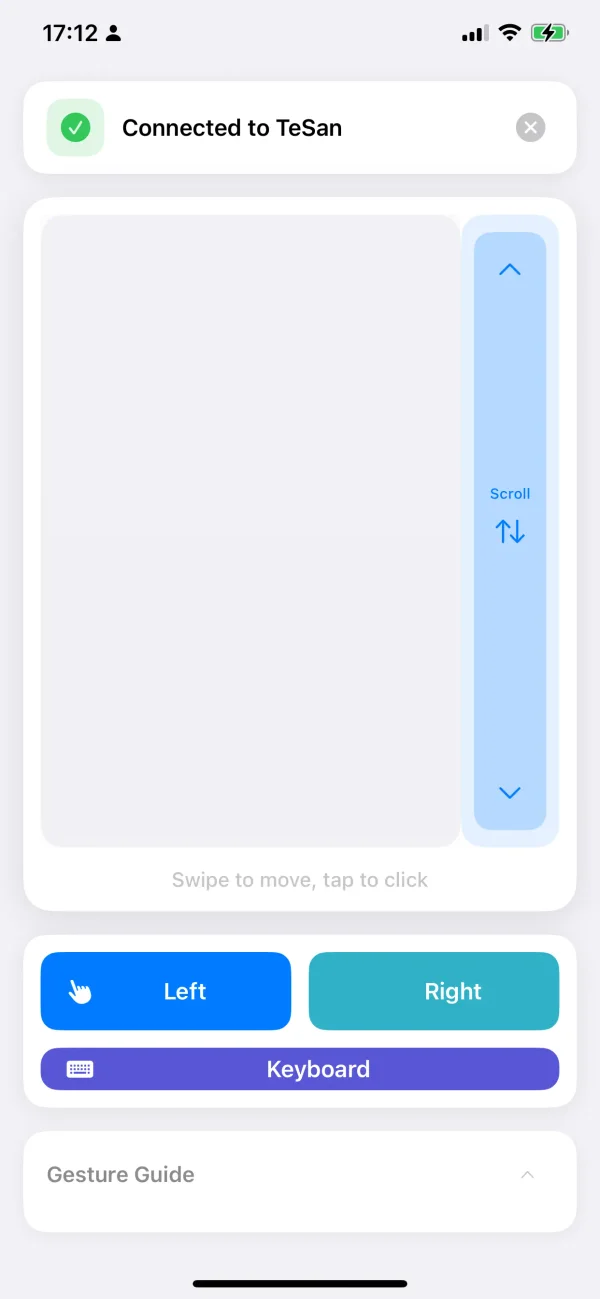
Precision Touchpad
• Smooth cursor control with adjustable sensitivity
• Natural gesture support: tap, double-tap, two-finger scroll
• Auto-scroll by long-pressing the scroll bar
• Instant response with minimal latency
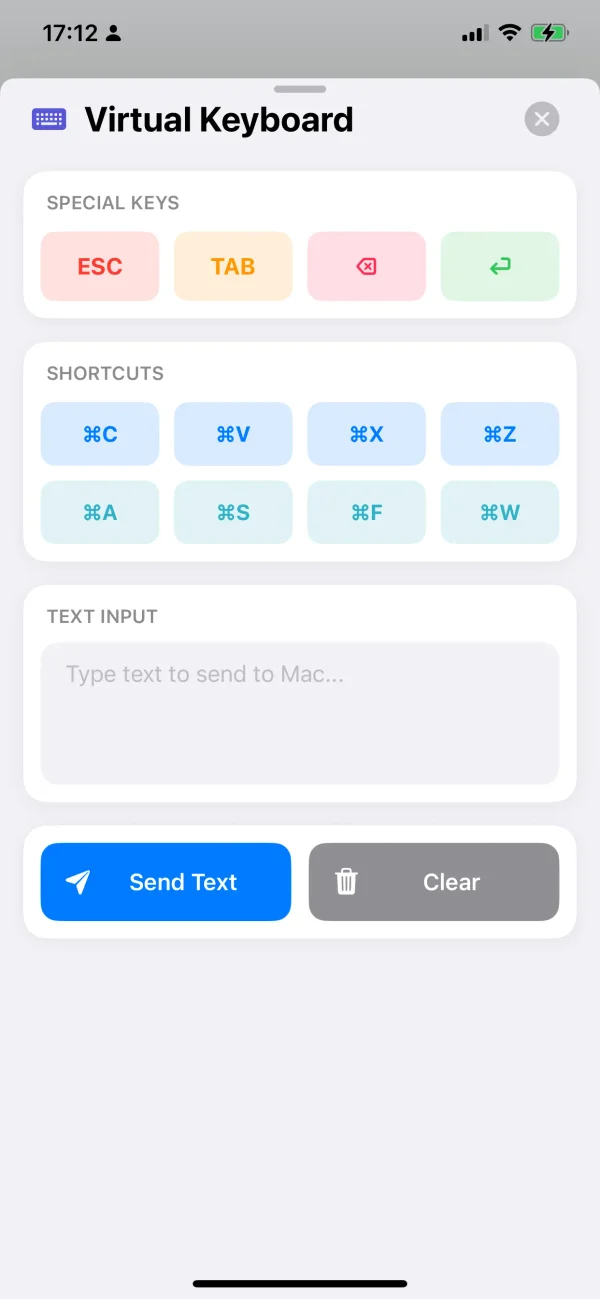
Full Keyboard Support
• Complete virtual keyboard with special keys
• Function keys (F1-F12) and modifier keys
• Quick text input for any Mac application
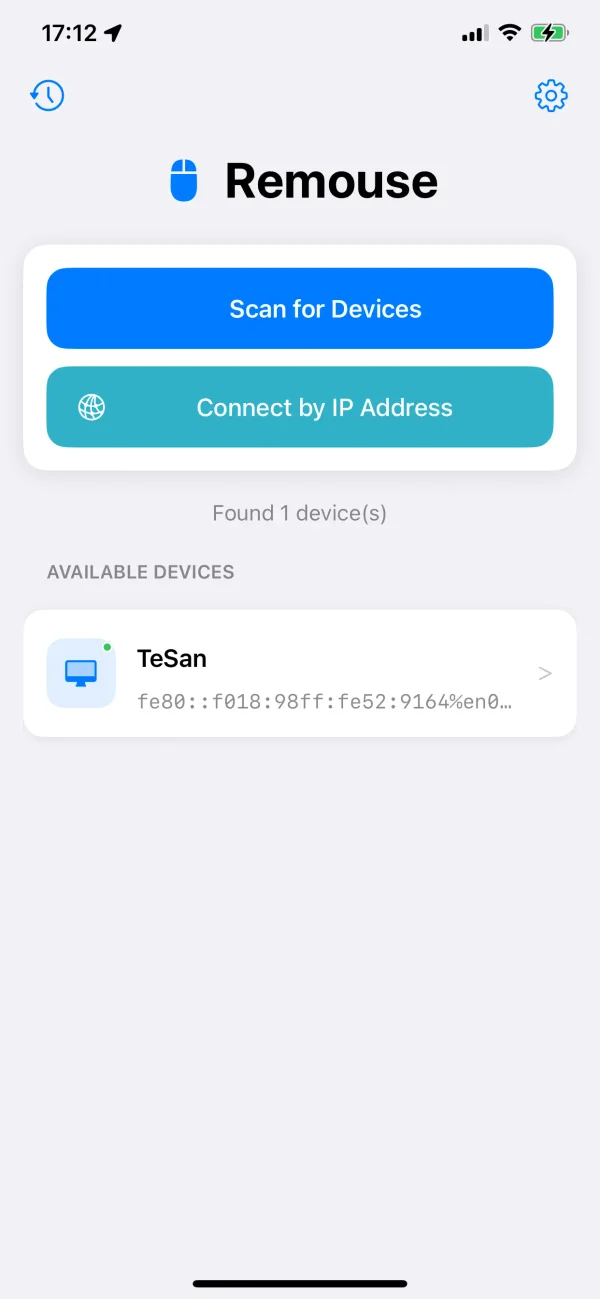
Seamless Connection
• Automatic device discovery via Bonjour
• Manual connection by IP address
• Connection history for quick reconnect
• Secure local network communication
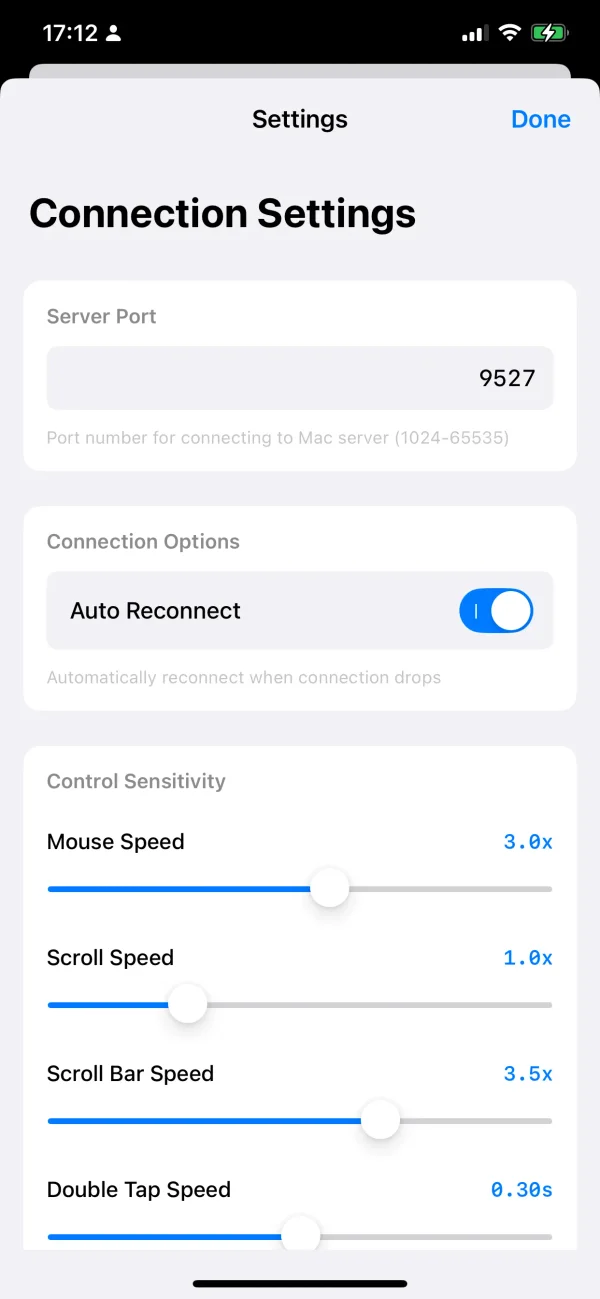
Customizable Settings
• Adjustable cursor sensitivity (0.5x - 5.0x)
• Adjustable scroll sensitivity (0.5x - 5.0x)
• Adjustable scroll bar sensitivity
• Personalized control experience
## PERFECT FOR
• Presentations and demos
• Media center control from your couch
• Working from a distance
• Accessibility needs
• Multi-screen setups
## HOW IT WORKS
1. Install RemouseServer on your Mac (available on AppStore)
2. Connect both devices to the same WiFi network
3. Launch Remouse on your iPhone
4. Select your Mac from the discovered devices
5. Start controlling!
## REQUIREMENTS
• iPhone running iOS 15.0 or later
• Mac running macOS 12.0 or later
• Both devices on the same WiFi network
• RemouseServer app installed on Mac
## PRIVACY & SECURITY
• All communication stays on your local network
• No internet connection required
• No data collection or tracking
---
Experience the freedom of wireless control. Download Remouse today and turn your iPhone into the ultimate Mac controller!
Yenilikler
Sürüm 1.2 · 03.11.2025
The control logic has been optimized and some issues have been fixed.
Uygulama gizliliği
Bu uygulamanın verileri nasıl işlediği hakkında 佳 廖 tarafından App Store üzerinde yapılan beyan.
-
Veri toplanmıyor
Geliştirici bu uygulamadan hiçbir veri toplamıyor.
Gizlilik uygulamaları, örneğin kullandığınız özelliklere veya yaşınıza göre değişiklik gösterebilir.
Bilgiler
- Satıcı
- 佳 廖
- Kategori
- Yardımcılar
- Sürüm
- 1.2
- Güncellendi
- 03.11.2025
- Yayın tarihi
- 27.10.2025
- Boyut
- 12,2 MB
- Gereksinim
- iOS 15.6 veya sonrası
- Yaş sınırı
- 4+
- Fiyat
- Ücretsiz
- Diller
- İngilizce, Fransızca, Almanca, Japonca, Basitleştirilmiş Çince
- Telif hakkı
- © Jiager
Bunları da beğenebilirsiniz
-
 USBEE – Free Up SpaceYardımcılar
-
 Mivory: Bookmark ManagerYardımcılar
-
 Linkboard - Cross-Device P2PYardımcılar
-
 Trackless Links Pro: URL+Yardımcılar
-
 Poplet ShareYardımcılar
-
 Audio Extractor: VoxCutYardımcılar
-
 Video to MP3 Converter ©Yardımcılar
-
 FullControl: Remote for MacYardımcılar
-
 SMS Yönlendirme – Mesaj İletmeOTP Kodlarını E-postaya Gönder
-
 Countdown: Minimal Event TimerYardımcılar