
Remouse - Mac Remote Control
Control Mac from iPhone & iPad
Dirancang untuk iPhone, iPad, iPod touch
Gratis
- Batasan usia4+
- KategoriKegunaan
- Pengembang佳 廖
- BahasaInggris+ 4 lainnya
- Ukuran12,2 MB
Tertaut ke halaman resmi App Store
Download.org tidak menyimpan file Remouse - Mac Remote Control apa pun. Tombol ini membuka halaman aplikasi di App Store, tempat 佳 廖 menerbitkannya. Halaman terakhir diperiksa pada 12/11/2026.
Tangkapan layar
Tentang
Pengembang belum menyediakan teks ini dalam bahasa Anda.
Since I use the TV as a monitor for my Macbook, but I was sitting on the sofa, it was very inconvenient for me to control the MacBook, so I developed this app for myself to use for free. If you have more improvement suggestions, you can always send an email to my email address (7666535@gmail.com), I will follow your suggestions and optimize it. From the following, I will start a very formal introduction to the app.
# Remouse - Wireless Mac Controller
Transform your iPhone into a powerful wireless touchpad and keyboard for your Mac. Control your computer from across the room with precision and ease.
## KEY FEATURES
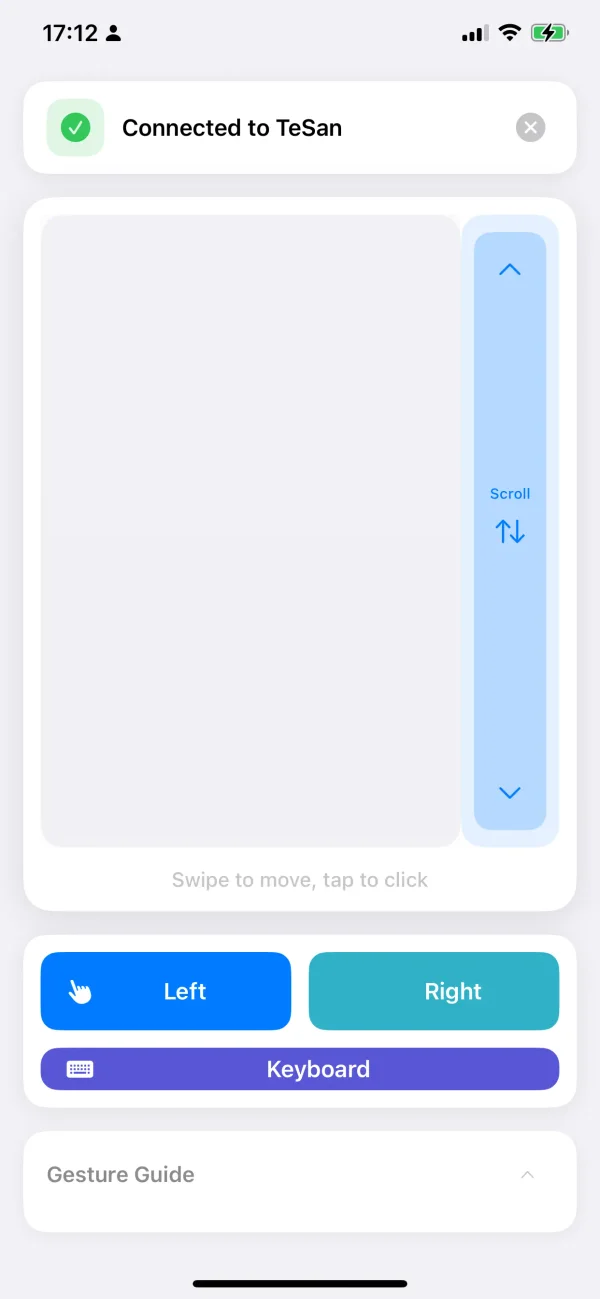
Precision Touchpad
• Smooth cursor control with adjustable sensitivity
• Natural gesture support: tap, double-tap, two-finger scroll
• Auto-scroll by long-pressing the scroll bar
• Instant response with minimal latency
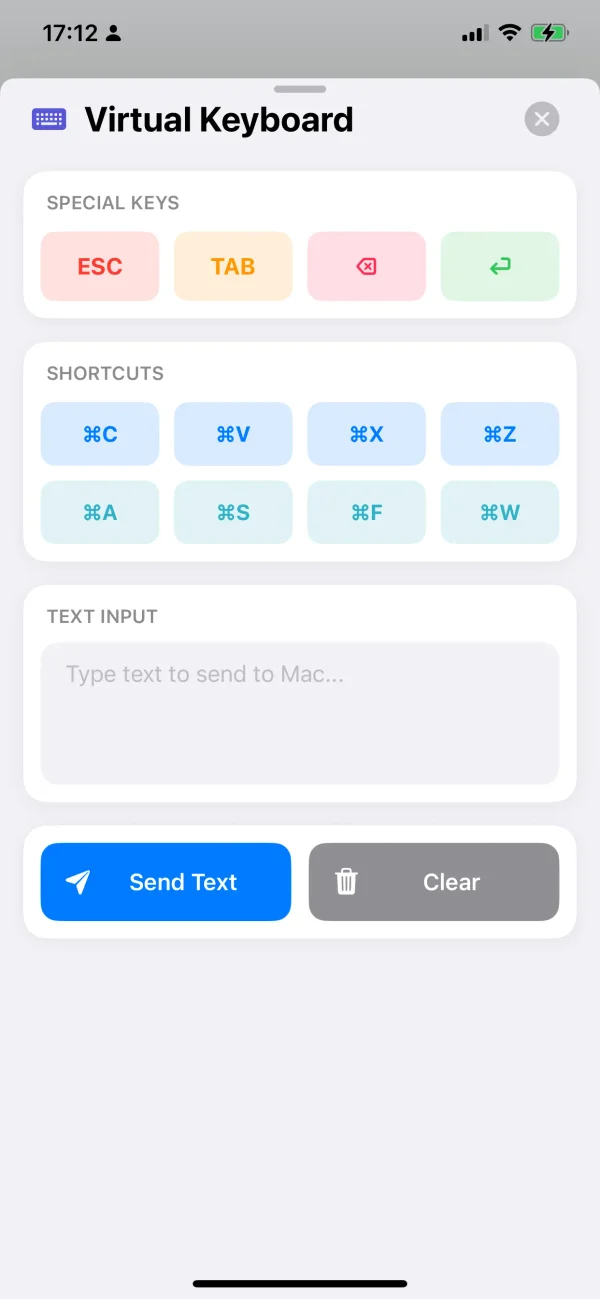
Full Keyboard Support
• Complete virtual keyboard with special keys
• Function keys (F1-F12) and modifier keys
• Quick text input for any Mac application
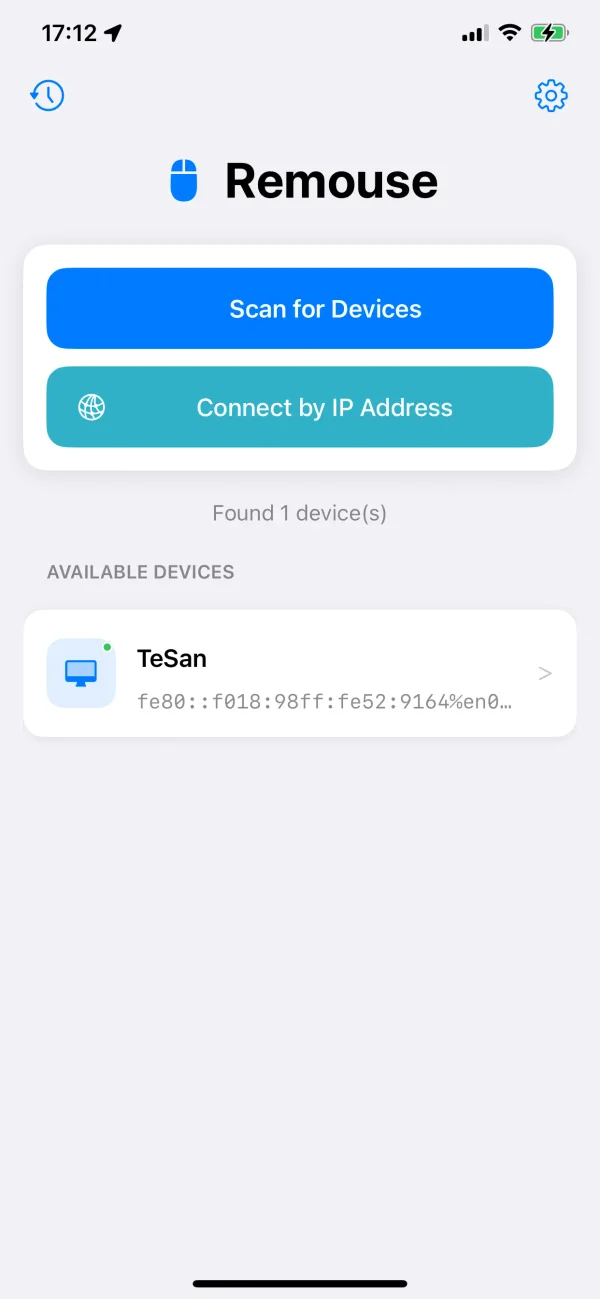
Seamless Connection
• Automatic device discovery via Bonjour
• Manual connection by IP address
• Connection history for quick reconnect
• Secure local network communication
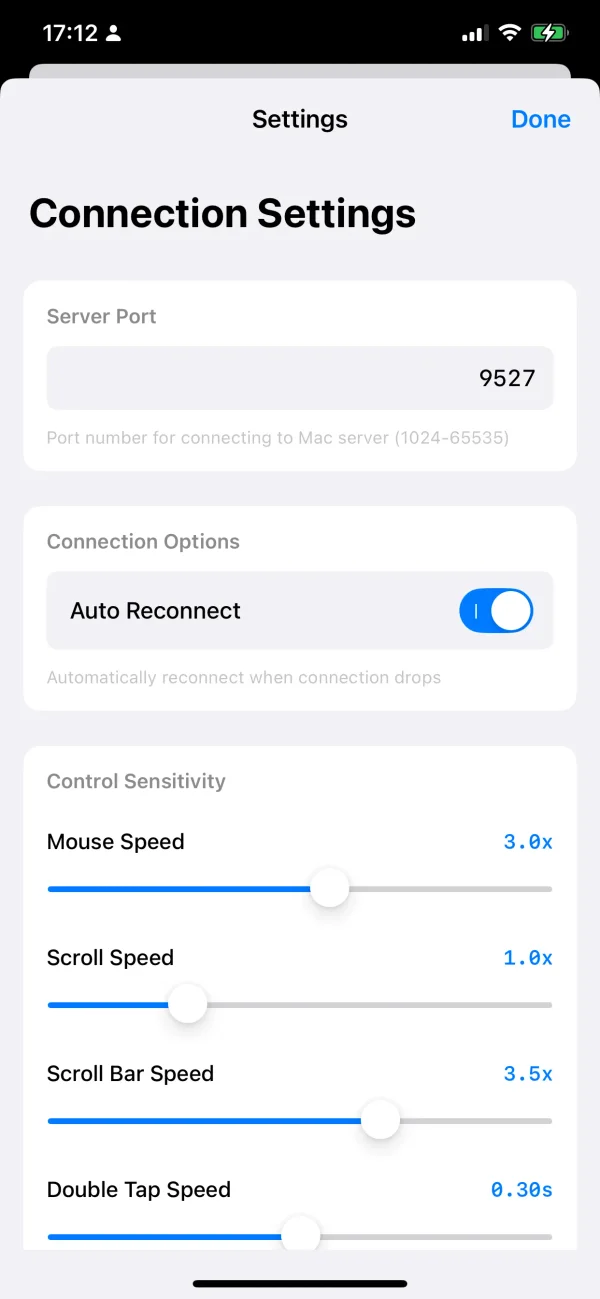
Customizable Settings
• Adjustable cursor sensitivity (0.5x - 5.0x)
• Adjustable scroll sensitivity (0.5x - 5.0x)
• Adjustable scroll bar sensitivity
• Personalized control experience
## PERFECT FOR
• Presentations and demos
• Media center control from your couch
• Working from a distance
• Accessibility needs
• Multi-screen setups
## HOW IT WORKS
1. Install RemouseServer on your Mac (available on AppStore)
2. Connect both devices to the same WiFi network
3. Launch Remouse on your iPhone
4. Select your Mac from the discovered devices
5. Start controlling!
## REQUIREMENTS
• iPhone running iOS 15.0 or later
• Mac running macOS 12.0 or later
• Both devices on the same WiFi network
• RemouseServer app installed on Mac
## PRIVACY & SECURITY
• All communication stays on your local network
• No internet connection required
• No data collection or tracking
---
Experience the freedom of wireless control. Download Remouse today and turn your iPhone into the ultimate Mac controller!
Yang baru
Versi 1.2 · 3/11/2025
The control logic has been optimized and some issues have been fixed.
Privasi aplikasi
Yang dinyatakan 佳 廖 di App Store tentang cara aplikasi ini menangani data.
-
Data tidak dikumpulkan
Pengembang tidak mengumpulkan data apa pun dari aplikasi ini.
Praktik privasi dapat bervariasi, misalnya berdasarkan fitur yang Anda gunakan atau usia Anda.
Informasi
- Penjual
- 佳 廖
- Kategori
- Kegunaan
- Versi
- 1.2
- Diperbarui
- 3/11/2025
- Dirilis
- 27/10/2025
- Ukuran
- 12,2 MB
- Memerlukan
- iOS 15.6 atau yang lebih baru
- Batasan usia
- 4+
- Harga
- Gratis
- Bahasa
- Inggris, Prancis, Jerman, Jepang, Tionghoa Sederhana
- Hak cipta
- © Jiager
Mungkin Anda juga suka
-
 USBEE – Free Up SpaceKegunaan
-
 Mivory: Bookmark ManagerKegunaan
-
 Linkboard - Cross-Device P2PKegunaan
-
 Trackless Links Pro: URL+Kegunaan
-
 Poplet ShareKegunaan
-
 Audio Extractor: VoxCutKegunaan
-
 Video to MP3 Converter ©Kegunaan
-
 FullControl: Remote for MacKegunaan
-
 Teruskan Pesan SMS OtomatisOTP & Notif Bank ke Email, WA
-
 Countdown: Minimal Event TimerKegunaan