Watch face Neon Plus
10h08.com - Wear Os Watch Face- PEGI 3Classification d’âge
- PersonnalisationCatégorie
- 03/07/2025Mis à jour
- GratuitPrix
Renvoie vers la fiche Google Play officielle de com.watchfacestudio.watchfaceneonplus. Dernière vérification le 26/11/2026.
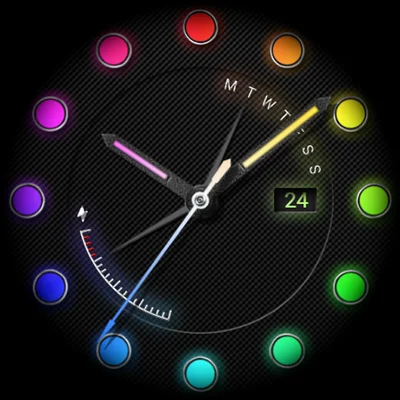
Captures d’écran
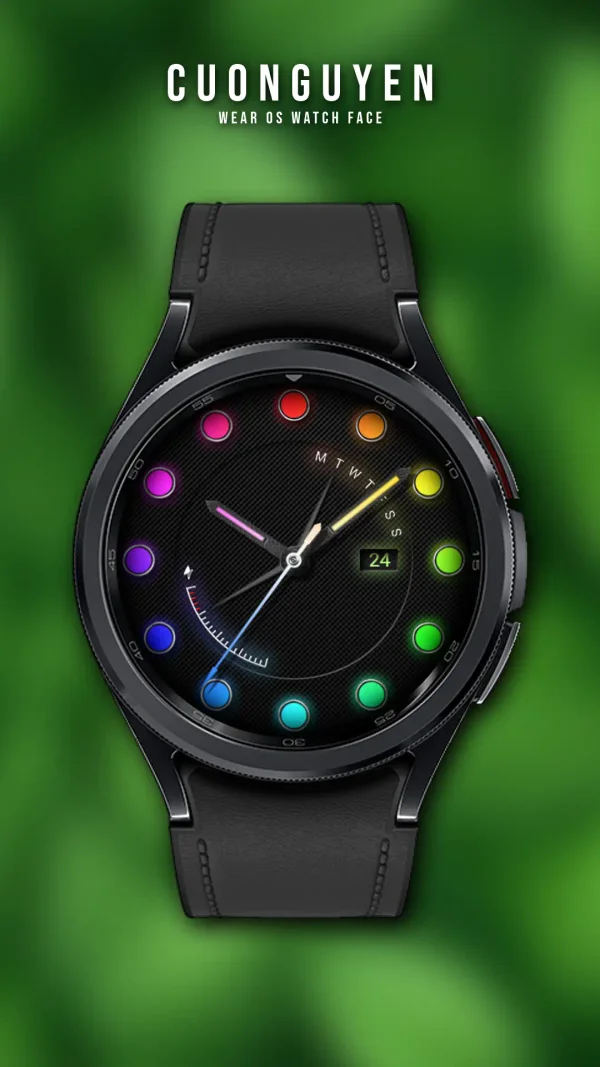
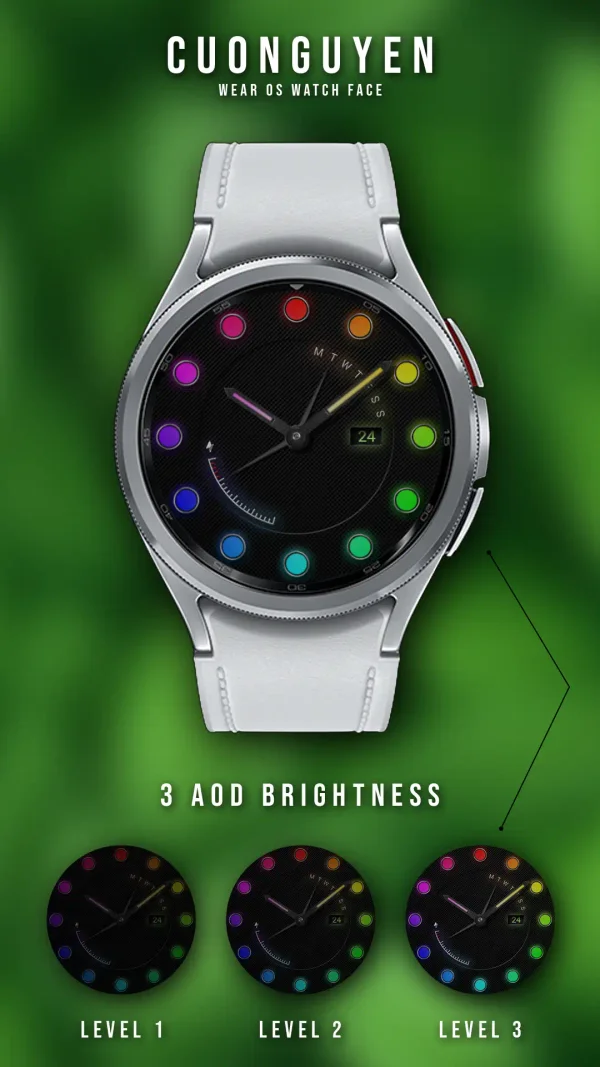
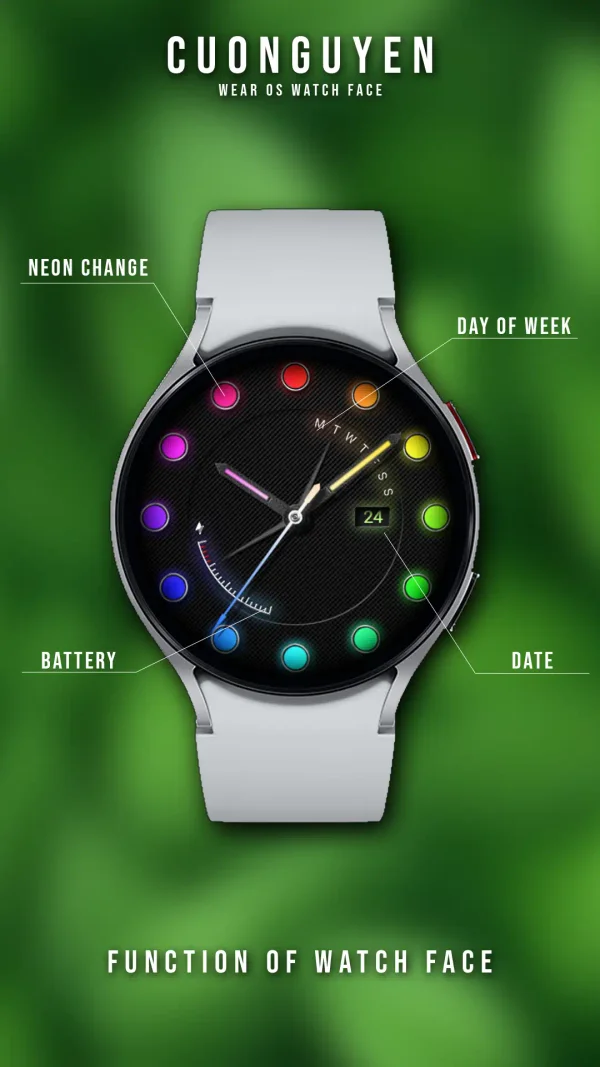


À propos de cette application
Traduction automatique par Google. Langue d’origine : Anglais (États-Unis).
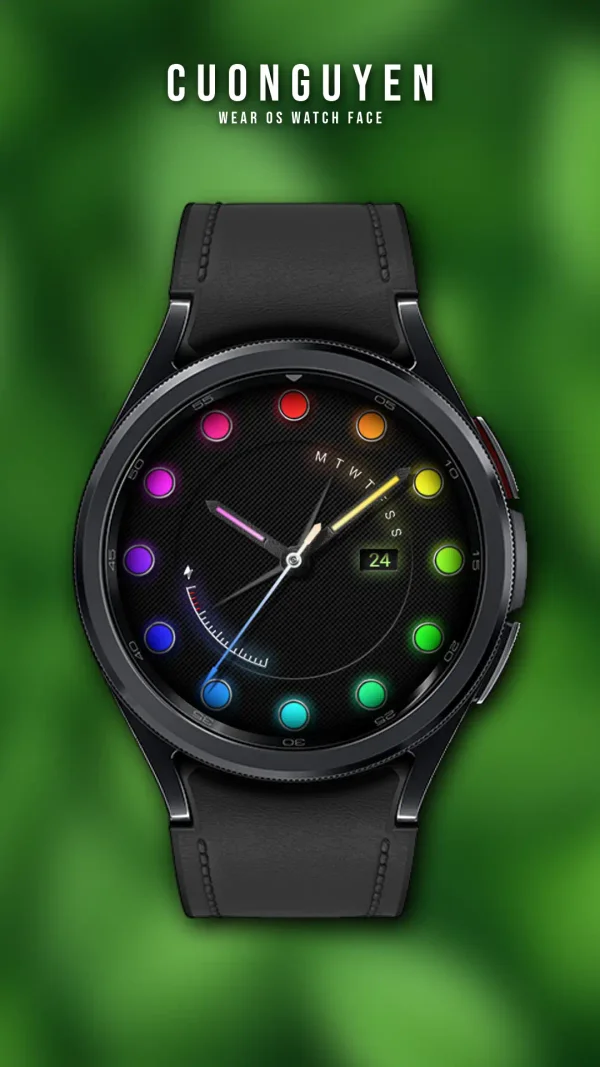
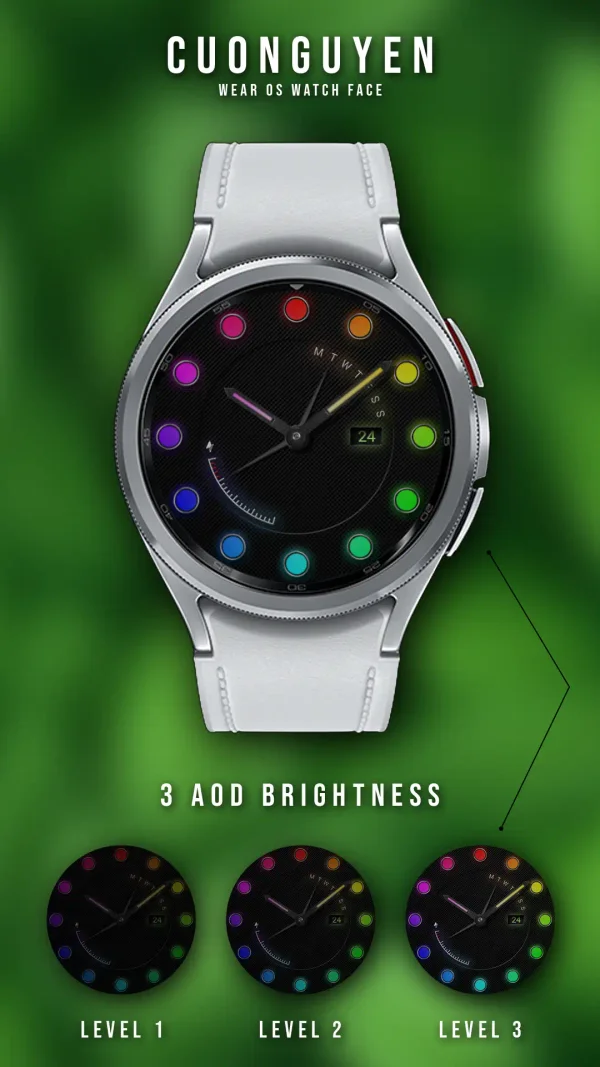
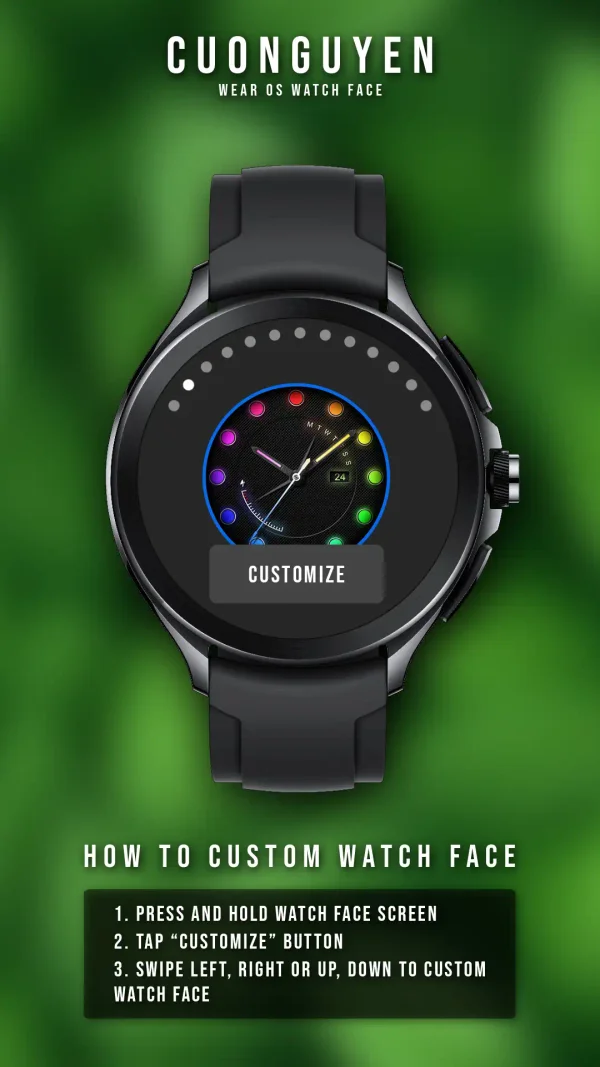
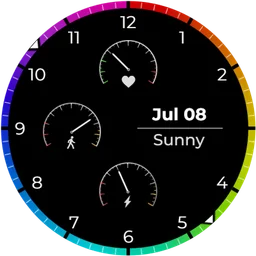
Changement de couleur multiple au néon. Optimisation de la batterie. Niveaux de luminosité AOD.
⌚️ Cadran de montre Neon Plus
🟥 Affichage et personnalisation
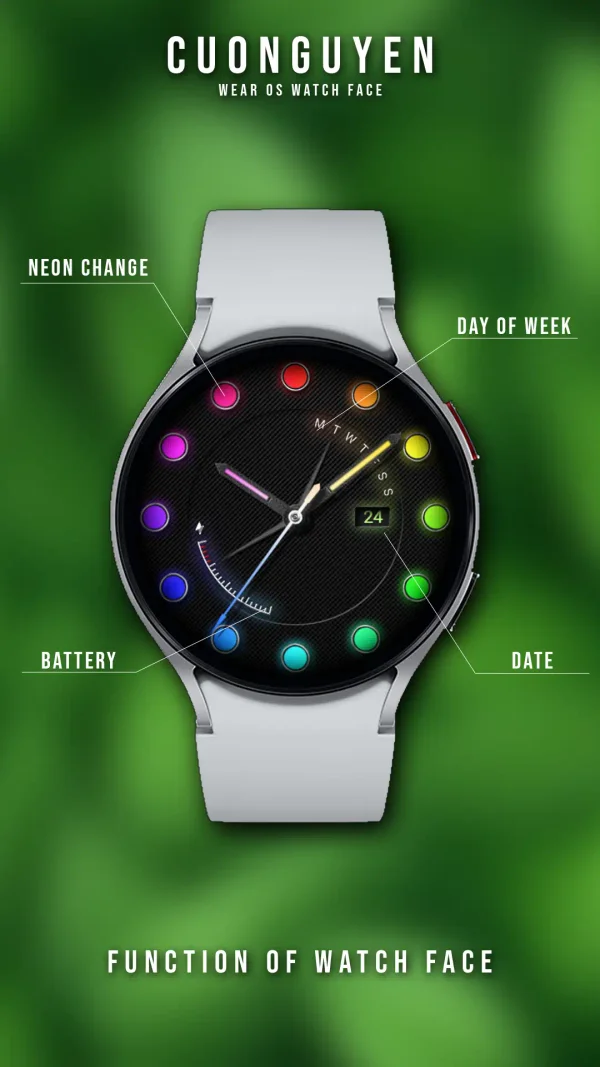
- Date, heure analogique
- Niveau de batterie, optimisation de la batterie avec trois niveaux de luminosité AOD
- Changement de couleur multiple au néon
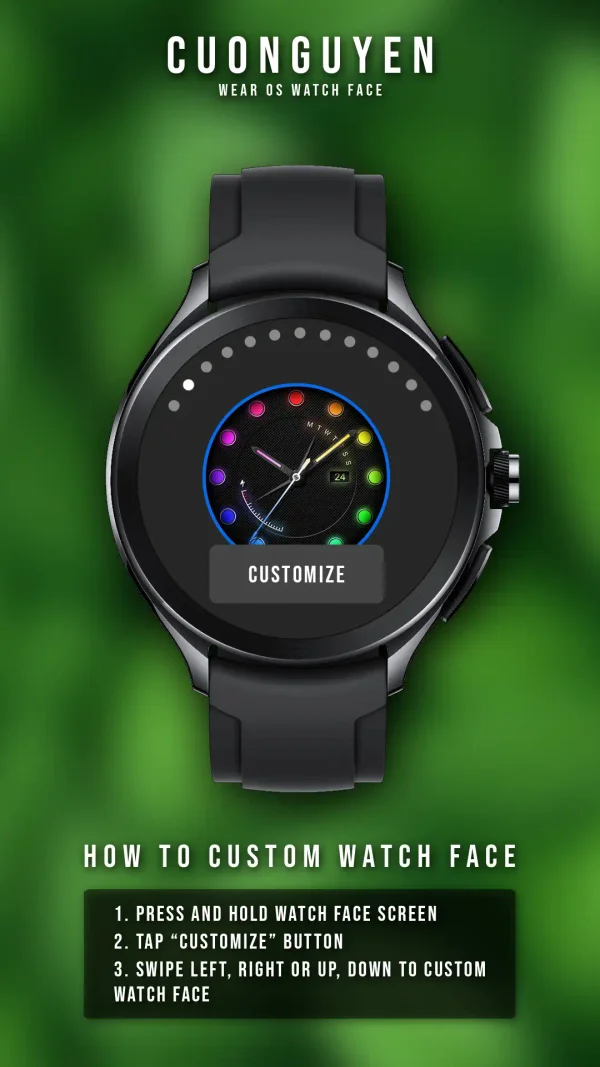
🟨 Comment personnaliser ce cadran de montre ?
1. Appuyez et maintenez l'écran du cadran de la montre
2. Appuyez sur le bouton « Personnaliser »
3. Faites glisser votre doigt vers la gauche ou la droite, vers le haut ou vers le bas pour personnaliser le cadran de la montre.
🟦 Comment installer le cadran sur votre montre ?
1. Installez le cadran de la montre depuis le Google Play Store
2. Appuyez et maintenez l'écran du cadran de la montre
3. Faites glisser votre doigt de droite à gauche et appuyez sur « Ajouter un cadran de montre »
4. Faites défiler vers le bas de la page et sélectionnez le cadran de la montre dans la section « téléchargé »
🟧 Compatible avec les montres intelligentes fonctionnant sous Wear OS. Par exemple : Galaxy Watch 6, Galaxy Watch 7 Ultra, Ticwatch Pro 5, Pixcel Watch 2, Watch 2 Pro,...
🟩 Voir mes autres cadrans de montre : https://play.google.com/store/apps/developer?id=cuonguyen
🟪 Suivez mes pages de réseaux sociaux pour les dernières mises à jour du cadran de la montre :
https://www.facebook.com/cuonguyen.wf
https://www.instagram.com/cuonguyen.wf
https://www.threads.net/@cuonguyen.wf
https://x.com/cuonguyen_wf
https://www.pinterest.com/cuonguyen_wf/
Afficher le texte d’origine
⌚️ Watch face Neon Plus
🟥 Display & Custom
- Date, analog time
- Battery level, battery optimization with three AOD brightness levels
- Neon multiple color change
🟨 How to custom this watch face?
1. Press and hold watch face screen
2. Tap “Customize” button
3. Swipe left or right, up or down to customize watch face
🟦 How to install watch face on your watch?
1. Install watch face from Google Play store
2. Press and hold watch face screen
3. Swipe right to left and tap “Add watch face”
4. Scroll to the bottom of the page and selectwatch face in the “downloaded” section
🟧 Compatible with smart watches running Wear OS. For example: Galaxy Watch 6, Galaxy Watch 7 Ultra, Ticwatch Pro 5, Pixcel Watch 2, Watch 2 Pro,...
🟩 See my other watch faces: https://play.google.com/store/apps/developer?id=cuonguyen
🟪 Follow my social media pages for the latest watch face updates:
https://www.facebook.com/cuonguyen.wf
https://www.instagram.com/cuonguyen.wf
https://www.threads.net/@cuonguyen.wf
https://x.com/cuonguyen_wf
https://www.pinterest.com/cuonguyen_wf/
Sécurité des données
Ce que 10h08.com - Wear Os Watch Face déclare sur Google Play au sujet des données que cette application collecte et partage.
- Aucune donnée partagée avec des tiersEn savoir plus sur la manière dont les développeurs déclarent le partage
- Aucune donnée collectéeEn savoir plus sur la manière dont les développeurs déclarent la collecte
Nouveautés
03/07/2025
Update API
Coordonnées du développeur
- E-mailcuonguyen.nvc@gmail.com
- Politique de confidentialitésites.google.com
- AdresseĐường Đà Nẵng 4/6/246A Hải Phòng 180000 Vietnam
Informations
- Proposée par
- 10h08.com - Wear Os Watch Face
- Catégorie
- Personnalisation
- Mis à jour
- 03/07/2025
- Publié
- 25/09/2024
- Classification d’âge
- PEGI 3
- Prix
- Gratuit
- Nom du package
- com.watchfacestudio.watchfaceneonplus
Applications similaires
-
 Ballnight - watch face
Personnalisation
-
 Minimal RATON 02 Watch face
Personnalisation
-
 OMG 31 Digital Watch Face
Personnalisation
-
 Color Trails Watch Face
Personnalisation
-
 Neon analog watch face
Personnalisation
-
 WES25 - Colorful Pro Watchface
Personnalisation
-
 Neon Watch Face - Wear OS
Personnalisation
-
 Neon watchface
Personnalisation
-
 Verre arc-en-ciel
Personnalisation
-
 Beauty Black Pro Watch Face
Personnalisation
-
 Cadran Snake Galaxy Watch Face
Personnalisation
-
 Dash Drive Cadran
Personnalisation