Arrow Count - Archery counter
Automatically count shots
Conçue pour iPhone, iPad
Gratuit · Achats intégrés
- Classification d’âge4+
- CatégorieSports
- DéveloppeurMatthew Gray
- LanguesAnglais
- Taille4,0 Mo
Renvoie vers la page App Store officielle
Download.org n’héberge aucun fichier de Arrow Count - Archery counter. Le bouton ouvre la page de l’application sur App Store, où Matthew Gray la publie. Fiche vérifiée pour la dernière fois le 23/11/2026.
Captures d’écran
À propos
Le développeur n’a pas fourni ce texte dans votre langue.
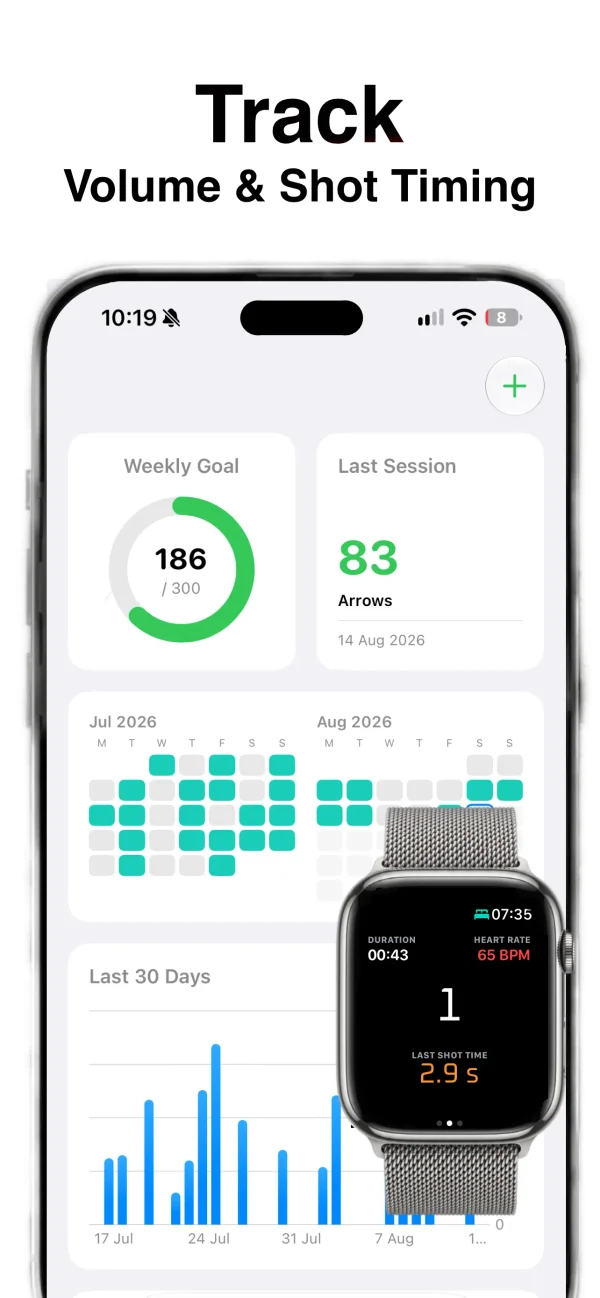
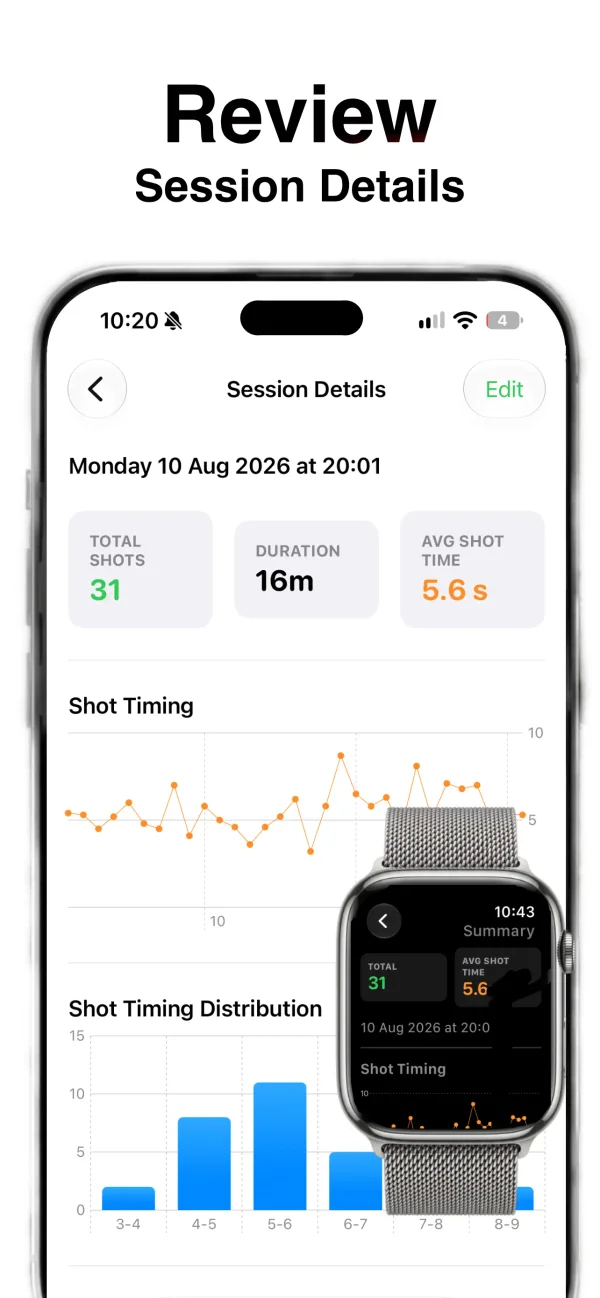
Use your Apple Watch to automatically count the number of arrows shot in a session and view recent history right on your watch. No more manual recording with a tally counter. The iPhone app lets you keep track of your training volume and compare shot timing across sessions.
-Uses accelerometer data to detect and record the number of shots and the shot time (time from raise of bow arm to release)
-Sessions are saved in Apple Health with heart rate and calories.
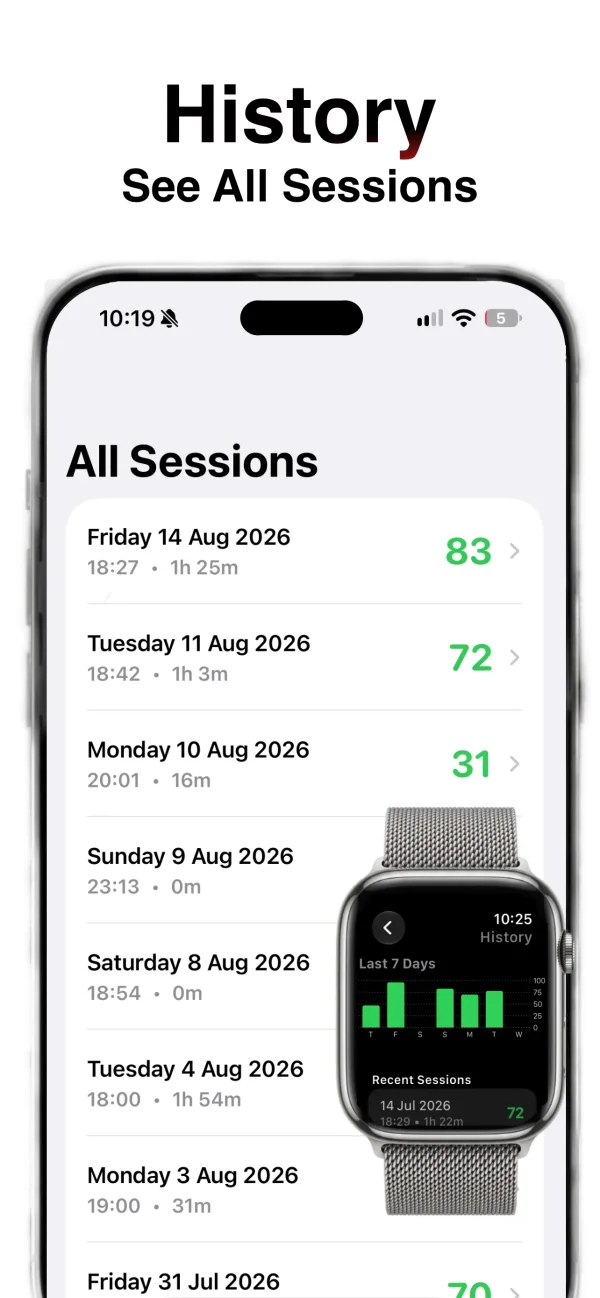
-A summary of recent sessions is available to view from the watch and a full history can be viewed on the iPhone App.
-Charts on the watch show the volume for the last 7 days and the activity view includes a chart of the individual shot times.
-Set your weekly volume goal and track progress against it
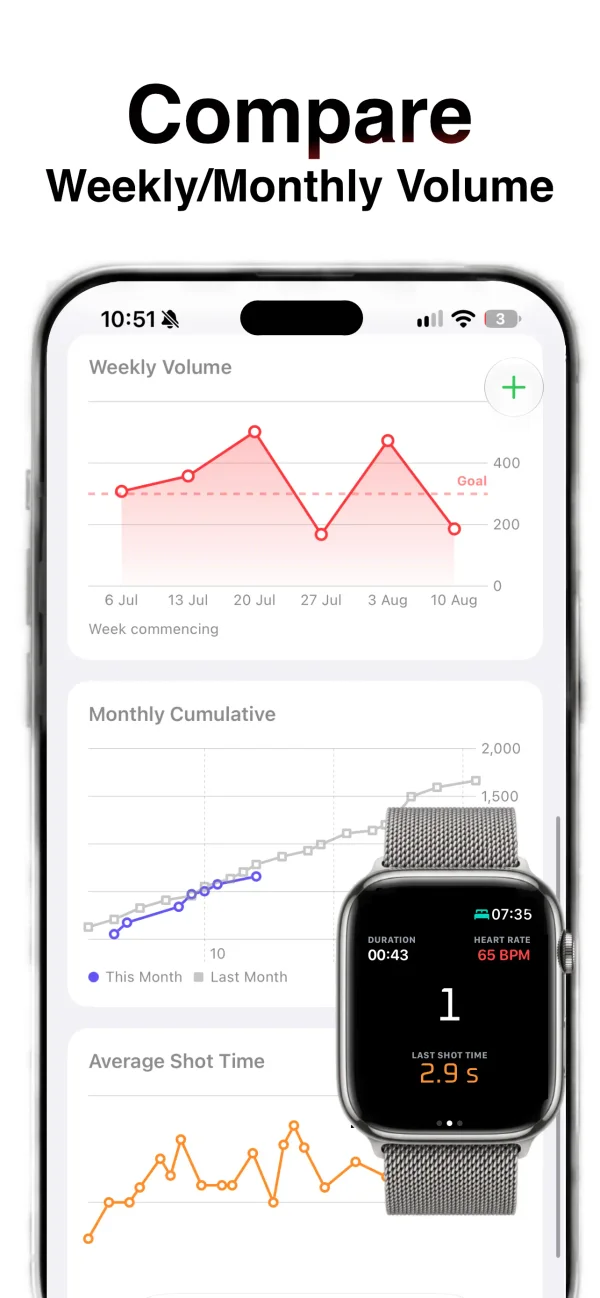
-Compare this month to last month
Try before you buy! Start as many sessions as you like until you have tracked a total of 100 arrows. Upgrade to the full version for unlimited shot recording - cheaper than a tally counter and with much more functionality.
One time purchase only - no subscriptions!
Instructions for use
---------------------
-Wear the watch on the arm you hold your bow with and set this in settings (e.g usually left arm for a right handed archer)
-Start an activity. Shoot a few shots and check that it is recording arrows.
-Should work with default settings but the sensitivity can be adjusted by swiping to the right in the activity. If shots are not being counted try lowering the G value on the sensitivity page.
-Recent activities can be seen in the history view accessed from the button on the first page (This may take a few seconds to load on the first run).
Please note:
- requires watchOS 10.6 or later.
- requires the arm to be raised and steady to start the shot detection. Downhill shots (e.g. on a field course) may not be registered.
Nouveautés
Version 1.6.1 · 18/11/2026
Minor bug fixes
Updated for iPhone Duo
Confidentialité de l’application
Ce que Matthew Gray déclare sur l’App Store au sujet du traitement des données par cette application.
-
Données non collectées
Le développeur ne collecte aucune donnée à partir de cette application.
Les pratiques en matière de confidentialité peuvent varier, notamment en fonction des fonctionnalités que vous utilisez ou de votre âge.
Informations
- Vendeur
- Matthew Gray
- Catégorie
- Sports
- Version
- 1.6.1
- Mis à jour
- 18/11/2026
- Publié
- 17/07/2026
- Taille
- 4,0 Mo
- Nécessite
- iOS 17.6 ou version ultérieure
- Classification d’âge
- 4+
- Prix
- Gratuit
- Achats intégrés
- Oui
- Langues
- Anglais
- Copyright
- © 2026 Matthew Gray
Vous aimerez peut-être aussi
-
 Tir à l'arc IA - Arrow TempoCompteur & score par caméra
-
 Quiver: Archery ScoresheetsSports
-
 TenRing : Tir à l'arc & ScoreAnalyse, coach & parcours 3D
-
 Level Up ArcherySports
-
 CapTarget Chrono Tir à l'arcChrono contrôlable à distance
-
 ToxTimerSports
-
 Simply Archery: Score TrackerSports
-
 Archery iXSports
-
 AimTrack : Tir à l’arcDe l’entraînement au tournoi
-
 Archery Score TrackerSports