Arrow Count - Archery counter
Automatically count shots
Được thiết kế cho iPhone, iPad
Miễn phí · Mua hàng trong ứng dụng
- Độ tuổi4+
- Danh mụcThể Thao
- Nhà phát triểnMatthew Gray
- Ngôn ngữTiếng Anh
- Kích thước4,0 MB
Liên kết đến trang App Store chính thức
Download.org không lưu trữ tệp nào của Arrow Count - Archery counter. Nút này mở trang ứng dụng trên App Store, nơi Matthew Gray phát hành ứng dụng. Trang được kiểm tra lần cuối: 23/11/2026.
Ảnh chụp màn hình
Giới thiệu
Nhà phát triển chưa cung cấp nội dung này bằng ngôn ngữ của bạn.
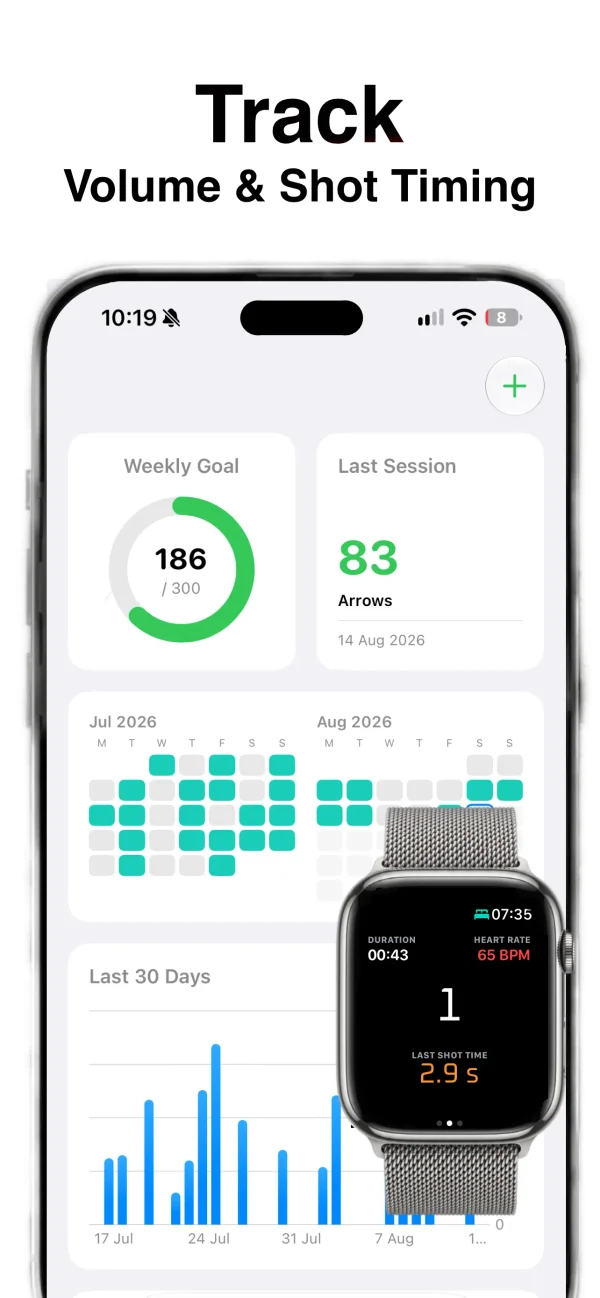
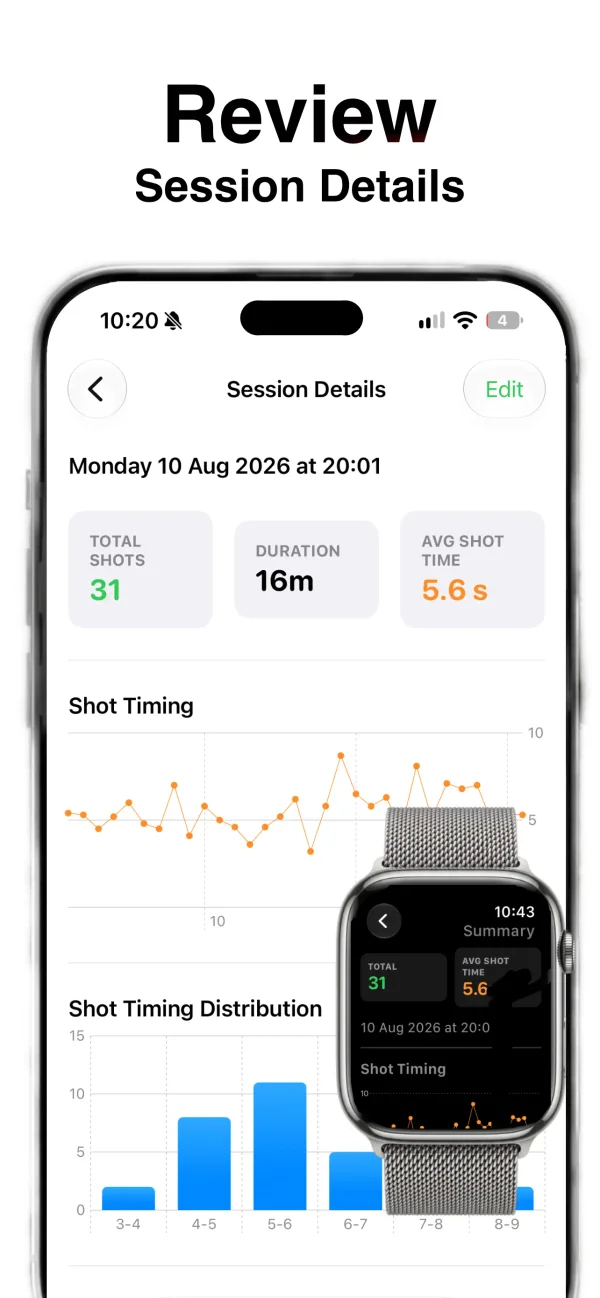
Use your Apple Watch to automatically count the number of arrows shot in a session and view recent history right on your watch. No more manual recording with a tally counter. The iPhone app lets you keep track of your training volume and compare shot timing across sessions.
-Uses accelerometer data to detect and record the number of shots and the shot time (time from raise of bow arm to release)
-Sessions are saved in Apple Health with heart rate and calories.
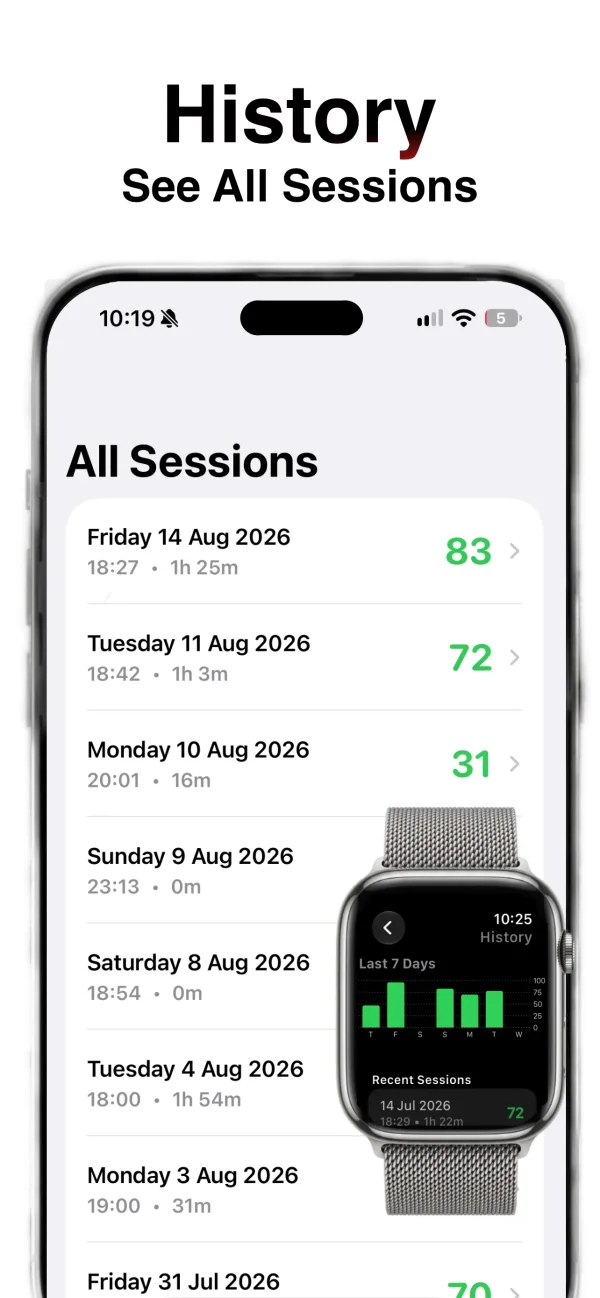
-A summary of recent sessions is available to view from the watch and a full history can be viewed on the iPhone App.
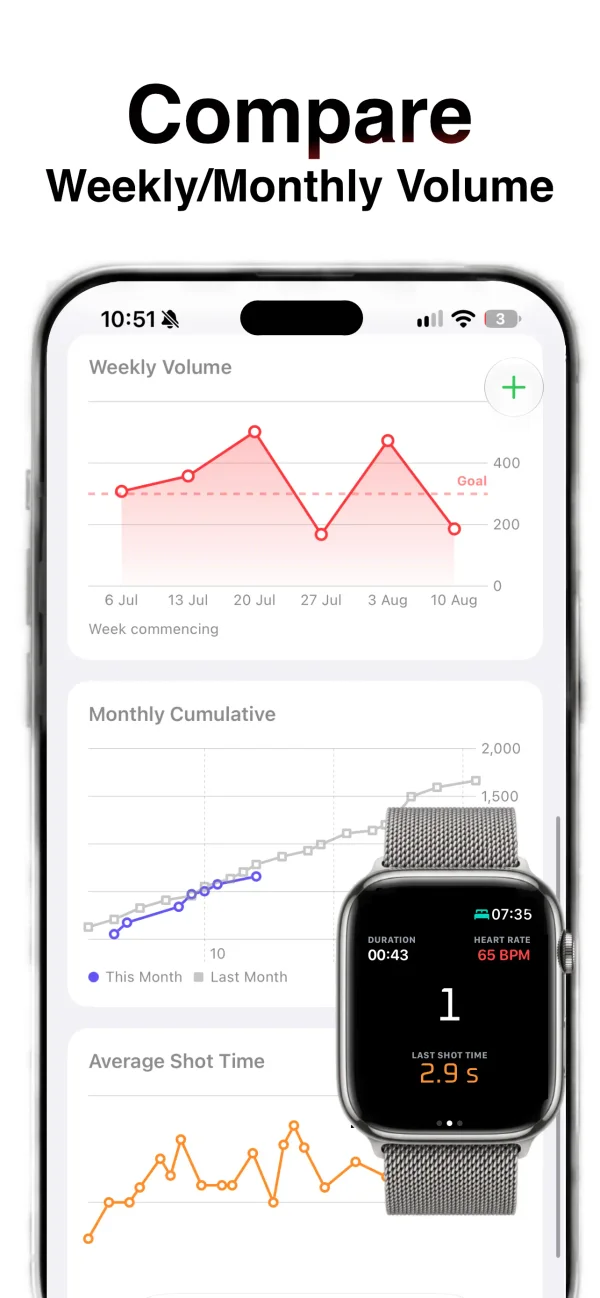
-Charts on the watch show the volume for the last 7 days and the activity view includes a chart of the individual shot times.
-Set your weekly volume goal and track progress against it
-Compare this month to last month
Try before you buy! Start as many sessions as you like until you have tracked a total of 100 arrows. Upgrade to the full version for unlimited shot recording - cheaper than a tally counter and with much more functionality.
One time purchase only - no subscriptions!
Instructions for use
---------------------
-Wear the watch on the arm you hold your bow with and set this in settings (e.g usually left arm for a right handed archer)
-Start an activity. Shoot a few shots and check that it is recording arrows.
-Should work with default settings but the sensitivity can be adjusted by swiping to the right in the activity. If shots are not being counted try lowering the G value on the sensitivity page.
-Recent activities can be seen in the history view accessed from the button on the first page (This may take a few seconds to load on the first run).
Please note:
- requires watchOS 10.6 or later.
- requires the arm to be raised and steady to start the shot detection. Downhill shots (e.g. on a field course) may not be registered.
Có gì mới
Phiên bản 1.6.1 · 18/11/2026
Minor bug fixes
Updated for iPhone Duo
Quyền riêng tư của ứng dụng
Những gì Matthew Gray khai báo trên App Store về cách ứng dụng này xử lý dữ liệu.
-
Dữ liệu không được thu thập
Nhà phát triển không thu thập bất kỳ dữ liệu nào từ ứng dụng này.
Phương thức đảm bảo quyền riêng tư có thể khác nhau, chẳng hạn như tuỳ theo các tính năng bạn sử dụng hoặc độ tuổi của bạn.
Thông tin
- Người bán
- Matthew Gray
- Danh mục
- Thể Thao
- Phiên bản
- 1.6.1
- Cập nhật
- 18/11/2026
- Phát hành
- 17/07/2026
- Kích thước
- 4,0 MB
- Yêu cầu
- iOS 17.6 trở lên
- Độ tuổi
- 4+
- Giá
- Miễn phí
- Mua hàng trong ứng dụng
- Có
- Ngôn ngữ
- Tiếng Anh
- Bản quyền
- © 2026 Matthew Gray
Có thể bạn cũng thích
-
 AI Archery Score - Arrow TempoĐếm mũi tên & nhịp độ
-
 Quiver: Archery ScoresheetsThể Thao
-
 TenRing: Bắn cung & Điểm sốĐộ chụm, HLV & vòng 3D
-
 Level Up ArcheryThể Thao
-
 CapTarget Đồng Hồ Bắn CungBộ đếm giờ điều khiển xa
-
 ToxTimerThể Thao
-
 Simply Archery: Score TrackerThể Thao
-
 Archery iXThể Thao
-
 AimTrack: Bắn cungTừ tập luyện đến giải đấu
-
 Archery Score TrackerThể Thao