Arrow Count - Archery counter
Automatically count shots
Designed for iPhone, iPad
Free · In-app purchases
- Age rating4+
- CategorySports
- DeveloperMatthew Gray
- LanguagesEnglish
- Size4.0 MB
Links to the official App Store page
Download.org hosts no file of Arrow Count - Archery counter. The button opens its official App Store page, published by Matthew Gray. Listing last checked on Nov 23, 2026.
Screenshots
About
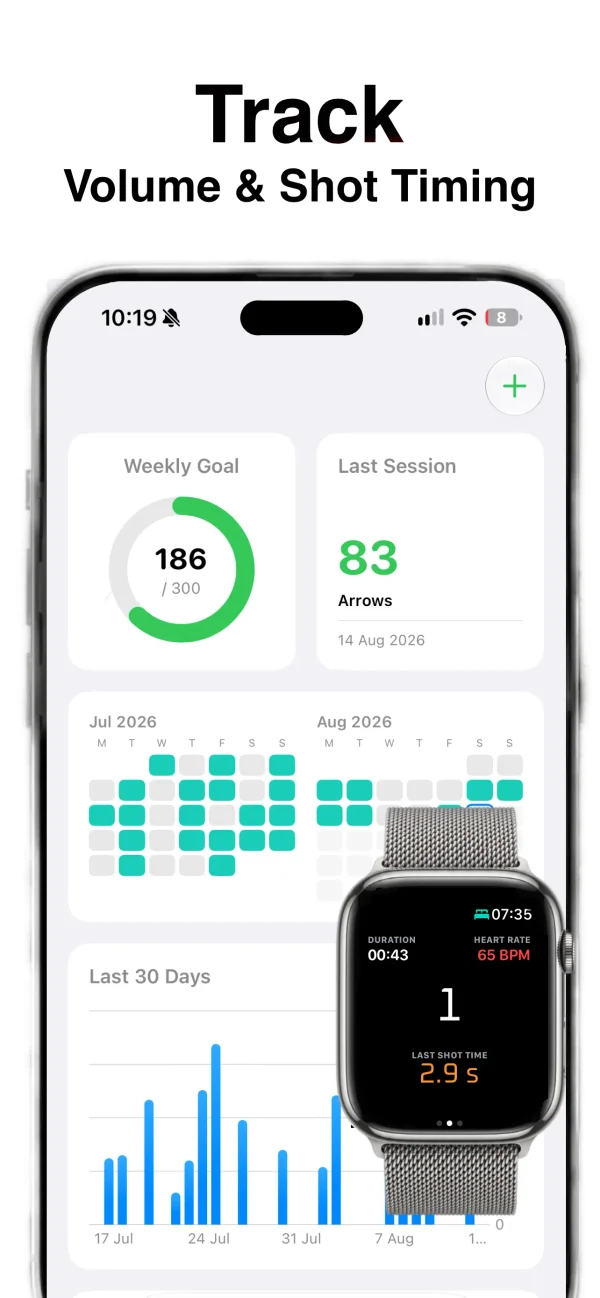
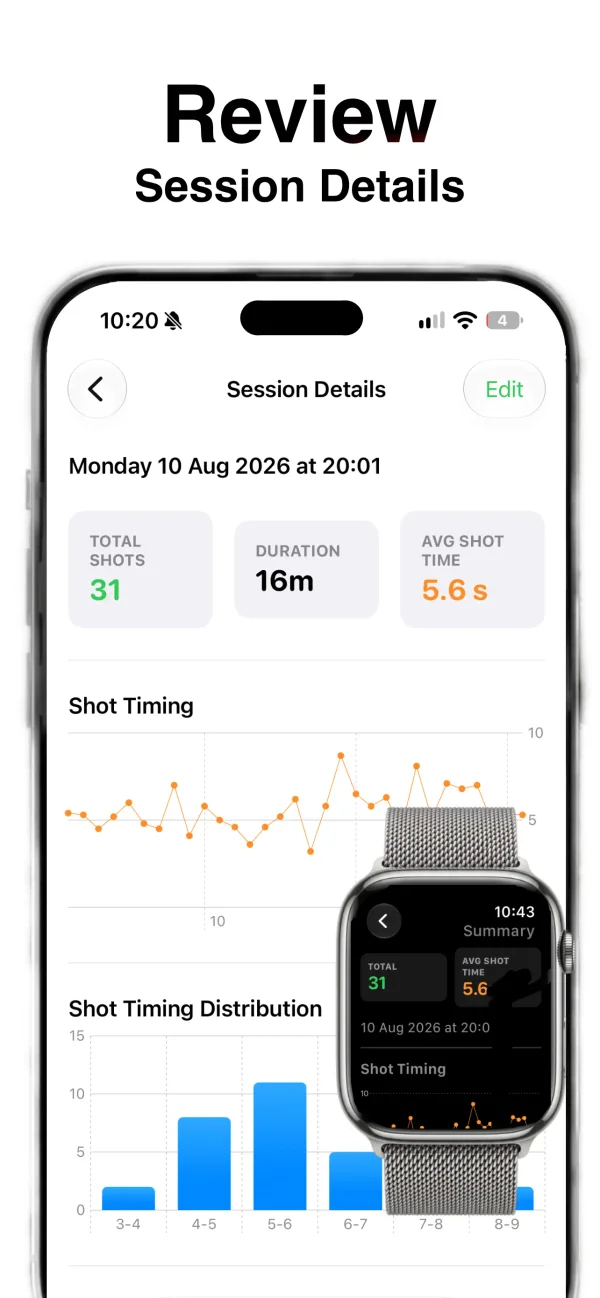
Use your Apple Watch to automatically count the number of arrows shot in a session and view recent history right on your watch. No more manual recording with a tally counter. The iPhone app lets you keep track of your training volume and compare shot timing across sessions.
-Uses accelerometer data to detect and record the number of shots and the shot time (time from raise of bow arm to release)
-Sessions are saved in Apple Health with heart rate and calories.
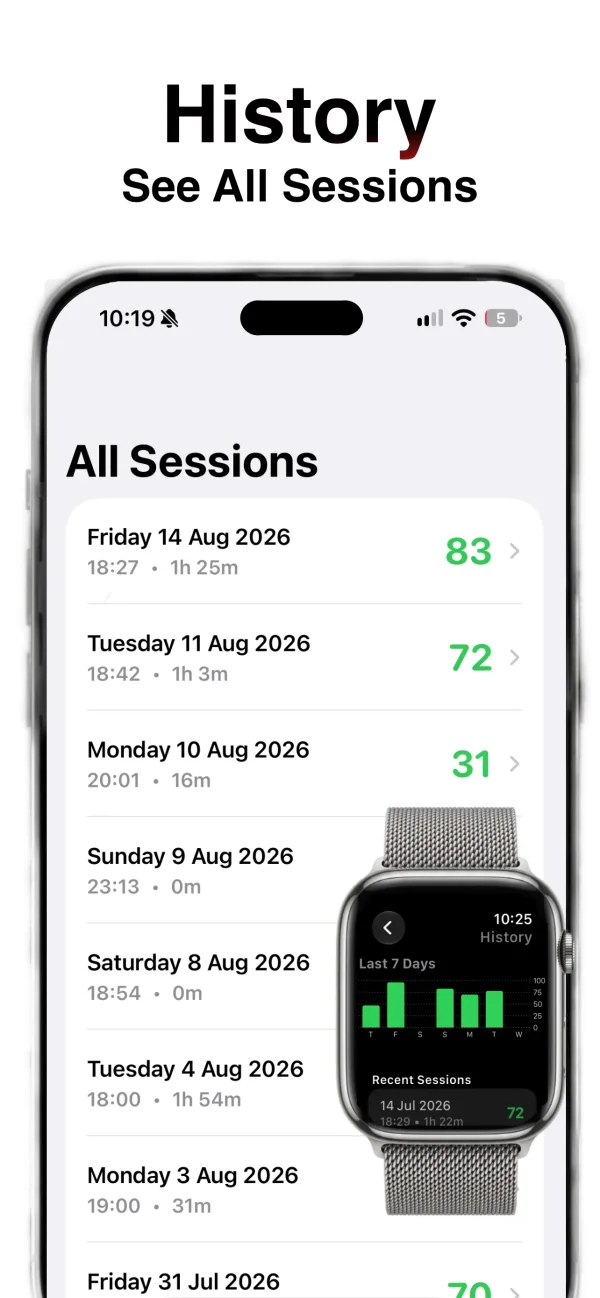
-A summary of recent sessions is available to view from the watch and a full history can be viewed on the iPhone App.
-Charts on the watch show the volume for the last 7 days and the activity view includes a chart of the individual shot times.
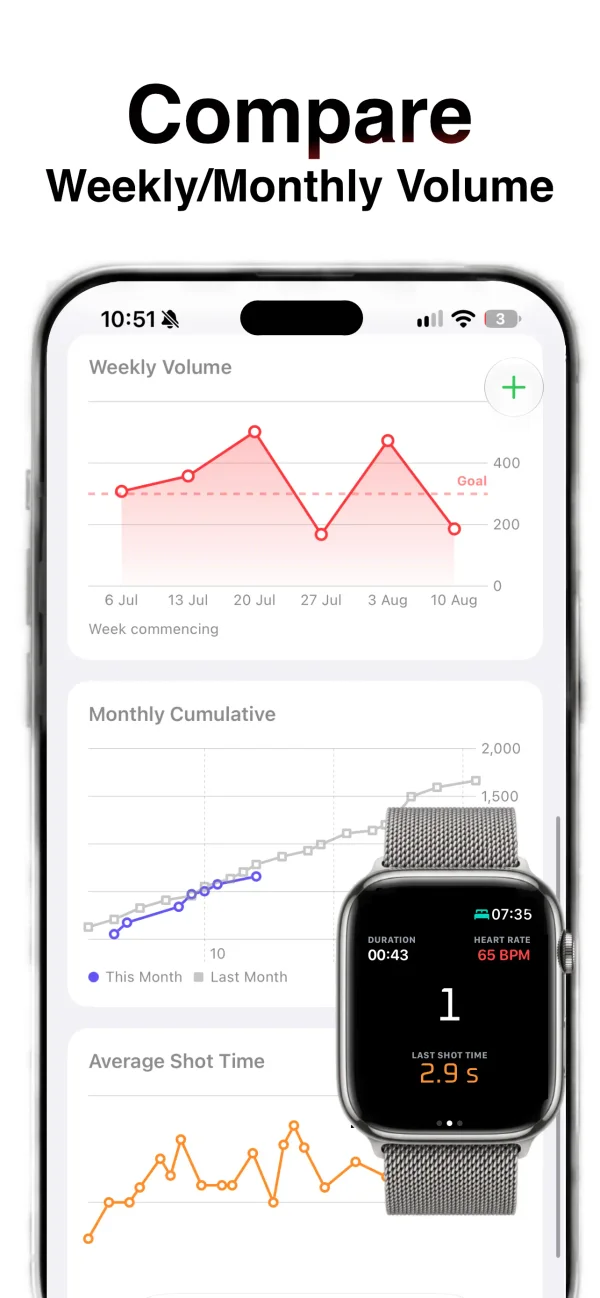
-Set your weekly volume goal and track progress against it
-Compare this month to last month
Try before you buy! Start as many sessions as you like until you have tracked a total of 100 arrows. Upgrade to the full version for unlimited shot recording - cheaper than a tally counter and with much more functionality.
One time purchase only - no subscriptions!
Instructions for use
---------------------
-Wear the watch on the arm you hold your bow with and set this in settings (e.g usually left arm for a right handed archer)
-Start an activity. Shoot a few shots and check that it is recording arrows.
-Should work with default settings but the sensitivity can be adjusted by swiping to the right in the activity. If shots are not being counted try lowering the G value on the sensitivity page.
-Recent activities can be seen in the history view accessed from the button on the first page (This may take a few seconds to load on the first run).
Please note:
- requires watchOS 10.6 or later.
- requires the arm to be raised and steady to start the shot detection. Downhill shots (e.g. on a field course) may not be registered.
What’s new
Version 1.6.1 · Nov 18, 2026
Minor bug fixes
Updated for iPhone Duo
App privacy
What Matthew Gray declares on the App Store about how this app handles data.
-
Data not collected
The developer does not collect any data from this app.
Privacy practices may vary, for example with the features you use or your age.
Information
- Seller
- Matthew Gray
- Category
- Sports
- Version
- 1.6.1
- Updated
- Nov 18, 2026
- Released
- Jul 17, 2026
- Size
- 4.0 MB
- Requires
- iOS 17.6 or later
- Age rating
- 4+
- Price
- Free
- In-app purchases
- Yes
- Languages
- English
- Copyright
- © 2026 Matthew Gray
You might also like
-
 AI Archery Score - Arrow TempoWatch Counter & Camera Scoring
-
 Quiver: Archery ScoresheetsScore Tracker, Target Plotting
-
 TenRing: Archery Score & PlotGrouping, Coach & 3D Rounds
-
 Level Up ArcheryPlot every arrow. Score more.
-
 CapTarget Archery TimerRemote-controlled timer
-
 ToxTimerArchery Timing System
-
 Simply Archery: Score TrackerTarget Scores, Stats & Journal
-
 Archery iXAn Archery Scoring App for All
-
 AimTrack: Archery ScoringFrom training to tournament
-
 Archery Score TrackerLog sessions. Review progress.