- 対象年齢4+
- カテゴリスポーツ
- 開発元Matthew Gray
- 言語英語
- サイズ4.0 MB
App Storeの公式ページにリンクしています
Download.orgはArrow Count - Archery counterのファイルを一切ホストしていません。ボタンを押すと、Matthew Grayが公開しているApp Storeのアプリページが開きます。ページの最終確認:2026/11/23。
スクリーンショット
概要
開発元はこのテキストをお使いの言語で提供していません。
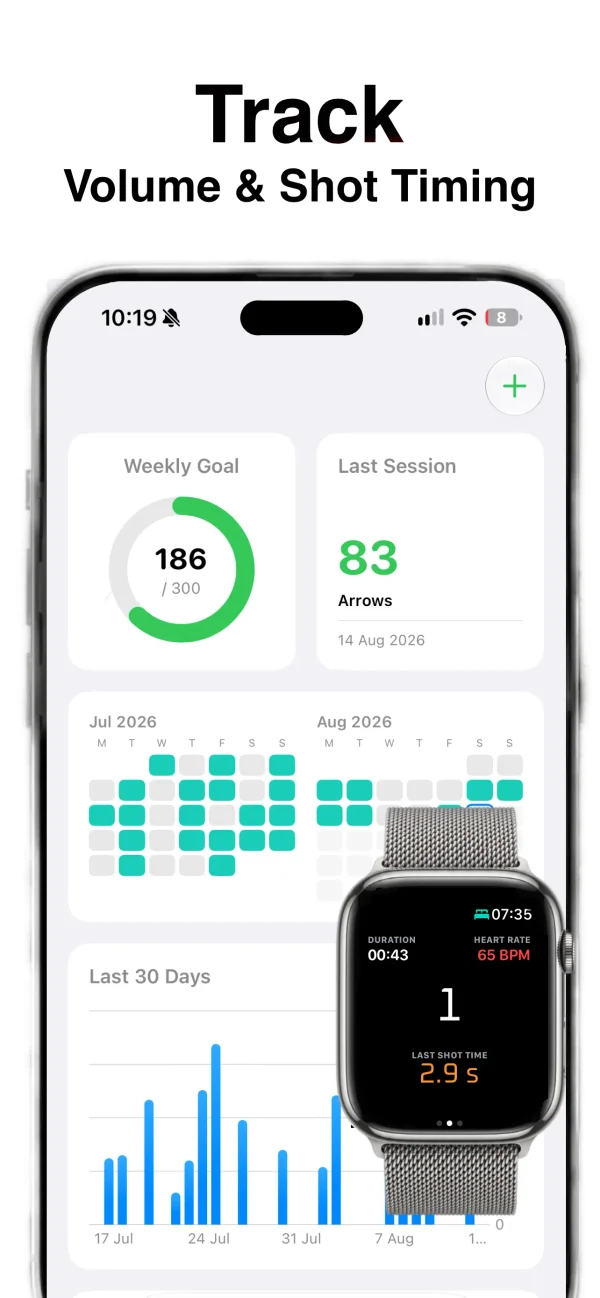
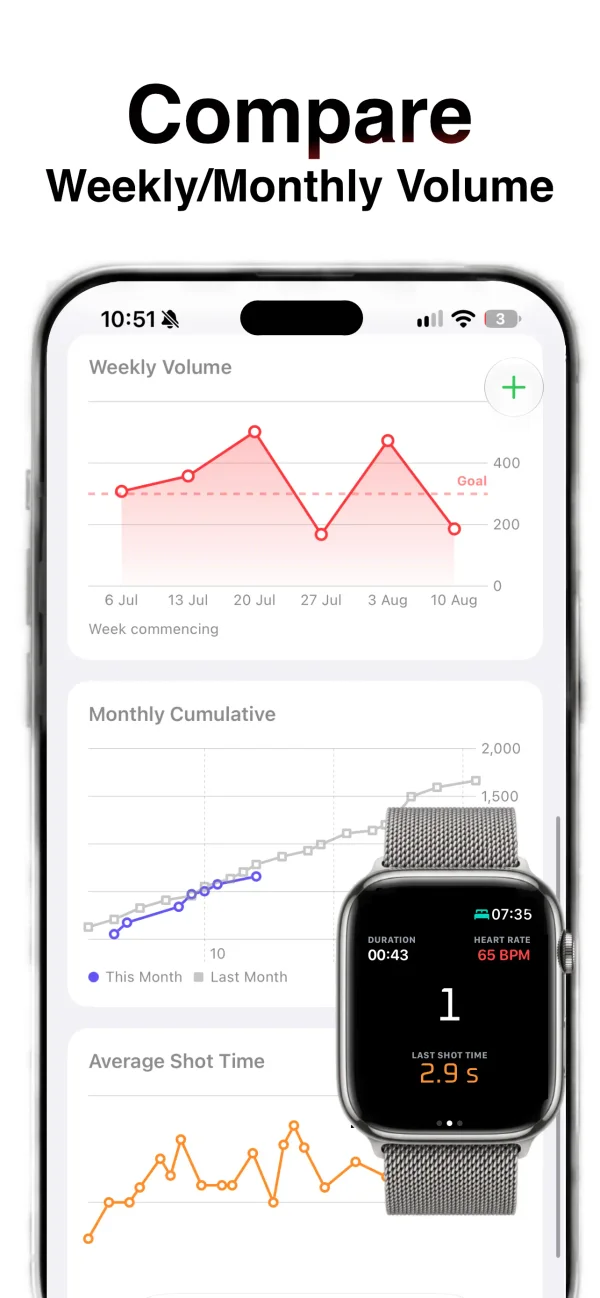
Use your Apple Watch to automatically count the number of arrows shot in a session and view recent history right on your watch. No more manual recording with a tally counter. The iPhone app lets you keep track of your training volume and compare shot timing across sessions.
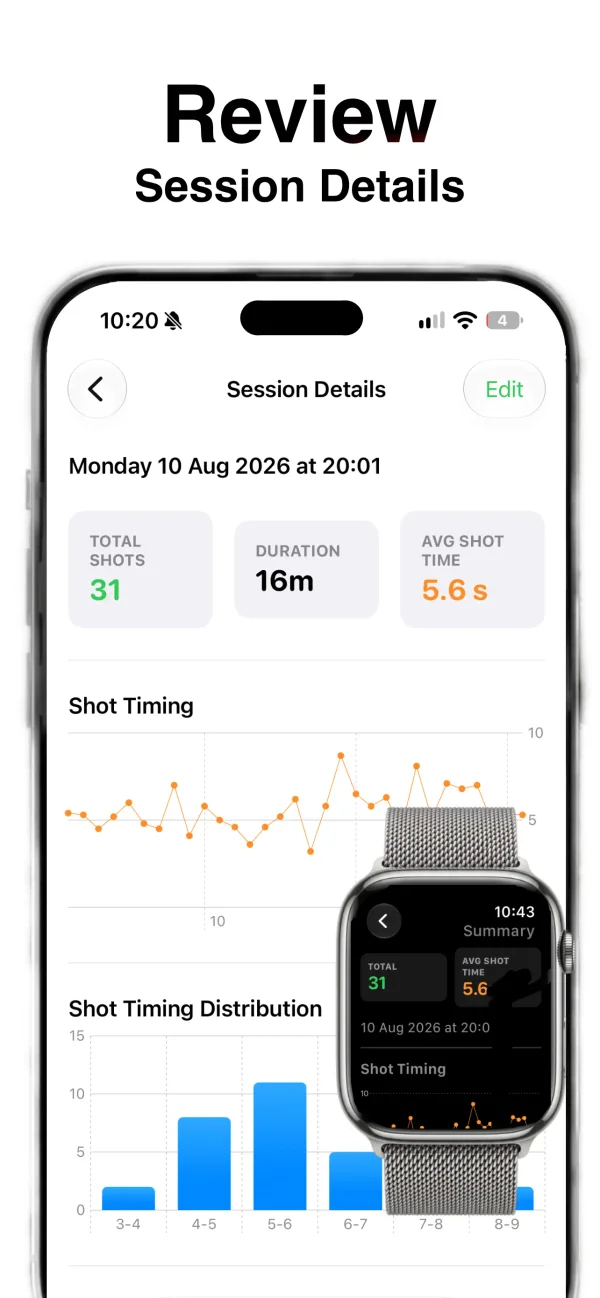
-Uses accelerometer data to detect and record the number of shots and the shot time (time from raise of bow arm to release)
-Sessions are saved in Apple Health with heart rate and calories.
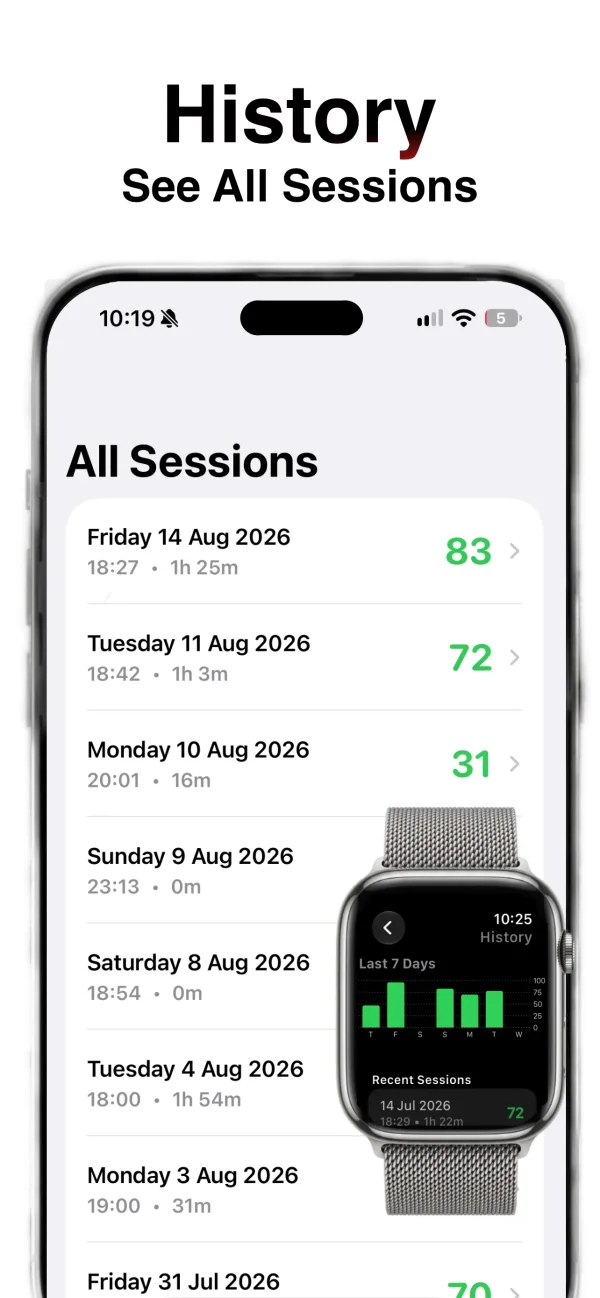
-A summary of recent sessions is available to view from the watch and a full history can be viewed on the iPhone App.
-Charts on the watch show the volume for the last 7 days and the activity view includes a chart of the individual shot times.
-Set your weekly volume goal and track progress against it
-Compare this month to last month
Try before you buy! Start as many sessions as you like until you have tracked a total of 100 arrows. Upgrade to the full version for unlimited shot recording - cheaper than a tally counter and with much more functionality.
One time purchase only - no subscriptions!
Instructions for use
---------------------
-Wear the watch on the arm you hold your bow with and set this in settings (e.g usually left arm for a right handed archer)
-Start an activity. Shoot a few shots and check that it is recording arrows.
-Should work with default settings but the sensitivity can be adjusted by swiping to the right in the activity. If shots are not being counted try lowering the G value on the sensitivity page.
-Recent activities can be seen in the history view accessed from the button on the first page (This may take a few seconds to load on the first run).
Please note:
- requires watchOS 10.6 or later.
- requires the arm to be raised and steady to start the shot detection. Downhill shots (e.g. on a field course) may not be registered.
新機能
バージョン 1.6.1 · 2026/11/18
Minor bug fixes
Updated for iPhone Duo
アプリのプライバシー
このアプリのデータの取り扱いについて、Matthew GrayがApp Storeで申告している内容です。
-
データの収集なし
開発元はこのアプリからデータを収集しません。
プライバシーの取り扱いは、ご利用の機能やお客様の年齢などに応じて異なる場合があります。
情報
- 販売元
- Matthew Gray
- カテゴリ
- スポーツ
- バージョン
- 1.6.1
- 更新日
- 2026/11/18
- リリース
- 2026/7/17
- サイズ
- 4.0 MB
- 必要条件
- iOS 17.6以降
- 対象年齢
- 4+
- 価格
- 無料
- アプリ内課金
- あり
- 言語
- 英語
- 著作権
- © 2026 Matthew Gray