Arrow Count - Archery counter
Automatically count shots
Dirancang untuk iPhone, iPad
Gratis · Pembelian dalam aplikasi
- Batasan usia4+
- KategoriOlahraga
- PengembangMatthew Gray
- BahasaInggris
- Ukuran4,0 MB
Tertaut ke halaman resmi App Store
Download.org tidak menyimpan file Arrow Count - Archery counter apa pun. Tombol ini membuka halaman aplikasi di App Store, tempat Matthew Gray menerbitkannya. Halaman terakhir diperiksa pada 23/11/2026.
Tangkapan layar
Tentang
Pengembang belum menyediakan teks ini dalam bahasa Anda.
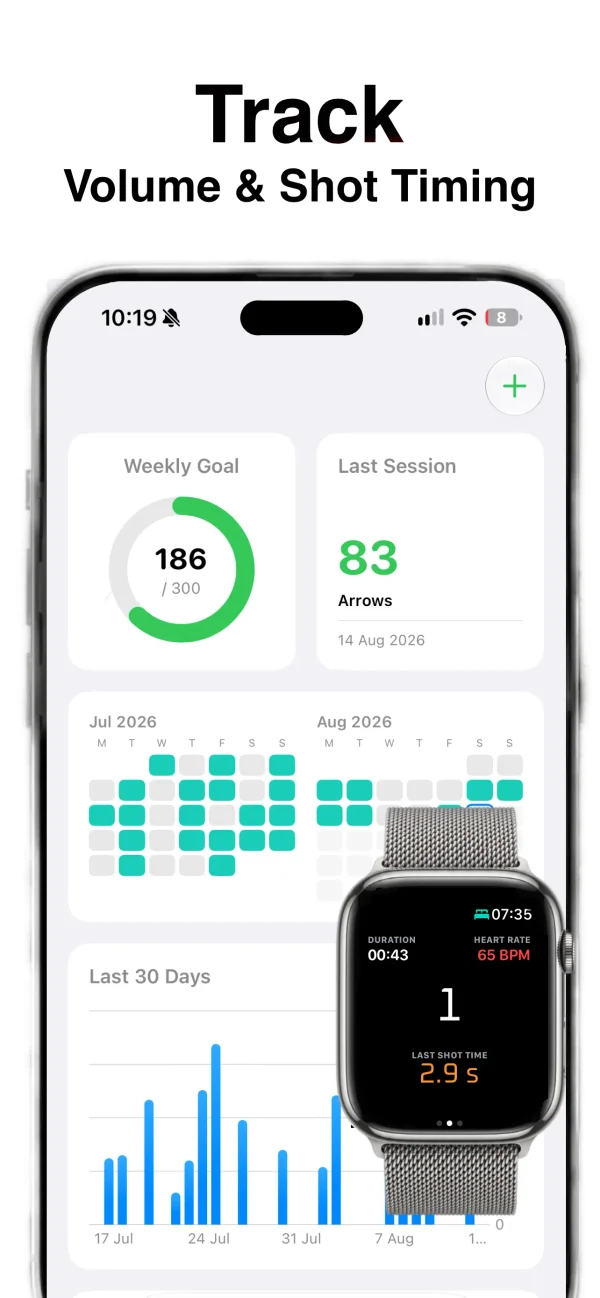
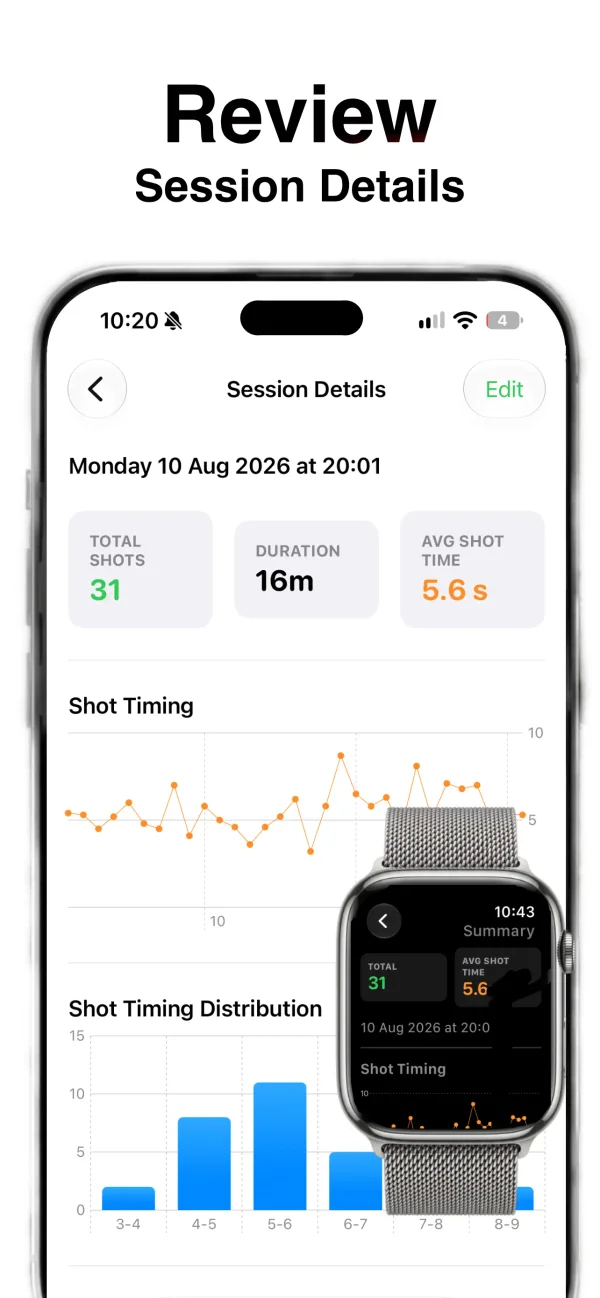
Use your Apple Watch to automatically count the number of arrows shot in a session and view recent history right on your watch. No more manual recording with a tally counter. The iPhone app lets you keep track of your training volume and compare shot timing across sessions.
-Uses accelerometer data to detect and record the number of shots and the shot time (time from raise of bow arm to release)
-Sessions are saved in Apple Health with heart rate and calories.
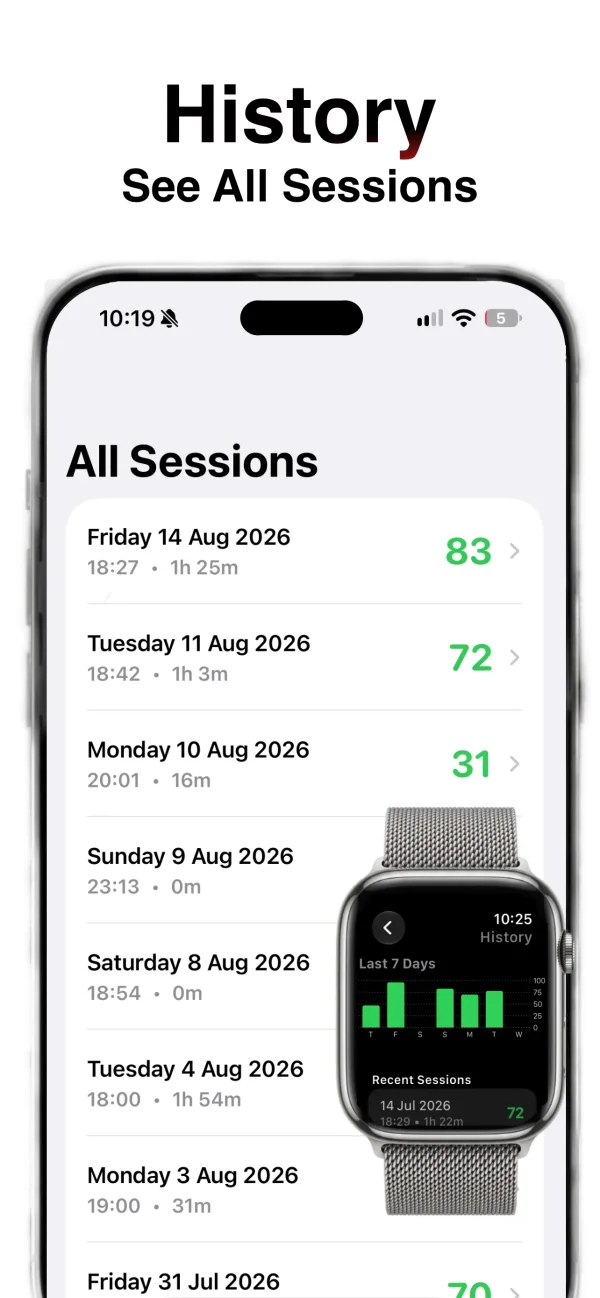
-A summary of recent sessions is available to view from the watch and a full history can be viewed on the iPhone App.
-Charts on the watch show the volume for the last 7 days and the activity view includes a chart of the individual shot times.
-Set your weekly volume goal and track progress against it
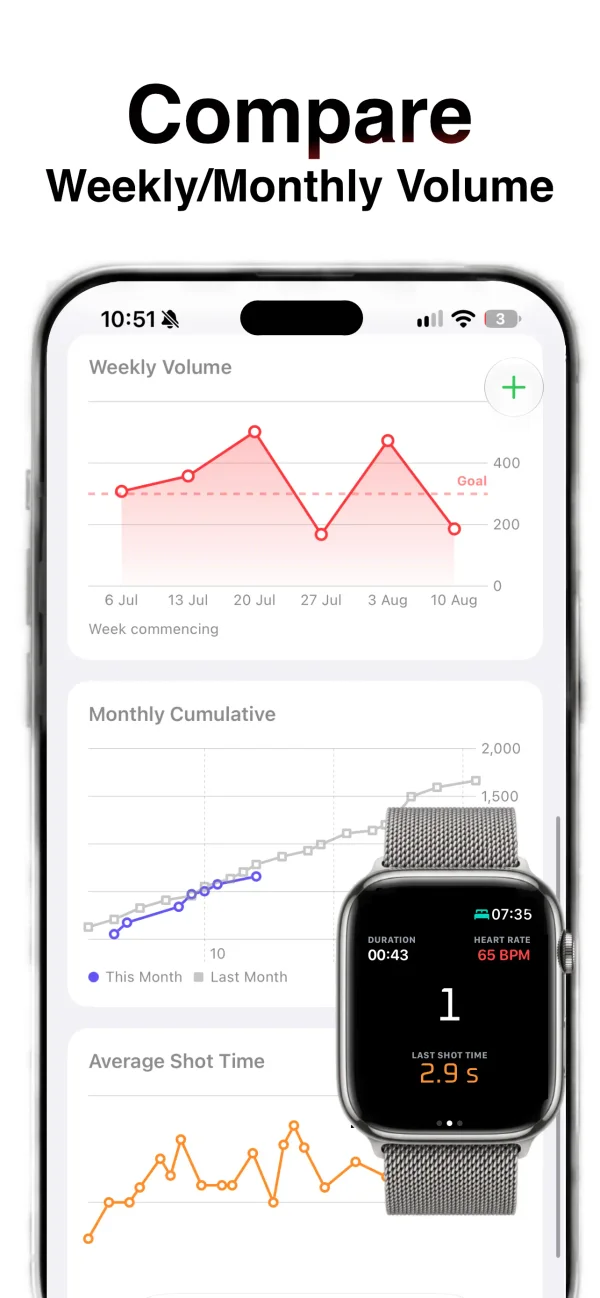
-Compare this month to last month
Try before you buy! Start as many sessions as you like until you have tracked a total of 100 arrows. Upgrade to the full version for unlimited shot recording - cheaper than a tally counter and with much more functionality.
One time purchase only - no subscriptions!
Instructions for use
---------------------
-Wear the watch on the arm you hold your bow with and set this in settings (e.g usually left arm for a right handed archer)
-Start an activity. Shoot a few shots and check that it is recording arrows.
-Should work with default settings but the sensitivity can be adjusted by swiping to the right in the activity. If shots are not being counted try lowering the G value on the sensitivity page.
-Recent activities can be seen in the history view accessed from the button on the first page (This may take a few seconds to load on the first run).
Please note:
- requires watchOS 10.6 or later.
- requires the arm to be raised and steady to start the shot detection. Downhill shots (e.g. on a field course) may not be registered.
Yang baru
Versi 1.6.1 · 18/11/2026
Minor bug fixes
Updated for iPhone Duo
Privasi aplikasi
Yang dinyatakan Matthew Gray di App Store tentang cara aplikasi ini menangani data.
-
Data tidak dikumpulkan
Pengembang tidak mengumpulkan data apa pun dari aplikasi ini.
Praktik privasi dapat bervariasi, misalnya berdasarkan fitur yang Anda gunakan atau usia Anda.
Informasi
- Penjual
- Matthew Gray
- Kategori
- Olahraga
- Versi
- 1.6.1
- Diperbarui
- 18/11/2026
- Dirilis
- 17/7/2026
- Ukuran
- 4,0 MB
- Memerlukan
- iOS 17.6 atau yang lebih baru
- Batasan usia
- 4+
- Harga
- Gratis
- Pembelian dalam aplikasi
- Ya
- Bahasa
- Inggris
- Hak cipta
- © 2026 Matthew Gray
Mungkin Anda juga suka
-
 AI Archery Score - Arrow TempoOlahraga
-
 Quiver: Archery ScoresheetsOlahraga
-
 TenRing: Skor & Plot PanahanGrouping, Pelatih & Ronde 3D
-
 Level Up ArcheryOlahraga
-
 CapTarget Kronometer PanahanTimer kendali jarak jauh
-
 ToxTimerOlahraga
-
 Simply Archery: Score TrackerOlahraga
-
 Archery iXOlahraga
-
 AimTrack: Skor PanahanDari latihan ke turnamen
-
 Archery Score TrackerOlahraga