- Classification d’âge4+
- CatégorieUtilitaires
- DéveloppeurDLC39DEGREE
- LanguesAnglais+ 1 de plus
- Taille2,9 Mo
Renvoie vers la page App Store officielle
Download.org n’héberge aucun fichier de Handpad. Le bouton ouvre la page de l’application sur App Store, où DLC39DEGREE la publie. Fiche vérifiée pour la dernière fois le 12/11/2026.
Captures d’écran


À propos
Le développeur n’a pas fourni ce texte dans votre langue.
Handpad turns your iPhone into a precision wireless trackpad and keyboard for your Mac. Whether you're presenting, watching a movie, gaming, or just working from the couch — your iPhone is your remote.
— TRACKPAD —
Slide, tap, and two-finger scroll just like a real MacBook trackpad. Sub-pixel precision, instant response, multi-touch gestures.
— SHORTCUTS THAT FIT THE MOMENT —
Customizable button grids for any scenario:
• Movies — play, pause, mute, fullscreen
• Presentations — next slide, previous, blackout
• Games — quick keys mapped to anything
Switch between layouts instantly with a swipe.
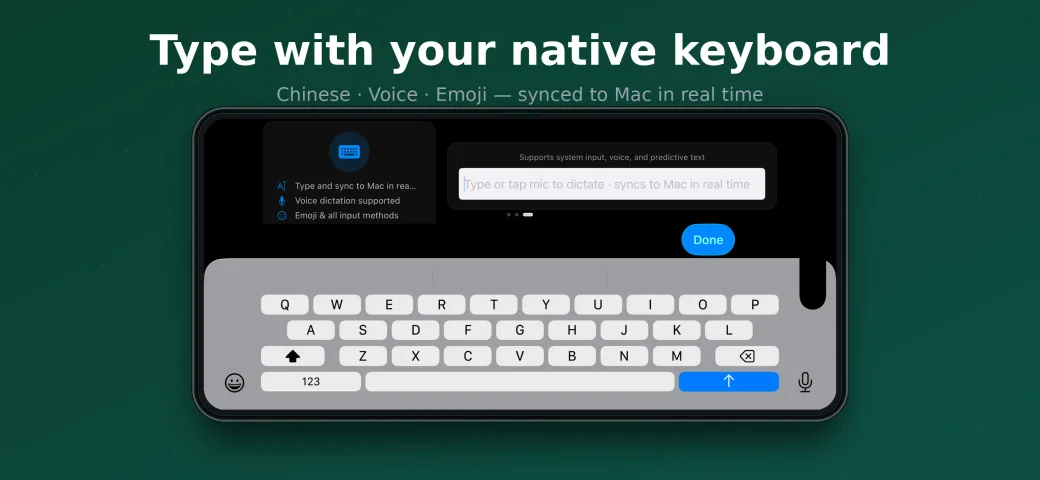
— TYPE WITH YOUR NATIVE KEYBOARD —
Use your iPhone's full iOS keyboard to type into your Mac. Chinese, Japanese, Korean, emoji, voice dictation — everything syncs to your Mac in real time. No more squinting at a remote keyboard across the room.
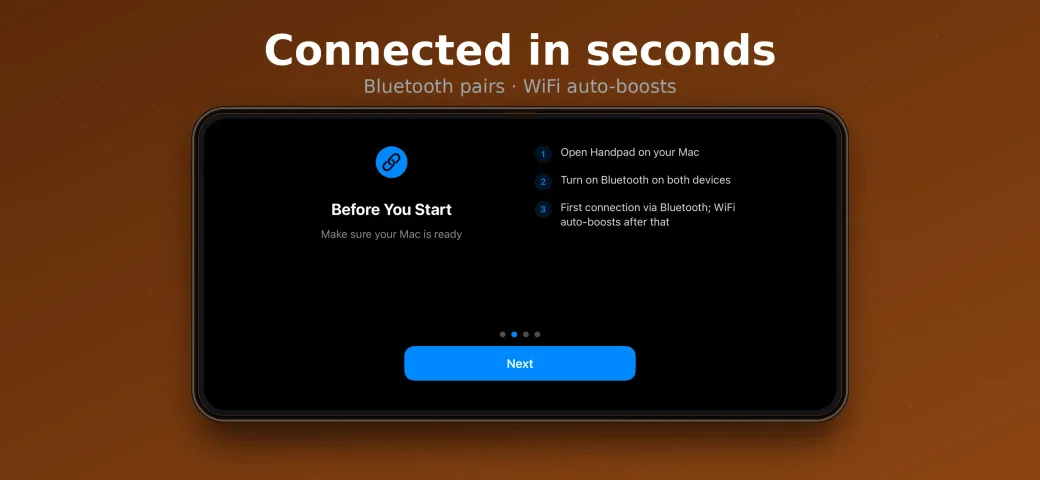
— CONNECTED IN SECONDS —
• Bluetooth pairs the first time
• WiFi auto-boosts after that for lower latency
• Works on the same local network
• No router or hotspot configuration needed
— PRIVATE BY DESIGN —
Everything stays between your iPhone and your Mac. AES-256 encrypted link. Zero internet dependency. No accounts. No telemetry. No data collection. Your inputs never leave your local network.
— REQUIREMENTS —
• Free Handpad companion app for macOS
• macOS 13 Ventura or later
• Bluetooth and WiFi enabled
• Both devices on the same local network for best performance
— FAQ —
Q: Does it work without internet?
A: Yes. The app works entirely on your local network.
Q: Does it support multiple Macs?
A: One iPhone can pair with multiple Macs, with one active connection at a time.
Q: Will my keyboard work the same?
A: Yes — Handpad uses your iPhone's native keyboard, so all your custom inputs, dictionaries, and IMEs work normally.
Made with care. No tracking. No ads. Ever.
Nouveautés
Version 1.1 · 10/06/2026
• Choose which Mac to control — tap the connection badge to switch between Macs by name
• Custom shortcut combos — build any ⌘/⇧/⌥/⌃ + key combination
• Smoother trackpad over Bluetooth
• Connection badge now shows WiFi vs Bluetooth
Confidentialité de l’application
Ce que DLC39DEGREE déclare sur l’App Store au sujet du traitement des données par cette application.
-
Données non collectées
Le développeur ne collecte aucune donnée à partir de cette application.
Les pratiques en matière de confidentialité peuvent varier, notamment en fonction des fonctionnalités que vous utilisez ou de votre âge.
Informations
- Vendeur
- DLC 39 DEGREE LTD
- Catégorie
- Utilitaires
- Version
- 1.1
- Mis à jour
- 10/06/2026
- Publié
- 08/06/2026
- Taille
- 2,9 Mo
- Nécessite
- iOS 16.0 ou version ultérieure
- Classification d’âge
- 4+
- Prix
- Gratuit
- Langues
- Anglais, Chinois simplifié
- Copyright
- © 2026 DLC39DEGREE
Vous aimerez peut-être aussi
-
 eTrackPad: Wireless TrackpadUtilitaires
-
 LAN Screen ControlUtilitaires
-
 RemotePadUtilitaires
-
 Virtual TouchPadUtilitaires
-
 MiniTrackUtilitaires
-
 RPad : Trackpad & SourisTélécommande laser et diapos
-
 KeyBindControlMacro et shortcuts rapides
-
 Accent Letters: Type AccentsUtilitaires
-
 点点水印相机Utilitaires
-
 MouseMeUtilitaires