- Age rating4+
- CategoryUtilities
- DeveloperDLC39DEGREE
- LanguagesEnglish+ 1 more
- Size2.9 MB
Links to the official App Store page
Download.org hosts no file of Handpad. The button opens its official App Store page, published by DLC39DEGREE. Listing last checked on Nov 12, 2026.
Screenshots


About
Handpad turns your iPhone into a precision wireless trackpad and keyboard for your Mac. Whether you're presenting, watching a movie, gaming, or just working from the couch — your iPhone is your remote.
— TRACKPAD —
Slide, tap, and two-finger scroll just like a real MacBook trackpad. Sub-pixel precision, instant response, multi-touch gestures.
— SHORTCUTS THAT FIT THE MOMENT —
Customizable button grids for any scenario:
• Movies — play, pause, mute, fullscreen
• Presentations — next slide, previous, blackout
• Games — quick keys mapped to anything
Switch between layouts instantly with a swipe.
— TYPE WITH YOUR NATIVE KEYBOARD —
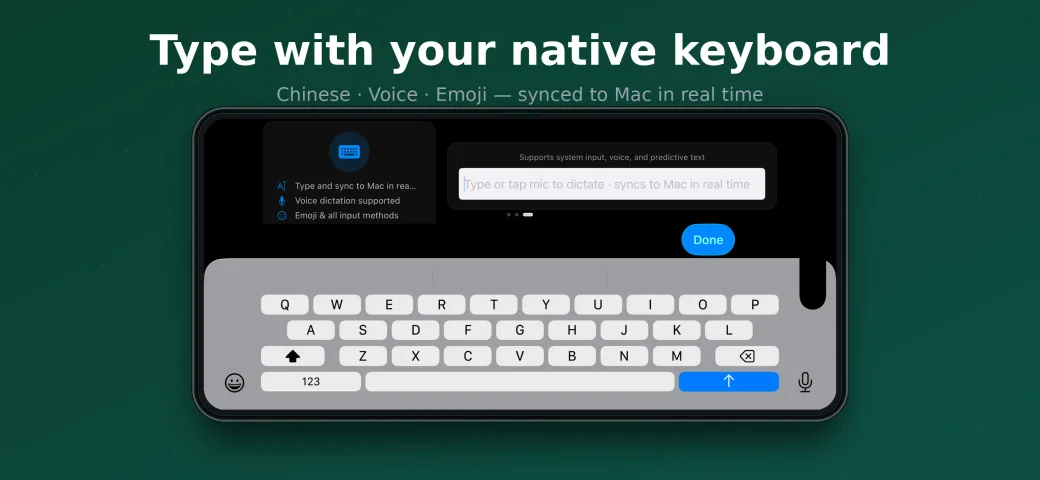
Use your iPhone's full iOS keyboard to type into your Mac. Chinese, Japanese, Korean, emoji, voice dictation — everything syncs to your Mac in real time. No more squinting at a remote keyboard across the room.
— CONNECTED IN SECONDS —
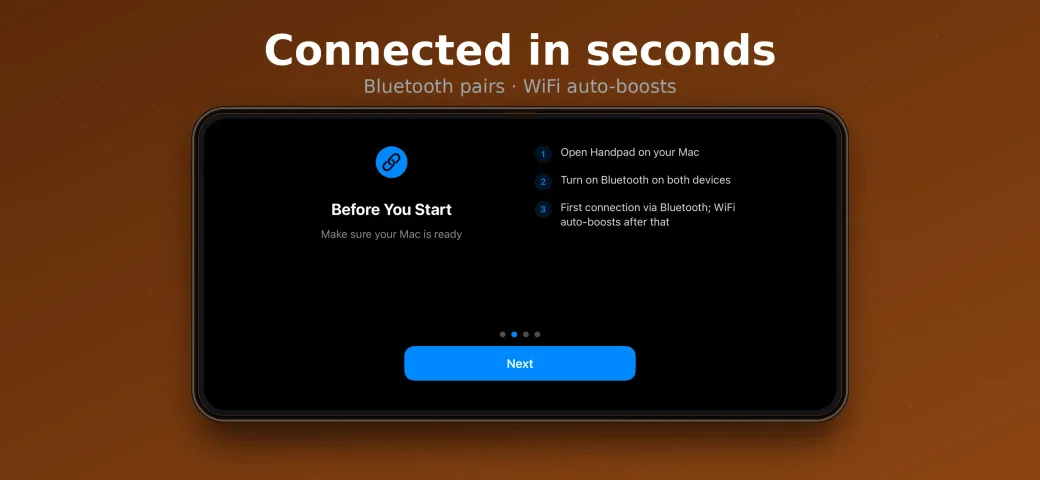
• Bluetooth pairs the first time
• WiFi auto-boosts after that for lower latency
• Works on the same local network
• No router or hotspot configuration needed
— PRIVATE BY DESIGN —
Everything stays between your iPhone and your Mac. AES-256 encrypted link. Zero internet dependency. No accounts. No telemetry. No data collection. Your inputs never leave your local network.
— REQUIREMENTS —
• Free Handpad companion app for macOS
• macOS 13 Ventura or later
• Bluetooth and WiFi enabled
• Both devices on the same local network for best performance
— FAQ —
Q: Does it work without internet?
A: Yes. The app works entirely on your local network.
Q: Does it support multiple Macs?
A: One iPhone can pair with multiple Macs, with one active connection at a time.
Q: Will my keyboard work the same?
A: Yes — Handpad uses your iPhone's native keyboard, so all your custom inputs, dictionaries, and IMEs work normally.
Made with care. No tracking. No ads. Ever.
What’s new
Version 1.1 · Jun 10, 2026
• Choose which Mac to control — tap the connection badge to switch between Macs by name
• Custom shortcut combos — build any ⌘/⇧/⌥/⌃ + key combination
• Smoother trackpad over Bluetooth
• Connection badge now shows WiFi vs Bluetooth
App privacy
What DLC39DEGREE declares on the App Store about how this app handles data.
-
Data not collected
The developer does not collect any data from this app.
Privacy practices may vary, for example with the features you use or your age.
Information
- Seller
- DLC 39 DEGREE LTD
- Category
- Utilities
- Version
- 1.1
- Updated
- Jun 10, 2026
- Released
- Jun 8, 2026
- Size
- 2.9 MB
- Requires
- iOS 16.0 or later
- Age rating
- 4+
- Languages
- English, Simplified Chinese
- Copyright
- © 2026 DLC39DEGREE
You might also like
-
 eTrackPad: Wireless TrackpadGestures, keyboard & remote
-
 LAN Screen ControlLocal VNC Remote Desktop
-
 RemotePadUtilities
-
 Virtual TouchPadWireless Mac Control
-
 MiniTrackUtilities
-
 RPad: Remote Trackpad & MousePresentation Remote & Laser
-
 KeyBindControlMacro Pad for Shortcut Control
-
 Accent Letters: Type AccentsAccent Keyboard & Copy Paste
-
 点点水印相机Utilities
-
 MouseMeUse your I phone as a mouse!