
MDscan: Batch Scanner
Scan, Enhance & Export PDFs
Conçue pour iPhone
Gratuit · Achats intégrés
- Classification d’âge4+
- CatégorieProductivité
- Développeur晖 容
- LanguesAnglais+ 1 de plus
- Taille3,8 Mo
Renvoie vers la page App Store officielle
Download.org n’héberge aucun fichier de MDscan: Batch Scanner. Le bouton ouvre la page de l’application sur App Store, où 晖 容 la publie. Fiche vérifiée pour la dernière fois le 22/11/2026.
Captures d’écran
À propos
Le développeur n’a pas fourni ce texte dans votre langue.
Turn your iPhone into a document scanner for quick handheld captures or larger batches with a phone stand. Capture one page at a time when you only have a few documents, or use continuous capture for larger scanning sessions.
A clear workflow from capture to export:
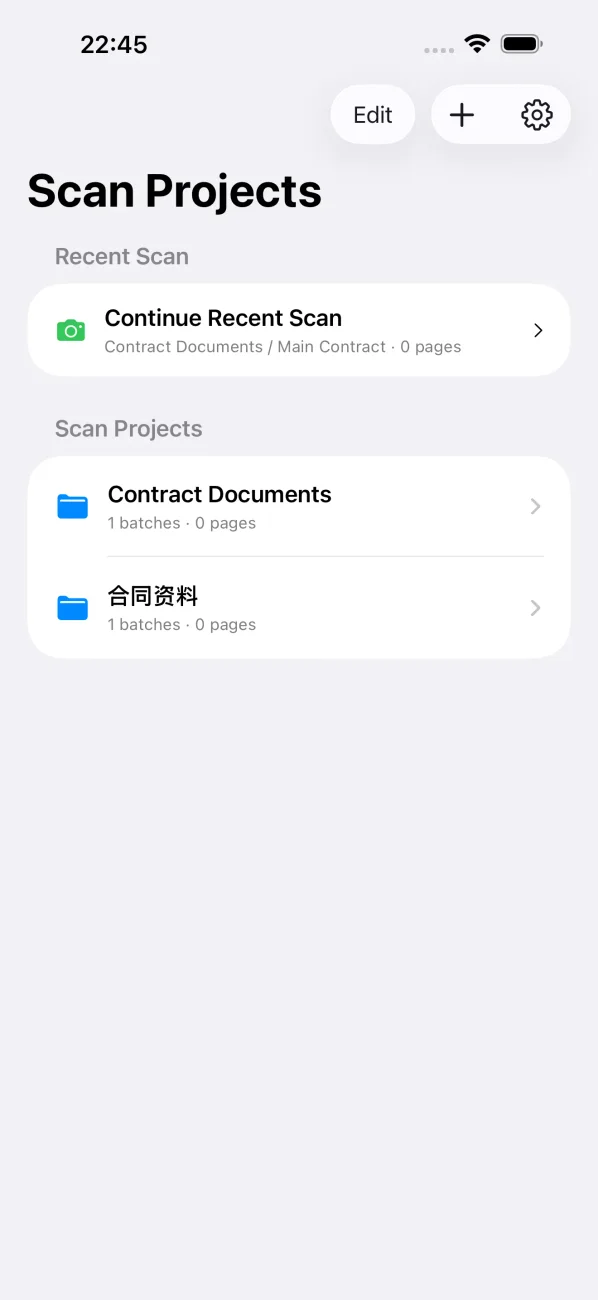
• Organize documents, archives, and books as Projects → Batches → Pages.
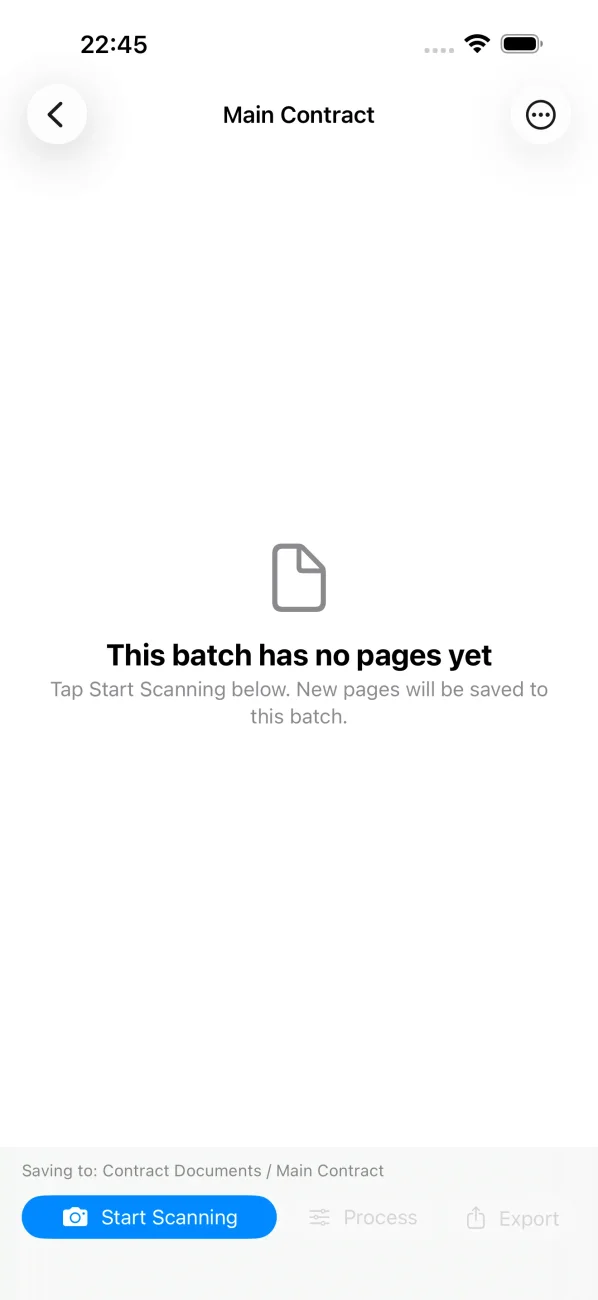
• Create a project and its first batch in one flow, or continue scanning directly from an existing batch.
• See the current project, batch, and saved page count while capturing.
• Finish scanning and go directly to page review, image processing, and export.
• Use grouped capture and merging for bound books.
Keep your originals:
Apply batch image adjustments and processing modes, including color, grayscale, and black and white. Processing and export do not overwrite your original captures.
Export for use and sharing:
Export original images, processed JPEG or PNG images, or PDFs. Exported files are saved locally. Save a copy through Apple’s Files app or share a PDF.
On-device processing and privacy:
No account is required. MDscan has no advertising or cross-app tracking. Scans are processed on your iPhone and are not uploaded to the developer’s servers.
Free to download, with a user-initiated three-day full trial. The trial does not charge you or renew automatically. After it expires, you can still view, organize, and delete existing scans and export original images. New scanning, rescanning, batch image processing, and processed image/PDF exports require a one-time lifetime unlock. No subscription.
Nouveautés
Version 1.3 · 10/10/2026
A clearer scanning workflow, with every page saved where you expect it.
• Organize your scans as Projects → Batches → Pages, and create a new scan directly from the home screen.
• Start or continue scanning from a batch without returning to the home screen.
• See the current project, batch, and saved page count while capturing. Single-page and continuous capture both save to your selected batch.
• Finish scanning and go directly to the same batch to review, process, and export.
• Continue your most recently selected batch, while keeping access to existing scans.
Confidentialité de l’application
Ce que 晖 容 déclare sur l’App Store au sujet du traitement des données par cette application.
-
Données non collectées
Le développeur ne collecte aucune donnée à partir de cette application.
Les pratiques en matière de confidentialité peuvent varier, notamment en fonction des fonctionnalités que vous utilisez ou de votre âge.
Informations
- Vendeur
- 晖 容
- Catégorie
- Productivité
- Version
- 1.3
- Mis à jour
- 10/10/2026
- Publié
- 04/08/2026
- Taille
- 3,8 Mo
- Nécessite
- iOS 17.0 ou version ultérieure
- Classification d’âge
- 4+
- Prix
- Gratuit
- Achats intégrés
- Oui
- Langues
- Anglais, Chinois simplifié
- Copyright
- © 2026 Hui Rong
Vous aimerez peut-être aussi
-
 ScanLark - PDF ScannerNumérisez, classez, lisez
-
 TimeTracketeProductivité
-
 LensFix Scanner PDFOCR, images et formats
-
 PDF Image Extract-PDF to ImagePDF to Long Image Converter
-
 不玩手机-自律习惯养成记Productivité
-
 Steel weight calculatorProductivité
-
 Scanner Mini – Scanner et FaxScanner de documents, photos
-
 Lecteur PDF – PDFelementVisionneuse PDF,annoter le PDF
-
 Turbo VPN navigateur internetNavigation privée et rapide