PDF Extractor: Split Pages
Extract & save chapters
Conçue pour iPhone, iPad, Mac
- Classification d’âge4+
- CatégorieProductivité
- DéveloppeurChristoffer Buusmann
- LanguesAnglais
- Taille5,6 Mo
PDF Extractor: Split Pages n’est peut-être pas disponible sur App Store pour le moment
La fiche de la boutique était inaccessible lors de notre dernière vérification. Le lien mène toujours à la page App Store officielle.
Captures d’écran

À propos
Le développeur n’a pas fourni ce texte dans votre langue.
Extract pages from a PDF or split it by chapter, then save, share or print them as a new PDF. PDF Extractor is free, works offline on Mac, iPhone and iPad, and never uploads your documents.
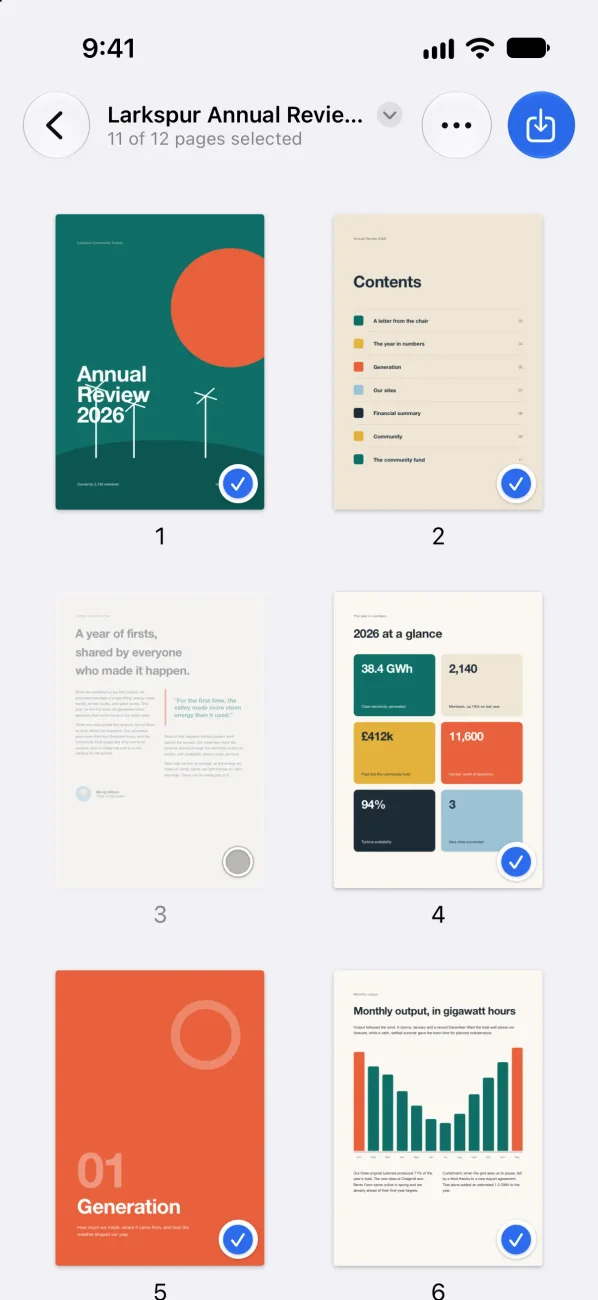
Pick pages at a glance
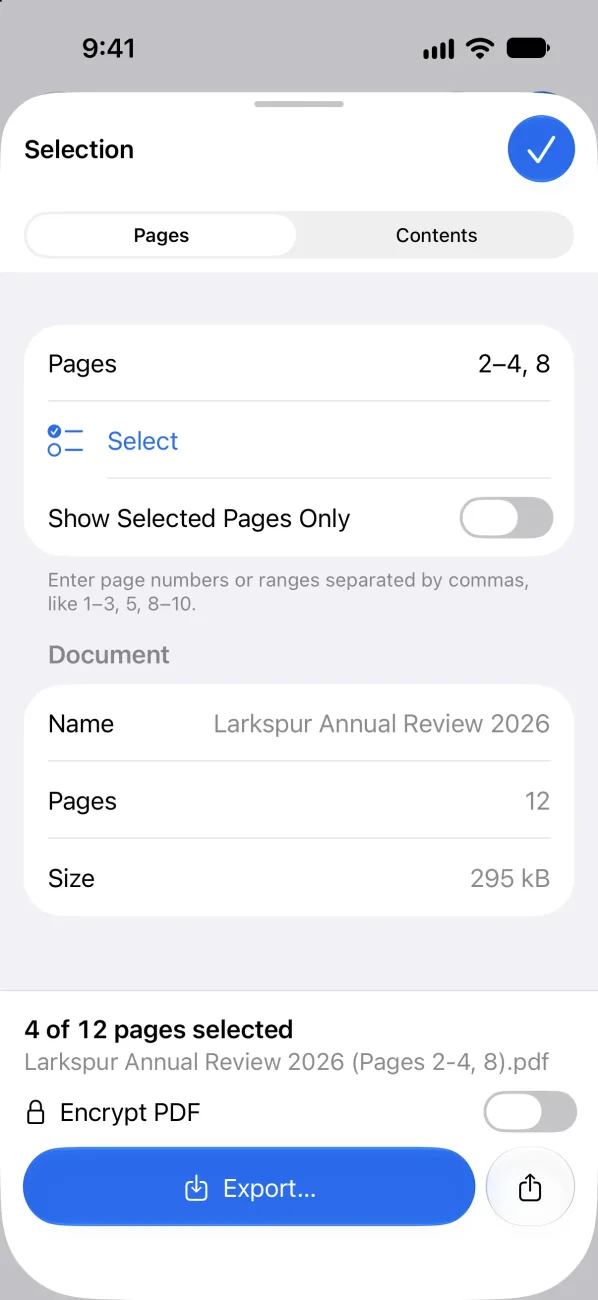
See every page as a thumbnail. Click or tap the pages you want, type a range such as 1-3, 5, 8-10, or select all, odd or even pages. Find Text shows which pages contain a word or phrase. Show only your selection to check it before exporting.
Split a PDF by chapter
If the PDF has bookmarks, choose chapters and sections from its table of contents and their pages are selected for you. Search long manuals by name and combine as many sections as you need.
Keep what matters
Bookmarks for the pages you keep come along, renumbered for the new document. Web links still work, and links between the pages you keep point to the right place. Text stays selectable, graphics stay sharp and rotated pages keep their orientation. Your original file never changes.
Save, share or print
Export a new PDF named after what's inside, such as "Report (Pages 1-3)" or the chapter's title. Share it with another app, print just those pages or preview them with Quick Look.
Password protection
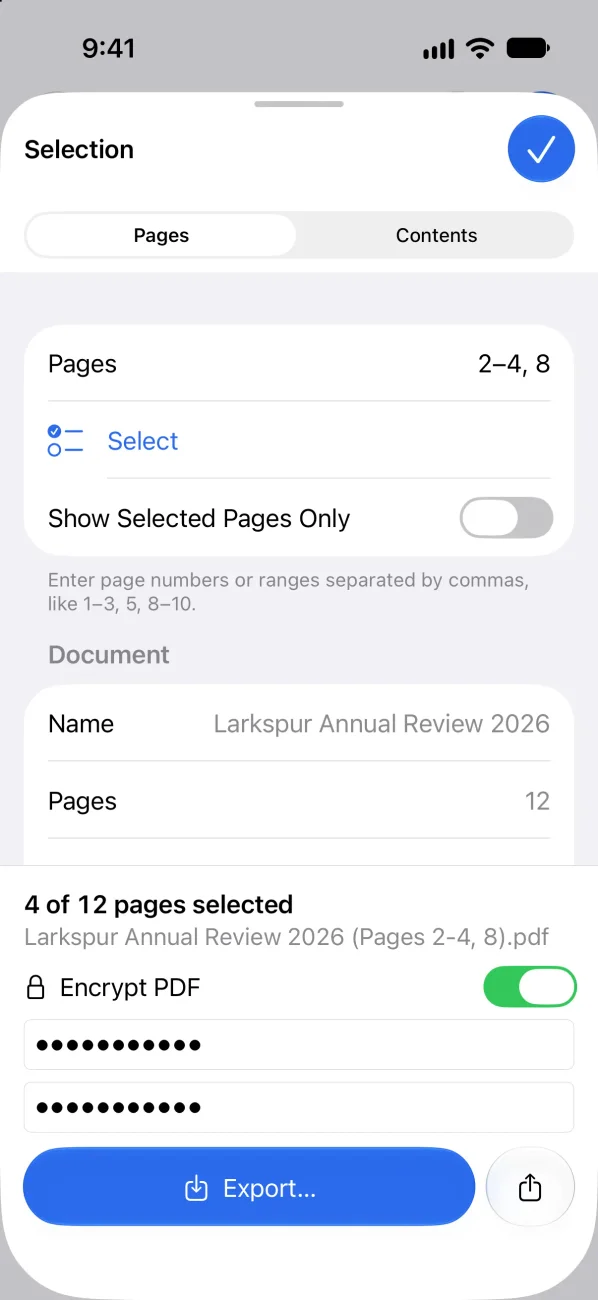
Open locked PDFs with their password. Turn on Encrypt PDF to protect the new file with a password of its own.
Private by design
Everything happens on your device. There are no accounts, ads or analytics, and your PDFs are never uploaded.
Requires macOS 26, iOS 26 or iPadOS 26 or later.
Nouveautés
Version 1.2 · 06/11/2026
New: Find Text. Search every page for a word or phrase, see where it appears, and add the matching pages to your selection or replace it. Searching on its own never changes your selection.
Confidentialité de l’application
Ce que Christoffer Buusmann déclare sur l’App Store au sujet du traitement des données par cette application.
-
Données non collectées
Le développeur ne collecte aucune donnée à partir de cette application.
Les pratiques en matière de confidentialité peuvent varier, notamment en fonction des fonctionnalités que vous utilisez ou de votre âge.
Informations
- Vendeur
- Christoffer Buusmann
- Catégorie
- Productivité
- Version
- 1.2
- Mis à jour
- 06/11/2026
- Publié
- 07/10/2026
- Taille
- 5,6 Mo
- Nécessite
- iOS 26.0 ou version ultérieure
- Classification d’âge
- 4+
- Langues
- Anglais
- Copyright
- © 2026 Christoffer Buusmann
Vous aimerez peut-être aussi
-
 Paradoc : Scanner de documentsFusionner et compresser un PDF
-
 PDF Simple – Compresser un PDFFusionner et organiser vos PDF
-
 QuietScan: PDF ScannerProductivité
-
 Leaf - PDF EditorProductivité
-
 Diviser un PDF – ExtractionScinder un document simplement
-
 PurePDF - Merge & ExtractProductivité
-
 PDF Splitter : Diviser PDFExtraire et séparer des pages
-
 Copy Note: Copy with one touchQuickly Save and Copy Notes
-
 HonestPDF: Private PDF ToolsProductivité
-
 PDF Extractor & ConverterProductivité