PDF Scanner & Doc Editor
Scan, OCR & Merge PDF Files
Conçue pour iPhone, iPad
Achats intégrés
- Classification d’âge4+
- CatégorieProductivité
- DéveloppeurOleh Antoniuk
- LanguesAnglais+ 19 de plus
- Taille8,0 Mo
PDF Scanner & Doc Editor n’est peut-être pas disponible sur App Store pour le moment
La fiche de la boutique était inaccessible lors de notre dernière vérification. Le lien mène toujours à la page App Store officielle.
Captures d’écran
À propos
Le développeur n’a pas fourni ce texte dans votre langue.
PDF Scanner — Scan, Sign, and Edit Documents in Seconds
Turn your iPhone into a powerful document scanner. Capture paper documents with your camera, clean them up automatically, edit the recognized text right on the page, add your signature, and turn everything into a polished PDF — all without leaving the app.
SMART SCANNING
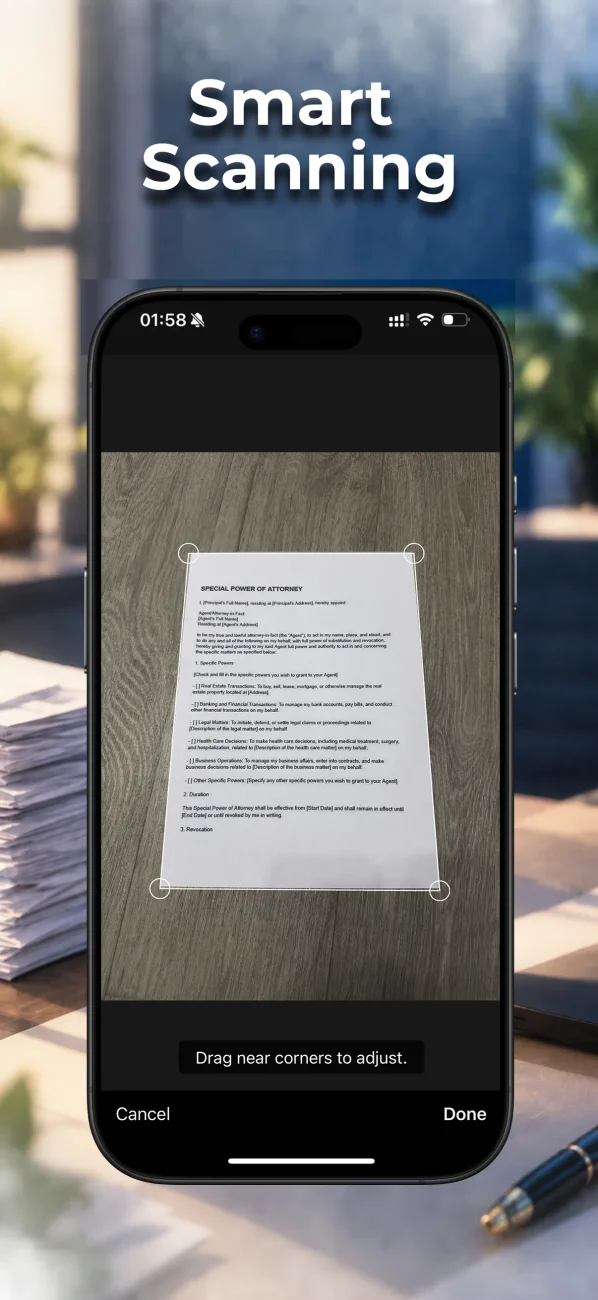
Point your camera at any document and PDF Scanner automatically detects the edges, corrects perspective, and crops it perfectly. Import photos from your gallery just as easily — auto-crop works there too.
EDIT TEXT — NOT JUST SCAN IT
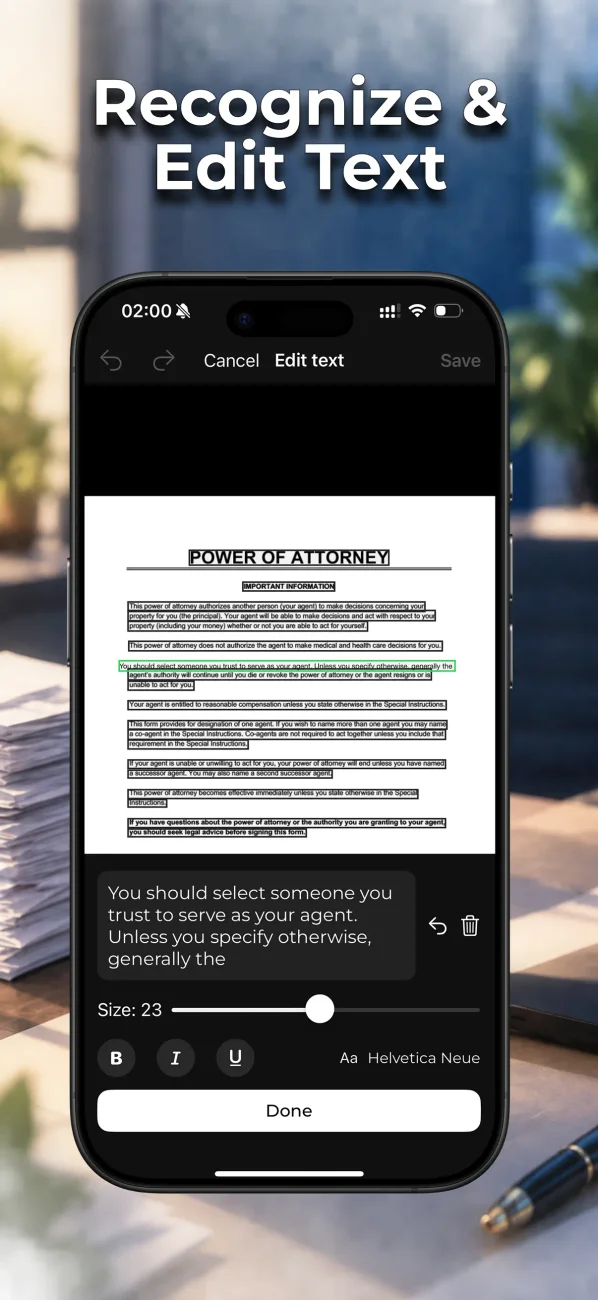
This isn't just OCR that copies text out. Tap any line of recognized text directly on the scanned page to retype it, change the font, resize it, or move it — the edit is patched right into the document, in place.
REAL SIGNATURES
Draw your signature with your finger, save it for reuse, and place it anywhere on the page. Resize, rotate, and adjust it precisely — or swap it out any time.
MERGE, SPLIT, AND ORGANIZE
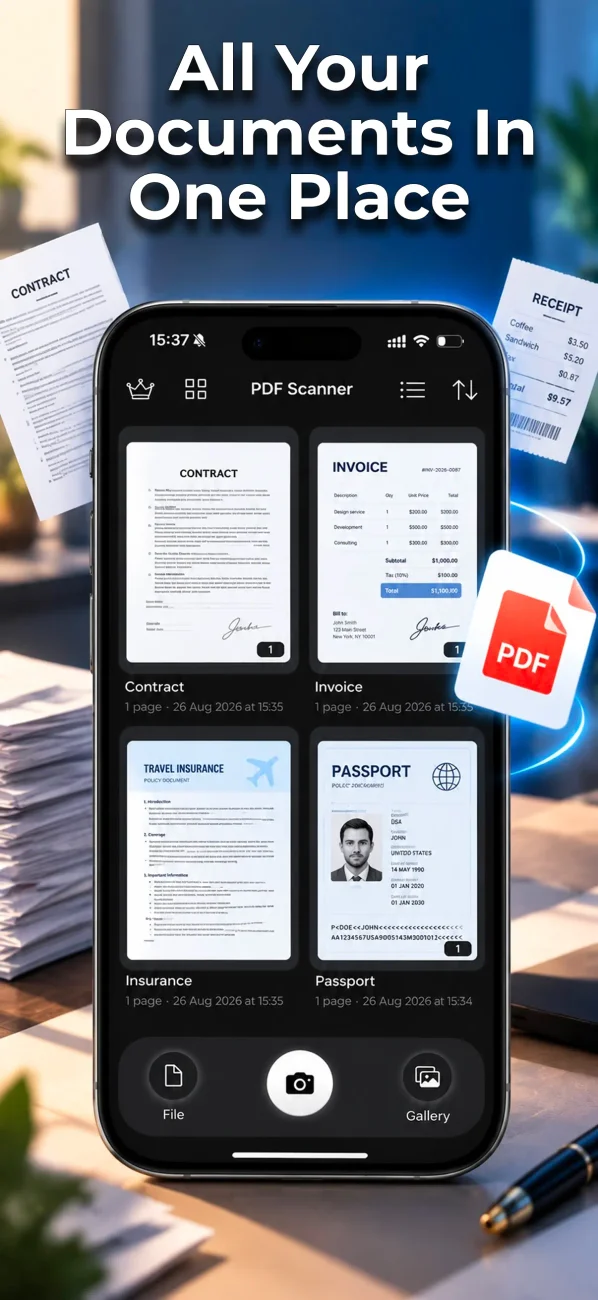
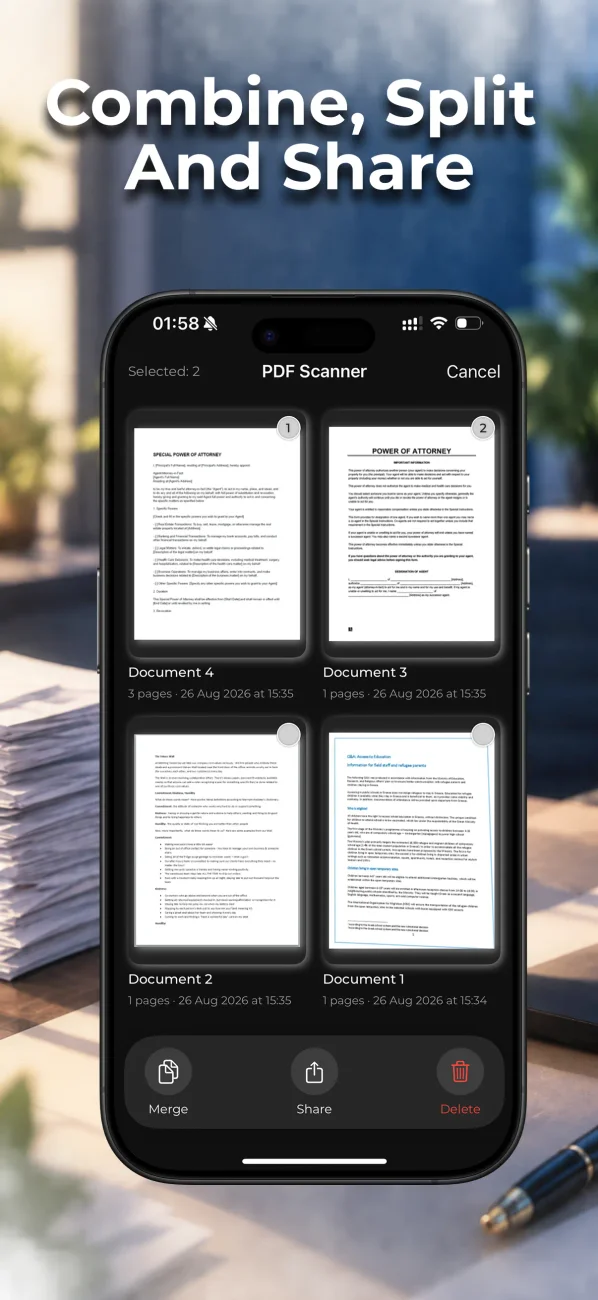
Combine multiple scans into a single PDF, split a document into separate files, reorder pages, and keep everything organized with sorting and a clean list or grid view.
SHARE INSTANTLY
Export and share your finished PDF anywhere — Mail, Messages, cloud storage, or any app on your phone.
WHY PDF SCANNER
• No clunky menus — everything happens right on the page
• Clean, distraction-free design
• Your documents stay on your device
• Fast enough to scan a whole stack of papers in minutes
Whether it's a contract to sign, a receipt to save, or a stack of paperwork to digitize, PDF Scanner gets it done without the hassle of a physical scanner.
Privacy Policy: https://sites.google.com/view/pdfscanner-2026/privacy-policy
Terms of Use: https://sites.google.com/view/pdfscanner-2026/terms
Support: suppapp24@gmail.com
Nouveautés
Version 1.3.1 · 17/10/2026
• Fixed an issue where exported PDFs were too large
• New app icon
Confidentialité de l’application
Ce que Oleh Antoniuk déclare sur l’App Store au sujet du traitement des données par cette application.
-
Données établissant un lien avec vous
Peuvent être collectées et liées à votre identité.
- Achats
-
Données n’établissant aucun lien avec vous
Peuvent être collectées, mais ne sont pas liées à votre identité.
- Identifiants
- Données d’utilisation
Les pratiques en matière de confidentialité peuvent varier, notamment en fonction des fonctionnalités que vous utilisez ou de votre âge.
Informations
- Vendeur
- Oleh Antoniuk
- Catégorie
- Productivité
- Version
- 1.3.1
- Mis à jour
- 17/10/2026
- Publié
- 19/08/2026
- Taille
- 8,0 Mo
- Nécessite
- iOS 16.0 ou version ultérieure
- Classification d’âge
- 4+
- Achats intégrés
- Oui
- Langues
- Anglais, Arabe, Néerlandais, Français, Allemand, Hindi, Indonésien, Italien, Japonais, Coréen, Polonais, Portugais + 8 de plus
- Copyright
- © Oleh Antoniuk
Vous aimerez peut-être aussi
-
 Editeur PDF pour iPhoneModifier des Fichiers PDF
-
 Lemon : Scanner et éditeur PDFScanner, fusionner, compresser
-
 14 Days: Habit & Goal TrackerProductivité
-
 VARAK PDF: Modifier & ScannerSigner, remplir, éditer texte
-
 PDF Toolkit: PDF Editor & ScanProductivité
-
 BossPDF: PDF Editor & ScannerProductivité
-
 Textify : Extraire Texte PDFOCR gratuit, sans abonnement
-
 OCR, Read & Convert DocumentsProductivité
-
 Word Editor: Edit Docx & PDFRédigez, mettez en forme
-
 PDFX : éditeur, lecteur PDFModifier, remplir et signer