
ProxyDeck — Network Lab
Network diagnostics & proxy
Conçue pour iPhone
Gratuit
- Classification d’âge4+
- CatégorieOutils de développement
- DéveloppeurZheng Jiang
- LanguesAnglais
- Taille1,2 Mo
Renvoie vers la page App Store officielle
Download.org n’héberge aucun fichier de ProxyDeck — Network Lab. Le bouton ouvre la page de l’application sur App Store, où Zheng Jiang la publie. Fiche vérifiée pour la dernière fois le 20/11/2026.
Captures d’écran
À propos
Le développeur n’a pas fourni ce texte dans votre langue.
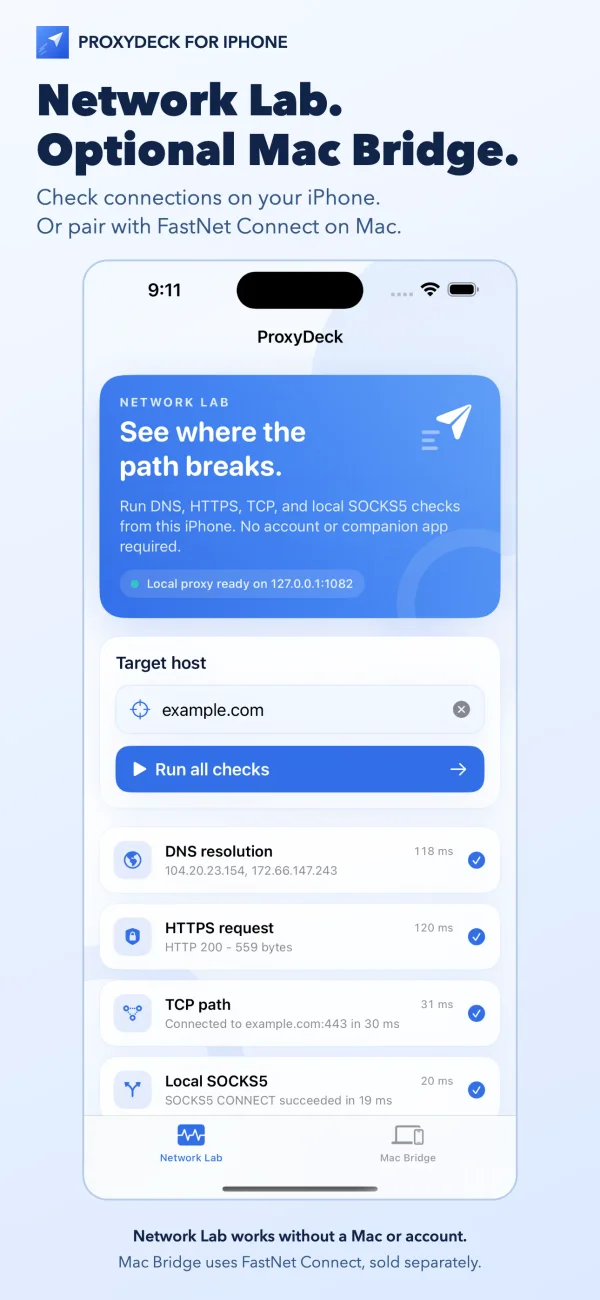
ProxyDeck is a free network lab and local proxy for iPhone. Check DNS, HTTPS, TCP, and local SOCKS5 paths directly on your device, without a Mac or account.
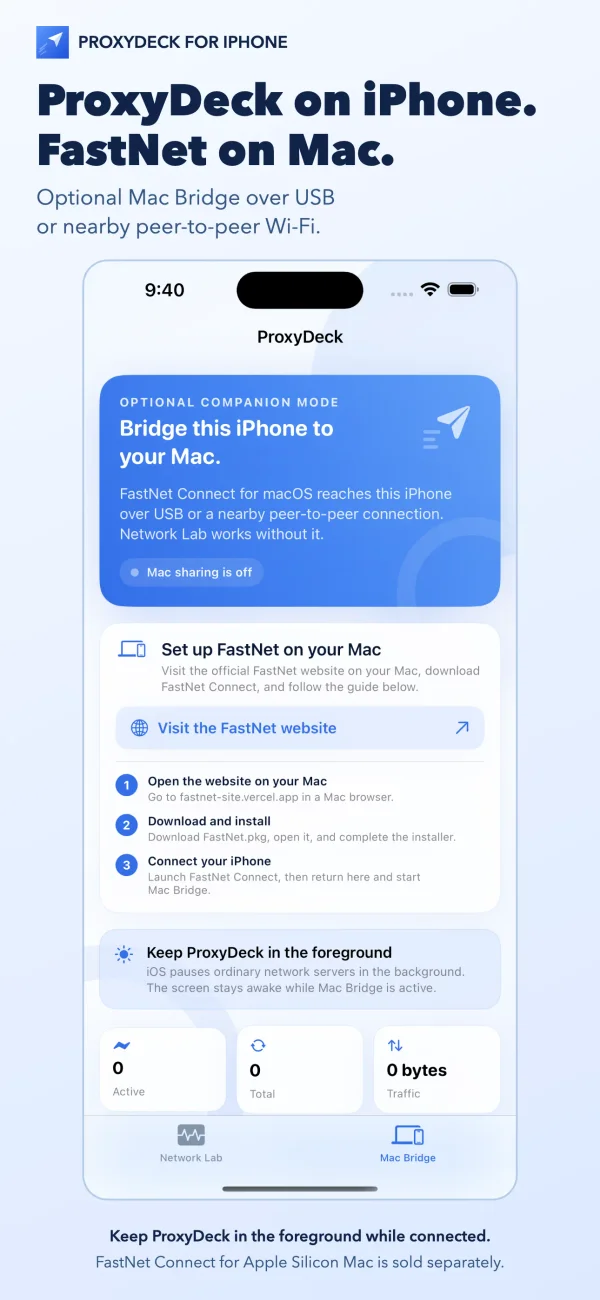
Looking for the iPhone app that works with FastNet Connect? This is it. ProxyDeck's optional Mac Bridge connects to the separately purchased FastNet Connect app on an Apple Silicon Mac over USB or nearby peer-to-peer Wi-Fi. Mac Bridge requires both apps and works only while ProxyDeck stays in the foreground. It stops when you leave the app.
Run four practical checks against any host:
• DNS resolution — inspect the addresses returned on the current network
• HTTPS request — verify an end-to-end secure request and response
• TCP path — measure connection setup to port 443
• Local SOCKS5 — prove the built-in 127.0.0.1 proxy with a real CONNECT request
Every proxy flow appears in a live connection inspector with its host, port, protocol, state, and traffic totals.
Optional Mac Bridge
If you use FastNet Connect for macOS, ProxyDeck can expose its proxy over USB or a nearby peer-to-peer connection. This companion mode is optional and starts only when you tap Start Mac Bridge. The standalone Network Lab requires no Mac or other app.
Private by design:
• No account
• No analytics or tracking
• No data collection
• No servers operated by us
• Diagnostic checks contact only the host you enter
Mac Bridge is a foreground-only tool and stops when ProxyDeck leaves the foreground.
Nouveautés
Version 1.0.5 · 11/11/2026
Mac Bridge stays responsive during heavy downloads: new connections no longer wait behind bulk traffic, so pages keep loading while a large transfer or speed test runs. Mac Bridge also answers the Mac companion's connection health check, and the Stop Mac Bridge button is readable in Dark Mode. Network Lab is unchanged.
Confidentialité de l’application
Ce que Zheng Jiang déclare sur l’App Store au sujet du traitement des données par cette application.
-
Données non collectées
Le développeur ne collecte aucune donnée à partir de cette application.
Les pratiques en matière de confidentialité peuvent varier, notamment en fonction des fonctionnalités que vous utilisez ou de votre âge.
Informations
- Vendeur
- Zheng Jiang
- Catégorie
- Outils de développement
- Version
- 1.0.5
- Mis à jour
- 11/11/2026
- Publié
- 31/08/2026
- Taille
- 1,2 Mo
- Nécessite
- iOS 16.0 ou version ultérieure
- Classification d’âge
- 4+
- Prix
- Gratuit
- Langues
- Anglais
- Copyright
- © 2026 Zheng Jiang
Vous aimerez peut-être aussi
-
 SocketClaw: SSH TerminalOutils de développement
-
 LogPulse – Logs & MonitoringOutils de développement
-
 Keyframer PreviewOutils de développement
-
 Steer - Agent InboxOutils de développement
-
 Sidecar MLOutils de développement
-
 Bolt SSHOutils de développement
-
 ShellCastOutils de développement
-
 HTTrailNetwork proxy & API client
-
 Shellby: SSH Client & TerminalOutils de développement
-
 ProxyTunnel: Smart LAN ProxyOutils de développement