Slowdial – Visual Timer
Countdown Clock, Focus & Kids
Conçue pour iPhone, iPad
Achats intégrés
- Classification d’âge4+
- CatégorieÉducation
- DéveloppeurMinari Taniguchi
- LanguesAnglais+ 17 de plus
- Taille5,0 Mo
Slowdial – Visual Timer n’est peut-être pas disponible sur App Store pour le moment
La fiche de la boutique était inaccessible lors de notre dernière vérification. Le lien mène toujours à la page App Store officielle.
Captures d’écran
À propos
Le développeur n’a pas fourni ce texte dans votre langue.
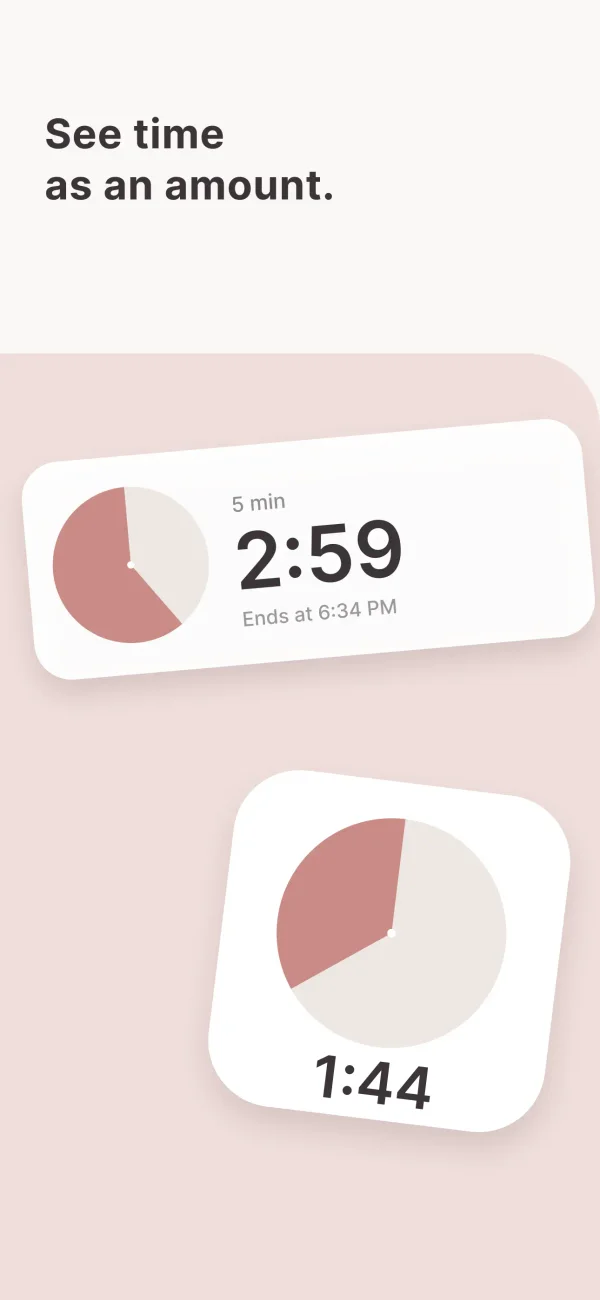
Slowdial shows time as an amount: a colored disc that shrinks as time passes. Children (and grown-ups) can see "how much is left" without reading a clock.
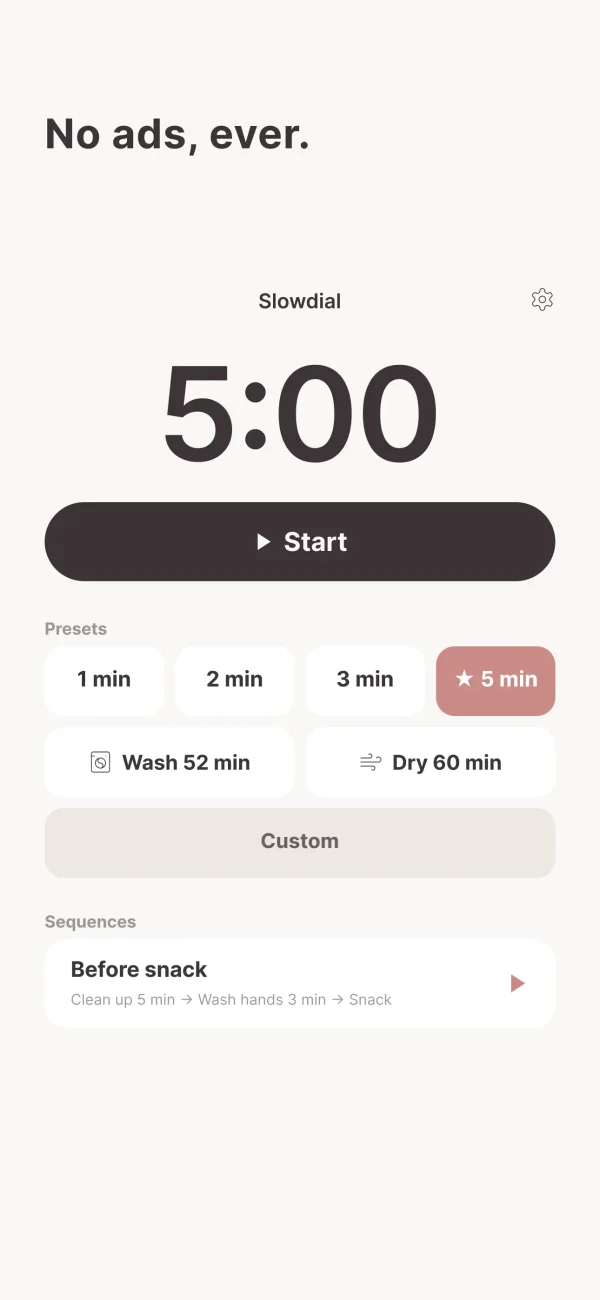
NO ADS, EVER. Slowdial never shows an ad — not before the timer, not after it. It is safe to hand to a child or to put in front of a class.
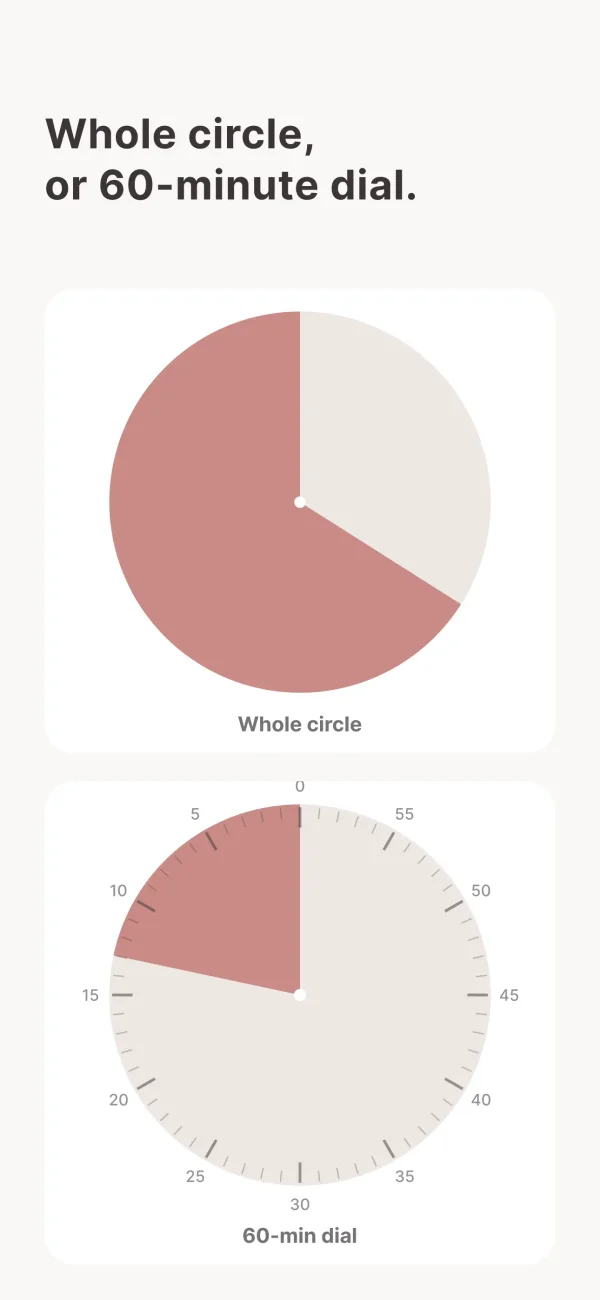
THE TIME YOU PICK FILLS THE WHOLE CIRCLE
Pick 5 minutes or 45 — the disc starts full either way. Prefer the classic 60-minute dial? Switch with one tap.
ON YOUR LOCK SCREEN TOO — FREE
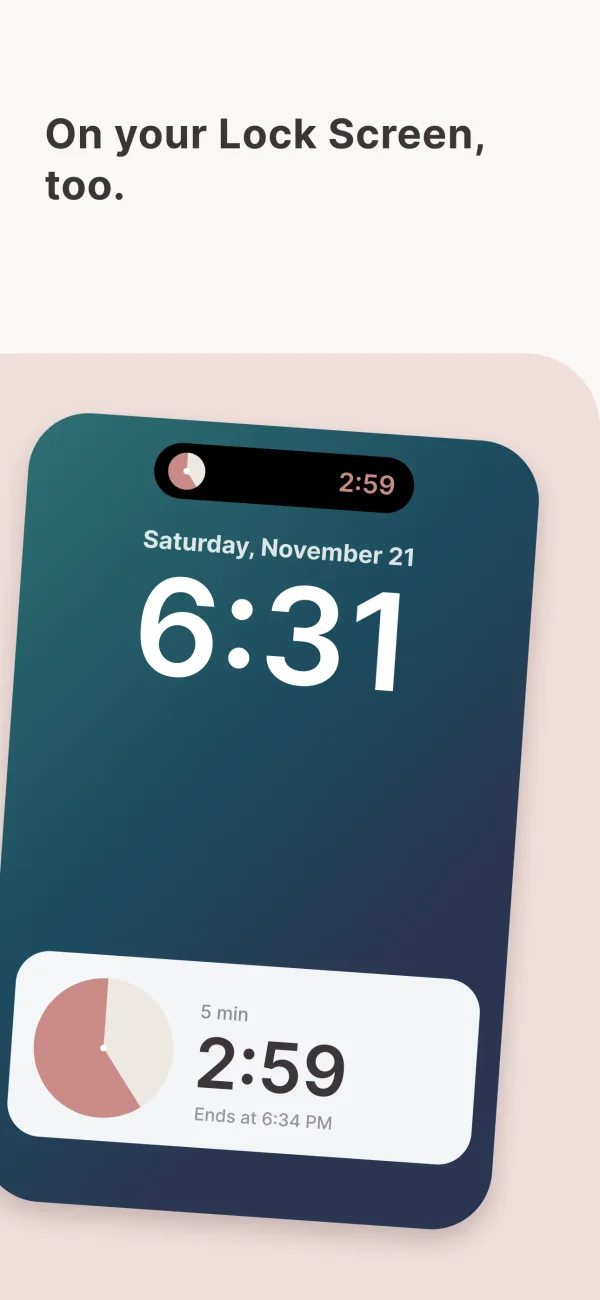
The disc keeps shrinking on the Lock Screen and in the Dynamic Island, without opening the app. Use it as a laundry timer — watch the washer and dryer count down on your Lock Screen. When time is up you get a sound and a vibration, even with the screen locked.
FREE
• Full-screen shrinking disc
• Presets from 1 minute to 1 hour, Wash 52 min and Dry 60 min, or any time you like
• Whole-circle or 60-minute dial
• End sound and vibration
• Lock Screen and Dynamic Island disc
SLOWDIAL PRO — one-time purchase, no subscription
• Classroom mode: just the disc, full screen. Taps don't stop it. Hide the numbers. Pick the color.
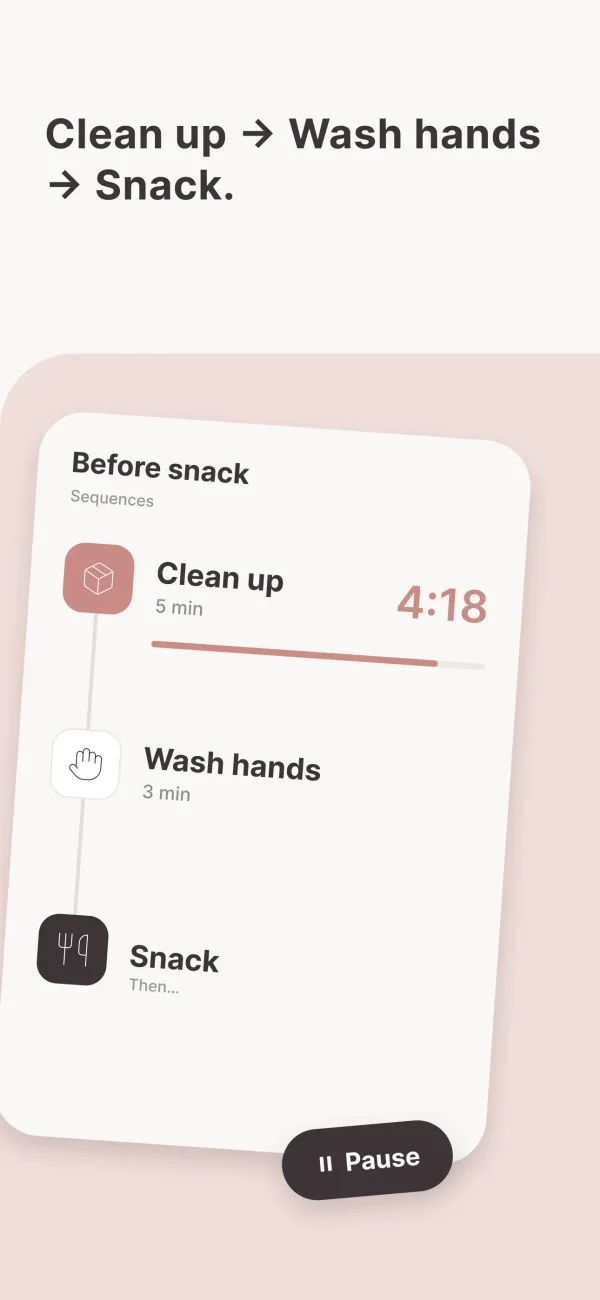
• Sequences: "Clean up 5 min → Wash hands 3 min → Snack", with a picture and a word for each step
• Intervals: get ready, then work and rest for up to 20 rounds (a Tabata sample is included). Each interval session can be saved to Apple Health as a workout if you turn it on.
• Controls (iOS 18 or later): start your favorite timer from Control Center, the Lock Screen or the Action Button
• Home Screen and Lock Screen widgets
PRIVATE BY DESIGN
• No account. Your timers stay on your devices and, with iCloud sync (Pro) on, in your own iCloud only.
• Only anonymous usage counts are sent (which parts of the app are used) — never your timer names. You can turn this off in Settings.
Nouveautés
Version 1.4 · 24/11/2026
• iPhone Duo: unfold to see two dials side by side — the running timer on the left and, in sequences and intervals, the next step on the right.
Confidentialité de l’application
Ce que Minari Taniguchi déclare sur l’App Store au sujet du traitement des données par cette application.
-
Données n’établissant aucun lien avec vous
Peuvent être collectées, mais ne sont pas liées à votre identité.
- Données d’utilisation
Les pratiques en matière de confidentialité peuvent varier, notamment en fonction des fonctionnalités que vous utilisez ou de votre âge.
Informations
- Vendeur
- Minari Taniguchi
- Catégorie
- Éducation
- Version
- 1.4
- Mis à jour
- 24/11/2026
- Publié
- 30/09/2026
- Taille
- 5,0 Mo
- Nécessite
- iOS 17.0 ou version ultérieure
- Classification d’âge
- 4+
- Achats intégrés
- Oui
- Langues
- Anglais, Néerlandais, Français, Allemand, Indonésien, Italien, Japonais, Coréen, Polonais, Portugais, Russe, Chinois simplifié + 6 de plus
- Copyright
- © 2026 Minari Taniguchi
Vous aimerez peut-être aussi
-
 Hidaya: Islamic GuidanceRéférences
-
 いすとりミュージックÉducation
-
 Minuteur Enfant LudiqueVisuel : routines, dents, dodo
-
 Animal Timer: Kids RoutineÉducation
-
 Elevator Mechanic PrepÉducation
-
 Master Time Management TacticsÉducation
-
 暗算ゾンビÉducation
-
 Flashcard Maker - Learn FasterÉducation
-
 Kotobu : Koto Japonais & JeuInstrument Traditionnel & Zen
-
 Handwriting: MontessoriÉducation