Spanscreen: Second Display
Extend & mirror your Mac
Conçue pour iPhone, iPad
Gratuit
- Classification d’âge4+
- CatégorieProductivité
- DéveloppeurCodext GmbH
- LanguesAnglais+ 1 de plus
- Taille952,0 Ko
Renvoie vers la page App Store officielle
Download.org n’héberge aucun fichier de Spanscreen: Second Display. Le bouton ouvre la page de l’application sur App Store, où Codext GmbH la publie. Fiche vérifiée pour la dernière fois le 13/11/2026.
Captures d’écran

À propos
Le développeur n’a pas fourni ce texte dans votre langue.
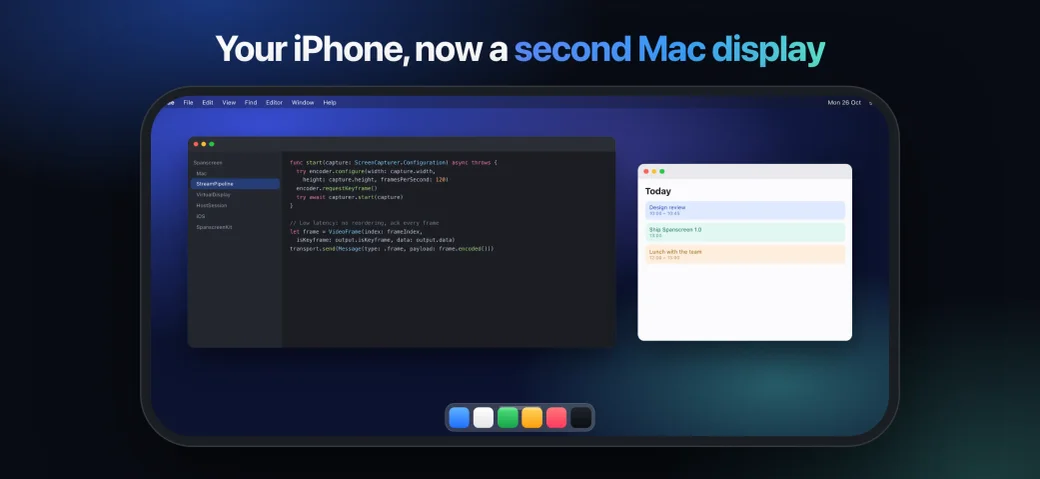
Spanscreen turns your iPhone or iPad into a real second display for your Mac. Drag windows over, keep chat or music on the side, or mirror your screen to show something. It works over Wi-Fi, without any network, or with a USB cable.
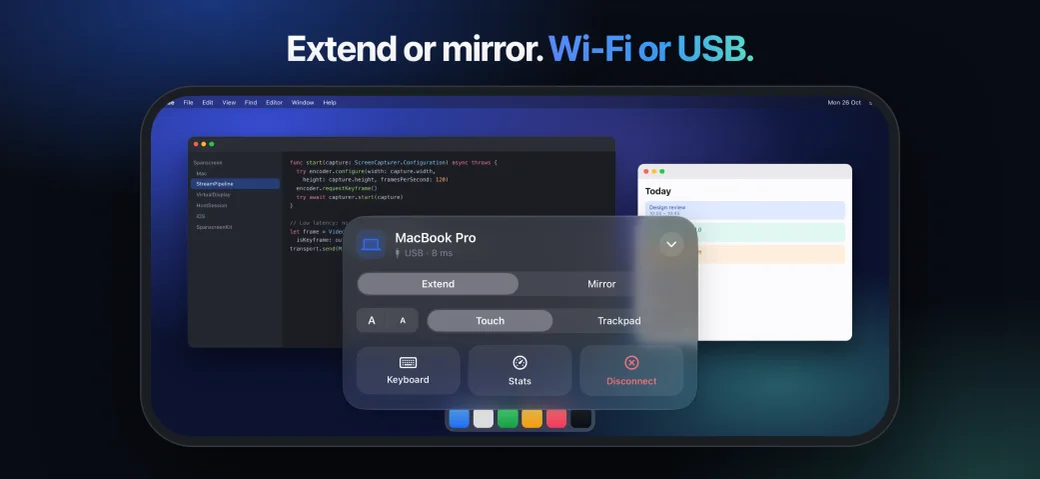
EXTEND OR MIRROR
Spanscreen adds a real display to macOS. Arrange it in System Settings like any monitor, move windows onto it and use it all day. Or switch to Mirror to show your main screen on the iPhone.
SHARP AND FAST
The display matches your iPhone pixel for pixel, so text is crisp. Pick Larger, Default, More Space or Most Space. Video is encoded and decoded in hardware with no buffering, and the bitrate adapts to your connection. Up to 120 Hz on ProMotion iPhones.
WI-FI OR CABLE
Use the same Wi-Fi, a direct peer-to-peer link when there is no network, or a USB cable for the lowest latency. Plug in while streaming over Wi-Fi and Spanscreen moves to the cable by itself.
MADE FOR IPHONE DUO
Fold or unfold and your Mac follows: the cover screen and the large inner screen each get their own native resolution. Rotate any iPhone for a portrait display.
TOUCH, TRACKPAD AND KEYBOARD
Tap to click, touch and hold to right-click, drag to move windows, scroll with two fingers. Switch to trackpad mode for precise pointer control, type with the on-screen keyboard or a hardware keyboard.
PRIVATE BY DESIGN
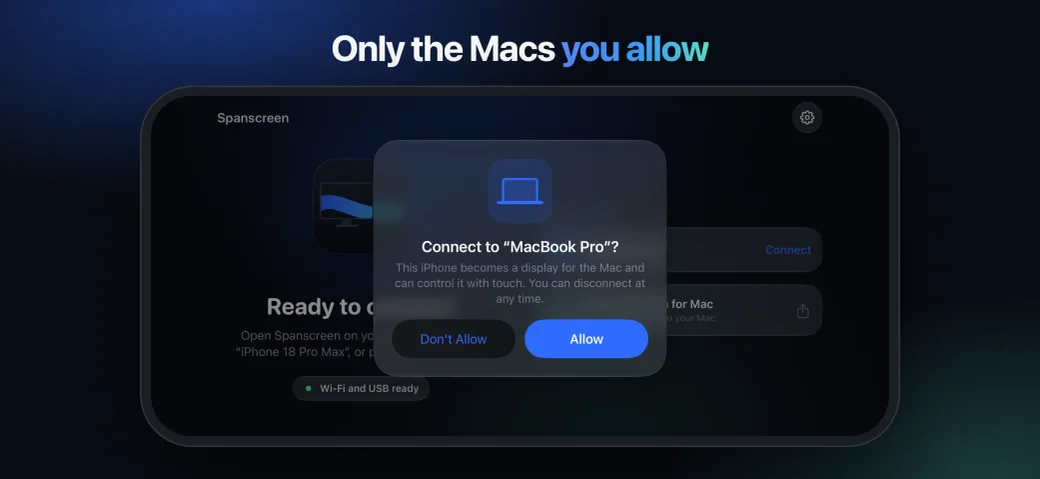
No account, no cloud, no tracking. The picture travels only between your own devices. Every Mac must be approved once on the iPhone, and paired devices verify each other on every connection.
FREE AND OPEN SOURCE
Spanscreen is free, has no ads and no in-app purchases. The code is on GitHub.
HOW TO START
1. Get the free Spanscreen app for Mac at codextde.github.io/spanscreen (macOS 14 or later).
2. Open Spanscreen on your iPhone on the same Wi-Fi or connect the cable.
3. Click Connect next to your iPhone in the Mac menu bar. Done.
Confidentialité de l’application
Ce que Codext GmbH déclare sur l’App Store au sujet du traitement des données par cette application.
-
Données non collectées
Le développeur ne collecte aucune donnée à partir de cette application.
Les pratiques en matière de confidentialité peuvent varier, notamment en fonction des fonctionnalités que vous utilisez ou de votre âge.
Informations
- Vendeur
- Codext GmbH
- Catégorie
- Productivité
- Version
- 1.0.1
- Mis à jour
- 31/10/2026
- Publié
- 31/10/2026
- Taille
- 952,0 Ko
- Nécessite
- iOS 17.0 ou version ultérieure
- Classification d’âge
- 4+
- Prix
- Gratuit
- Langues
- Anglais, Allemand
- Copyright
- © 2026 Codext GmbH
Vous aimerez peut-être aussi
-
 SideFlipProductivité
-
 Kite – Second écranTablette graphique & Deck
-
 Flex Extend DisplayiPad comme écran Mac
-
 Remote TrackpadContrôlez le PC depuis mobile
-
 Meshman 3D ViewerProductivité
-
 Oriveo: Chat IA multi-modèleVoix et images, sans clé API
-
 DeskStateMode bureau sur tout écran
-
 InfiniteX2P Pro — Desktop ModeProductivité
-
 Pocket Mac LabProductivité
-
 PXS External Screen DesktopProductivité