StitchScan
Merge A4 Scans into A3 Size
Conçue pour iPhone, iPad
Gratuit · Achats intégrés
- Classification d’âge4+
- CatégorieÉconomie et entreprise
- DéveloppeurKazunori Fukuhara
- LanguesJaponais+ 4 de plus
- Taille4,3 Mo
Renvoie vers la page App Store officielle
Download.org n’héberge aucun fichier de StitchScan. Le bouton ouvre la page de l’application sur App Store, où Kazunori Fukuhara la publie. Fiche vérifiée pour la dernière fois le 12/11/2026.
Captures d’écran

À propos
Le développeur n’a pas fourni ce texte dans votre langue.
"I want to combine facing pages into one." "I need to scan an A3 document, but I don't have a large scanner..." StitchScan solves these problems instantly. Just take photos of each half and stitch them together. That’s it! Your iPhone instantly transforms into a high-performance A3 scanner.
Perfect For Any Situation:
- Business and Study: Great for managing A3 spreads, blueprints, newspaper articles, and oversized school handouts.
- Hobbies and Daily Life: Easily combine A3 sheet music, magazine clippings, and travel brochures into digital files.
- Official Documents: Got an A3-size resume or application? Scan it in halves with your home A4 scanner and merge them into one perfect page.
Key Features:
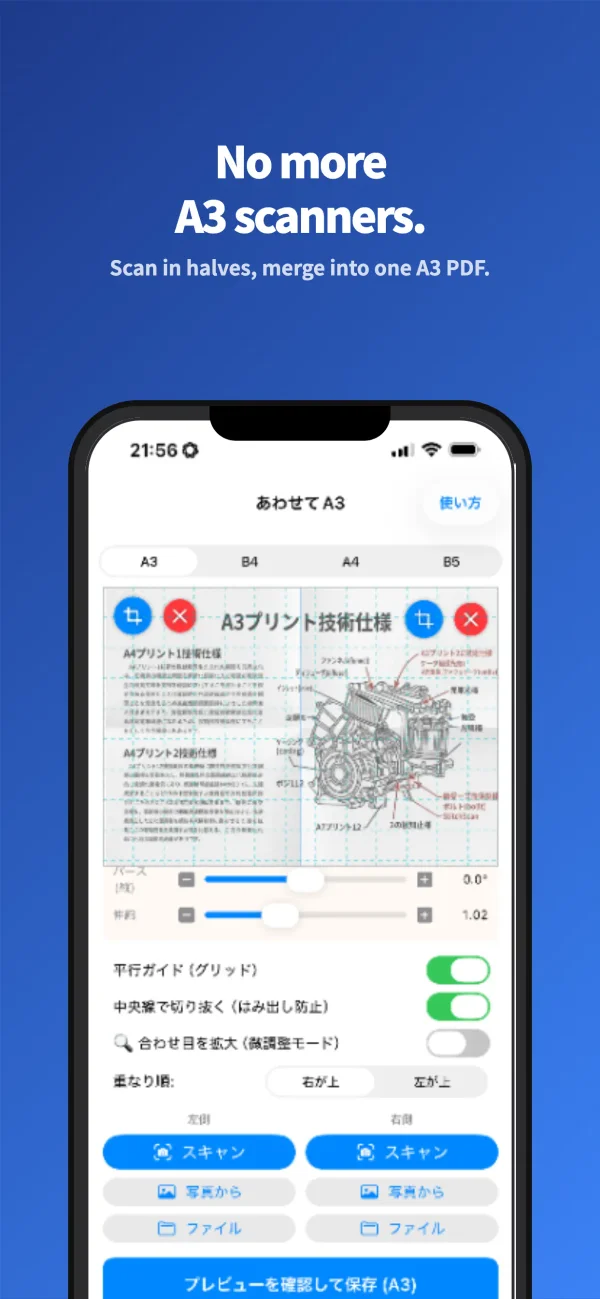
- Two A4s into One A3: Seamlessly merge two separate scans or photos into a single A3 (or custom-sized) document.
- Powerful Perspective Correction: Took a photo at an angle? Just adjust the four corners to snap the document perfectly flat and straight.
- Fingertip Micro-Adjustments: Rotate, scale, stretch, and change layer orders with intuitive gestures to get the exact look you want.
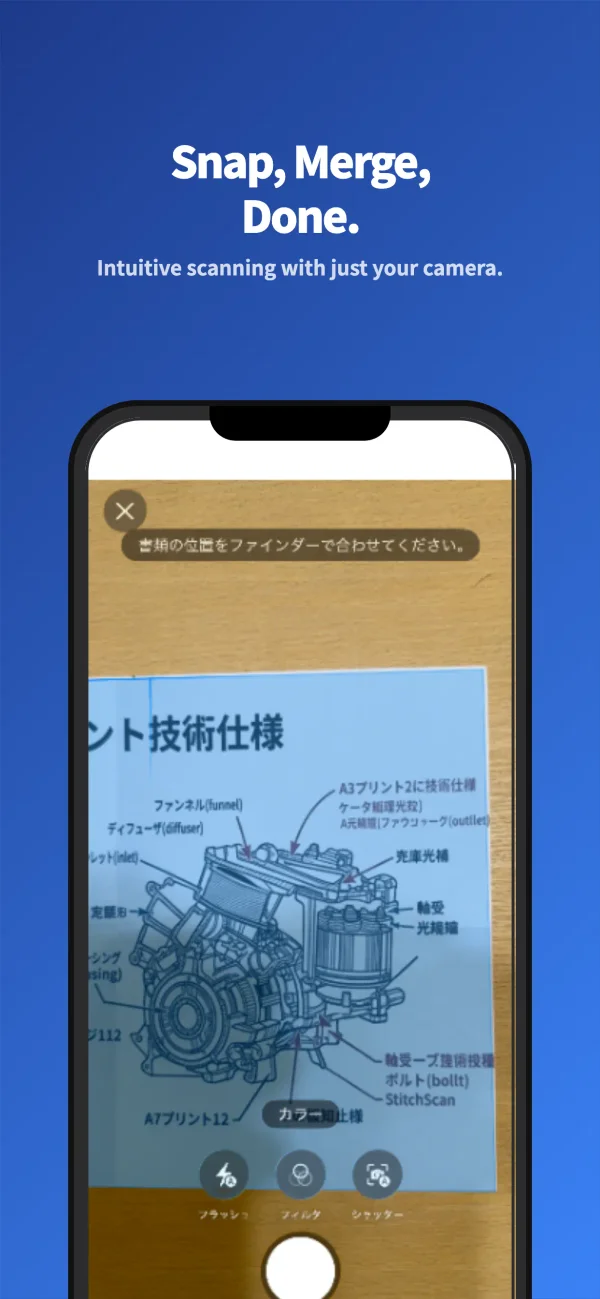
- Flexible Import Options: Supports camera scanning, photo library imports, and extracting pages from PDF files.
- High-Quality Export: Save and share your stitched creations as high-resolution PDFs or images.
Easy 3-Step Process:
1. Import: Scan or take a photo of the left and right pages individually.
2. Adjust: Fine-tune the position and angle while checking the center guidelines on the screen.
3. Save: Tap "Preview and Save" to export your perfect document as a PDF or image!
Get More with StitchScan Pro:
While the free version includes a limited number of saves, upgrading to Pro unlocks the full power of the app:
- Unlimited Saves and Shares: Scan and stitch as many documents as you want, with no limits.
- Maximum Quality Export: Save your documents in ultra-high resolution for razor-sharp text and details.
- Future Updates: Get instant access to all upcoming premium features.
Note: This is a lifetime unlock, one-time purchase, yours forever.
Nouveautés
Version 1.0.1 · 06/06/2026
Minor bug fixes and added English language support.
Confidentialité de l’application
Ce que Kazunori Fukuhara déclare sur l’App Store au sujet du traitement des données par cette application.
-
Données non collectées
Le développeur ne collecte aucune donnée à partir de cette application.
Les pratiques en matière de confidentialité peuvent varier, notamment en fonction des fonctionnalités que vous utilisez ou de votre âge.
Informations
- Vendeur
- Kazunori Fukuhara
- Catégorie
- Économie et entreprise
- Version
- 1.0.1
- Mis à jour
- 06/06/2026
- Publié
- 02/05/2026
- Taille
- 4,3 Mo
- Nécessite
- iOS 26.2 ou version ultérieure
- Classification d’âge
- 4+
- Prix
- Gratuit
- Achats intégrés
- Oui
- Langues
- Japonais, Allemand, Français, Chinois traditionnel, Anglais
- Copyright
- © 2026 fukuhara
Vous aimerez peut-être aussi
-
 GENBA-NoteProductivité
-
 Cyan-TraceÉconomie et entreprise
-
 ExplorePDF: Read, Fill & SignProductivité
-
 Kit-S1 設備点検支援ツールProductivité
-
 O&Mスマート保安管理ツール | Nobest-IoTÉconomie et entreprise
-
 Prelim360Productivité
-
 Skein NotesProductivité
-
 Sheerbit SoftphoneProductivité
-
 Inspeq AIÉconomie et entreprise
-
 Cal2CSV – Calendrier CSV/ICSSauvegarde et transfert