StitchScan
Merge A4 Scans into A3 Size
Được thiết kế cho iPhone, iPad
Miễn phí · Mua hàng trong ứng dụng
- Độ tuổi4+
- Danh mụcKinh Doanh
- Nhà phát triểnKazunori Fukuhara
- Ngôn ngữTiếng Nhật+ 4 ngôn ngữ khác
- Kích thước4,3 MB
Liên kết đến trang App Store chính thức
Download.org không lưu trữ tệp nào của StitchScan. Nút này mở trang ứng dụng trên App Store, nơi Kazunori Fukuhara phát hành ứng dụng. Trang được kiểm tra lần cuối: 12/11/2026.
Ảnh chụp màn hình

Giới thiệu
Nhà phát triển chưa cung cấp nội dung này bằng ngôn ngữ của bạn.
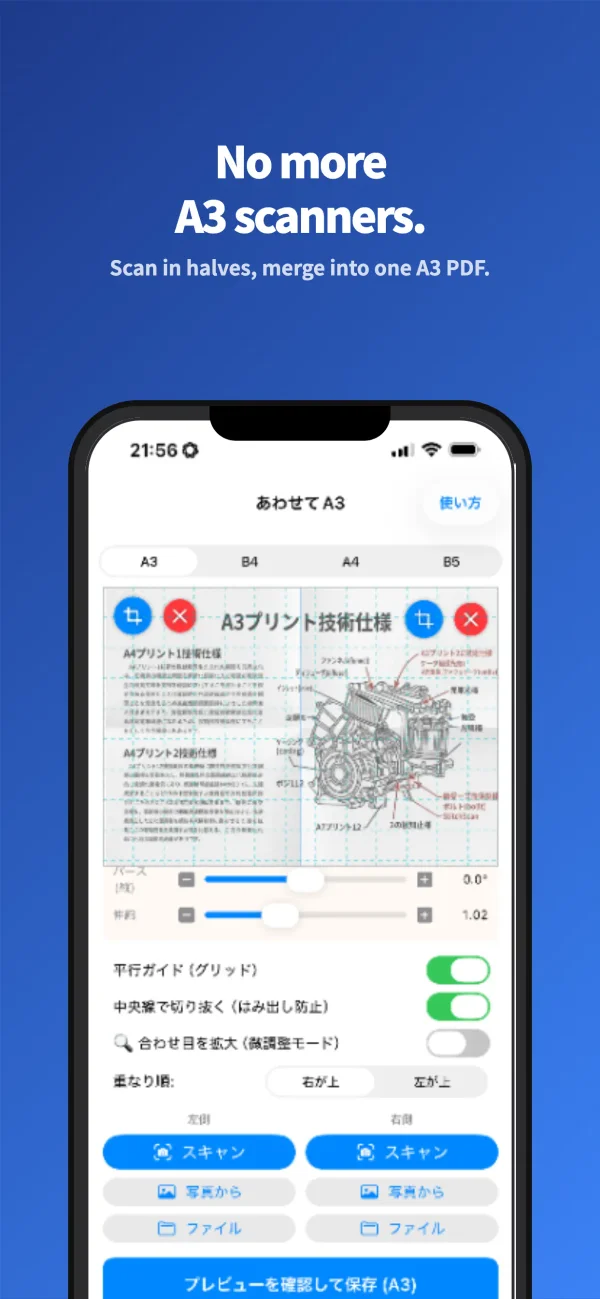
"I want to combine facing pages into one." "I need to scan an A3 document, but I don't have a large scanner..." StitchScan solves these problems instantly. Just take photos of each half and stitch them together. That’s it! Your iPhone instantly transforms into a high-performance A3 scanner.
Perfect For Any Situation:
- Business and Study: Great for managing A3 spreads, blueprints, newspaper articles, and oversized school handouts.
- Hobbies and Daily Life: Easily combine A3 sheet music, magazine clippings, and travel brochures into digital files.
- Official Documents: Got an A3-size resume or application? Scan it in halves with your home A4 scanner and merge them into one perfect page.
Key Features:
- Two A4s into One A3: Seamlessly merge two separate scans or photos into a single A3 (or custom-sized) document.
- Powerful Perspective Correction: Took a photo at an angle? Just adjust the four corners to snap the document perfectly flat and straight.
- Fingertip Micro-Adjustments: Rotate, scale, stretch, and change layer orders with intuitive gestures to get the exact look you want.
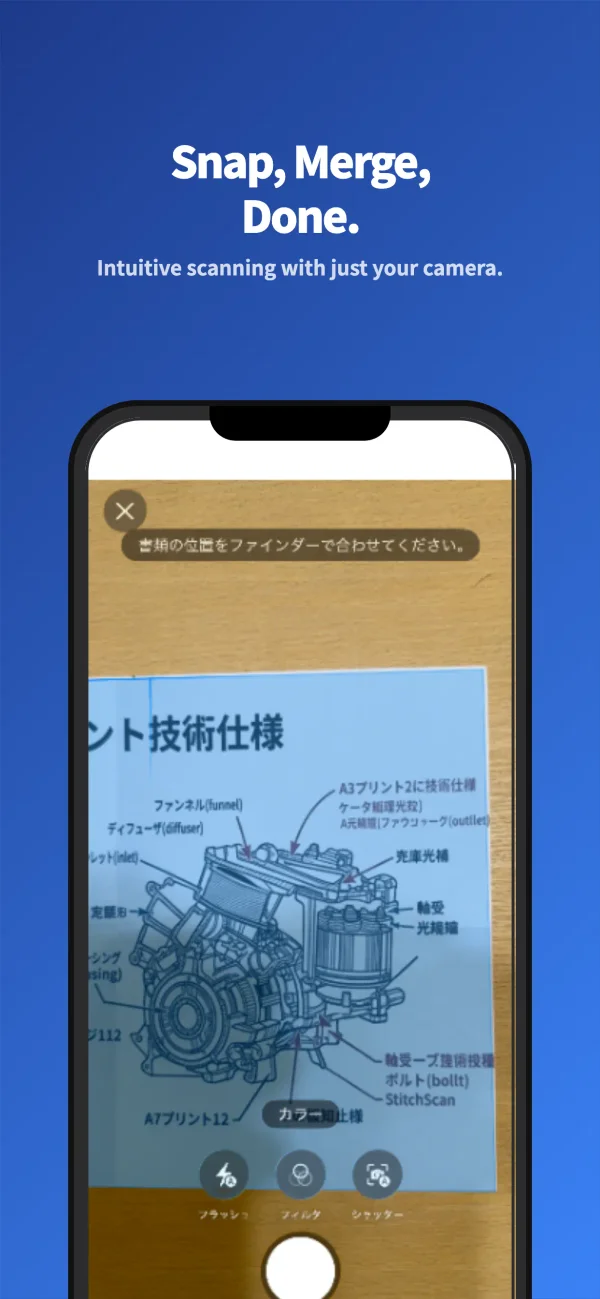
- Flexible Import Options: Supports camera scanning, photo library imports, and extracting pages from PDF files.
- High-Quality Export: Save and share your stitched creations as high-resolution PDFs or images.
Easy 3-Step Process:
1. Import: Scan or take a photo of the left and right pages individually.
2. Adjust: Fine-tune the position and angle while checking the center guidelines on the screen.
3. Save: Tap "Preview and Save" to export your perfect document as a PDF or image!
Get More with StitchScan Pro:
While the free version includes a limited number of saves, upgrading to Pro unlocks the full power of the app:
- Unlimited Saves and Shares: Scan and stitch as many documents as you want, with no limits.
- Maximum Quality Export: Save your documents in ultra-high resolution for razor-sharp text and details.
- Future Updates: Get instant access to all upcoming premium features.
Note: This is a lifetime unlock, one-time purchase, yours forever.
Có gì mới
Phiên bản 1.0.1 · 06/06/2026
Minor bug fixes and added English language support.
Quyền riêng tư của ứng dụng
Những gì Kazunori Fukuhara khai báo trên App Store về cách ứng dụng này xử lý dữ liệu.
-
Dữ liệu không được thu thập
Nhà phát triển không thu thập bất kỳ dữ liệu nào từ ứng dụng này.
Phương thức đảm bảo quyền riêng tư có thể khác nhau, chẳng hạn như tuỳ theo các tính năng bạn sử dụng hoặc độ tuổi của bạn.
Thông tin
- Người bán
- Kazunori Fukuhara
- Danh mục
- Kinh Doanh
- Phiên bản
- 1.0.1
- Cập nhật
- 06/06/2026
- Phát hành
- 02/05/2026
- Kích thước
- 4,3 MB
- Yêu cầu
- iOS 26.2 trở lên
- Độ tuổi
- 4+
- Giá
- Miễn phí
- Mua hàng trong ứng dụng
- Có
- Ngôn ngữ
- Tiếng Nhật, Tiếng Đức, Tiếng Pháp, Tiếng Trung Phồn thể, Tiếng Anh
- Bản quyền
- © 2026 fukuhara