StitchScan
Merge A4 Scans into A3 Size
Dirancang untuk iPhone, iPad
Gratis · Pembelian dalam aplikasi
- Batasan usia4+
- KategoriBisnis
- PengembangKazunori Fukuhara
- BahasaJepang+ 4 lainnya
- Ukuran4,3 MB
Tertaut ke halaman resmi App Store
Download.org tidak menyimpan file StitchScan apa pun. Tombol ini membuka halaman aplikasi di App Store, tempat Kazunori Fukuhara menerbitkannya. Halaman terakhir diperiksa pada 12/11/2026.
Tangkapan layar

Tentang
Pengembang belum menyediakan teks ini dalam bahasa Anda.
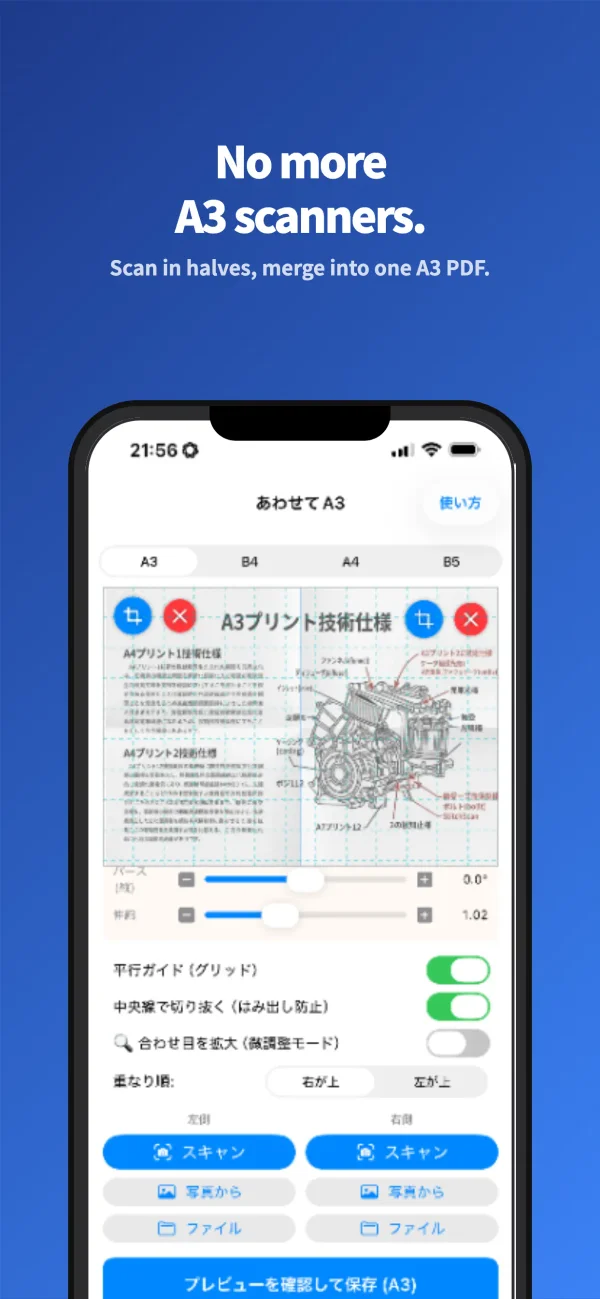
"I want to combine facing pages into one." "I need to scan an A3 document, but I don't have a large scanner..." StitchScan solves these problems instantly. Just take photos of each half and stitch them together. That’s it! Your iPhone instantly transforms into a high-performance A3 scanner.
Perfect For Any Situation:
- Business and Study: Great for managing A3 spreads, blueprints, newspaper articles, and oversized school handouts.
- Hobbies and Daily Life: Easily combine A3 sheet music, magazine clippings, and travel brochures into digital files.
- Official Documents: Got an A3-size resume or application? Scan it in halves with your home A4 scanner and merge them into one perfect page.
Key Features:
- Two A4s into One A3: Seamlessly merge two separate scans or photos into a single A3 (or custom-sized) document.
- Powerful Perspective Correction: Took a photo at an angle? Just adjust the four corners to snap the document perfectly flat and straight.
- Fingertip Micro-Adjustments: Rotate, scale, stretch, and change layer orders with intuitive gestures to get the exact look you want.
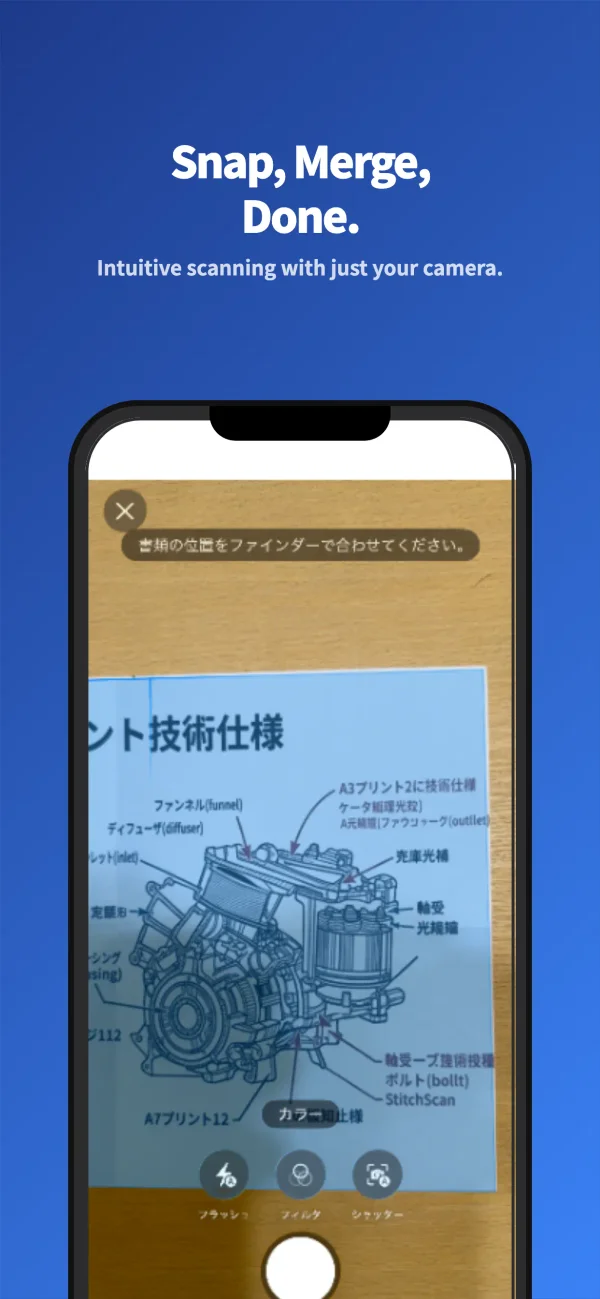
- Flexible Import Options: Supports camera scanning, photo library imports, and extracting pages from PDF files.
- High-Quality Export: Save and share your stitched creations as high-resolution PDFs or images.
Easy 3-Step Process:
1. Import: Scan or take a photo of the left and right pages individually.
2. Adjust: Fine-tune the position and angle while checking the center guidelines on the screen.
3. Save: Tap "Preview and Save" to export your perfect document as a PDF or image!
Get More with StitchScan Pro:
While the free version includes a limited number of saves, upgrading to Pro unlocks the full power of the app:
- Unlimited Saves and Shares: Scan and stitch as many documents as you want, with no limits.
- Maximum Quality Export: Save your documents in ultra-high resolution for razor-sharp text and details.
- Future Updates: Get instant access to all upcoming premium features.
Note: This is a lifetime unlock, one-time purchase, yours forever.
Yang baru
Versi 1.0.1 · 6/6/2026
Minor bug fixes and added English language support.
Privasi aplikasi
Yang dinyatakan Kazunori Fukuhara di App Store tentang cara aplikasi ini menangani data.
-
Data tidak dikumpulkan
Pengembang tidak mengumpulkan data apa pun dari aplikasi ini.
Praktik privasi dapat bervariasi, misalnya berdasarkan fitur yang Anda gunakan atau usia Anda.
Informasi
- Penjual
- Kazunori Fukuhara
- Kategori
- Bisnis
- Versi
- 1.0.1
- Diperbarui
- 6/6/2026
- Dirilis
- 2/5/2026
- Ukuran
- 4,3 MB
- Memerlukan
- iOS 26.2 atau yang lebih baru
- Batasan usia
- 4+
- Harga
- Gratis
- Pembelian dalam aplikasi
- Ya
- Bahasa
- Jepang, Jerman, Prancis, Tionghoa Tradisional, Inggris
- Hak cipta
- © 2026 fukuhara