StitchScan
Merge A4 Scans into A3 Size
Projetado para iPhone, iPad
Grátis · Compras no app
- Classificação etária4+
- CategoriaNegócios
- DesenvolvedorKazunori Fukuhara
- IdiomasJaponêse mais 4
- Tamanho4,3 MB
Leva à página oficial na App Store
O Download.org não hospeda nenhum arquivo de StitchScan. O botão abre a página do app na App Store, onde Kazunori Fukuhara o publica. Página verificada pela última vez em 12/11/2026.
Capturas de tela

Sobre
O desenvolvedor não forneceu este texto no seu idioma.
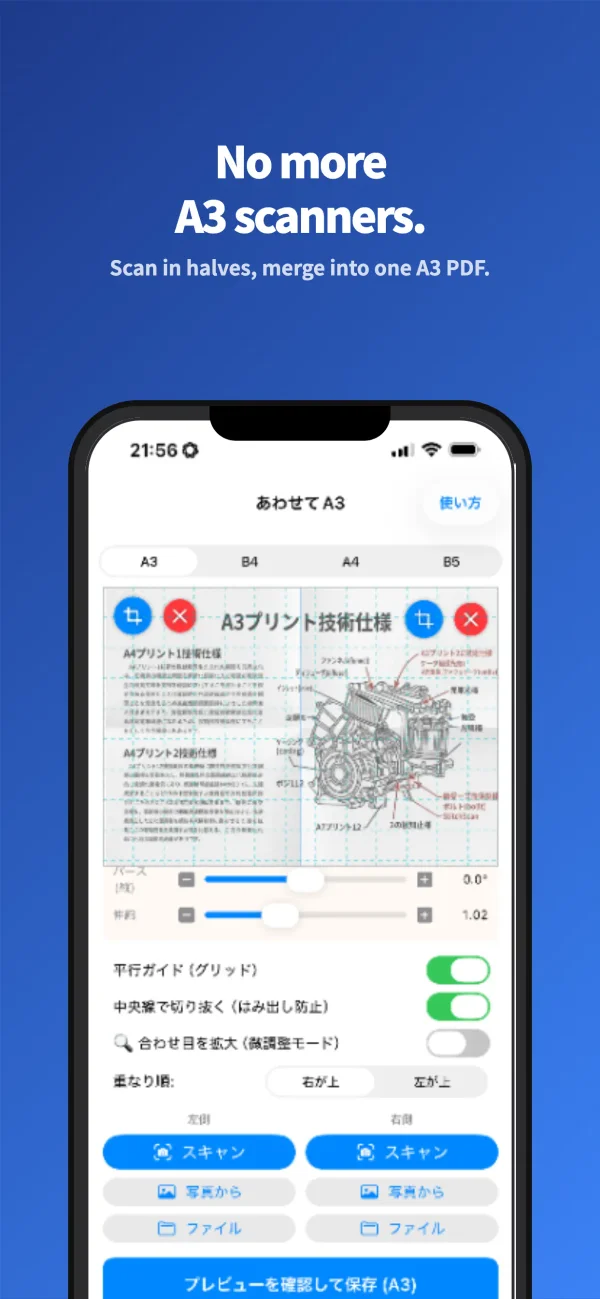
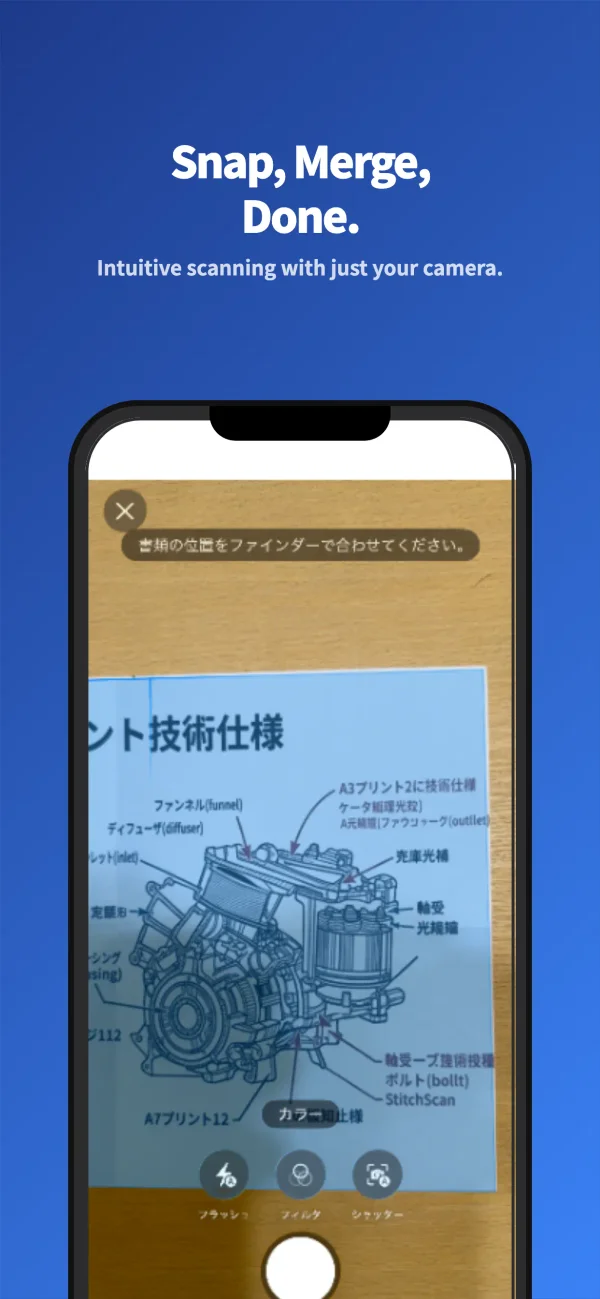
"I want to combine facing pages into one." "I need to scan an A3 document, but I don't have a large scanner..." StitchScan solves these problems instantly. Just take photos of each half and stitch them together. That’s it! Your iPhone instantly transforms into a high-performance A3 scanner.
Perfect For Any Situation:
- Business and Study: Great for managing A3 spreads, blueprints, newspaper articles, and oversized school handouts.
- Hobbies and Daily Life: Easily combine A3 sheet music, magazine clippings, and travel brochures into digital files.
- Official Documents: Got an A3-size resume or application? Scan it in halves with your home A4 scanner and merge them into one perfect page.
Key Features:
- Two A4s into One A3: Seamlessly merge two separate scans or photos into a single A3 (or custom-sized) document.
- Powerful Perspective Correction: Took a photo at an angle? Just adjust the four corners to snap the document perfectly flat and straight.
- Fingertip Micro-Adjustments: Rotate, scale, stretch, and change layer orders with intuitive gestures to get the exact look you want.
- Flexible Import Options: Supports camera scanning, photo library imports, and extracting pages from PDF files.
- High-Quality Export: Save and share your stitched creations as high-resolution PDFs or images.
Easy 3-Step Process:
1. Import: Scan or take a photo of the left and right pages individually.
2. Adjust: Fine-tune the position and angle while checking the center guidelines on the screen.
3. Save: Tap "Preview and Save" to export your perfect document as a PDF or image!
Get More with StitchScan Pro:
While the free version includes a limited number of saves, upgrading to Pro unlocks the full power of the app:
- Unlimited Saves and Shares: Scan and stitch as many documents as you want, with no limits.
- Maximum Quality Export: Save your documents in ultra-high resolution for razor-sharp text and details.
- Future Updates: Get instant access to all upcoming premium features.
Note: This is a lifetime unlock, one-time purchase, yours forever.
Novidades
Versão 1.0.1 · 06/06/2026
Minor bug fixes and added English language support.
Privacidade do app
O que Kazunori Fukuhara declara na App Store sobre como este app lida com os dados.
-
Dados não coletados
O desenvolvedor não coleta nenhum dado deste app.
As práticas de privacidade podem variar, por exemplo, com base nos recursos que você usa ou na sua idade.
Informações
- Vendedor
- Kazunori Fukuhara
- Categoria
- Negócios
- Versão
- 1.0.1
- Atualizado
- 06/06/2026
- Lançamento
- 02/05/2026
- Tamanho
- 4,3 MB
- Requer
- iOS 26.2 ou posterior
- Classificação etária
- 4+
- Preço
- Grátis
- Compras no app
- Sim
- Idiomas
- Japonês, Alemão, Francês, Chinês tradicional, Inglês
- Copyright
- © 2026 fukuhara
Você também pode gostar
-
 GENBA-NoteProdutividade
-
 Cyan-TraceNegócios
-
 ExplorePDF: Read, Fill & SignProdutividade
-
 Kit-S1 設備点検支援ツールProdutividade
-
 O&Mスマート保安管理ツール | Nobest-IoTNegócios
-
 Prelim360Produtividade
-
 Skein NotesProdutividade
-
 Sheerbit SoftphoneProdutividade
-
 InspeqEquip. Pesado – Verificação
-
 Cal2CSV – Calendário CSV/ICSBackup e migração de eventos