StitchScan
Merge A4 Scans into A3 Size
iPhone, iPad için tasarlandı
Ücretsiz · Uygulama içi satın alma
- Yaş sınırı4+
- Kategoriİş
- GeliştiriciKazunori Fukuhara
- DillerJaponca+ 4 dil daha
- Boyut4,3 MB
Resmi App Store sayfasına bağlanır
Download.org, StitchScan için hiçbir dosya barındırmaz. Düğme, uygulamanın App Store üzerindeki sayfasını açar; uygulamayı orada Kazunori Fukuhara yayınlar. Sayfanın son kontrolü: 12.11.2026.
Ekran görüntüleri
Hakkında
Geliştirici bu metni dilinizde sunmamış.
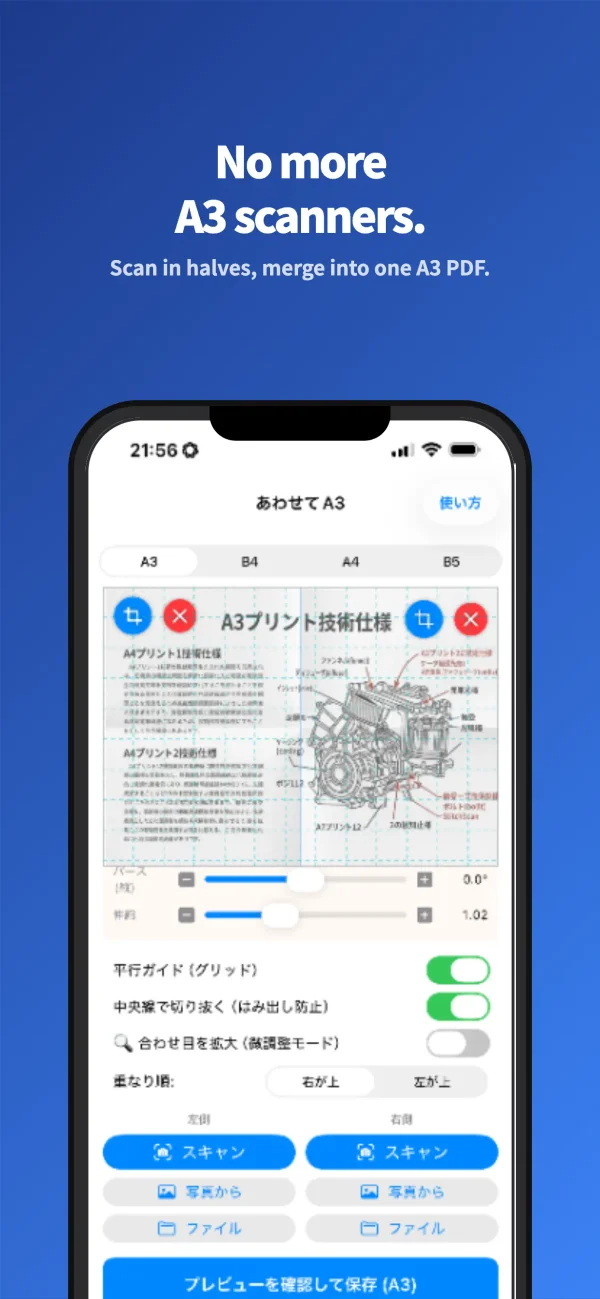
"I want to combine facing pages into one." "I need to scan an A3 document, but I don't have a large scanner..." StitchScan solves these problems instantly. Just take photos of each half and stitch them together. That’s it! Your iPhone instantly transforms into a high-performance A3 scanner.
Perfect For Any Situation:
- Business and Study: Great for managing A3 spreads, blueprints, newspaper articles, and oversized school handouts.
- Hobbies and Daily Life: Easily combine A3 sheet music, magazine clippings, and travel brochures into digital files.
- Official Documents: Got an A3-size resume or application? Scan it in halves with your home A4 scanner and merge them into one perfect page.
Key Features:
- Two A4s into One A3: Seamlessly merge two separate scans or photos into a single A3 (or custom-sized) document.
- Powerful Perspective Correction: Took a photo at an angle? Just adjust the four corners to snap the document perfectly flat and straight.
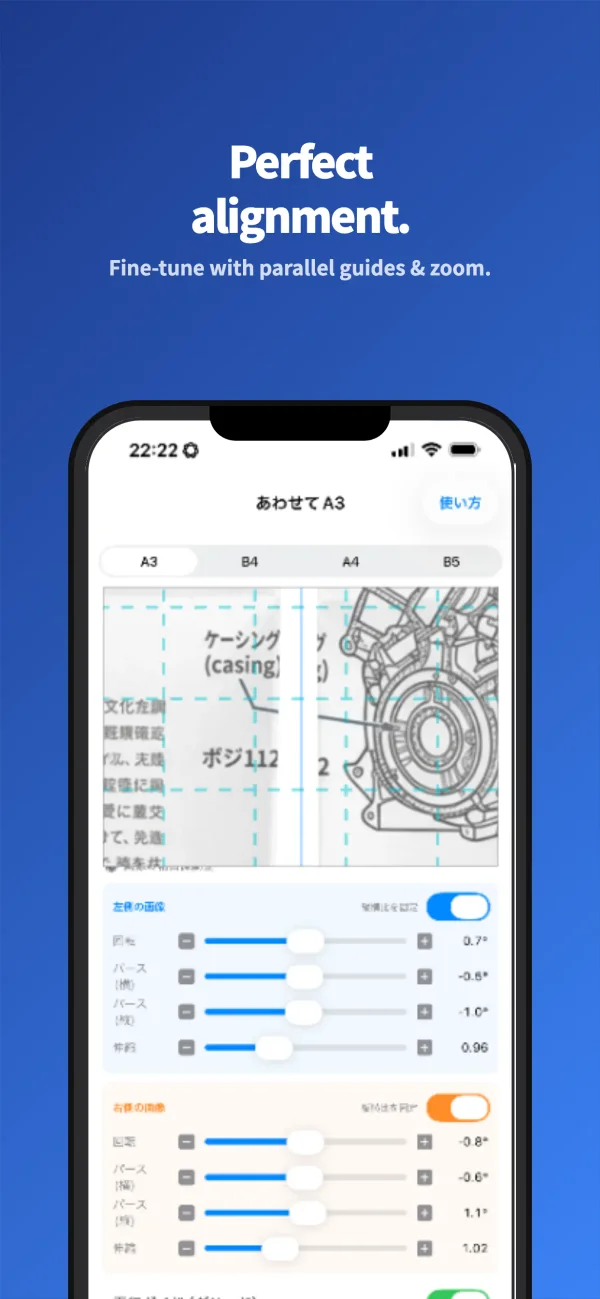
- Fingertip Micro-Adjustments: Rotate, scale, stretch, and change layer orders with intuitive gestures to get the exact look you want.
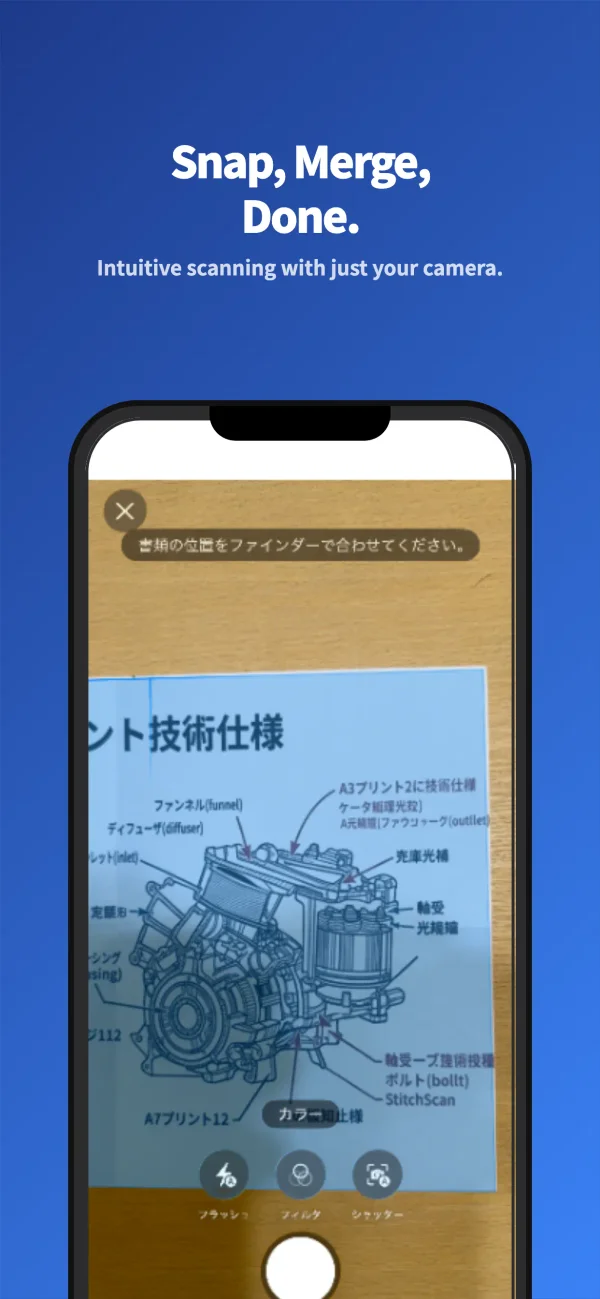
- Flexible Import Options: Supports camera scanning, photo library imports, and extracting pages from PDF files.
- High-Quality Export: Save and share your stitched creations as high-resolution PDFs or images.
Easy 3-Step Process:
1. Import: Scan or take a photo of the left and right pages individually.
2. Adjust: Fine-tune the position and angle while checking the center guidelines on the screen.
3. Save: Tap "Preview and Save" to export your perfect document as a PDF or image!
Get More with StitchScan Pro:
While the free version includes a limited number of saves, upgrading to Pro unlocks the full power of the app:
- Unlimited Saves and Shares: Scan and stitch as many documents as you want, with no limits.
- Maximum Quality Export: Save your documents in ultra-high resolution for razor-sharp text and details.
- Future Updates: Get instant access to all upcoming premium features.
Note: This is a lifetime unlock, one-time purchase, yours forever.
Yenilikler
Sürüm 1.0.1 · 06.06.2026
Minor bug fixes and added English language support.
Uygulama gizliliği
Bu uygulamanın verileri nasıl işlediği hakkında Kazunori Fukuhara tarafından App Store üzerinde yapılan beyan.
-
Veri toplanmıyor
Geliştirici bu uygulamadan hiçbir veri toplamıyor.
Gizlilik uygulamaları, örneğin kullandığınız özelliklere veya yaşınıza göre değişiklik gösterebilir.
Bilgiler
- Satıcı
- Kazunori Fukuhara
- Kategori
- İş
- Sürüm
- 1.0.1
- Güncellendi
- 06.06.2026
- Yayın tarihi
- 02.05.2026
- Boyut
- 4,3 MB
- Gereksinim
- iOS 26.2 veya sonrası
- Yaş sınırı
- 4+
- Fiyat
- Ücretsiz
- Uygulama içi satın alma
- Evet
- Diller
- Japonca, Almanca, Fransızca, Geleneksel Çince, İngilizce
- Telif hakkı
- © 2026 fukuhara