TracingMat
A simple light table app
Conçue pour iPhone, iPad, iPod touch
Gratuit
- Classification d’âge4+
- CatégorieUtilitaires
- DéveloppeurYoko Nishimura
- LanguesAnglais+ 1 de plus
- Taille5,0 Mo
Renvoie vers la page App Store officielle
Download.org n’héberge aucun fichier de TracingMat. Le bouton ouvre la page de l’application sur App Store, où Yoko Nishimura la publie. Fiche vérifiée pour la dernière fois le 18/11/2026.
Captures d’écran

À propos
Le développeur n’a pas fourni ce texte dans votre langue.
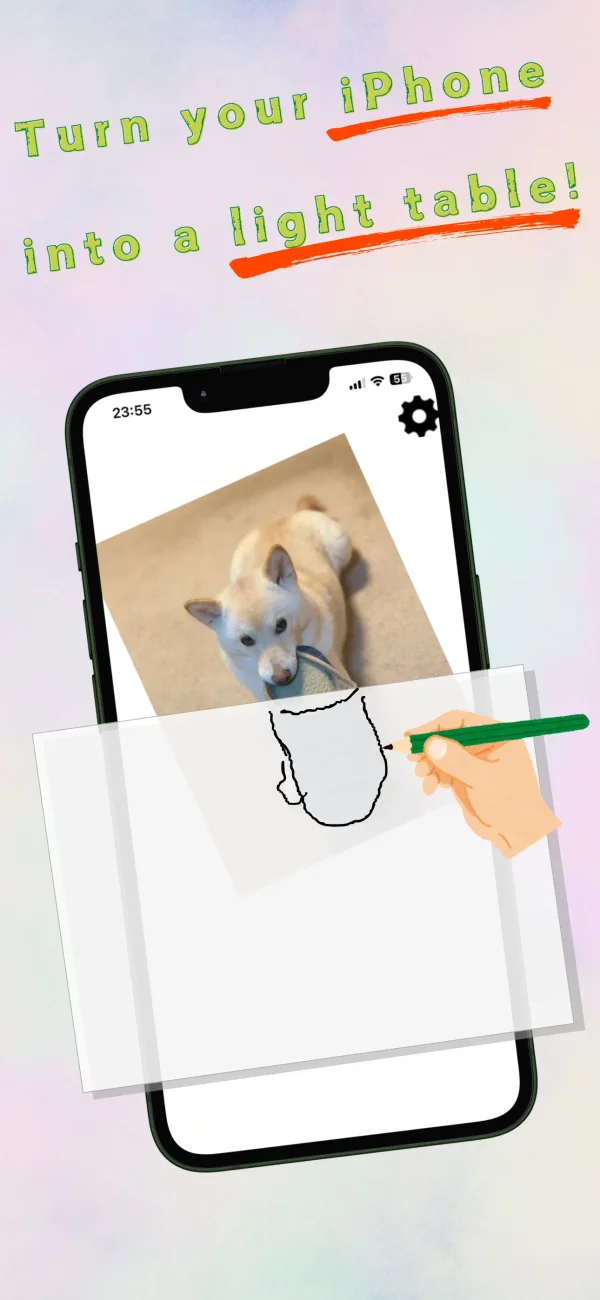
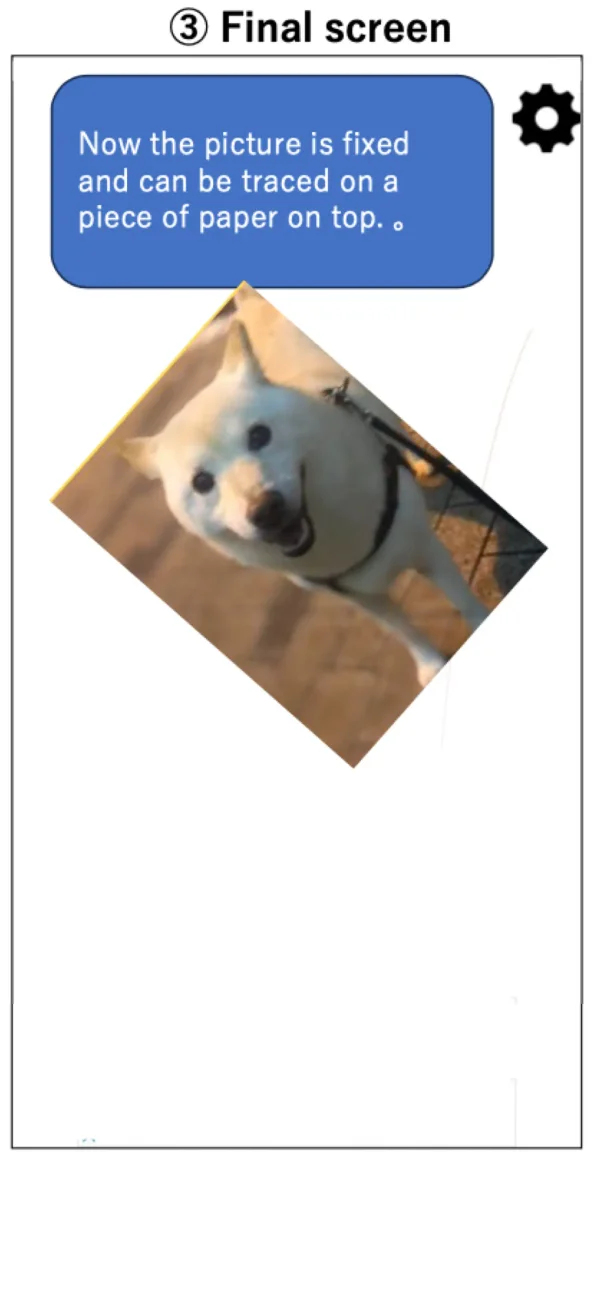
"Tracing Mat" is an app for using your iPad or iPhone as a light table. After displaying the image you want to copy on the app, place the copy destination paper on it and trace the image that can be seen through under the paper.
It is also possible to prepare the manuscript on paper, stack the copy destination paper on it, place it on the screen, and illuminate it from below with this application.
[How to use]
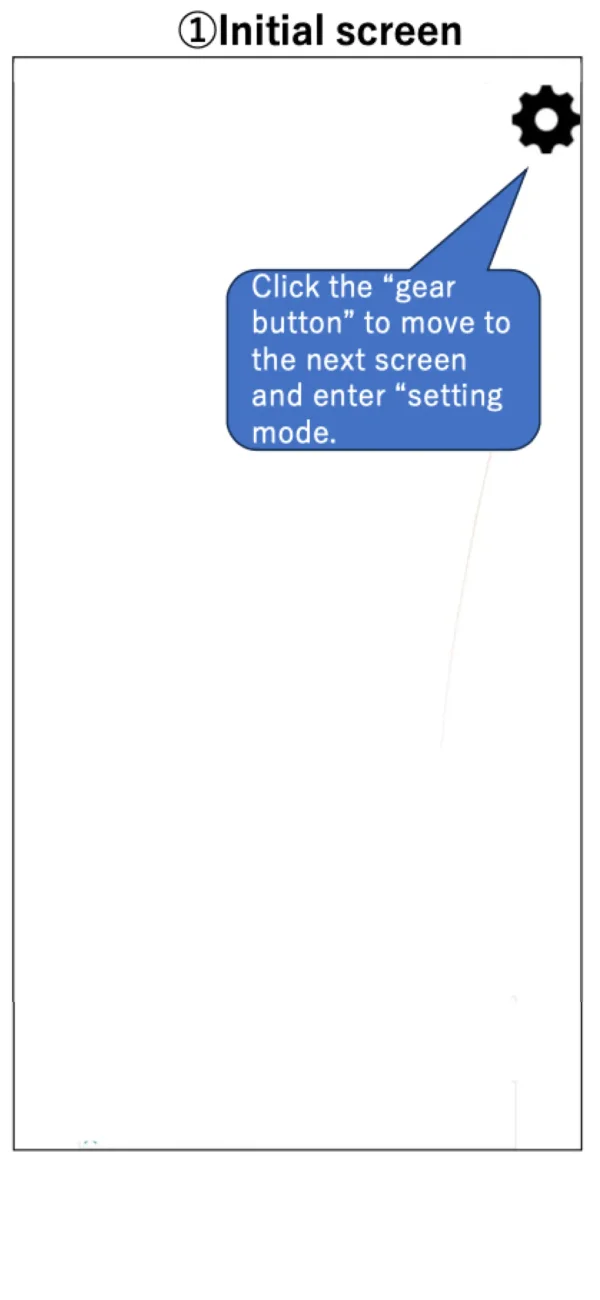
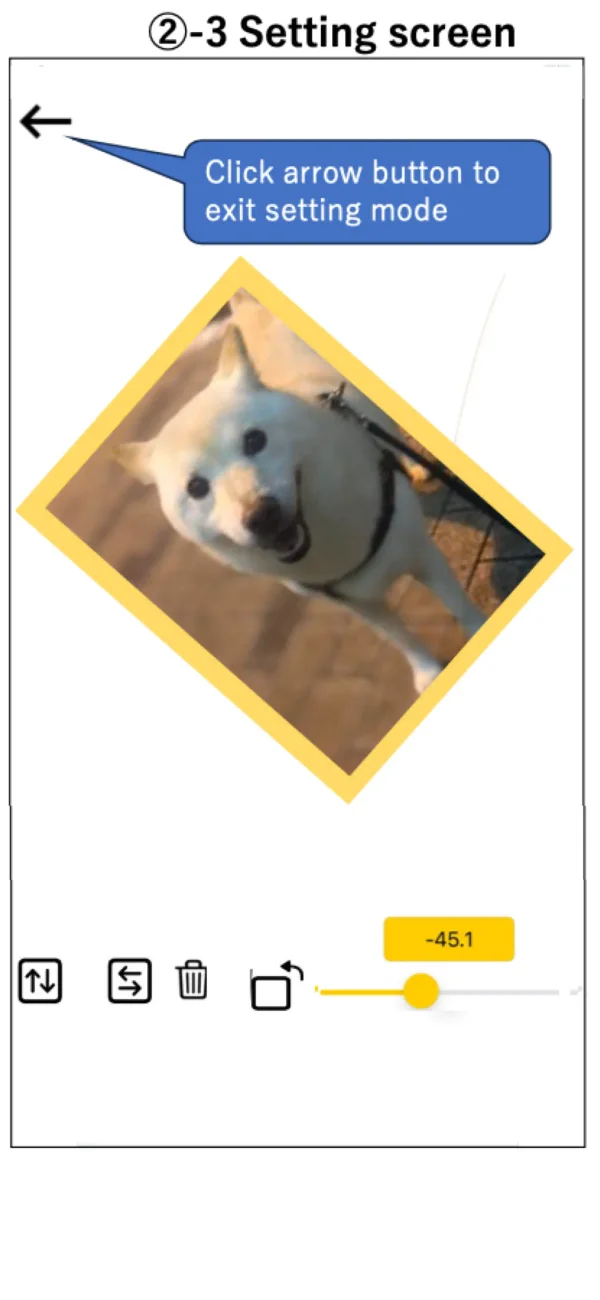
Tap the “gear” button on the upper right to enter the setting mode.
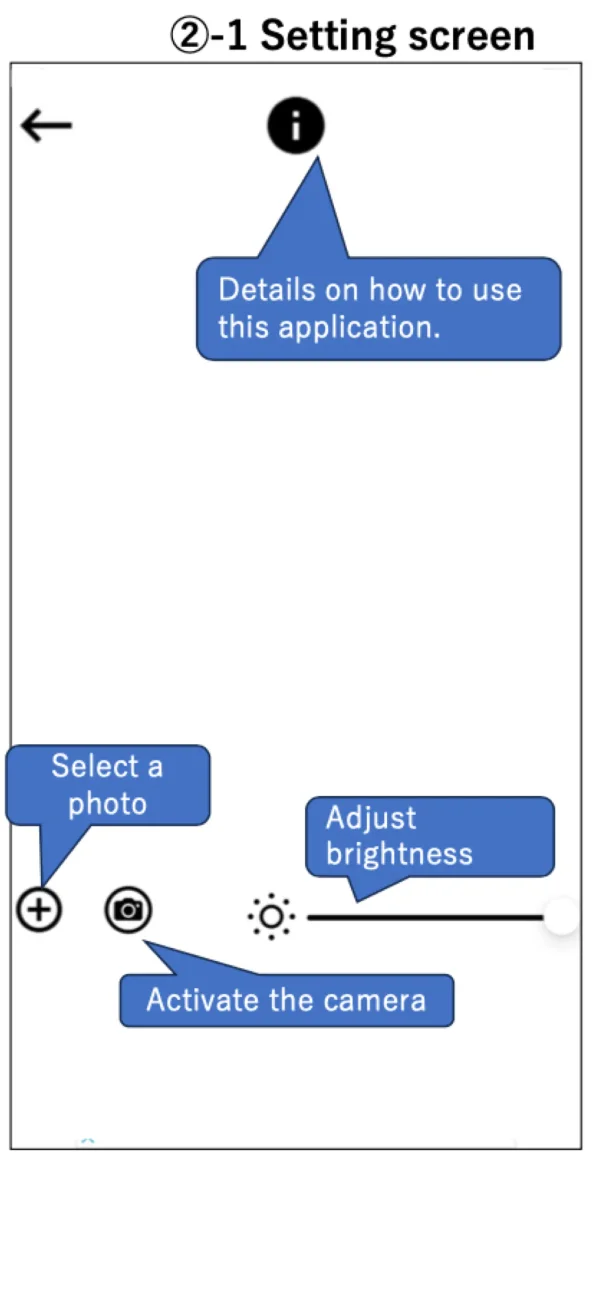
In the setting mode, add the image to be displayed with the “+” button or "Camera" button at the bottom left. You can also add text using the "T" button. Tapping a displayed image or text highlights it with a yellow frame; in this state, you can move it by dragging, or zoom in and out using a pinch gesture. Images and text can also be flipped or rotated, while text can be edited or have its styling modified.
You can save the current image and text layout with the “Save” button, and restore the saved layout later with the “Load” button, even after restarting the app.
The screen brightness can be adjusted with the slider bar at the bottom right.
When you tap the “left arrow” button on the upper left to exit the setting mode, the displayed image and text will be fixed, so place a piece of paper on the screen and trace it.
[Caution]
- I think it is easier to see the image under the paper if the room is darkened a little.
- Attach a protective film, etc., to prevent the display from being scratched during copying.
- Please use this application at your own risk. We do not take any responsibility for the disadvantage caused by using this application.
Nouveautés
Version 1.17 · 09/08/2026
- Added Save and Load buttons.
You can now save the current image and text layout and restore it later, even after restarting the app.
- Improved the button layout in setting mode.
Confidentialité de l’application
Ce que Yoko Nishimura déclare sur l’App Store au sujet du traitement des données par cette application.
-
Données utilisées pour vous suivre
Peuvent être utilisées pour vous suivre sur des applications et des sites web appartenant à d’autres sociétés.
- Emplacement
- Identifiants
- Données d’utilisation
- Diagnostic
-
Données établissant un lien avec vous
Peuvent être collectées et liées à votre identité.
- Emplacement
- Identifiants
- Données d’utilisation
- Diagnostic
-
Données n’établissant aucun lien avec vous
Peuvent être collectées, mais ne sont pas liées à votre identité.
- Diagnostic
Les pratiques en matière de confidentialité peuvent varier, notamment en fonction des fonctionnalités que vous utilisez ou de votre âge.
Informations
- Vendeur
- Yoko Nishimura
- Catégorie
- Utilitaires
- Version
- 1.17
- Mis à jour
- 09/08/2026
- Publié
- 06/02/2020
- Taille
- 5,0 Mo
- Nécessite
- iOS 12.4 ou version ultérieure
- Classification d’âge
- 4+
- Prix
- Gratuit
- Langues
- Anglais, Japonais
- Copyright
- © 2020-2026 Yoko Nishimura
Vous aimerez peut-être aussi
-
 Easy Pose -Best Posing AppUtilitaires
-
 AR Tracing: Anime DrawingUtilitaires
-
 Calculateur de valeurs AdoptmeVérifie tes échanges en WFL
-
 Draw Easy AI: AR Trace SketchUtilitaires
-
 Speech AI : Voice Clone & TTSUtilitaires
-
 Dessin en RA: Tracer EsquisserPeindre Caméra Dessiner Papier
-
 AI Skins for MinecraftSkin Pack Maker
-
 Notepad Sanrio charactersUtilitaires
-
 Ren'py PocketPlay & translate Ren'py games
-
 Katseye Kpop keyboard- StickerUtilitaires