- Age rating4+
- CategoryUtilities
- DeveloperYoko Nishimura
- LanguagesEnglish+ 1 more
- Size5.0 MB
Links to the official App Store page
Download.org hosts no file of TracingMat. The button opens its official App Store page, published by Yoko Nishimura. Listing last checked on Nov 18, 2026.
Screenshots

About
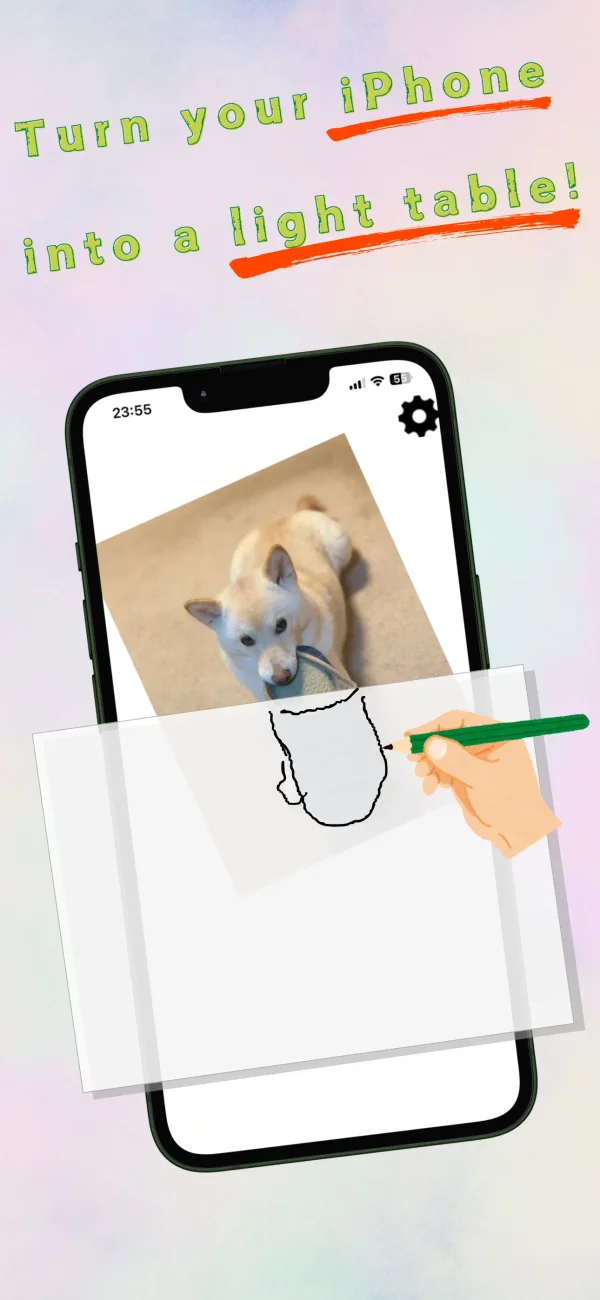
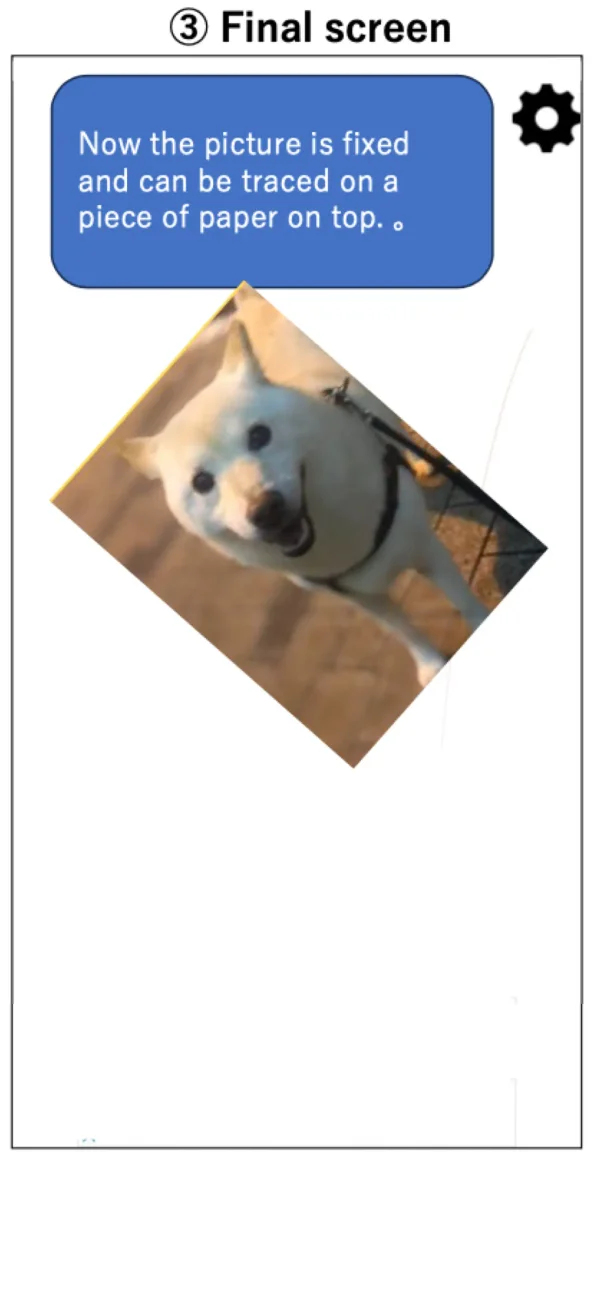
"Tracing Mat" is an app for using your iPad or iPhone as a light table. After displaying the image you want to copy on the app, place the copy destination paper on it and trace the image that can be seen through under the paper.
It is also possible to prepare the manuscript on paper, stack the copy destination paper on it, place it on the screen, and illuminate it from below with this application.
[How to use]
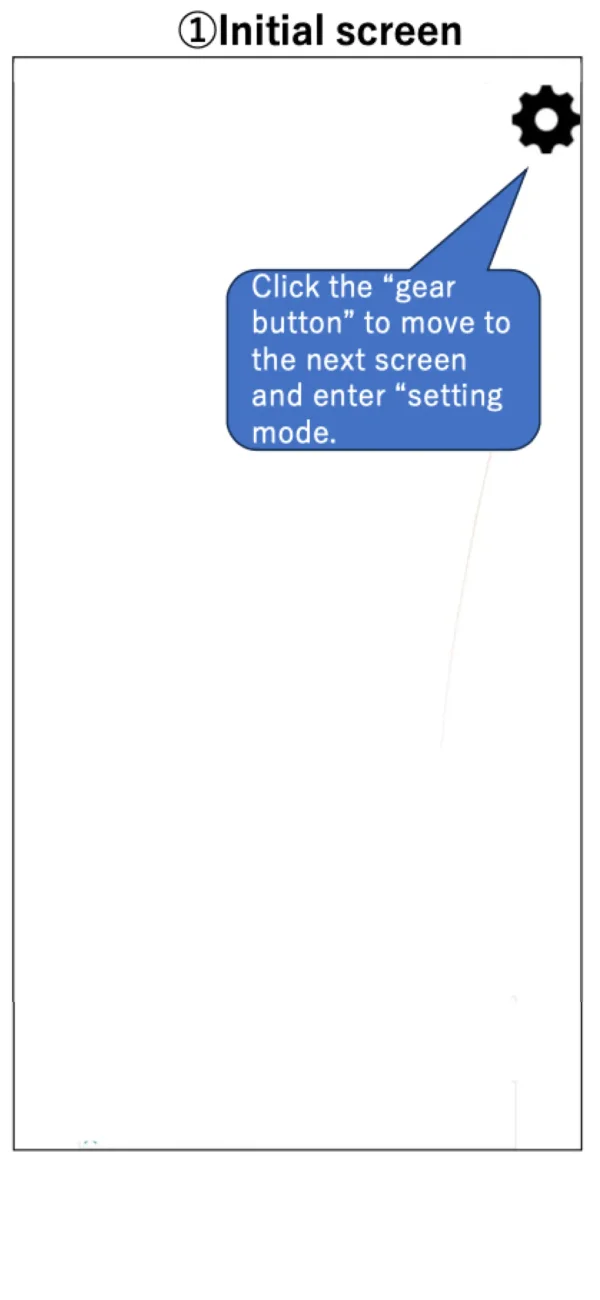
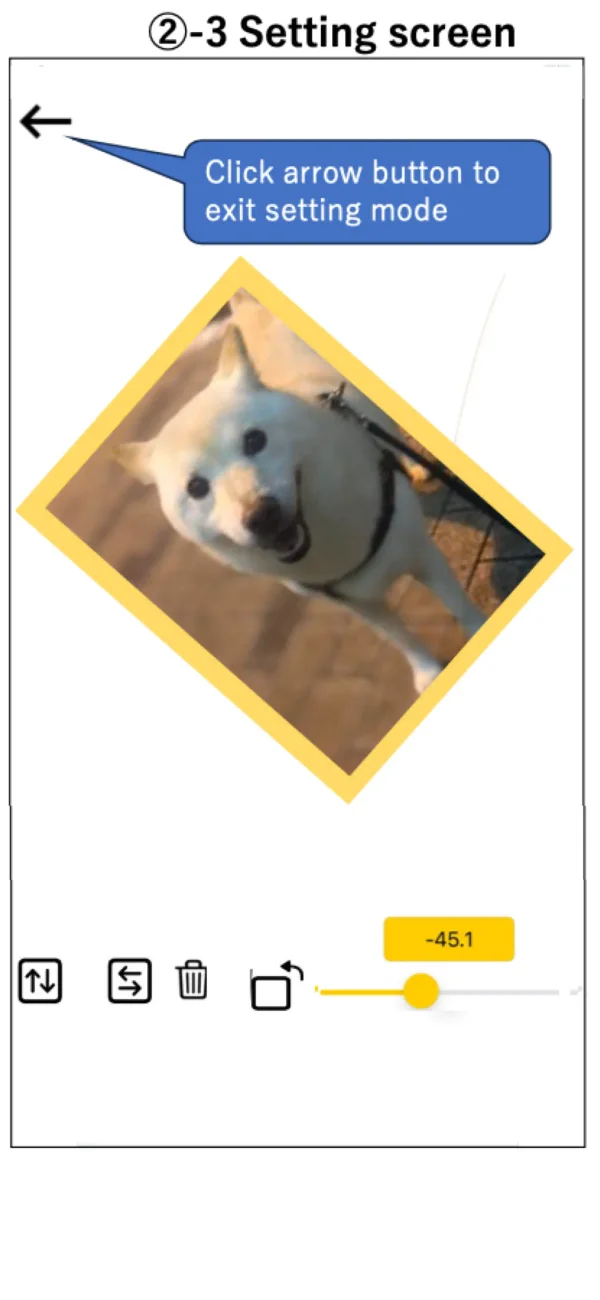
Tap the “gear” button on the upper right to enter the setting mode.
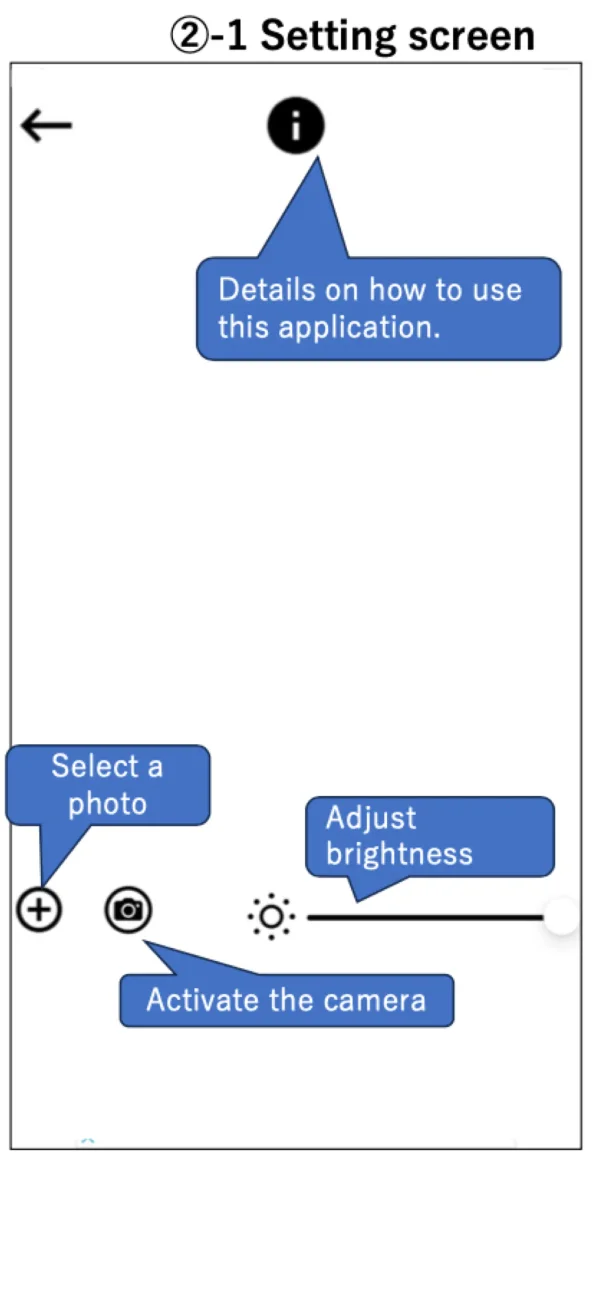
In the setting mode, add the image to be displayed with the “+” button or "Camera" button at the bottom left. You can also add text using the "T" button. Tapping a displayed image or text highlights it with a yellow frame; in this state, you can move it by dragging, or zoom in and out using a pinch gesture. Images and text can also be flipped or rotated, while text can be edited or have its styling modified.
You can save the current image and text layout with the “Save” button, and restore the saved layout later with the “Load” button, even after restarting the app.
The screen brightness can be adjusted with the slider bar at the bottom right.
When you tap the “left arrow” button on the upper left to exit the setting mode, the displayed image and text will be fixed, so place a piece of paper on the screen and trace it.
[Caution]
- I think it is easier to see the image under the paper if the room is darkened a little.
- Attach a protective film, etc., to prevent the display from being scratched during copying.
- Please use this application at your own risk. We do not take any responsibility for the disadvantage caused by using this application.
What’s new
Version 1.17 · Aug 9, 2026
- Added Save and Load buttons.
You can now save the current image and text layout and restore it later, even after restarting the app.
- Improved the button layout in setting mode.
App privacy
What Yoko Nishimura declares on the App Store about how this app handles data.
-
Data used to track you
May be used to track you across apps and websites owned by other companies.
- Location
- Identifiers
- Usage data
- Diagnostics
-
Data linked to you
May be collected and linked to your identity.
- Location
- Identifiers
- Usage data
- Diagnostics
-
Data not linked to you
May be collected but is not linked to your identity.
- Diagnostics
Privacy practices may vary, for example with the features you use or your age.
Information
- Seller
- Yoko Nishimura
- Category
- Utilities
- Version
- 1.17
- Updated
- Aug 9, 2026
- Released
- Feb 6, 2020
- Size
- 5.0 MB
- Requires
- iOS 12.4 or later
- Age rating
- 4+
- Price
- Free
- Languages
- English, Japanese
- Copyright
- © 2020-2026 Yoko Nishimura
You might also like
-
 Easy Pose -Best Posing AppPosing app for manga/comic art
-
 AR Tracing: Anime DrawingEasy sketch & draw on paper
-
 Adoptme Values CalculatorWFL Trade Checker & Pet Values
-
 Draw Easy AI: AR Trace SketchTrace Images & Learn Drawing
-
 Speech AI : Voice Clone & TTSCelebrity Clone Generator
-
 AR Drawing: Trace to Sketch 'Paint: Camera to Draw on Paper
-
 AI Skins for MinecraftSkin Pack Maker
-
 Notepad Sanrio charactersCute Notepad Widget
-
 Renpy PocketPlay & translate Ren'py games
-
 Katseye Kpop keyboard- StickerKey-Stickers Typing Experience