TracingMat
A simple light table app
iPhone, iPad, iPod touch için tasarlandı
Ücretsiz
- Yaş sınırı4+
- KategoriYardımcılar
- GeliştiriciYoko Nishimura
- Dillerİngilizce+ 1 dil daha
- Boyut5,0 MB
Resmi App Store sayfasına bağlanır
Download.org, TracingMat için hiçbir dosya barındırmaz. Düğme, uygulamanın App Store üzerindeki sayfasını açar; uygulamayı orada Yoko Nishimura yayınlar. Sayfanın son kontrolü: 18.11.2026.
Ekran görüntüleri

Hakkında
Geliştirici bu metni dilinizde sunmamış.
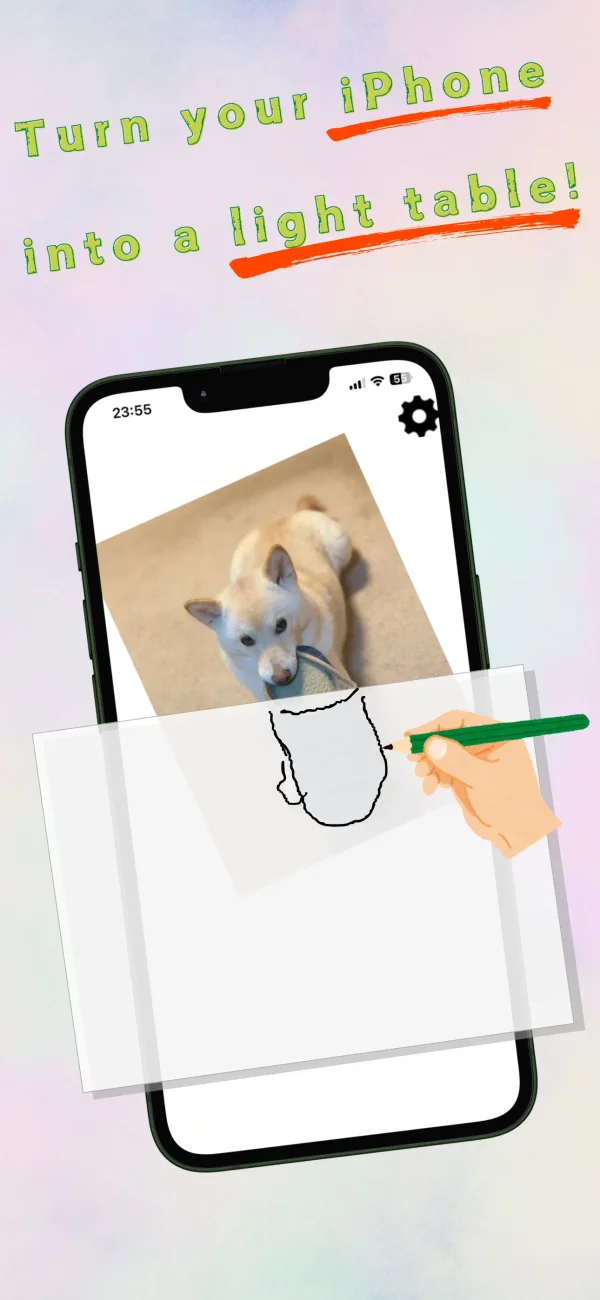
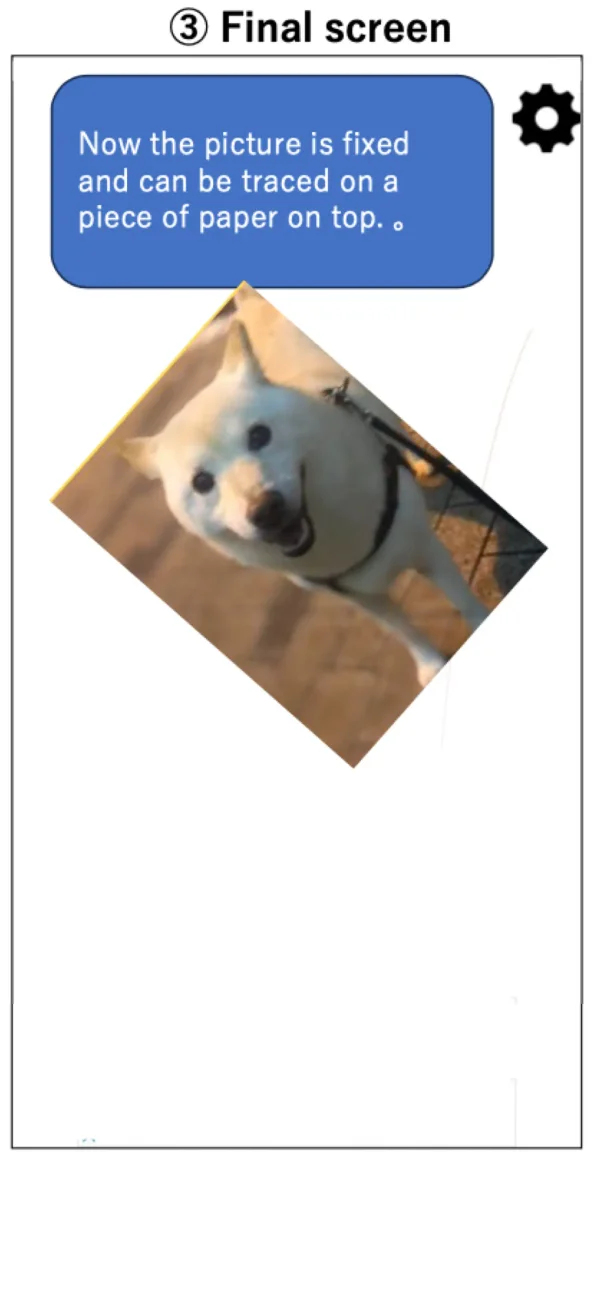
"Tracing Mat" is an app for using your iPad or iPhone as a light table. After displaying the image you want to copy on the app, place the copy destination paper on it and trace the image that can be seen through under the paper.
It is also possible to prepare the manuscript on paper, stack the copy destination paper on it, place it on the screen, and illuminate it from below with this application.
[How to use]
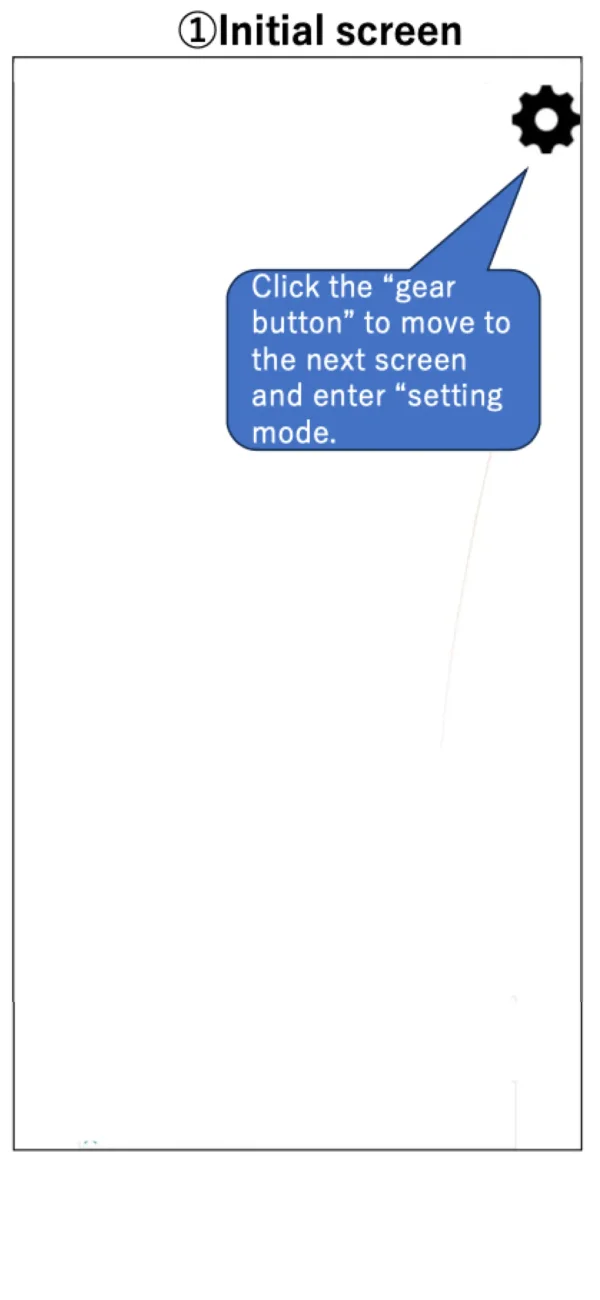
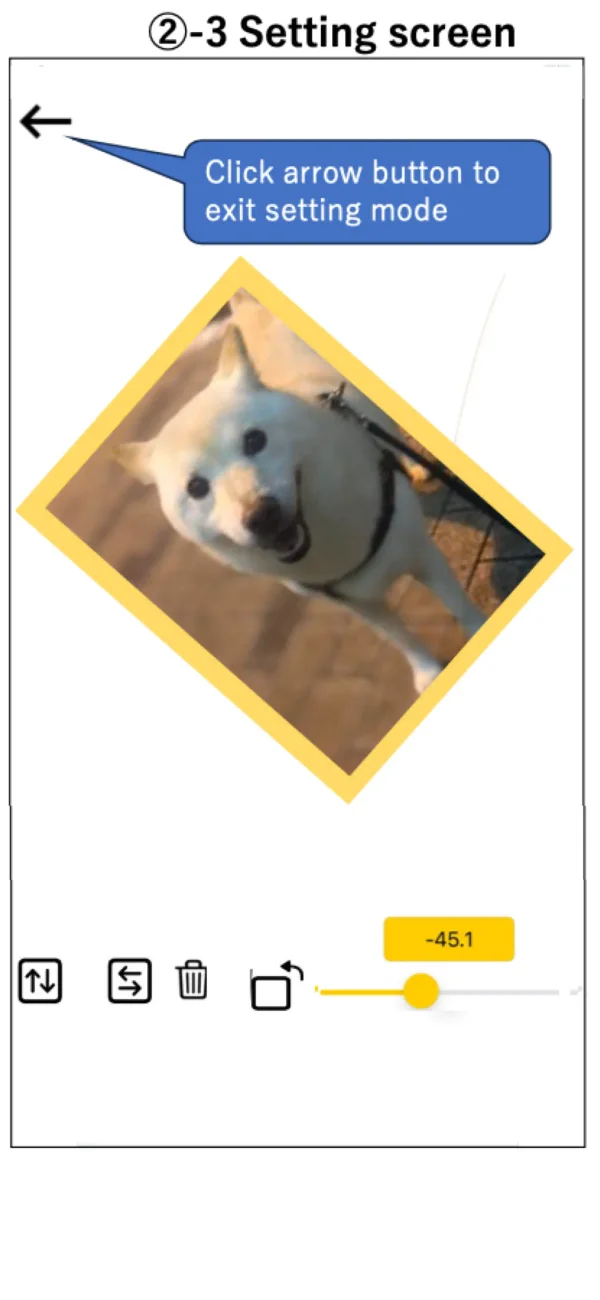
Tap the “gear” button on the upper right to enter the setting mode.
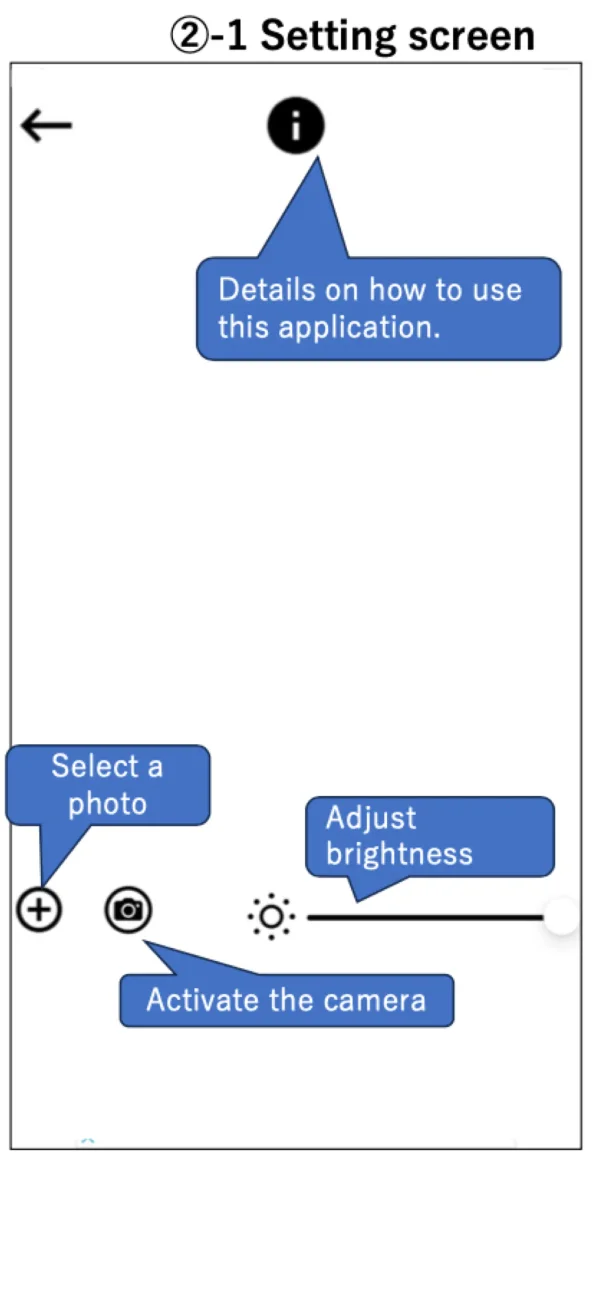
In the setting mode, add the image to be displayed with the “+” button or "Camera" button at the bottom left. You can also add text using the "T" button. Tapping a displayed image or text highlights it with a yellow frame; in this state, you can move it by dragging, or zoom in and out using a pinch gesture. Images and text can also be flipped or rotated, while text can be edited or have its styling modified.
You can save the current image and text layout with the “Save” button, and restore the saved layout later with the “Load” button, even after restarting the app.
The screen brightness can be adjusted with the slider bar at the bottom right.
When you tap the “left arrow” button on the upper left to exit the setting mode, the displayed image and text will be fixed, so place a piece of paper on the screen and trace it.
[Caution]
- I think it is easier to see the image under the paper if the room is darkened a little.
- Attach a protective film, etc., to prevent the display from being scratched during copying.
- Please use this application at your own risk. We do not take any responsibility for the disadvantage caused by using this application.
Yenilikler
Sürüm 1.17 · 09.08.2026
- Added Save and Load buttons.
You can now save the current image and text layout and restore it later, even after restarting the app.
- Improved the button layout in setting mode.
Uygulama gizliliği
Bu uygulamanın verileri nasıl işlediği hakkında Yoko Nishimura tarafından App Store üzerinde yapılan beyan.
-
Sizi izlemek için kullanılan veriler
Başka şirketlere ait uygulamalarda ve web sitelerinde sizi izlemek için kullanılabilir.
- Konum
- Tanımlayıcılar
- Kullanım verileri
- Tanılama
-
Sizinle ilişkilendirilen veriler
Toplanabilir ve kimliğinizle ilişkilendirilebilir.
- Konum
- Tanımlayıcılar
- Kullanım verileri
- Tanılama
-
Sizinle ilişkilendirilmeyen veriler
Toplanabilir ancak kimliğinizle ilişkilendirilmez.
- Tanılama
Gizlilik uygulamaları, örneğin kullandığınız özelliklere veya yaşınıza göre değişiklik gösterebilir.
Bilgiler
- Satıcı
- Yoko Nishimura
- Kategori
- Yardımcılar
- Sürüm
- 1.17
- Güncellendi
- 09.08.2026
- Yayın tarihi
- 06.02.2020
- Boyut
- 5,0 MB
- Gereksinim
- iOS 12.4 veya sonrası
- Yaş sınırı
- 4+
- Fiyat
- Ücretsiz
- Diller
- İngilizce, Japonca
- Telif hakkı
- © 2020-2026 Yoko Nishimura
Bunları da beğenebilirsiniz
-
 Easy Pose -Best Posing AppYardımcılar
-
 AR Tracing: Anime DrawingYardımcılar
-
 Adoptme Values CalculatorYardımcılar
-
 Draw Easy AI: AR Trace SketchYardımcılar
-
 Speech AI : Voice Clone & TTSYardımcılar
-
 AR Drawing: Trace to Sketch 'Yardımcılar
-
 AI Skins for MinecraftYardımcılar
-
 Notepad Sanrio charactersYardımcılar
-
 Renpy PocketYardımcılar
-
 Katseye Kpop keyboard- StickerYardımcılar