TracingMat
A simple light table app
Projetado para iPhone, iPad, iPod touch
Grátis
- Classificação etária4+
- CategoriaUtilidades
- DesenvolvedorYoko Nishimura
- IdiomasInglêse mais 1
- Tamanho5,0 MB
Leva à página oficial na App Store
O Download.org não hospeda nenhum arquivo de TracingMat. O botão abre a página do app na App Store, onde Yoko Nishimura o publica. Página verificada pela última vez em 18/11/2026.
Capturas de tela

Sobre
O desenvolvedor não forneceu este texto no seu idioma.
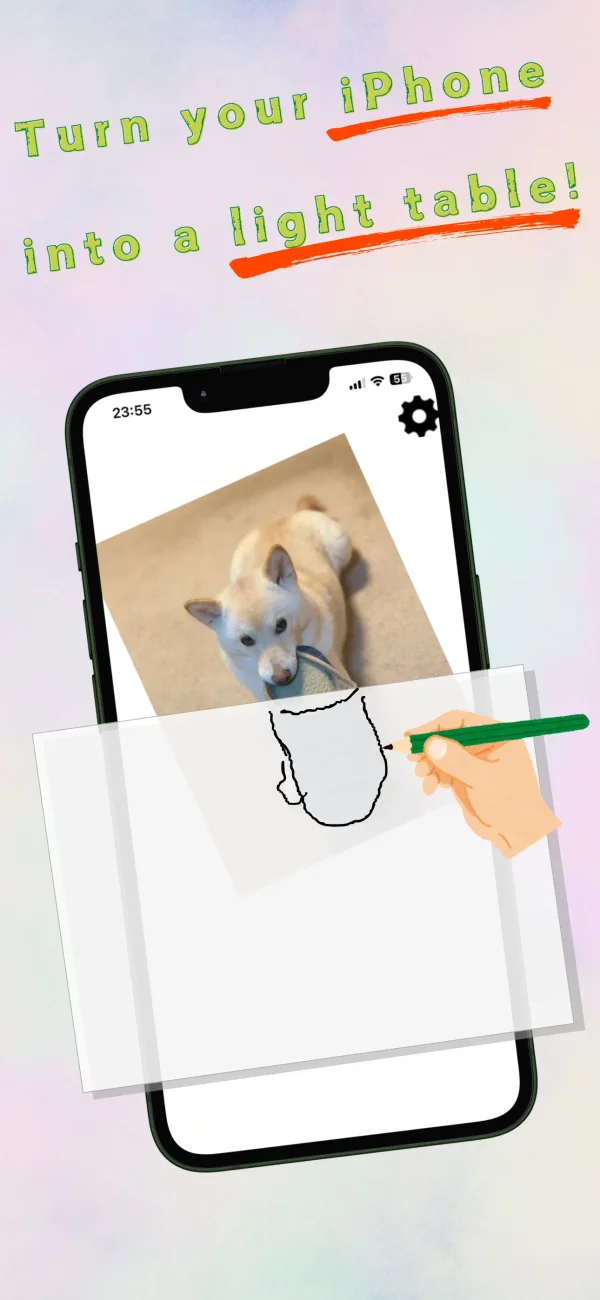
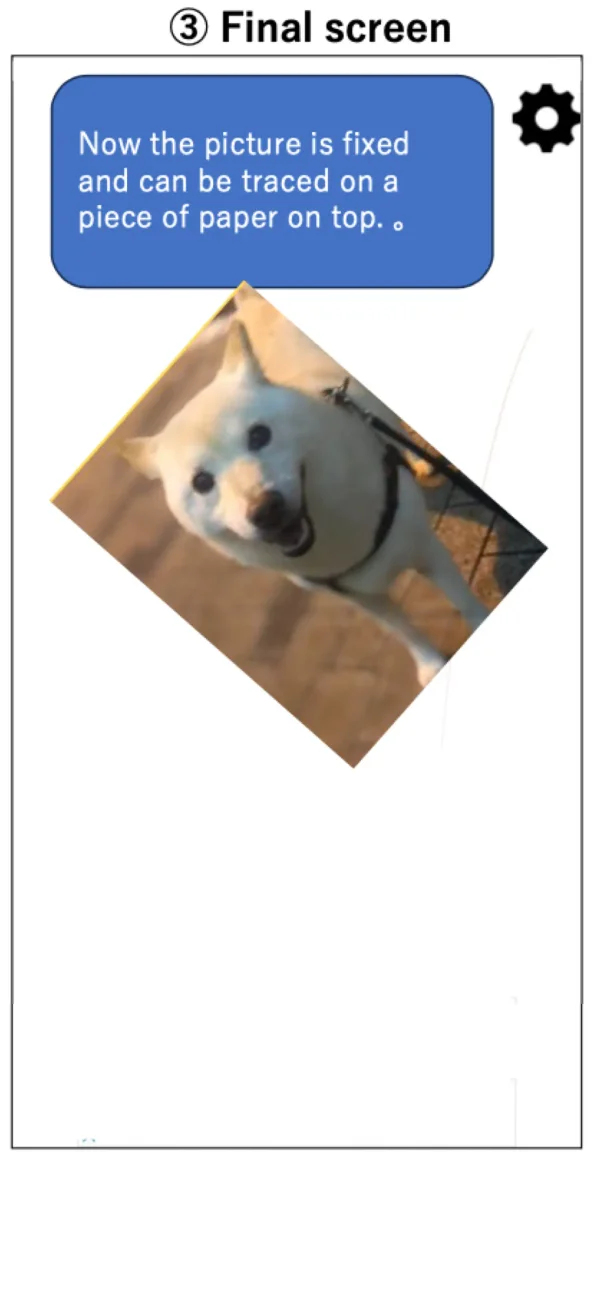
"Tracing Mat" is an app for using your iPad or iPhone as a light table. After displaying the image you want to copy on the app, place the copy destination paper on it and trace the image that can be seen through under the paper.
It is also possible to prepare the manuscript on paper, stack the copy destination paper on it, place it on the screen, and illuminate it from below with this application.
[How to use]
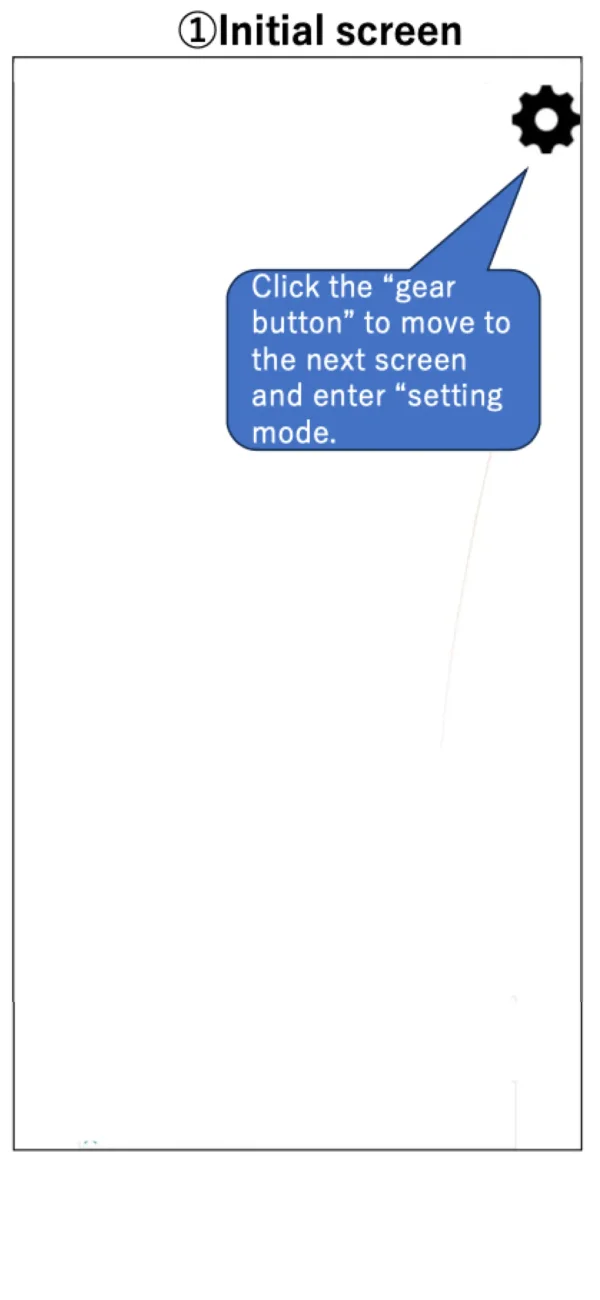
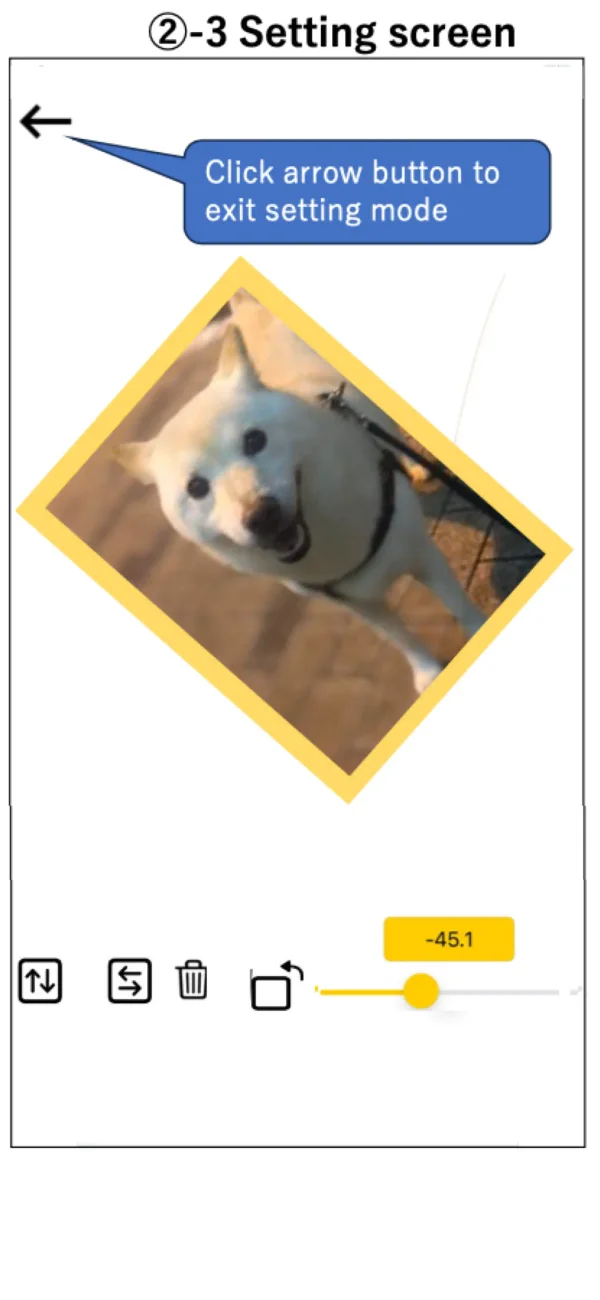
Tap the “gear” button on the upper right to enter the setting mode.
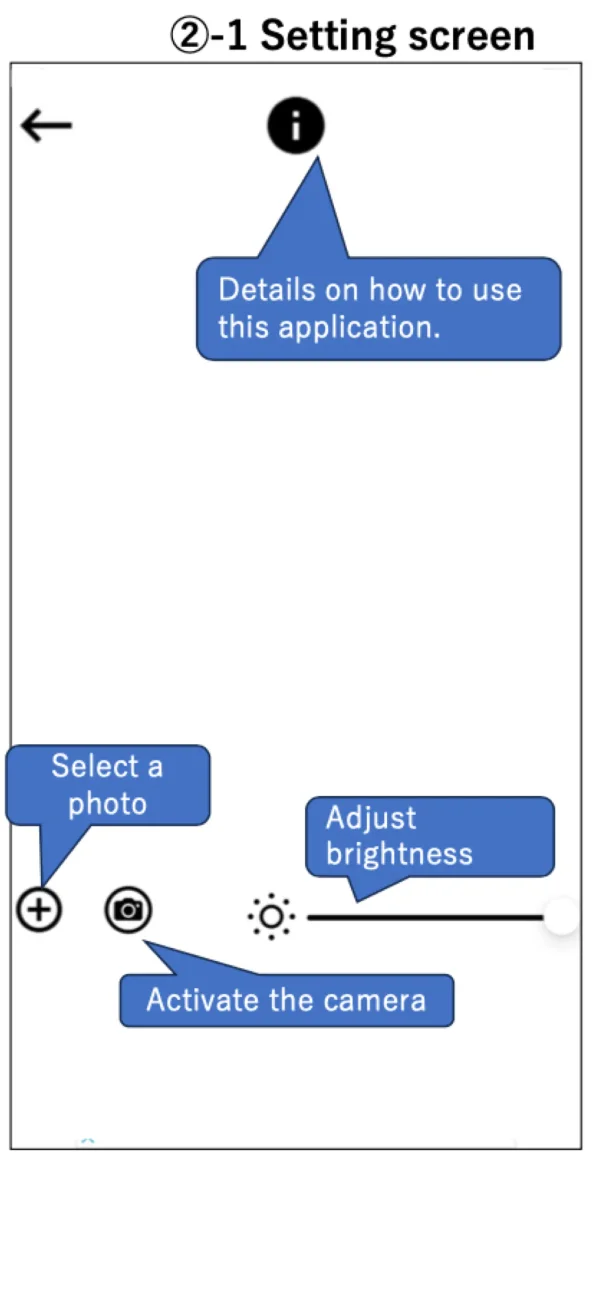
In the setting mode, add the image to be displayed with the “+” button or "Camera" button at the bottom left. You can also add text using the "T" button. Tapping a displayed image or text highlights it with a yellow frame; in this state, you can move it by dragging, or zoom in and out using a pinch gesture. Images and text can also be flipped or rotated, while text can be edited or have its styling modified.
You can save the current image and text layout with the “Save” button, and restore the saved layout later with the “Load” button, even after restarting the app.
The screen brightness can be adjusted with the slider bar at the bottom right.
When you tap the “left arrow” button on the upper left to exit the setting mode, the displayed image and text will be fixed, so place a piece of paper on the screen and trace it.
[Caution]
- I think it is easier to see the image under the paper if the room is darkened a little.
- Attach a protective film, etc., to prevent the display from being scratched during copying.
- Please use this application at your own risk. We do not take any responsibility for the disadvantage caused by using this application.
Novidades
Versão 1.17 · 09/08/2026
- Added Save and Load buttons.
You can now save the current image and text layout and restore it later, even after restarting the app.
- Improved the button layout in setting mode.
Privacidade do app
O que Yoko Nishimura declara na App Store sobre como este app lida com os dados.
-
Dados usados para rastrear você
Podem ser usados para rastrear você em apps e sites de outras empresas.
- Localização
- Identificadores
- Dados de uso
- Diagnóstico
-
Dados vinculados a você
Podem ser coletados e vinculados à sua identidade.
- Localização
- Identificadores
- Dados de uso
- Diagnóstico
-
Dados não vinculados a você
Podem ser coletados, mas não são vinculados à sua identidade.
- Diagnóstico
As práticas de privacidade podem variar, por exemplo, com base nos recursos que você usa ou na sua idade.
Informações
- Vendedor
- Yoko Nishimura
- Categoria
- Utilidades
- Versão
- 1.17
- Atualizado
- 09/08/2026
- Lançamento
- 06/02/2020
- Tamanho
- 5,0 MB
- Requer
- iOS 12.4 ou posterior
- Classificação etária
- 4+
- Preço
- Grátis
- Idiomas
- Inglês, Japonês
- Copyright
- © 2020-2026 Yoko Nishimura
Você também pode gostar
-
 Easy Pose -Best Posing AppUtilidades
-
 AR Tracing: Anime DrawingUtilidades
-
 Valores Adoptme: CalculadoraTabela de valores e trocas
-
 Draw Easy AI: AR Trace SketchUtilidades
-
 Speech AI : Voice Clone & TTSUtilidades
-
 Desenho de RA: Traçar EsboçarPintura: Câmera Desenhar Papel
-
 AI Skins for MinecraftSkin Pack Maker
-
 Notepad Sanrio charactersUtilidades
-
 Ren'py PocketPlay & translate Ren'py games
-
 Katseye Kpop keyboard- StickerUtilidades