TracingMat
A simple light table app
Dirancang untuk iPhone, iPad, iPod touch
Gratis
- Batasan usia4+
- KategoriKegunaan
- PengembangYoko Nishimura
- BahasaInggris+ 1 lainnya
- Ukuran5,0 MB
Tertaut ke halaman resmi App Store
Download.org tidak menyimpan file TracingMat apa pun. Tombol ini membuka halaman aplikasi di App Store, tempat Yoko Nishimura menerbitkannya. Halaman terakhir diperiksa pada 18/11/2026.
Tangkapan layar

Tentang
Pengembang belum menyediakan teks ini dalam bahasa Anda.
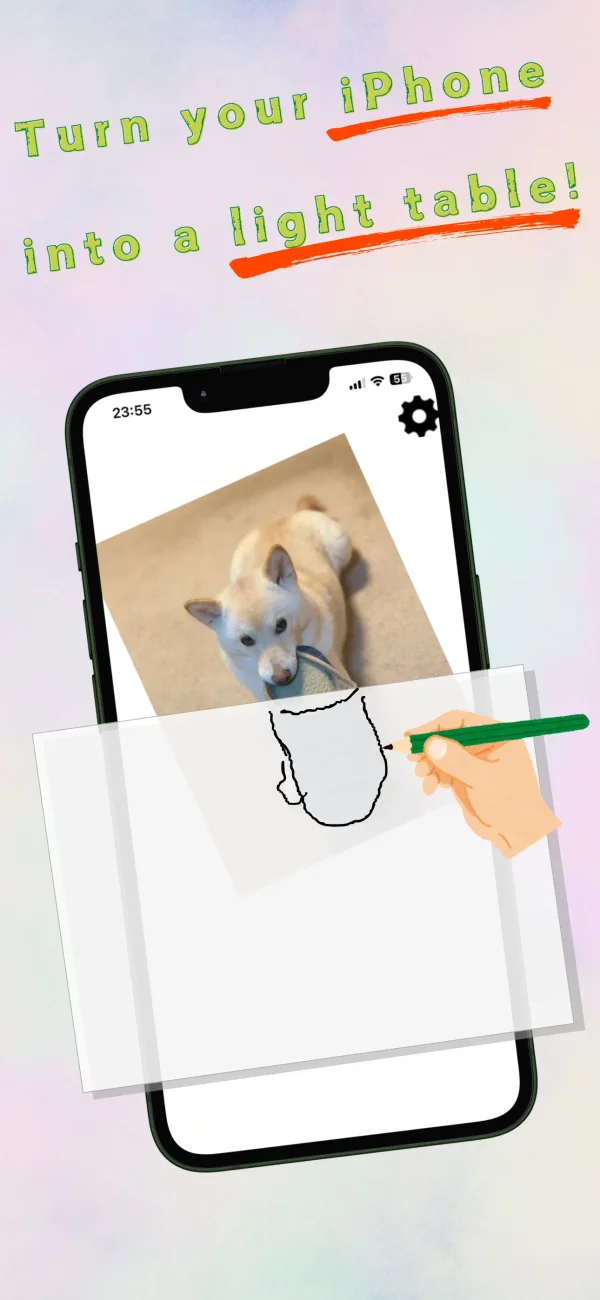
"Tracing Mat" is an app for using your iPad or iPhone as a light table. After displaying the image you want to copy on the app, place the copy destination paper on it and trace the image that can be seen through under the paper.
It is also possible to prepare the manuscript on paper, stack the copy destination paper on it, place it on the screen, and illuminate it from below with this application.
[How to use]
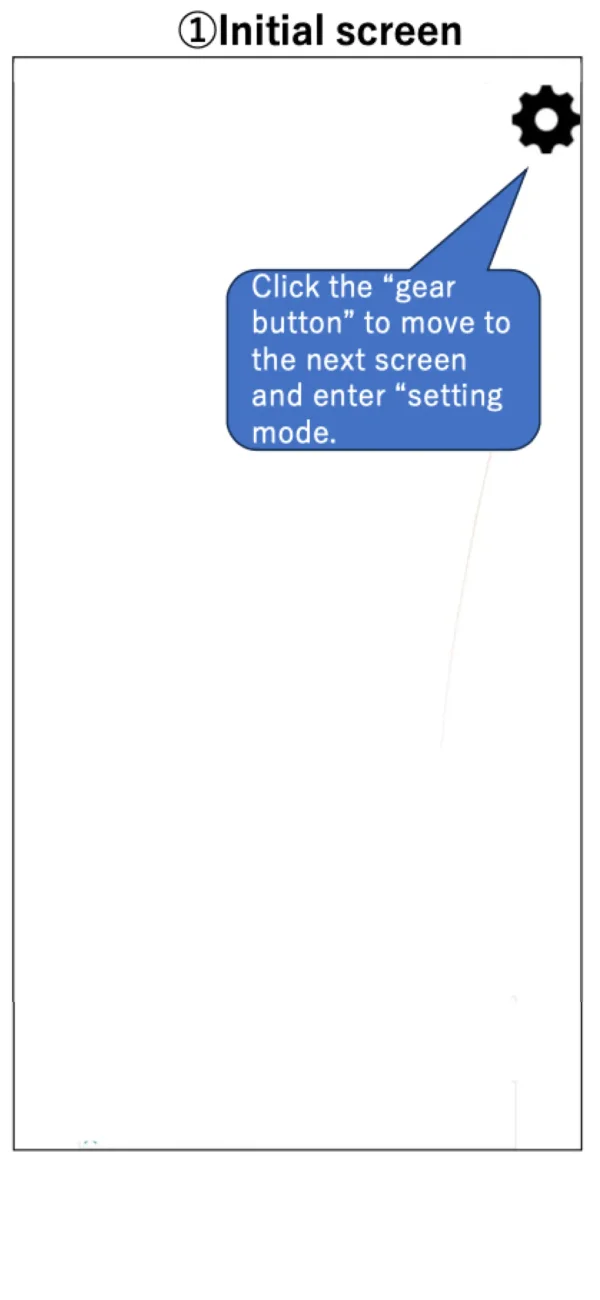
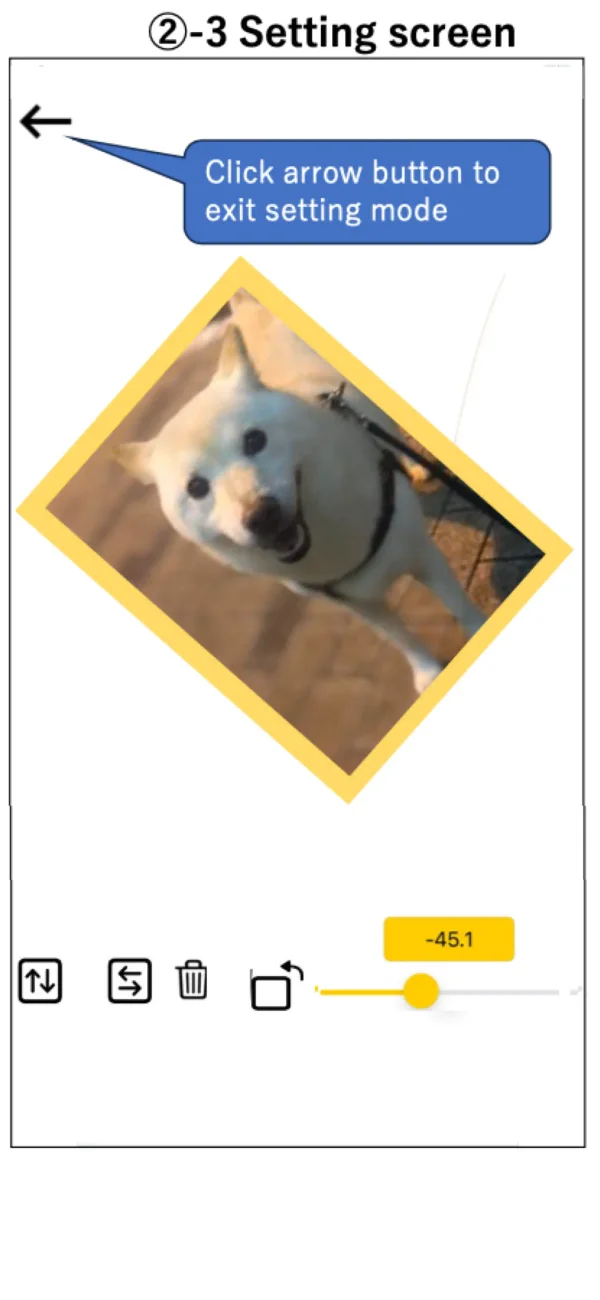
Tap the “gear” button on the upper right to enter the setting mode.
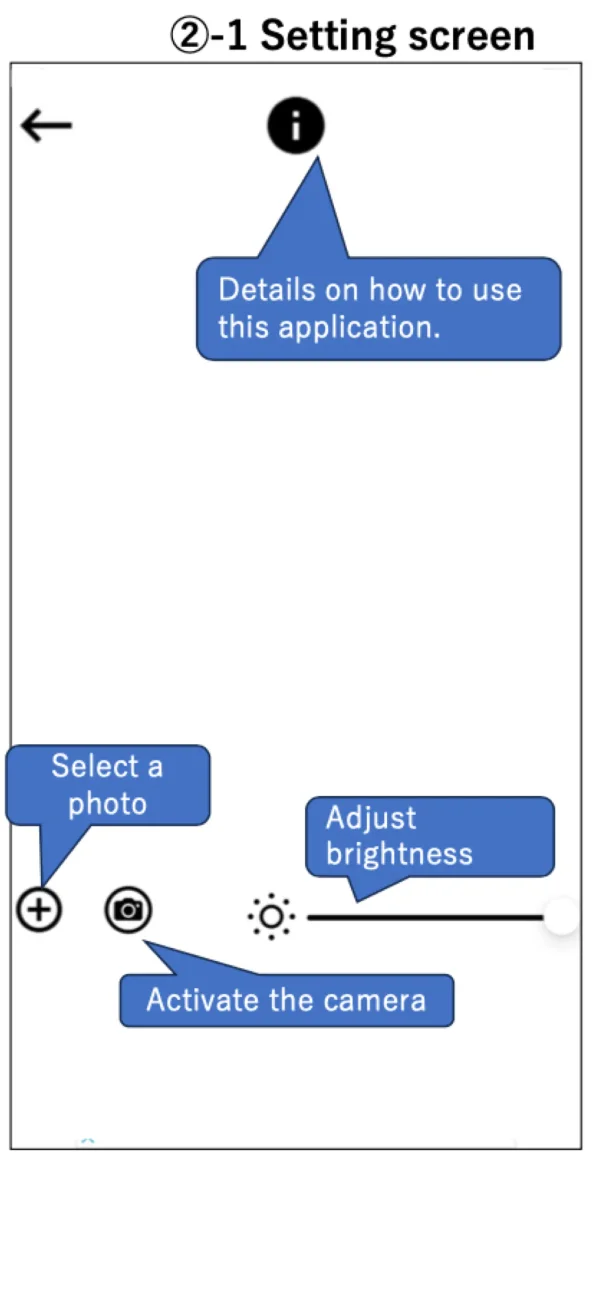
In the setting mode, add the image to be displayed with the “+” button or "Camera" button at the bottom left. You can also add text using the "T" button. Tapping a displayed image or text highlights it with a yellow frame; in this state, you can move it by dragging, or zoom in and out using a pinch gesture. Images and text can also be flipped or rotated, while text can be edited or have its styling modified.
You can save the current image and text layout with the “Save” button, and restore the saved layout later with the “Load” button, even after restarting the app.
The screen brightness can be adjusted with the slider bar at the bottom right.
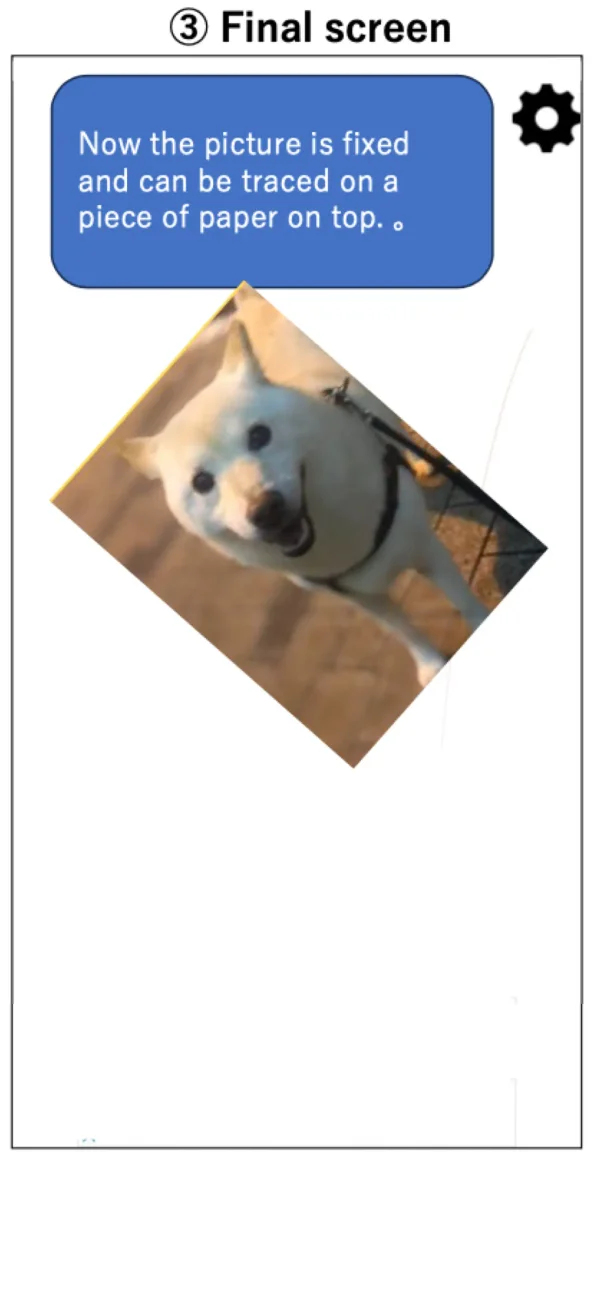
When you tap the “left arrow” button on the upper left to exit the setting mode, the displayed image and text will be fixed, so place a piece of paper on the screen and trace it.
[Caution]
- I think it is easier to see the image under the paper if the room is darkened a little.
- Attach a protective film, etc., to prevent the display from being scratched during copying.
- Please use this application at your own risk. We do not take any responsibility for the disadvantage caused by using this application.
Yang baru
Versi 1.17 · 9/8/2026
- Added Save and Load buttons.
You can now save the current image and text layout and restore it later, even after restarting the app.
- Improved the button layout in setting mode.
Privasi aplikasi
Yang dinyatakan Yoko Nishimura di App Store tentang cara aplikasi ini menangani data.
-
Data yang digunakan untuk melacak Anda
Dapat digunakan untuk melacak Anda di aplikasi dan situs web milik perusahaan lain.
- Lokasi
- Pengenal
- Data penggunaan
- Diagnostik
-
Data yang ditautkan dengan Anda
Dapat dikumpulkan dan ditautkan dengan identitas Anda.
- Lokasi
- Pengenal
- Data penggunaan
- Diagnostik
-
Data yang tidak ditautkan dengan Anda
Dapat dikumpulkan, tetapi tidak ditautkan dengan identitas Anda.
- Diagnostik
Praktik privasi dapat bervariasi, misalnya berdasarkan fitur yang Anda gunakan atau usia Anda.
Informasi
- Penjual
- Yoko Nishimura
- Kategori
- Kegunaan
- Versi
- 1.17
- Diperbarui
- 9/8/2026
- Dirilis
- 6/2/2020
- Ukuran
- 5,0 MB
- Memerlukan
- iOS 12.4 atau yang lebih baru
- Batasan usia
- 4+
- Harga
- Gratis
- Bahasa
- Inggris, Jepang
- Hak cipta
- © 2020-2026 Yoko Nishimura
Mungkin Anda juga suka
-
 Easy Pose -Best Posing AppKegunaan
-
 AR Tracing: Anime DrawingKegunaan
-
 Adoptme Values CalculatorKegunaan
-
 Draw Easy AI: AR Trace SketchKegunaan
-
 Speech AI : Voice Clone & TTSKegunaan
-
 AR Drawing: Trace to Sketch 'Kegunaan
-
 AI Skins for MinecraftSkin Pack Maker
-
 Notepad Sanrio charactersKegunaan
-
 Renpy PocketKegunaan
-
 Katseye Kpop keyboard- StickerKegunaan