
UbiStage Timer
Stage clock for any display
Conçue pour iPhone, iPad
Gratuit · Achats intégrés
- Classification d’âge4+
- CatégorieUtilitaires
- DéveloppeurIngenieurbüro Edelmann
- LanguesAllemand+ 1 de plus
- Taille2,9 Mo
Renvoie vers la page App Store officielle
Download.org n’héberge aucun fichier de UbiStage Timer. Le bouton ouvre la page de l’application sur App Store, où Ingenieurbüro Edelmann la publie. Fiche vérifiée pour la dernière fois le 25/11/2026.
Captures d’écran
À propos
Le développeur n’a pas fourni ce texte dans votre langue.
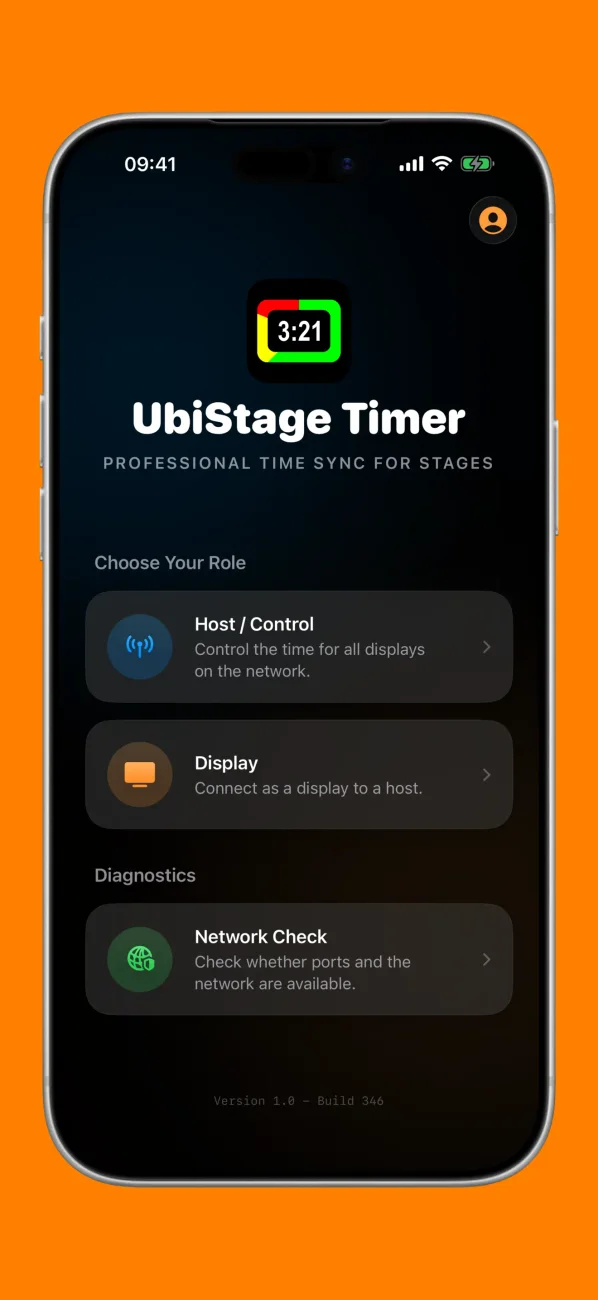
A stage clock for iPhone, iPad, and Apple TV – synced across every display.
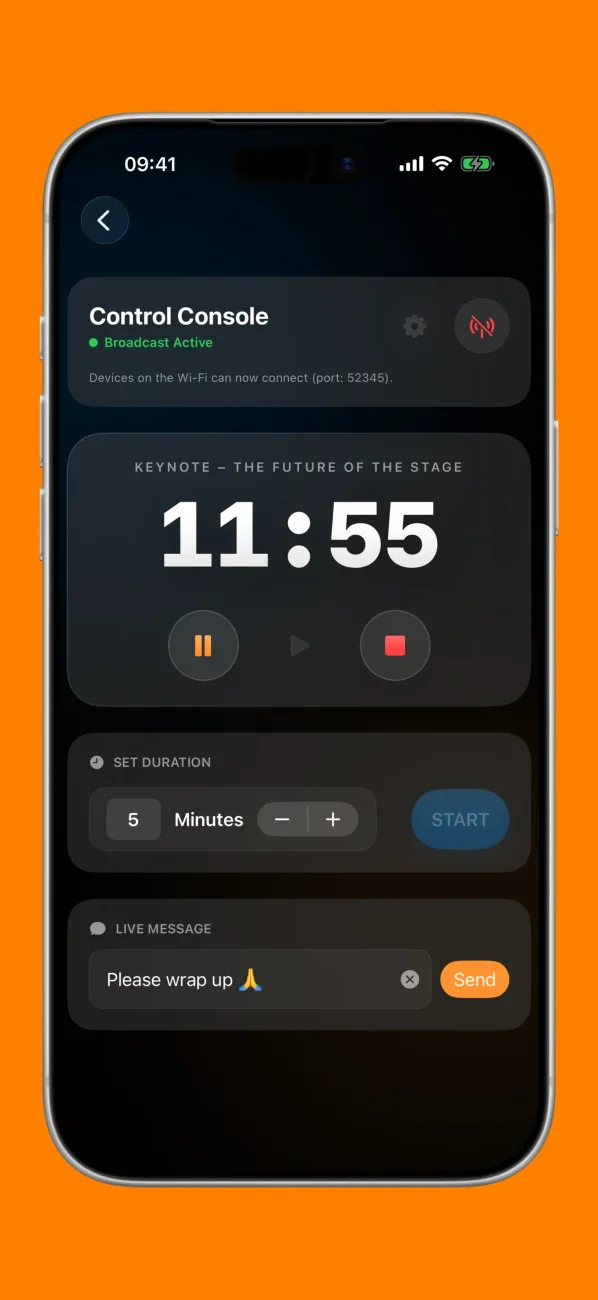
Many teams start timer apps manually on multiple devices. The result: clocks drift apart. UbiStage Timer solves this. One device becomes the Control Console, all others sync automatically – virtually lag-free.
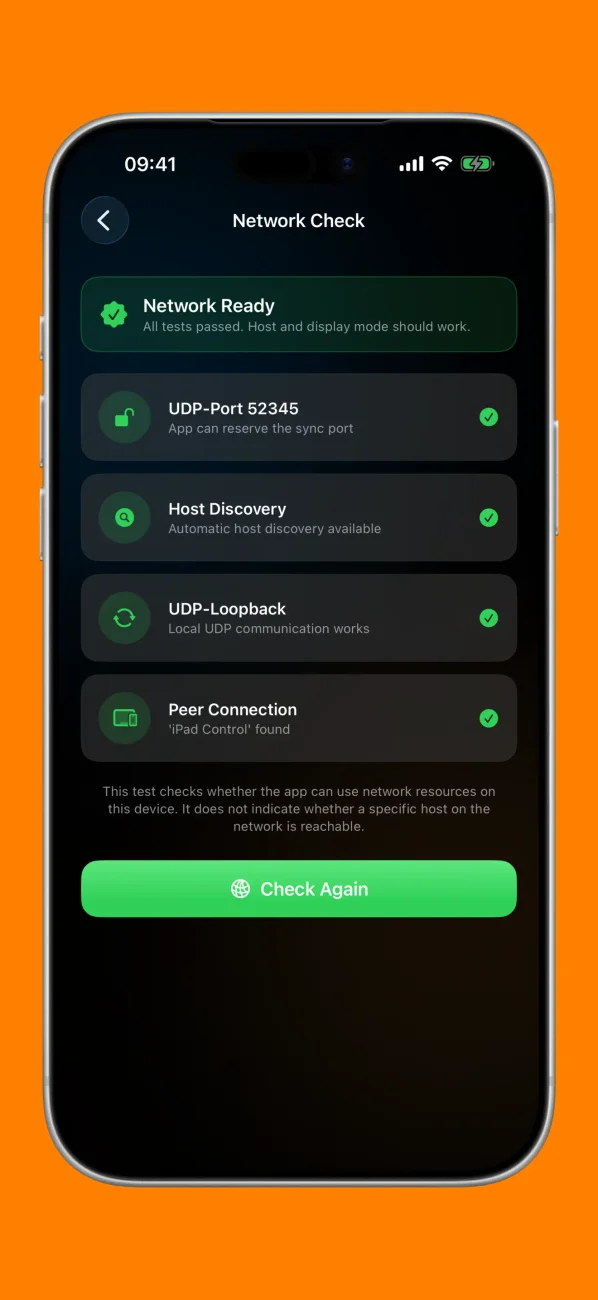
Devices find each other automatically over local Wi-Fi. No setup, no pairing. Sign in once with a free account, then just open and go.
One Control Console, multiple screens. Use iPhones and iPads simultaneously as stage clocks – all showing the same time. Syncing is fully local, no internet needed during the event.
On the big screen, too: with UbiStage Timer on Apple TV, any large display or projector becomes a stage clock. Apple TV signs in without typing on the remote – it shows a code that you confirm here in the app under Profile → Sign in Apple TV.
No app needed, either: if you like, any browser on the same Wi-Fi can show the timer, such as a smart TV, a laptop, or an Android tablet. Turn on the browser display in the Control Console's settings and open the address or QR code shown. A browser counts as a display.
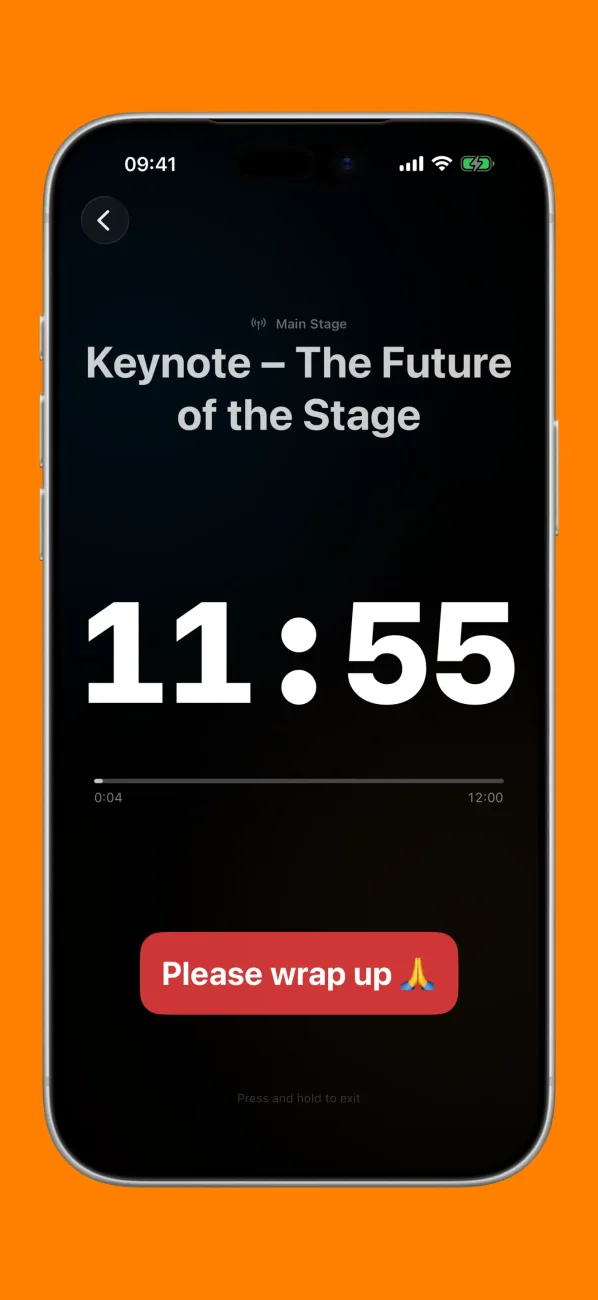
The automatic color change tells speakers how much time is left: the digits turn orange in the last minute and red when time is up. No need to read numbers – speakers can tell at a glance.
The Control Console can also send short text messages directly to all displays – perfect for spontaneous corrections during the event.
The connection holds up under pressure: if the Control Console briefly switches to another app, displays simply keep counting and find it again on their own.
Ideal for conferences, stage productions, trade shows, and live events.
Control Console free, unlock displays:
• The Control Console on its own is free, with all features.
• Basic: 1 display, monthly subscription.
• Pro: up to 5 displays at once, monthly subscription.
• Event Pass: up to 5 displays for 7 days, one-time purchase, no subscription.
• Try Basic and Pro free for 7 days. The app only offers a subscription once you connect your first display; the 7 days start when you subscribe.
• The Control Console is unlocked; displays themselves don't need a purchase. Your purchase applies to your UbiStage account, on your other devices too.
• If a subscription or Event Pass expires during an event, connected displays finish the current timer. They show the next timer only after you unlock again.
Subscriptions renew automatically for the selected period unless cancelled at least 24 hours before the end of the current period. Payment is charged to your Apple ID. You can manage and cancel subscriptions in your Apple ID settings. Cancel during the trial and you pay nothing.
Terms of Use: https://www.apple.com/legal/internet-services/itunes/dev/stdeula/
Privacy Policy: https://ubistage.de/en/privacy/
Nouveautés
Version 1.4.4 · 24/11/2026
• Control Console in the background: displays keep counting and show "Waiting for the control console …". As soon as the Control Console is open again, they reconnect automatically.
• If a display doesn't find the Control Console right away, it searches again automatically. There is also a "Search Again" button.
• The Control Console reminds you to keep the app open during the event and tells you when displays were disconnected.
• The Control Console's Live Activity shows that displays keep counting while the app is in the background, and is now fully in English.
• Your profile now shows the time, not just the date, when your plan ends.
• Minor improvements and bug fixes.
Confidentialité de l’application
Ce que Ingenieurbüro Edelmann déclare sur l’App Store au sujet du traitement des données par cette application.
-
Données établissant un lien avec vous
Peuvent être collectées et liées à votre identité.
- Achats
- Identifiants
- Données d’utilisation
- Diagnostic
Les pratiques en matière de confidentialité peuvent varier, notamment en fonction des fonctionnalités que vous utilisez ou de votre âge.
Informations
- Vendeur
- Thomas Edelmann
- Catégorie
- Utilitaires
- Version
- 1.4.4
- Mis à jour
- 24/11/2026
- Publié
- 17/06/2026
- Taille
- 2,9 Mo
- Nécessite
- iOS 17.6 ou version ultérieure
- Classification d’âge
- 4+
- Prix
- Gratuit
- Achats intégrés
- Oui
- Langues
- Allemand, Anglais
- Copyright
- © (2026) Ingenieurbüro Edelmann
Vous aimerez peut-être aussi
-
 Pulpit TimerMinuteur scène et télécommande
-
 Remote Stage TimerUtilitaires
-
 Binary Display: Clock WidgetUtilitaires
-
 Countdown LCD : minuteurCompte à rebours de conférence
-
 CuePilot: Remote Stage TimerUtilitaires
-
 BinaryClockWatchL'heure en 13 numérations
-
 ClockAPX — Dynamic ClockUtilitaires
-
 RemoteTimer : Chrono distantContrôlez vos minuteurs
-
 ZoneSync: Horloge MondialeFuseaux Horaires & Réunions
-
 Show Timer ProUtilitaires