Flip Clock Flow
Focus Timer & App Blocker
Dirancang untuk iPhone, iPad
Gratis · Pembelian dalam aplikasi
- Batasan usia4+
- KategoriKegunaan
- PengembangEric Savoie
- BahasaInggris
- Ukuran7,0 MB
Tertaut ke halaman resmi App Store
Download.org tidak menyimpan file Flip Clock Flow apa pun. Tombol ini membuka halaman aplikasi di App Store, tempat Eric Savoie menerbitkannya. Halaman terakhir diperiksa pada 10/11/2026.
Tangkapan layar

Tentang
Pengembang belum menyediakan teks ini dalam bahasa Anda.
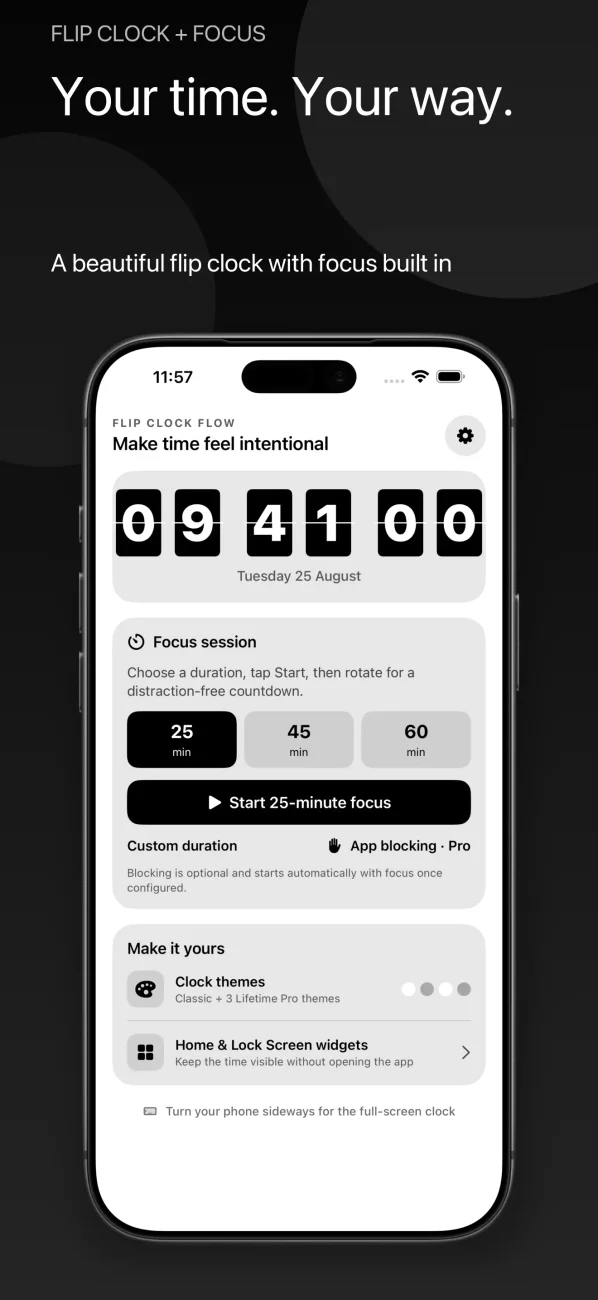
Make time feel intentional with Flip Clock Flow—a beautiful flip clock, focus timer and optional distraction blocker in one calm experience.
FLIP CLOCK
• See a clear animated clock in the portrait dashboard.
• Turn your iPhone or iPad sideways for a clean, full-screen clock.
• Choose the clock style that fits your space.
FOCUS SESSIONS
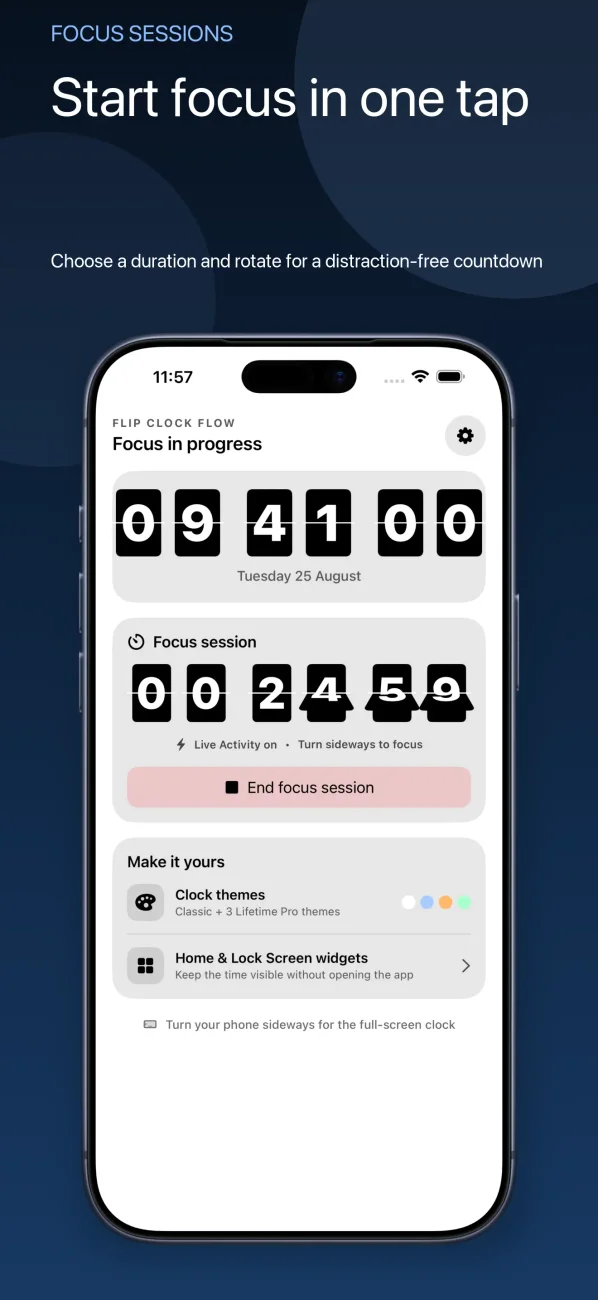
• Start a 25, 45 or 60-minute session in one tap.
• Set a custom duration when you need something different.
• Keep an active countdown visible with a Live Activity.
• Receive an optional notification when focus time ends.
WIDGETS
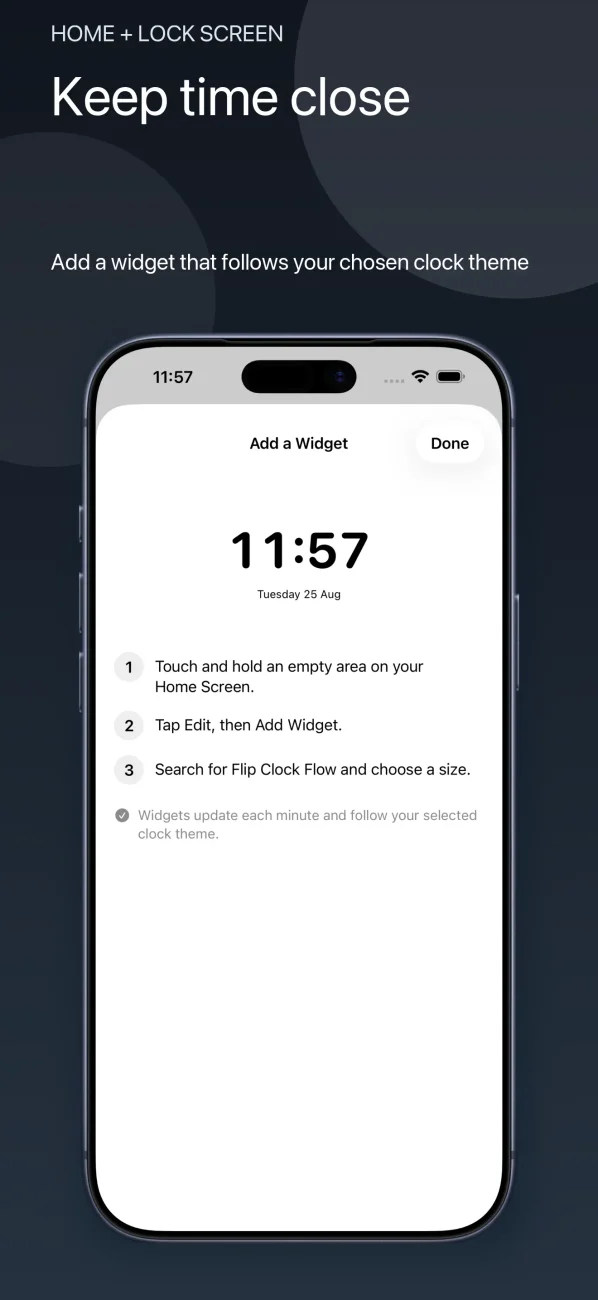
• Keep the current time on your Home Screen or Lock Screen.
• Widgets update each minute and follow your selected clock theme.
LIFETIME PRO
Lifetime Pro is a one-time in-app purchase—no subscription. It unlocks:
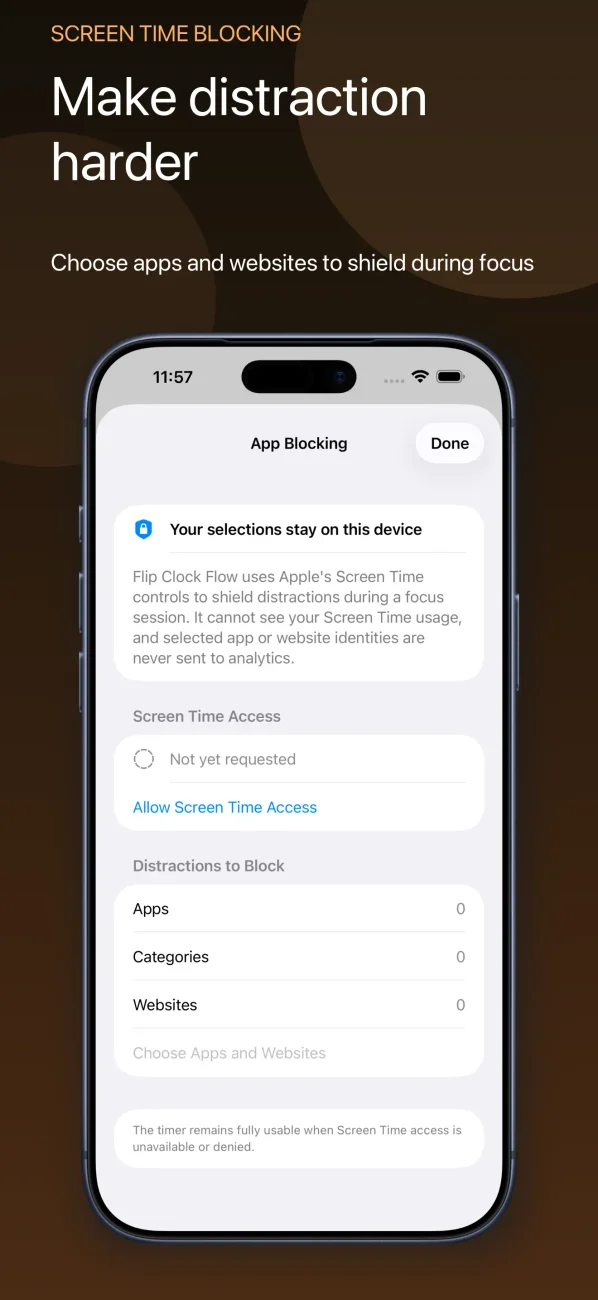
• App, category and website blocking during focus using Apple’s Screen Time controls.
• Midnight, Ember and Forest clock themes.
• Reusable focus presets.
• Private, on-device focus history and statistics.
PRIVACY BY DESIGN
Your Screen Time selections and focus history stay on your device. Flip Clock Flow cannot see your Screen Time usage, and selected app or website identities are never sent to analytics. Optional anonymous product analytics can be disabled at any time in Settings.
Terms of Use: https://www.apple.com/legal/internet-services/itunes/dev/stdeula/
Yang baru
Versi 1.3 · 3/9/2026
Flip Clock Flow has been rebuilt around intentional focus:
• A new portrait dashboard makes the clock, focus controls, themes and widgets easy to find.
• Turn your device sideways for a clean full-screen clock and countdown.
• Start 25, 45, 60-minute or custom focus sessions.
• Follow active sessions with Live Activities and completion notifications.
• Add Home Screen and Lock Screen clock widgets.
• Lifetime Pro adds Screen Time app blocking, three extra themes, saved presets and private on-device history.
• Anonymous analytics are optional and never include Screen Time selections or identities.
Privasi aplikasi
Yang dinyatakan Eric Savoie di App Store tentang cara aplikasi ini menangani data.
-
Data yang tidak ditautkan dengan Anda
Dapat dikumpulkan, tetapi tidak ditautkan dengan identitas Anda.
- Data penggunaan
Praktik privasi dapat bervariasi, misalnya berdasarkan fitur yang Anda gunakan atau usia Anda.
Informasi
- Penjual
- Eric Savoie
- Kategori
- Kegunaan
- Versi
- 1.3
- Diperbarui
- 3/9/2026
- Dirilis
- 15/9/2025
- Ukuran
- 7,0 MB
- Memerlukan
- iOS 18.2 atau yang lebih baru
- Batasan usia
- 4+
- Harga
- Gratis
- Pembelian dalam aplikasi
- Ya
- Bahasa
- Inggris
- Hak cipta
- © 2026 Eric Savoie