
FocusFlow: Start & Return
ADHD focus, one small step
Dirancang untuk iPhone, iPad
Gratis · Pembelian dalam aplikasi
- Batasan usia4+
- KategoriProduktivitas
- Pengembang杰 陈
- BahasaInggris+ 7 lainnya
- Ukuran32,0 MB
Tertaut ke halaman resmi App Store
Download.org tidak menyimpan file FocusFlow: Start & Return apa pun. Tombol ini membuka halaman aplikasi di App Store, tempat 杰 陈 menerbitkannya. Halaman terakhir diperiksa pada 18/11/2026.
Tangkapan layar


Tentang
Pengembang belum menyediakan teks ini dalam bahasa Anda.
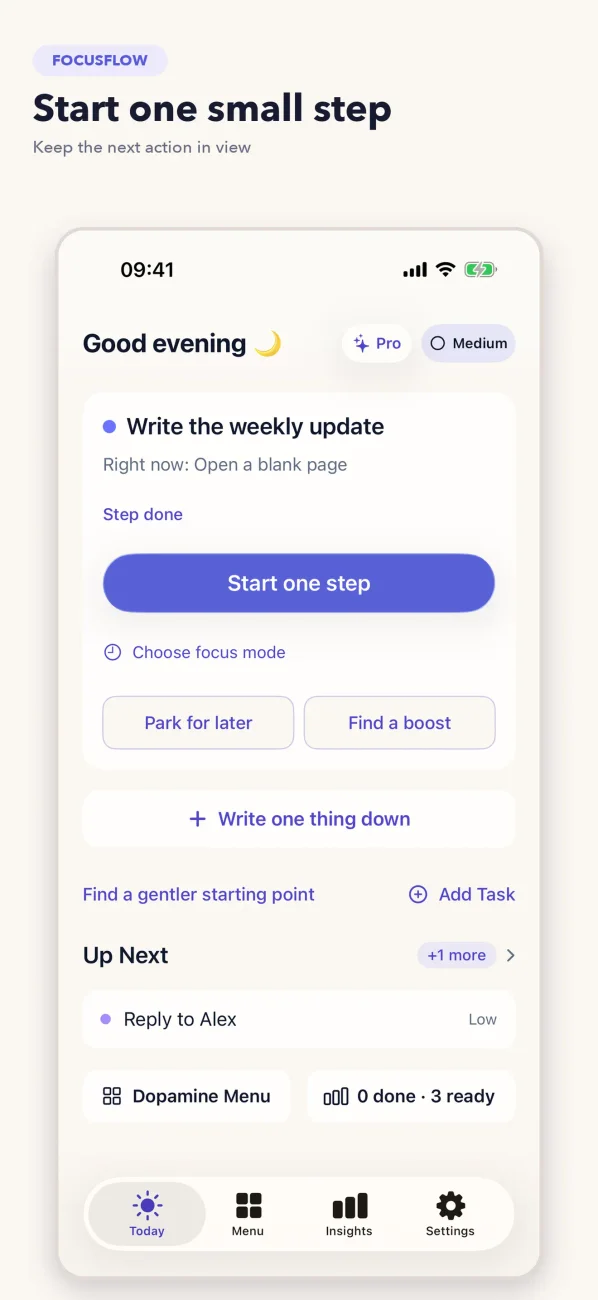
Starting can be the hardest part. FocusFlow brings one task and one clear next step into view, so you can begin without sorting through your whole day.
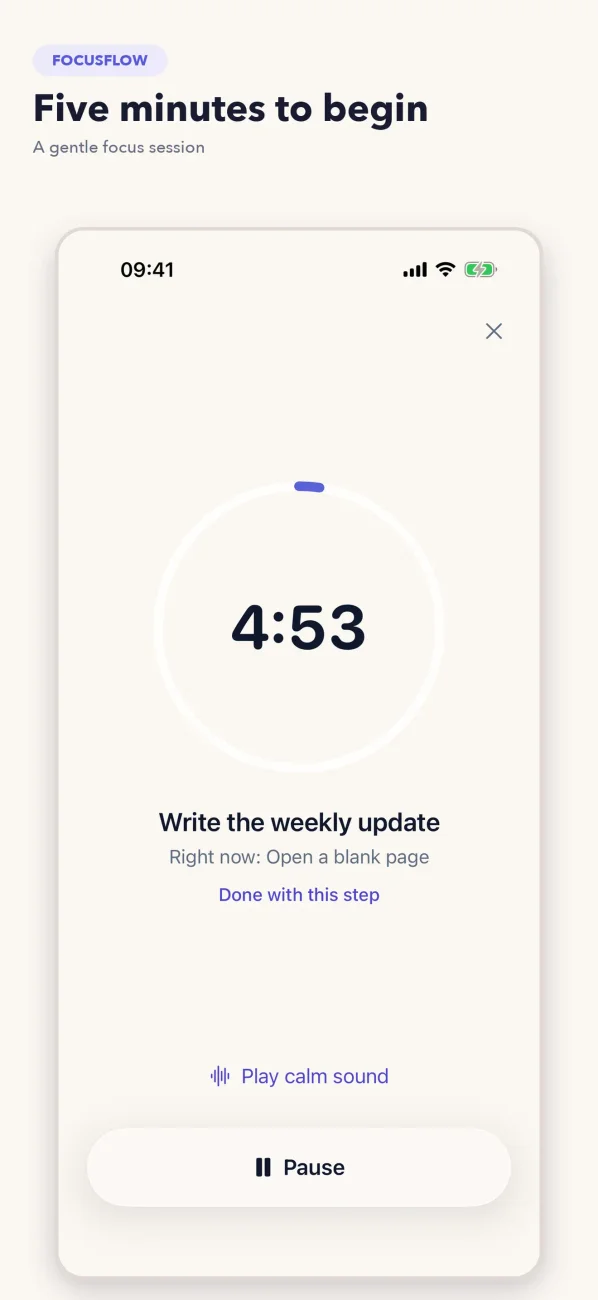
When you are interrupted, park the task with a short return note. Come back to that next step when you are ready. A five-minute focus session helps you get moving without treating a timer as a verdict on your day.
WHAT YOU CAN DO
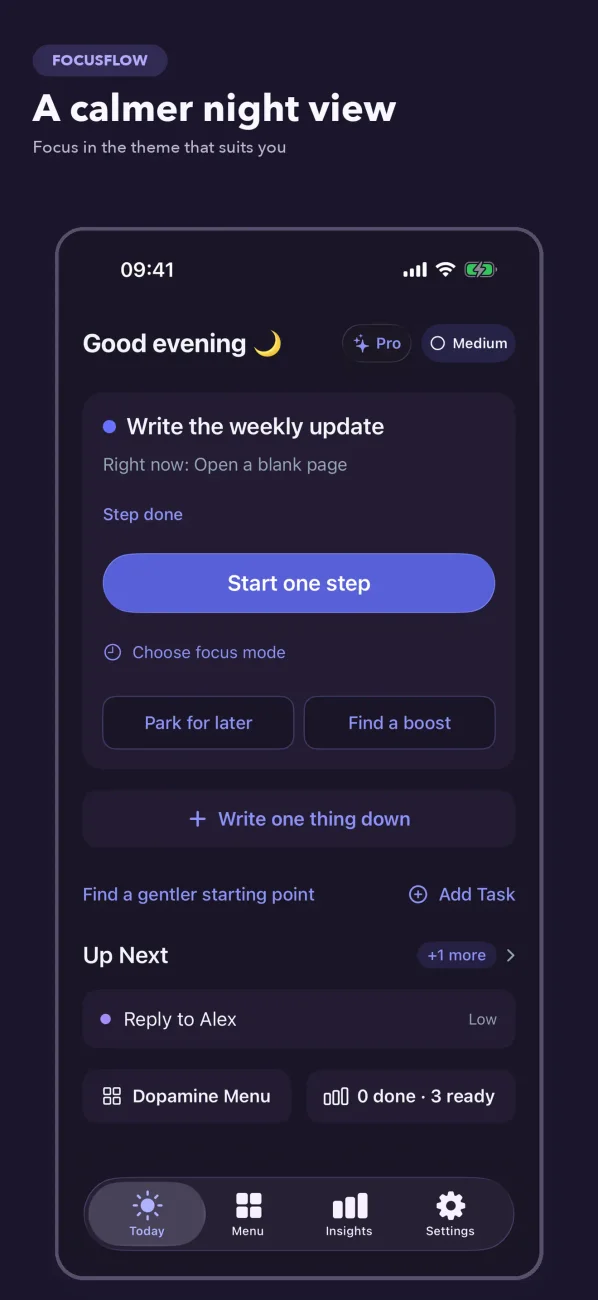
• Start one step: Keep the current task and its next action together on Today.
• Pause and return: Save a small cue, then pick up where you left off.
• Focus gently: Use a short timer and choose what to do when it ends.
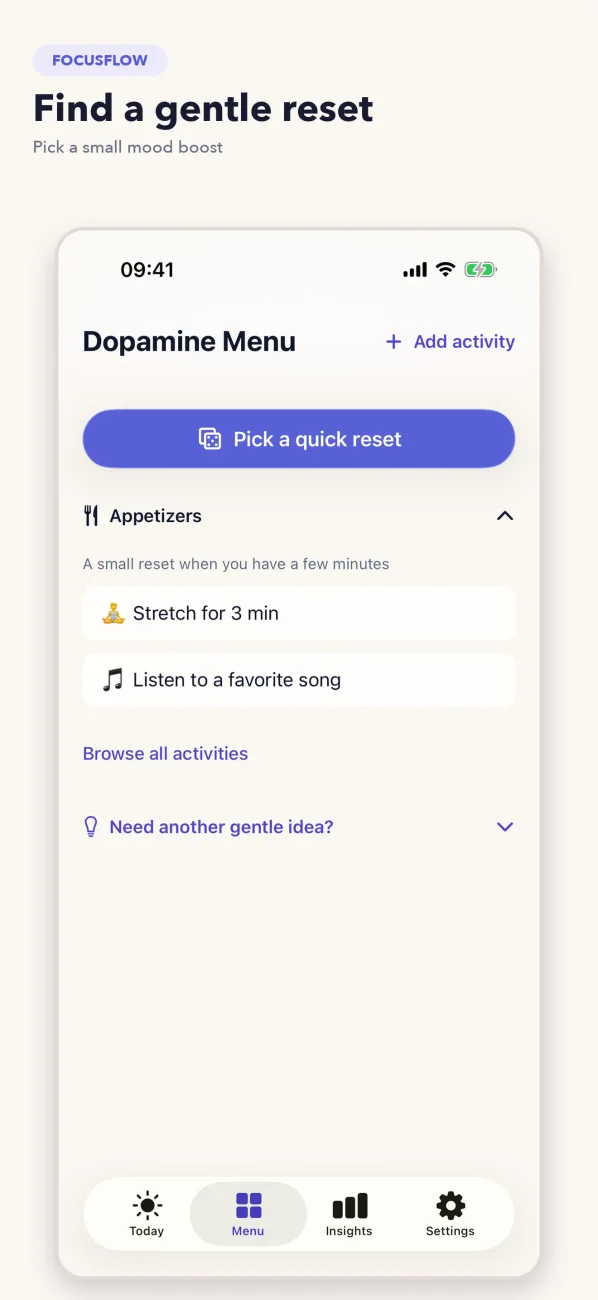
• Find a reset: Pick a small activity from the Dopamine Menu.
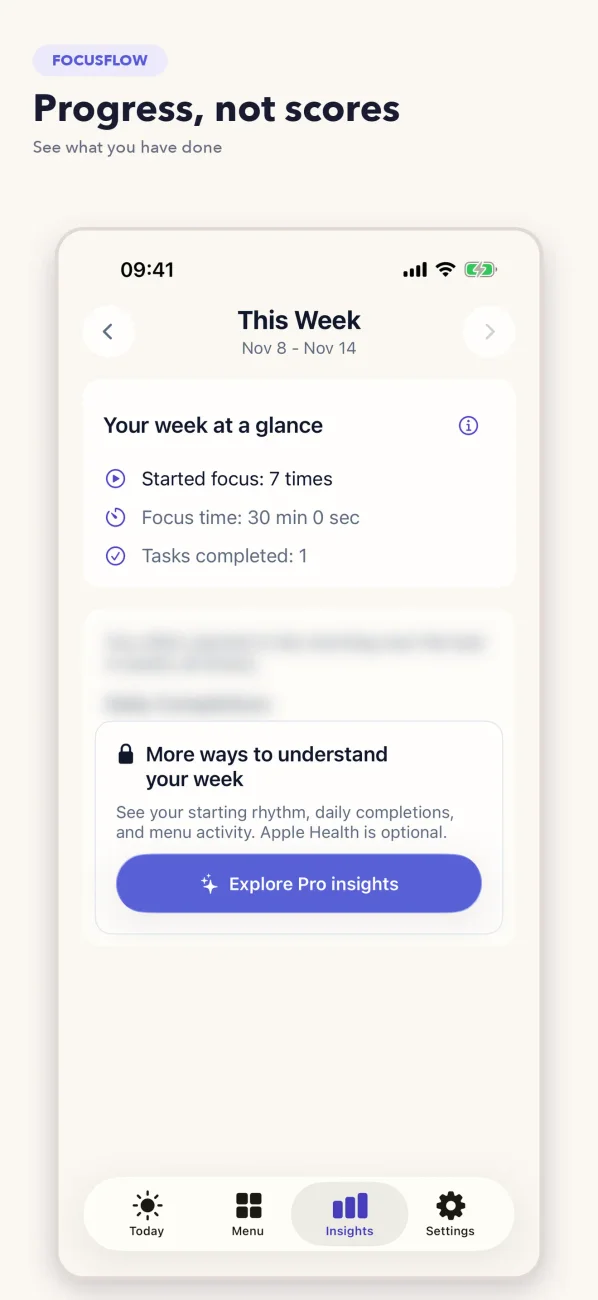
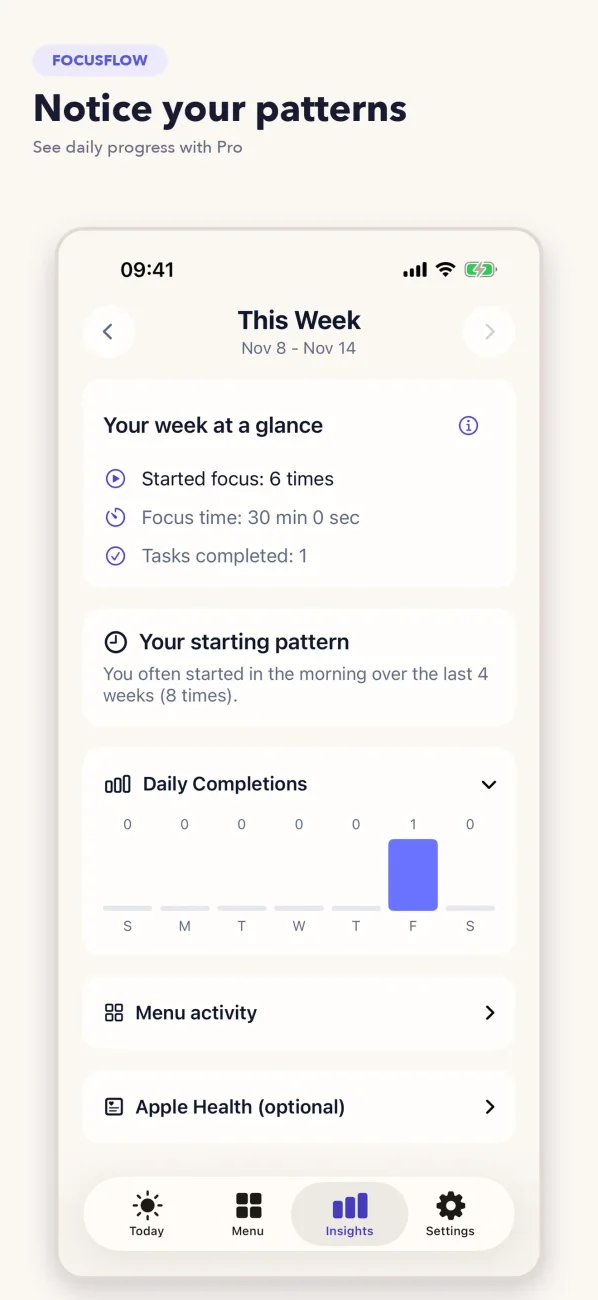
• Notice progress: Review factual weekly activity without scores or broken streaks.
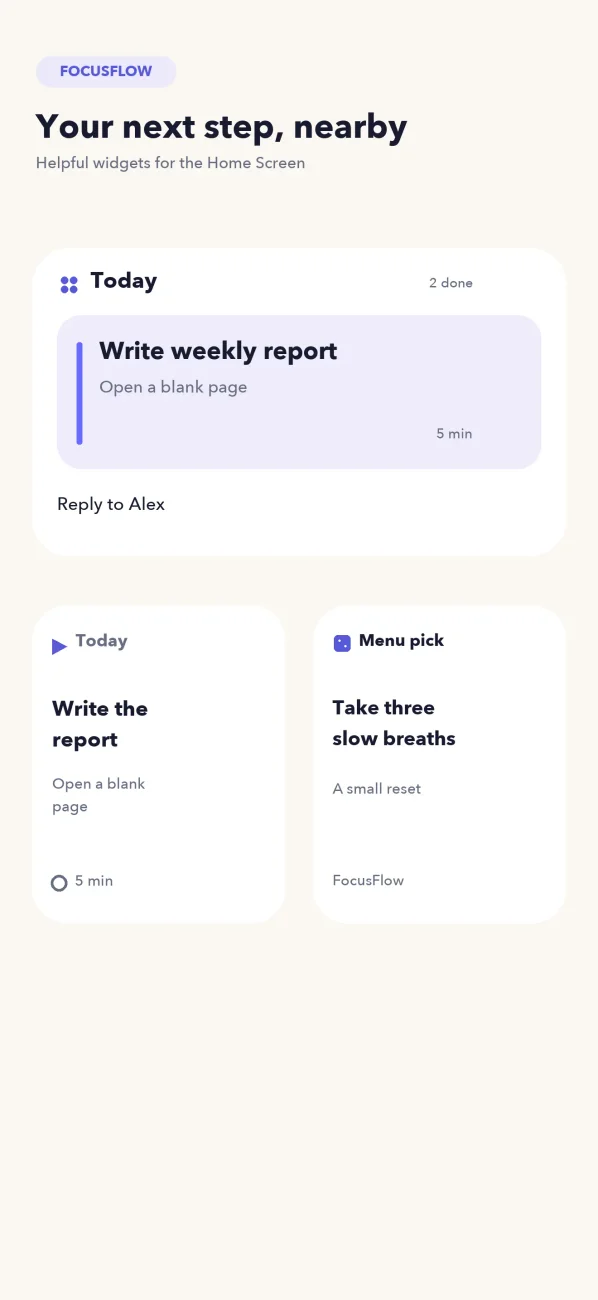
• Keep it nearby: Use a Home Screen widget to return to your task.
The free version includes the core start, pause, and return flow, the Dopamine Menu, and a current-task widget. Pro adds unlimited daily task creation and step suggestions, additional widgets, weekly reports, medication reminders, and optional Apple Health insights. Available plans, prices, and any eligible trial are shown in the app before purchase.
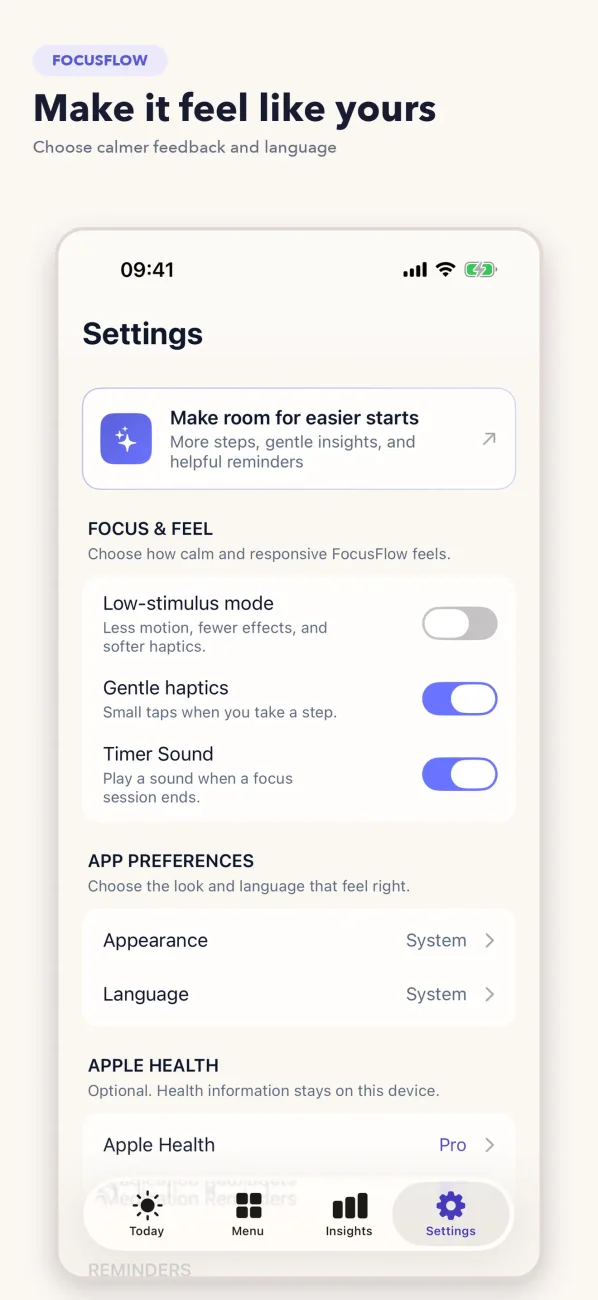
Apple Health access is optional. With your permission, Pro can show sleep, steps, and active energy beside completed-task counts. FocusFlow does not use those readings to diagnose ADHD or explain why a particular day went well or poorly. The core task flow works without Health access.
Find one small step and begin from there.
Terms of Service: https://sites.google.com/view/adhdflow-termsofservice
Privacy Policy: https://sites.google.com/view/adhdflow-privacypolicy
Yang baru
Versi 1.1.0 · 14/11/2026
Starting and returning feel simpler in this update. Today puts one task and its next step first. You can park a task with a return cue, start a short focus session, and choose a gentle reset from the refreshed Dopamine Menu. Weekly Insights and widgets have clearer layouts, with optional Apple Health readings in Pro. We also refined the light and dark themes and layouts for iPhone, iPad, and iPhone Duo.
Privasi aplikasi
Yang dinyatakan 杰 陈 di App Store tentang cara aplikasi ini menangani data.
-
Data yang digunakan untuk melacak Anda
Dapat digunakan untuk melacak Anda di aplikasi dan situs web milik perusahaan lain.
- Lokasi
-
Data yang tidak ditautkan dengan Anda
Dapat dikumpulkan, tetapi tidak ditautkan dengan identitas Anda.
- Kesehatan dan kebugaran
- Lokasi
- Pengenal
- Diagnostik
Praktik privasi dapat bervariasi, misalnya berdasarkan fitur yang Anda gunakan atau usia Anda.
Informasi
- Penjual
- 杰 陈
- Kategori
- Produktivitas
- Versi
- 1.1.0
- Diperbarui
- 14/11/2026
- Dirilis
- 20/6/2026
- Ukuran
- 32,0 MB
- Memerlukan
- iOS 17.0 atau yang lebih baru
- Batasan usia
- 4+
- Harga
- Gratis
- Pembelian dalam aplikasi
- Ya
- Bahasa
- Inggris, Arab, Filipino, Prancis, Korea, Tionghoa Sederhana, Spanyol, Vietnamese
- Hak cipta
- © FocusFlow - ADHD Planner
Mungkin Anda juga suka
-
 Weekly Planner - SortaProduktivitas
-
 ACCENTRIX PMSProduktivitas
-
 MyHomeDocsProduktivitas
-
 ADHD Voice Notes: ClairetiProduktivitas
-
 Tuck: ADHD Body DoubleProduktivitas
-
 Dopamine DashProduktivitas
-
 Vividly: ADHD Task CoachProduktivitas
-
 JustStart: ADHD PlannerProduktivitas
-
 HummingTask: ADHD PlannerProduktivitas
-
 Todobook: Family & Couple TodoProduktivitas