
FocusFlow: Start & Return
ADHD focus, one small step
Được thiết kế cho iPhone, iPad
Miễn phí · Mua hàng trong ứng dụng
- Độ tuổi4+
- Danh mụcHiệu Suất
- Nhà phát triển杰 陈
- Ngôn ngữTiếng Anh+ 7 ngôn ngữ khác
- Kích thước32,0 MB
Liên kết đến trang App Store chính thức
Download.org không lưu trữ tệp nào của FocusFlow: Start & Return. Nút này mở trang ứng dụng trên App Store, nơi 杰 陈 phát hành ứng dụng. Trang được kiểm tra lần cuối: 18/11/2026.
Ảnh chụp màn hình


Giới thiệu
Nhà phát triển chưa cung cấp nội dung này bằng ngôn ngữ của bạn.
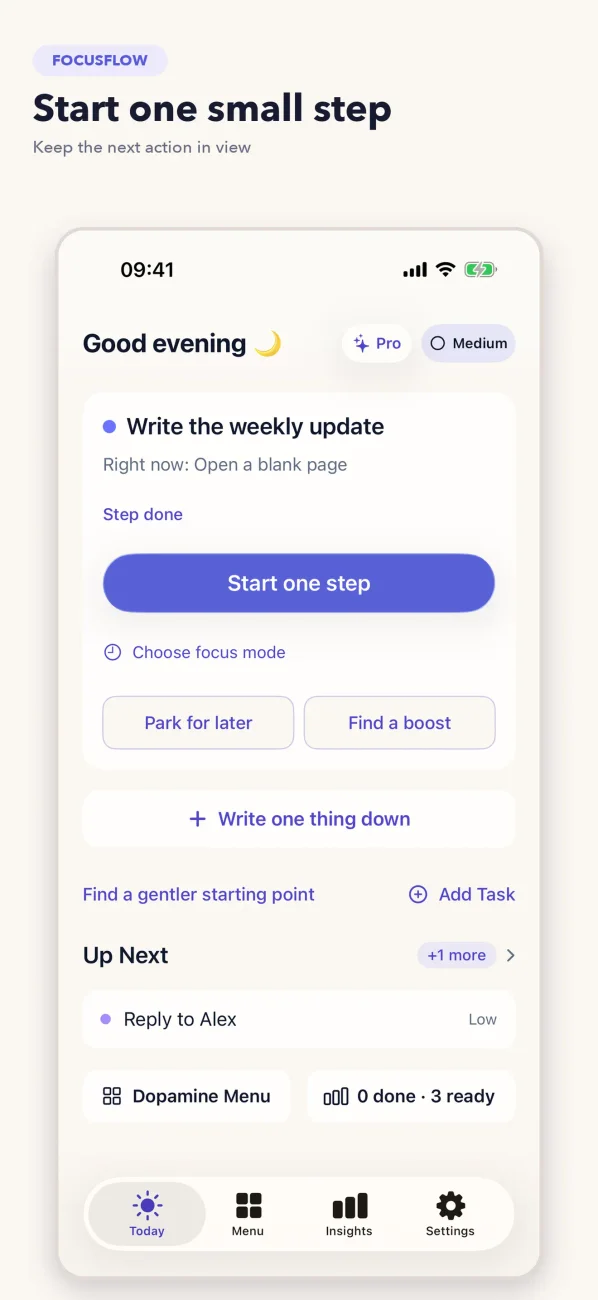
Starting can be the hardest part. FocusFlow brings one task and one clear next step into view, so you can begin without sorting through your whole day.
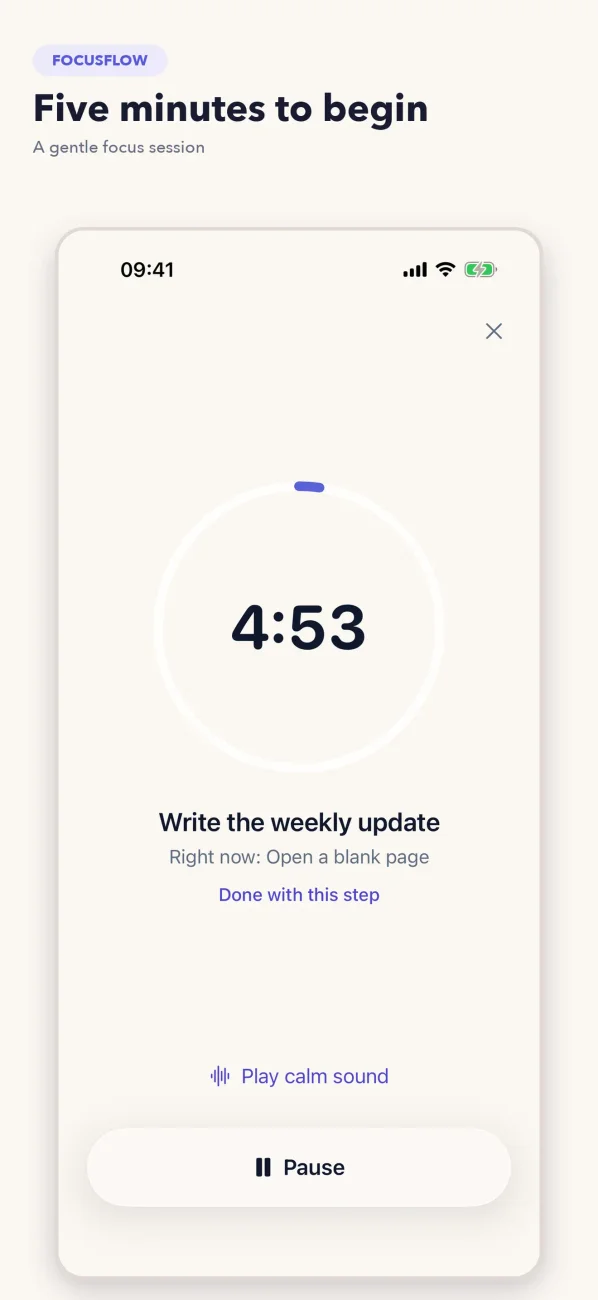
When you are interrupted, park the task with a short return note. Come back to that next step when you are ready. A five-minute focus session helps you get moving without treating a timer as a verdict on your day.
WHAT YOU CAN DO
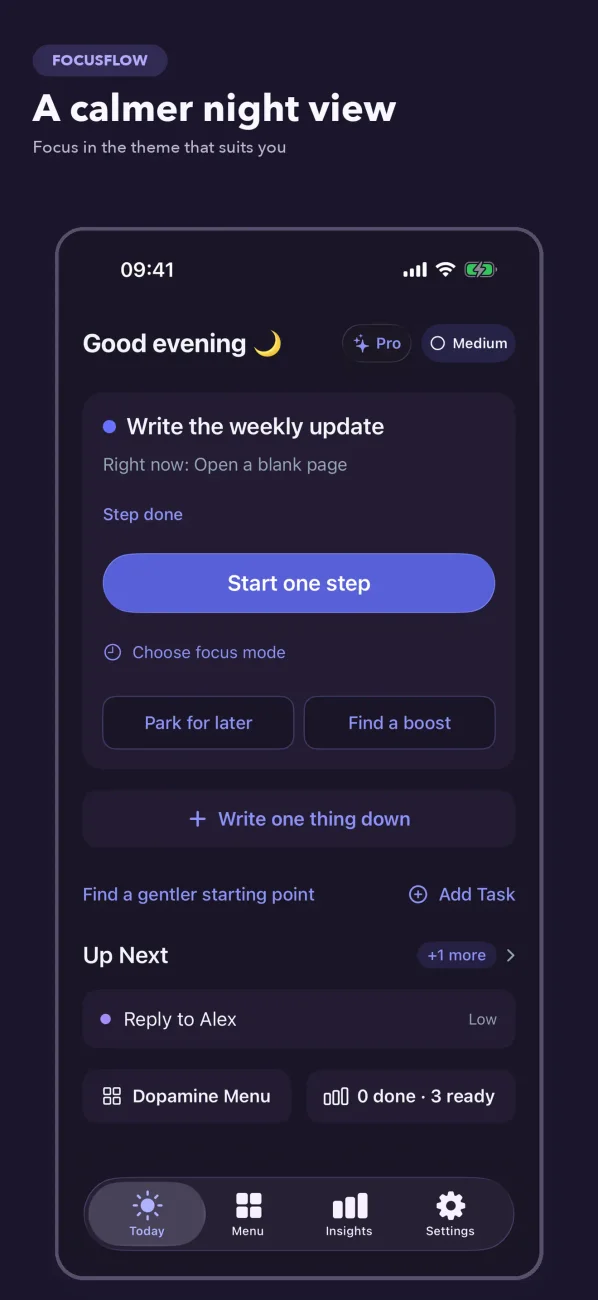
• Start one step: Keep the current task and its next action together on Today.
• Pause and return: Save a small cue, then pick up where you left off.
• Focus gently: Use a short timer and choose what to do when it ends.
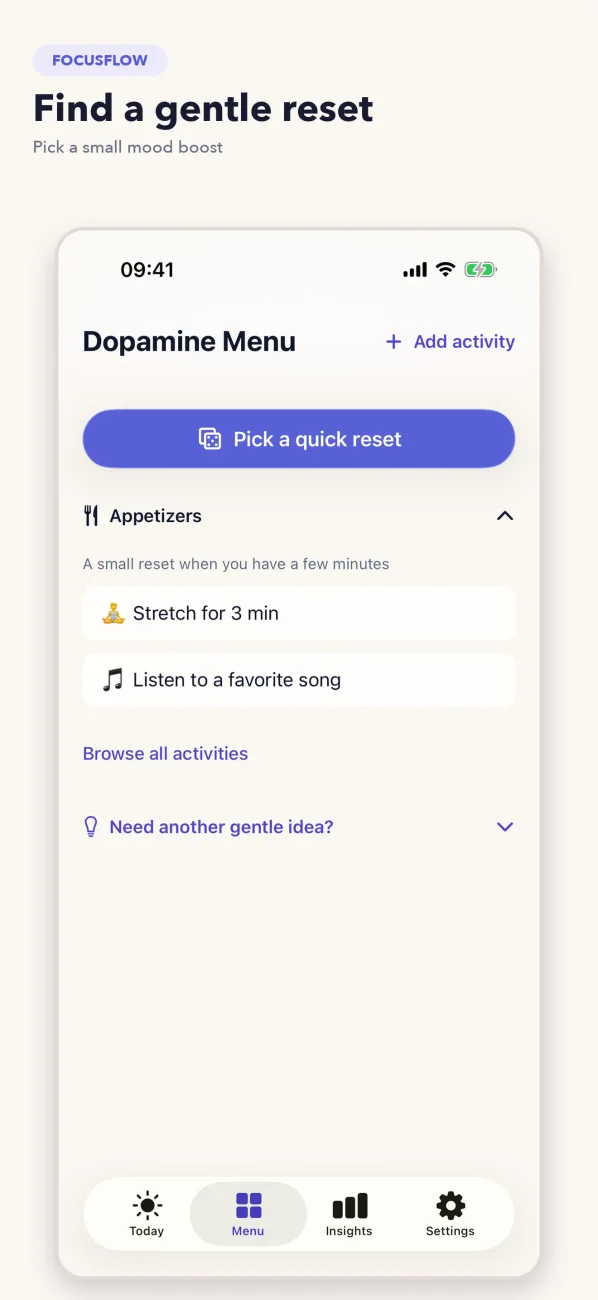
• Find a reset: Pick a small activity from the Dopamine Menu.
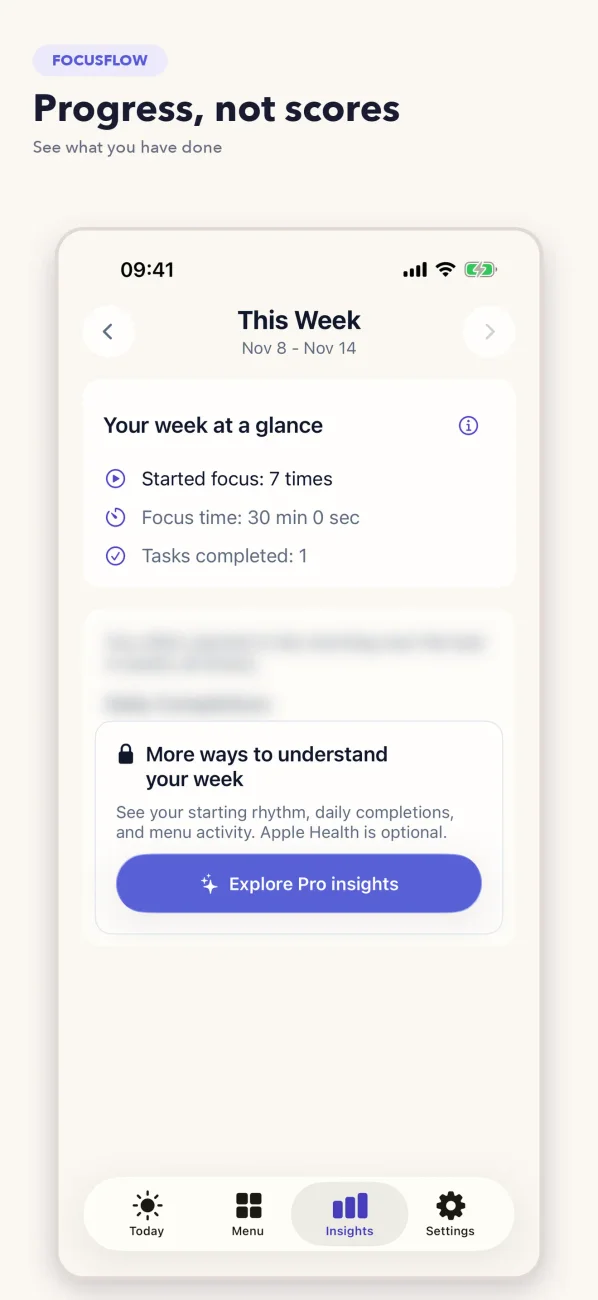
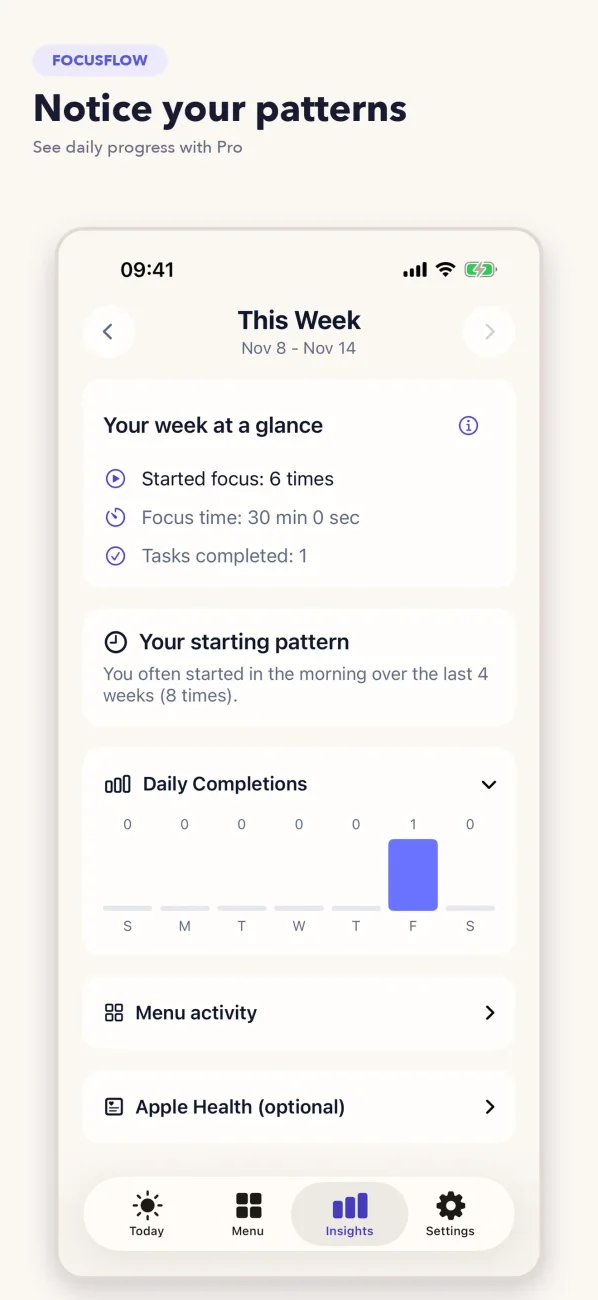
• Notice progress: Review factual weekly activity without scores or broken streaks.
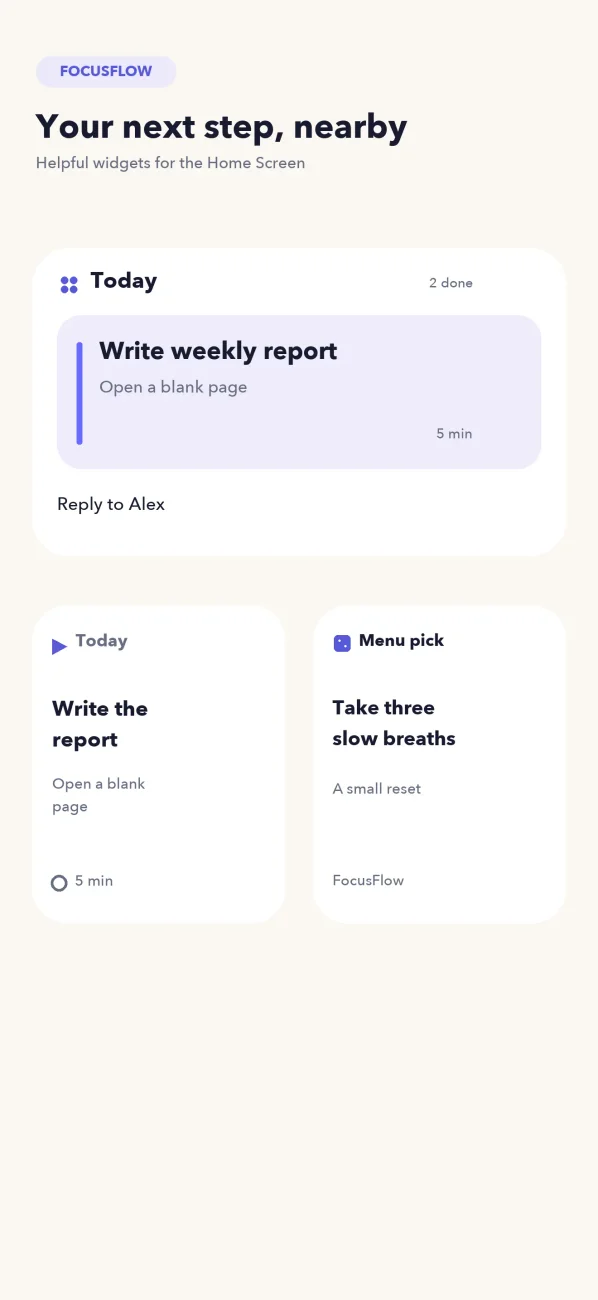
• Keep it nearby: Use a Home Screen widget to return to your task.
The free version includes the core start, pause, and return flow, the Dopamine Menu, and a current-task widget. Pro adds unlimited daily task creation and step suggestions, additional widgets, weekly reports, medication reminders, and optional Apple Health insights. Available plans, prices, and any eligible trial are shown in the app before purchase.
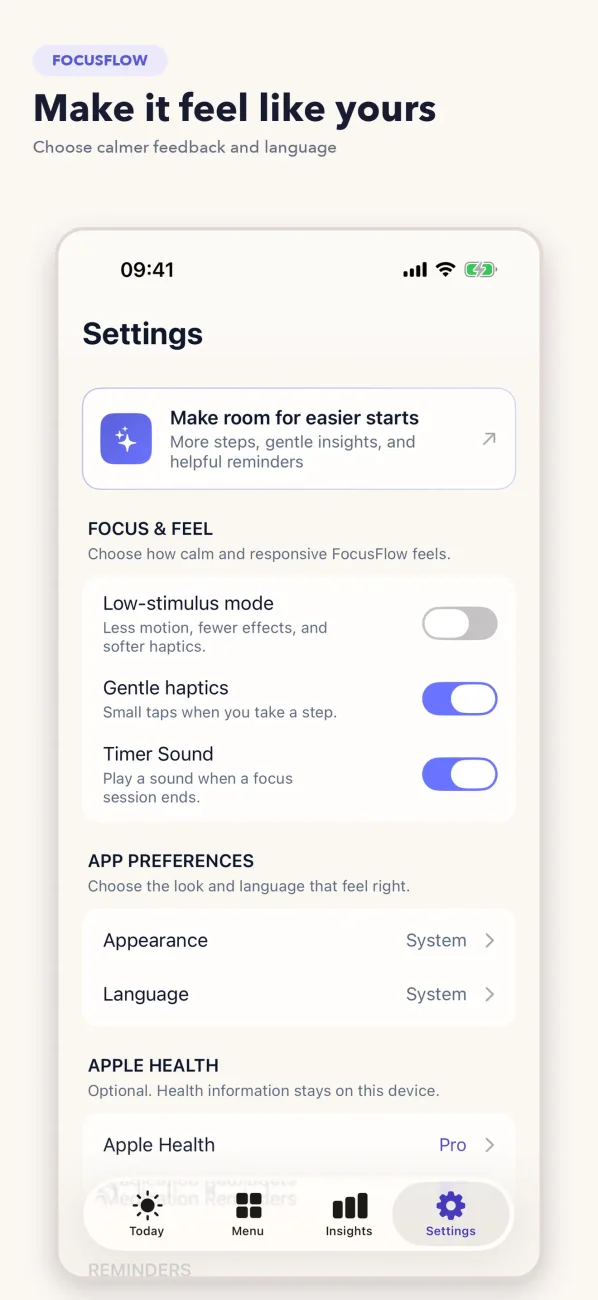
Apple Health access is optional. With your permission, Pro can show sleep, steps, and active energy beside completed-task counts. FocusFlow does not use those readings to diagnose ADHD or explain why a particular day went well or poorly. The core task flow works without Health access.
Find one small step and begin from there.
Terms of Service: https://sites.google.com/view/adhdflow-termsofservice
Privacy Policy: https://sites.google.com/view/adhdflow-privacypolicy
Có gì mới
Phiên bản 1.1.0 · 14/11/2026
Starting and returning feel simpler in this update. Today puts one task and its next step first. You can park a task with a return cue, start a short focus session, and choose a gentle reset from the refreshed Dopamine Menu. Weekly Insights and widgets have clearer layouts, with optional Apple Health readings in Pro. We also refined the light and dark themes and layouts for iPhone, iPad, and iPhone Duo.
Quyền riêng tư của ứng dụng
Những gì 杰 陈 khai báo trên App Store về cách ứng dụng này xử lý dữ liệu.
-
Dữ liệu được sử dụng để theo dõi bạn
Có thể được sử dụng để theo dõi bạn trên các ứng dụng và trang web do công ty khác sở hữu.
- Vị trí
-
Dữ liệu không liên kết với bạn
Có thể được thu thập nhưng không liên kết với danh tính của bạn.
- Sức khoẻ và thể chất
- Vị trí
- Mã định danh
- Chẩn đoán
Phương thức đảm bảo quyền riêng tư có thể khác nhau, chẳng hạn như tuỳ theo các tính năng bạn sử dụng hoặc độ tuổi của bạn.
Thông tin
- Người bán
- 杰 陈
- Danh mục
- Hiệu Suất
- Phiên bản
- 1.1.0
- Cập nhật
- 14/11/2026
- Phát hành
- 20/06/2026
- Kích thước
- 32,0 MB
- Yêu cầu
- iOS 17.0 trở lên
- Độ tuổi
- 4+
- Giá
- Miễn phí
- Mua hàng trong ứng dụng
- Có
- Ngôn ngữ
- Tiếng Anh, Tiếng Ả Rập, Filipino, Tiếng Pháp, Tiếng Hàn, Tiếng Trung Giản thể, Tiếng Tây Ban Nha, Vietnamese
- Bản quyền
- © FocusFlow - ADHD Planner
Có thể bạn cũng thích
-
 Weekly Planner - SortaHiệu Suất
-
 ACCENTRIX PMSHiệu Suất
-
 Thư Nhà ThôngHiểu tài liệu của bạn
-
 ADHD Voice Notes: ClairetiHiệu Suất
-
 Tuck: ADHD Body DoubleHiệu Suất
-
 Dopamine DashHiệu Suất
-
 Vividly: ADHD Task CoachHiệu Suất
-
 JustStart: ADHD PlannerHiệu Suất
-
 HummingTask: ADHD PlannerHiệu Suất
-
 Todobook: Family & Couple TodoHiệu Suất