NextExplorer
Cloud file self-hosted milikmu
Dirancang untuk iPhone, iPad, Mac
Gratis · Pembelian dalam aplikasi
- Batasan usia4+
- KategoriKegunaan
- PengembangPhillip Maizza
- BahasaInggris+ 28 lainnya
- Ukuran157,9 MB
Tertaut ke halaman resmi App Store
Download.org tidak menyimpan file NextExplorer apa pun. Tombol ini membuka halaman aplikasi di App Store, tempat Phillip Maizza menerbitkannya. Halaman terakhir diperiksa pada 24/11/2026.
Tangkapan layar


Tentang
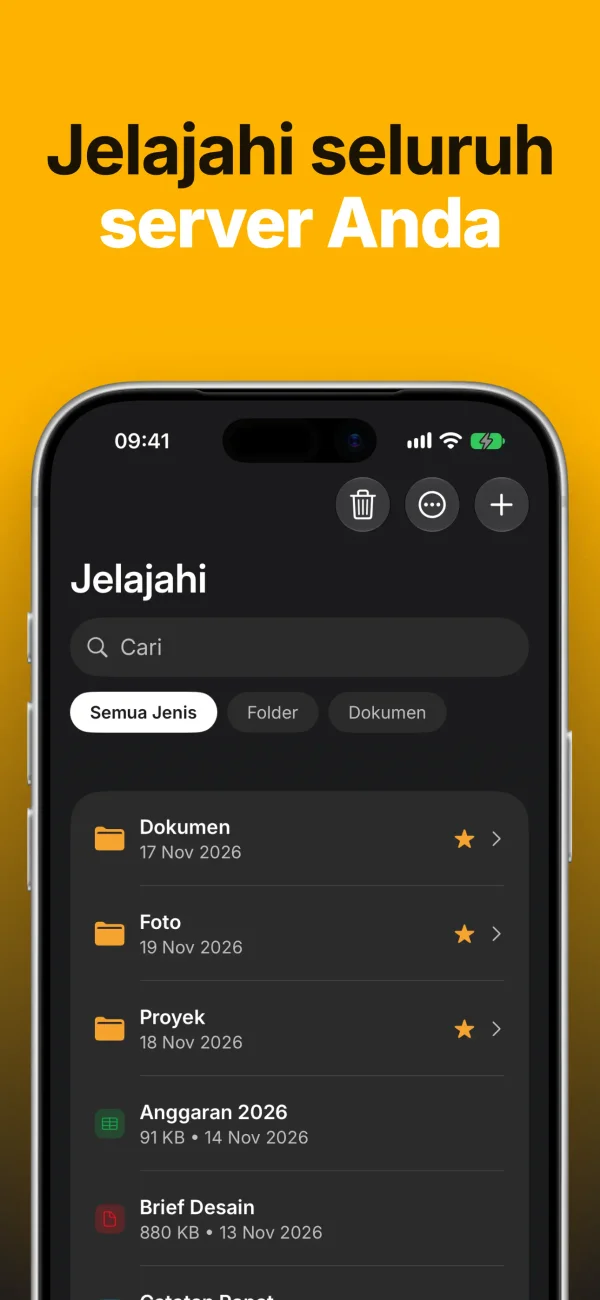
NextExplorer adalah klien native yang cepat untuk server NextExplorer self-hosted Anda, di iPhone, iPad, dan Mac. Dapatkan akses pribadi dengan kecepatan penuh ke file, foto, dokumen, dan kode Anda, semuanya di infrastruktur milik Anda sendiri.
Server Anda. Data Anda. Kecepatan native.
CATATAN: NextExplorer memerlukan instans server NextExplorer yang aktif. Aplikasi ini tidak menyimpan file sendiri.
PENJELAJAHAN FILE NATIVE
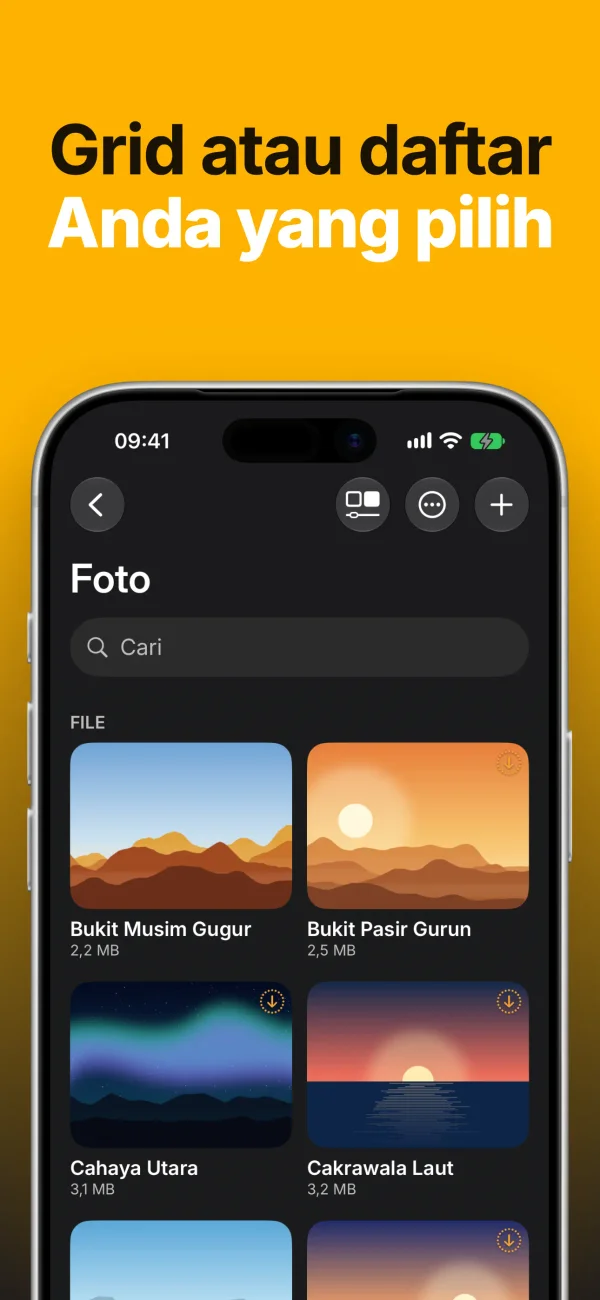
- Tampilan Grid & Daftar: Navigasi mulus dengan thumbnail dari server, breadcrumb, dan tarik untuk menyegarkan.
- Pratinjau Kaya: Galeri layar penuh untuk foto, video, audio, PDF, teks, dan kode, lengkap dengan gestur dan zoom.
- Inspeksi Arsip: Jelajahi isi arsip ZIP tanpa mengekstraknya.
EDITOR KODE & TEKS BAWAAN
- Penyorotan Sintaks: Edit Swift, Python, JS/TS, Go, Rust, Java, HTML, CSS, JSON, YAML, Markdown, dan banyak lagi.
- Edit Cepat: Ubah file server langsung di tempat, dari perangkat Anda.
PENCARIAN & PENGATURAN YANG HANDAL
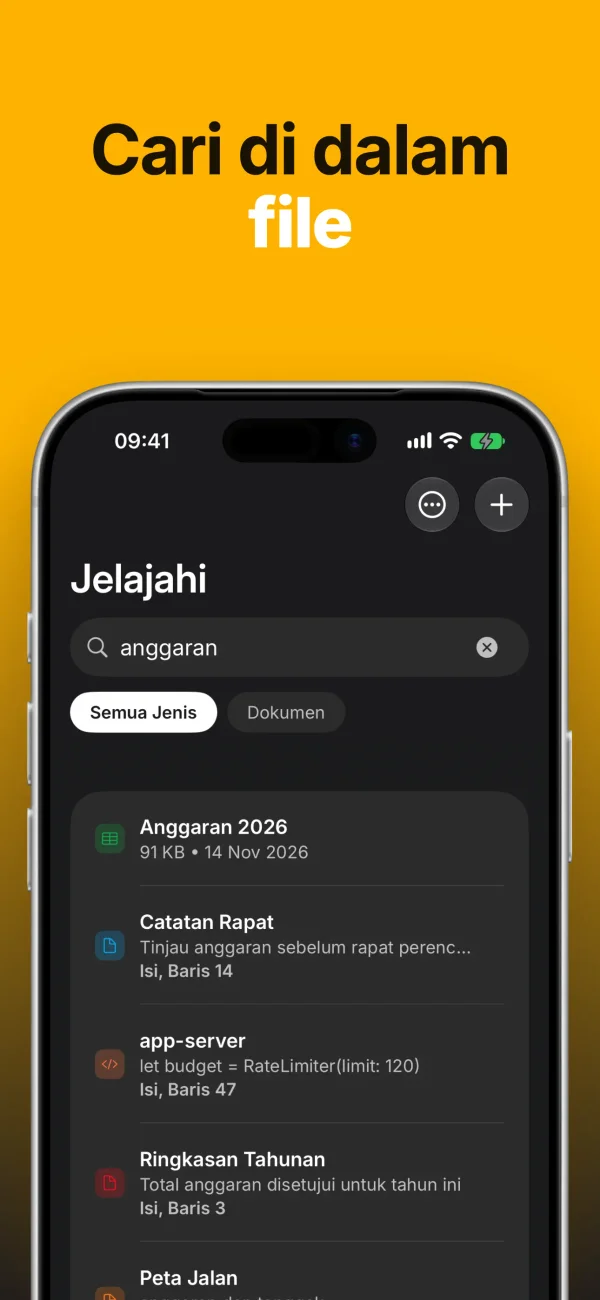
- Pencarian Teks Lengkap & Nama: Cari di setiap folder, lengkap dengan baris persis dari tiap hasil isi.
- Penyaringan Instan: Persempit hasil berdasarkan jenis file dengan satu ketukan.
- Bagikan & Kelola: Buat tautan dengan sandi dan tanggal kedaluwarsa, sematkan favorit, unggah, pindahkan, salin, ganti nama, dan urungkan, semuanya dengan cepat.
OFFLINE & PRIVASI UTAMA
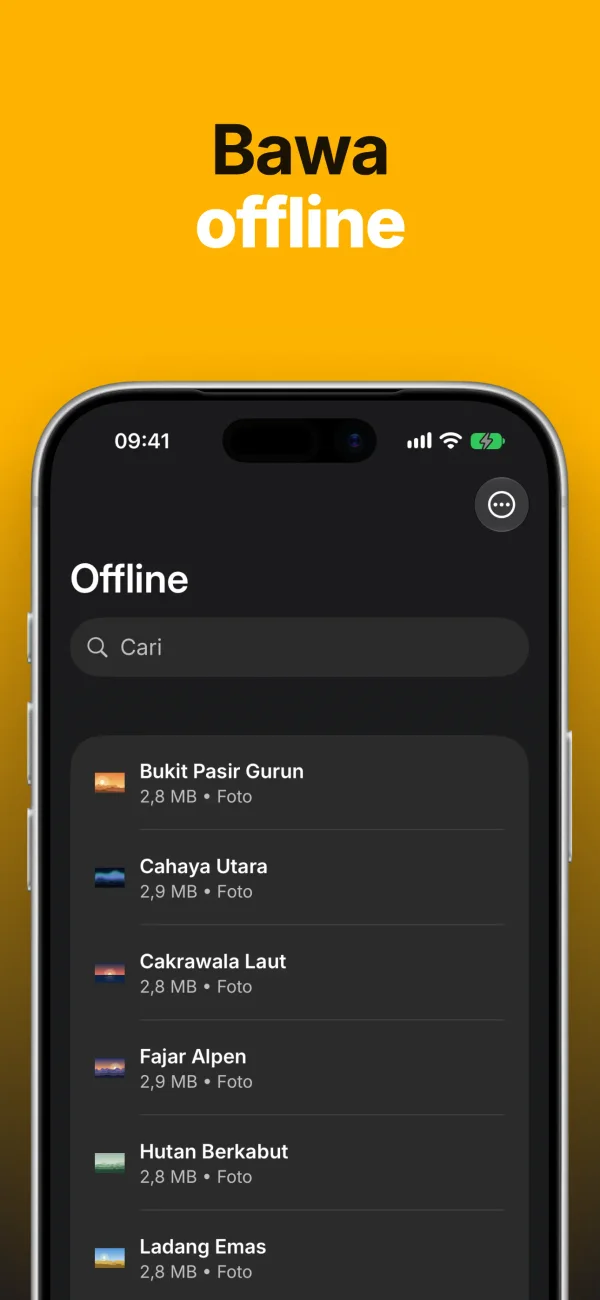
- Tab Offline: Simpan file atau folder apa pun di perangkat dan buka tanpa koneksi.
- Tanpa Pelacakan: File Anda berpindah langsung antara perangkat dan server Anda. Tanpa perantara, tanpa telemetri.
AKSESIBEL & GLOBAL
- Terlokalisasi: Diterjemahkan ke 30 bahasa, dengan dukungan penuh kanan-ke-kiri untuk Arab dan Ibrani.
- Native di Mana Saja: Mode Gelap, Dynamic Type, VoiceOver, pengurangan gerakan, dan kontras lebih tinggi, ditambah ekstensi Bagikan dan sidebar native bergaya kaca buram di Mac.
Jalankan cloud Anda sendiri. Data tetap milik Anda.
Yang baru
Versi 1.4.0 · 23/11/2026
• Offline replaces Downloads: mark any file or folder Available Offline and open it without a connection
• Save to Device: photos and videos go to Photos, other files to the Files app
• The Offline tab shows the space it uses and when each item last updated
• Remove a single item from inside a folder you keep offline
• A dot on Offline tells you when new files were kept
• The app opens without a connection and shows your saved folders and files
• The gallery pages through every file in a folder: photos, videos, PDFs, text and more
• Video thumbnails, audio cover art and a preview of text and code files
• Pictures the server cannot read (ICO, BMP, TIFF, RAW) get thumbnails made on your device
• Every file opens with a zoom from its thumbnail
• Undo moves, copies and renames with a shake, a three finger swipe, Command Z or the toast's Undo
• Slide a finger sideways over rows or tiles to select them
• Select mode gathers its actions into one menu
• Name files shared from other apps before they upload
• Pictures and PDFs shared into the app show their thumbnail right away
• Search understands patterns like *.pdf and finds names with or without accents
• Search shows what is on this device first and works offline from your saved folders
• The top level searches everywhere, a folder searches itself, and Search Everywhere is one tap away
• Search results say where each file lives and what matched
• Long press a search result to show it in its folder or copy its path
• Settings is one menu with a page per section, and creating an API token is simpler
• A new font: Inter, the same as the NextExplorer website
• Stronger colors when Increase Contrast is on
• iPad: keyboard shortcuts, an account menu in the sidebar and a path bar over the folder
• iPad: a frosted sidebar and sign in card, solid when Reduce Transparency is on
• Mac: frosted windows and a native sidebar
• Mac: search in a Spotlight style panel from the magnifier, Command F or Command K, with your current folder's matches first and thumbnails
• Mac: a search result opens on top of where you were, so Back takes you there, and a file opens inside its folder
• Mac: undo and redo moves, renames and new folders and files with Command Z, Shift Command Z or the toast's Undo
• Mac: Upload, Refresh and Search sit together in the toolbar of every folder
• Mac: offline progress shows in a bar under the folder
• Mac: Help and Support writes to the support email, and the About window's coffee link opens the tip jar
• Moving or copying no longer reports a failure after it worked
• Sharing large files from other apps no longer fails
• Tapping an upload notification opens the folder the files went to instead of closing the app
• Offline size estimates no longer show folders in terabytes
• A video opened in the gallery starts playing and keeps its place
• Search keeps its results while you type, and a failed search says why with Try Again
• The gallery's page dots sit above the bottom bar
• Password and two factor settings no longer flash in and out
• Safer single sign on
• Smoother animations and haptics that follow Apple's guidance
Privasi aplikasi
Yang dinyatakan Phillip Maizza di App Store tentang cara aplikasi ini menangani data.
-
Data tidak dikumpulkan
Pengembang tidak mengumpulkan data apa pun dari aplikasi ini.
Praktik privasi dapat bervariasi, misalnya berdasarkan fitur yang Anda gunakan atau usia Anda.
Informasi
- Penjual
- Phillip Maizza
- Kategori
- Kegunaan
- Versi
- 1.4.0
- Diperbarui
- 23/11/2026
- Dirilis
- 22/9/2026
- Ukuran
- 157,9 MB
- Memerlukan
- iOS 18.0 atau yang lebih baru
- Batasan usia
- 4+
- Harga
- Gratis
- Pembelian dalam aplikasi
- Ya
- Bahasa
- Inggris, Arab, Cheska (Republik Cheska), Dansk (Denmark), Belanda, Suomi (Finlandia), Prancis, Jerman, Yunani, Ibrani, Hindi, Magyar (Hungaria) + 17 lainnya
- Hak cipta
- © 2026 Phillip Maizza