- 対象年齢4+
- カテゴリユーティリティ
- 開発元Phillip Maizza
- 言語英語ほか28言語
- サイズ157.9 MB
App Storeの公式ページにリンクしています
Download.orgはNextExplorerのファイルを一切ホストしていません。ボタンを押すと、Phillip Maizzaが公開しているApp Storeのアプリページが開きます。ページの最終確認:2026/11/24。
スクリーンショット
概要
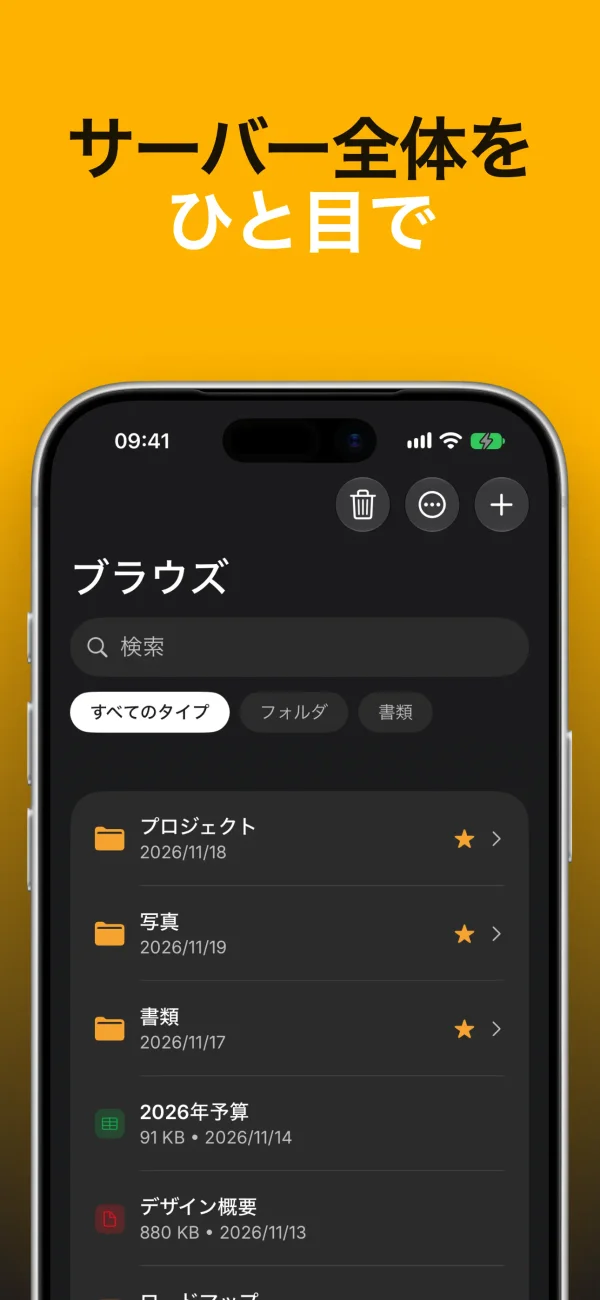
NextExplorerは、セルフホストのNextExplorerサーバー向けに作られた、高速なネイティブクライアントです。iPhone、iPad、Macで、ファイル、写真、書類、コードに、プライベートかつフルスピードでアクセス。すべて自分のインフラで運用できます。
あなたのサーバー。あなたのデータ。ネイティブの速さ。
注意:NextExplorerの利用には、稼働中のNextExplorerサーバーが必要です。本アプリ単体でファイルを保管することはありません。
ネイティブなファイル閲覧
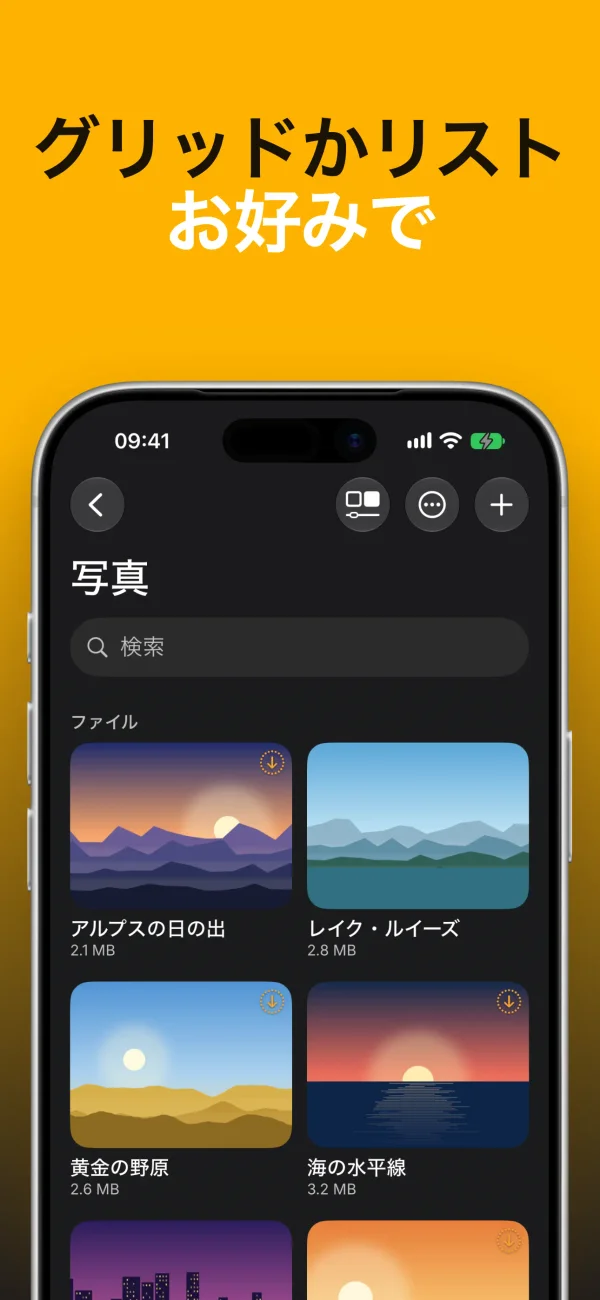
- グリッド&リスト表示: サーバー生成のサムネイル、パンくずリスト、プルダウン更新でスムーズに移動。
- リッチなプレビュー: 写真、ビデオ、オーディオ、PDF、テキスト、コードをジェスチャーとズーム対応のフルスクリーンギャラリーで表示。
- アーカイブの中身を確認: ZIPアーカイブを展開せずに中身を閲覧できます。
コード&テキストエディタ内蔵
- シンタックスハイライト: Swift、Python、JS/TS、Go、Rust、Java、HTML、CSS、JSON、YAML、Markdownなどを編集。
- すばやい編集: サーバー上のファイルを、お使いのデバイスからその場で変更。
強力な検索と整理
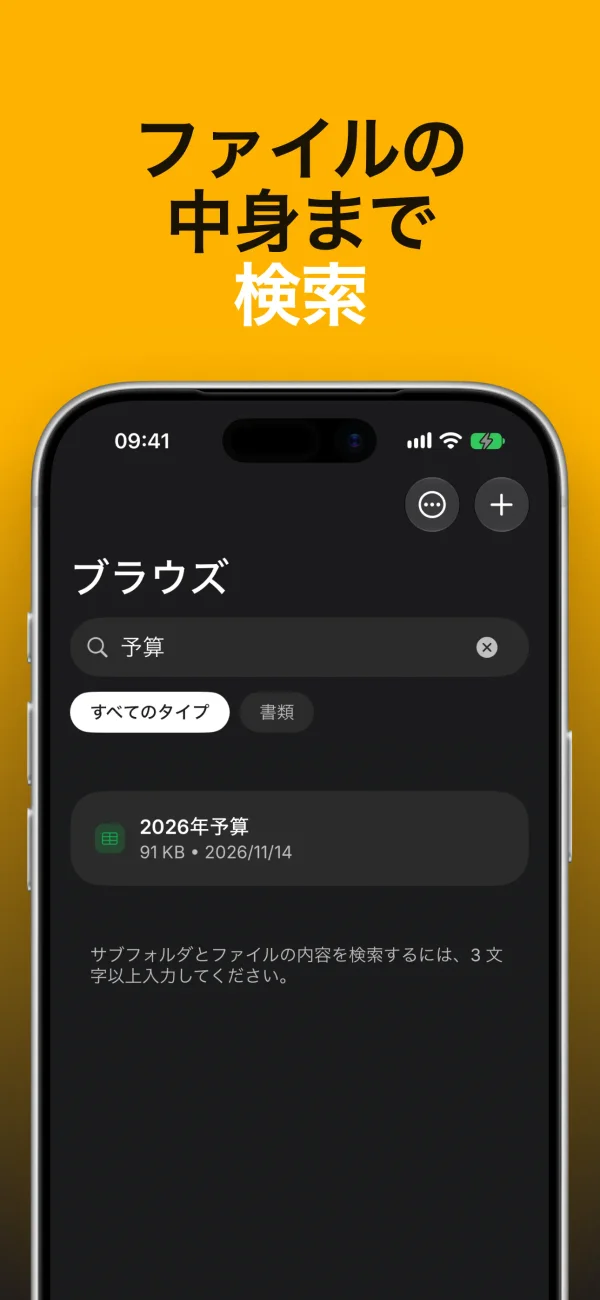
- 全文検索&名前検索: すべてのフォルダを検索し、内容に一致した行をそのまま表示。
- 即時フィルタ: ファイルの種類で、ワンタップで絞り込み。
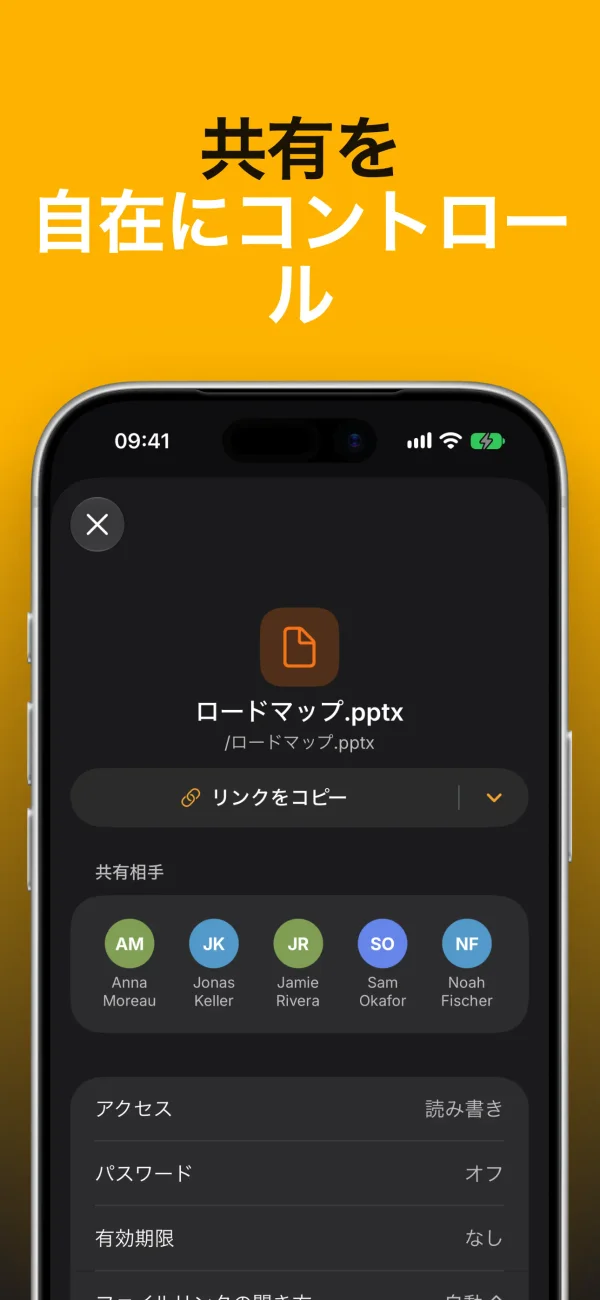
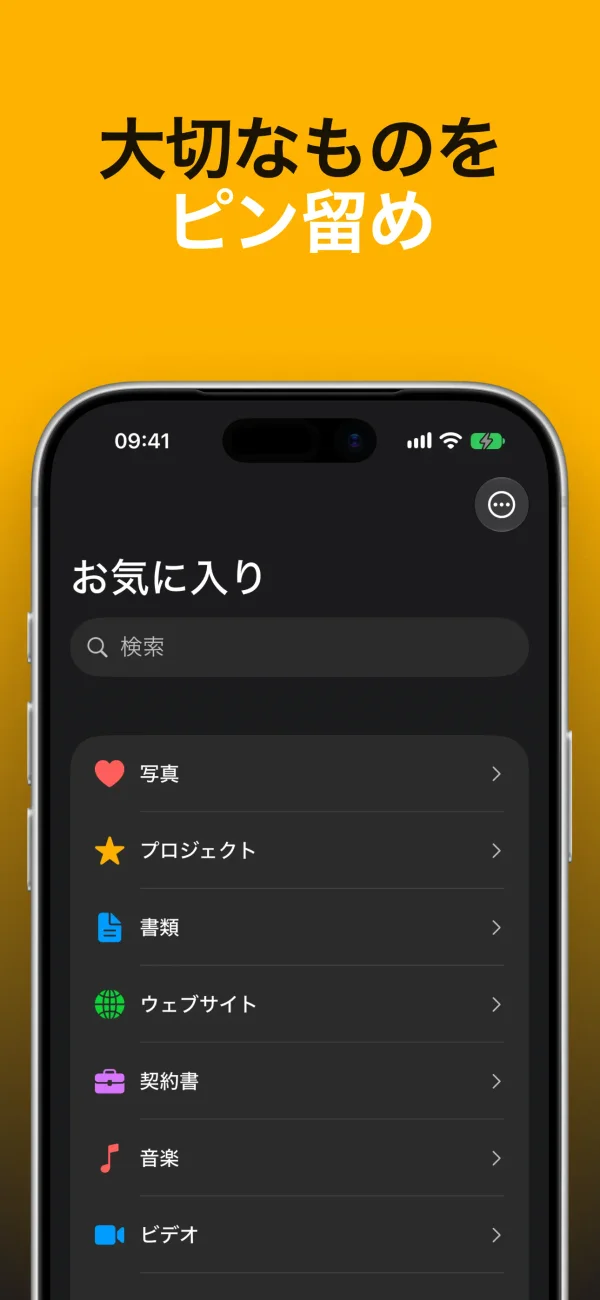
- 共有&管理: パスワードと有効期限付きのリンク作成、お気に入りの固定、アップロード、移動、コピー、名称変更、取り消しまで、すばやく操作。
オフラインとプライバシー重視
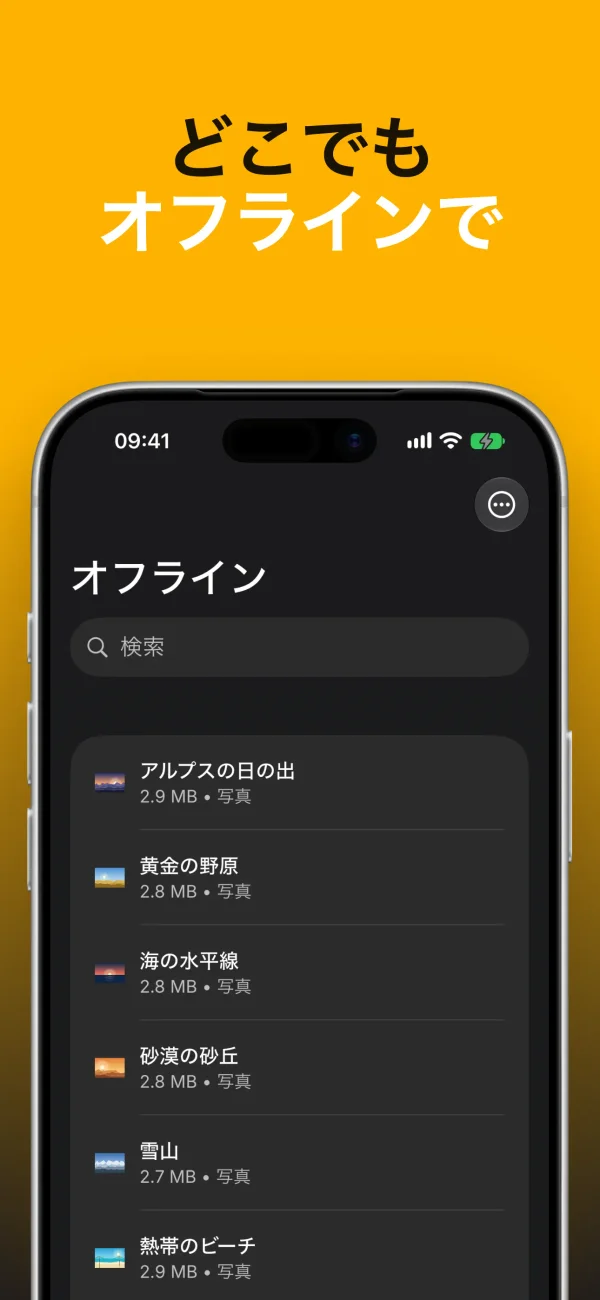
- オフラインタブ: ファイルやフォルダをデバイスに保存して、接続なしで開けます。
- トラッキングゼロ: ファイルはデバイスとサーバーの間を直接やり取り。仲介もテレメトリもありません。
アクセシビリティと多言語対応
- 多言語対応: 30言語に翻訳。アラビア語とヘブライ語の右から左への表示にも完全対応。
- どこでもネイティブ: ダークモード、Dynamic Type、VoiceOver、視差効果の低減、コントラスト強化に加え、共有機能拡張と、Macではすりガラス調のネイティブサイドバーに対応。
自分だけのクラウドを運用しよう。データは自分のものに。
新機能
バージョン 1.4.0 · 2026/11/23
• Offline replaces Downloads: mark any file or folder Available Offline and open it without a connection
• Save to Device: photos and videos go to Photos, other files to the Files app
• The Offline tab shows the space it uses and when each item last updated
• Remove a single item from inside a folder you keep offline
• A dot on Offline tells you when new files were kept
• The app opens without a connection and shows your saved folders and files
• The gallery pages through every file in a folder: photos, videos, PDFs, text and more
• Video thumbnails, audio cover art and a preview of text and code files
• Pictures the server cannot read (ICO, BMP, TIFF, RAW) get thumbnails made on your device
• Every file opens with a zoom from its thumbnail
• Undo moves, copies and renames with a shake, a three finger swipe, Command Z or the toast's Undo
• Slide a finger sideways over rows or tiles to select them
• Select mode gathers its actions into one menu
• Name files shared from other apps before they upload
• Pictures and PDFs shared into the app show their thumbnail right away
• Search understands patterns like *.pdf and finds names with or without accents
• Search shows what is on this device first and works offline from your saved folders
• The top level searches everywhere, a folder searches itself, and Search Everywhere is one tap away
• Search results say where each file lives and what matched
• Long press a search result to show it in its folder or copy its path
• Settings is one menu with a page per section, and creating an API token is simpler
• A new font: Inter, the same as the NextExplorer website
• Stronger colors when Increase Contrast is on
• iPad: keyboard shortcuts, an account menu in the sidebar and a path bar over the folder
• iPad: a frosted sidebar and sign in card, solid when Reduce Transparency is on
• Mac: frosted windows and a native sidebar
• Mac: search in a Spotlight style panel from the magnifier, Command F or Command K, with your current folder's matches first and thumbnails
• Mac: a search result opens on top of where you were, so Back takes you there, and a file opens inside its folder
• Mac: undo and redo moves, renames and new folders and files with Command Z, Shift Command Z or the toast's Undo
• Mac: Upload, Refresh and Search sit together in the toolbar of every folder
• Mac: offline progress shows in a bar under the folder
• Mac: Help and Support writes to the support email, and the About window's coffee link opens the tip jar
• Moving or copying no longer reports a failure after it worked
• Sharing large files from other apps no longer fails
• Tapping an upload notification opens the folder the files went to instead of closing the app
• Offline size estimates no longer show folders in terabytes
• A video opened in the gallery starts playing and keeps its place
• Search keeps its results while you type, and a failed search says why with Try Again
• The gallery's page dots sit above the bottom bar
• Password and two factor settings no longer flash in and out
• Safer single sign on
• Smoother animations and haptics that follow Apple's guidance
アプリのプライバシー
このアプリのデータの取り扱いについて、Phillip MaizzaがApp Storeで申告している内容です。
-
データの収集なし
開発元はこのアプリからデータを収集しません。
プライバシーの取り扱いは、ご利用の機能やお客様の年齢などに応じて異なる場合があります。
情報
- 販売元
- Phillip Maizza
- カテゴリ
- ユーティリティ
- バージョン
- 1.4.0
- 更新日
- 2026/11/23
- リリース
- 2026/9/22
- サイズ
- 157.9 MB
- 必要条件
- iOS 18.0以降
- 対象年齢
- 4+
- 価格
- 無料
- アプリ内課金
- あり
- 言語
- 英語, アラビア語, チェコ語, デンマーク語, オランダ語, フィンランド語, フランス語, ドイツ語, ギリシャ語, ヘブライ, ヒンディー語, ハンガリー語 ほか17言語
- 著作権
- © 2026 Phillip Maizza