NextExplorer
Kendi dosya bulutunuz
iPhone, iPad, Mac için tasarlandı
Ücretsiz · Uygulama içi satın alma
- Yaş sınırı4+
- KategoriYardımcılar
- GeliştiriciPhillip Maizza
- Dillerİngilizce+ 28 dil daha
- Boyut157,9 MB
Resmi App Store sayfasına bağlanır
Download.org, NextExplorer için hiçbir dosya barındırmaz. Düğme, uygulamanın App Store üzerindeki sayfasını açar; uygulamayı orada Phillip Maizza yayınlar. Sayfanın son kontrolü: 24.11.2026.
Ekran görüntüleri



Hakkında
NextExplorer, kendi barındırdığınız NextExplorer sunucusu için iPhone, iPad ve Mac'te çalışan hızlı ve yerel istemcidir. Dosyalarınıza, fotoğraflarınıza, belgelerinize ve kodunuza tam hızda ve gizlilik içinde erişin; hepsi kendi altyapınızda durur.
Sunucunuz. Verileriniz. Yerel hız.
NOT: NextExplorer, çalışan bir NextExplorer sunucusu gerektirir. Dosyaları kendi başına barındırmaz.
YEREL DOSYA GEZİNTİSİ
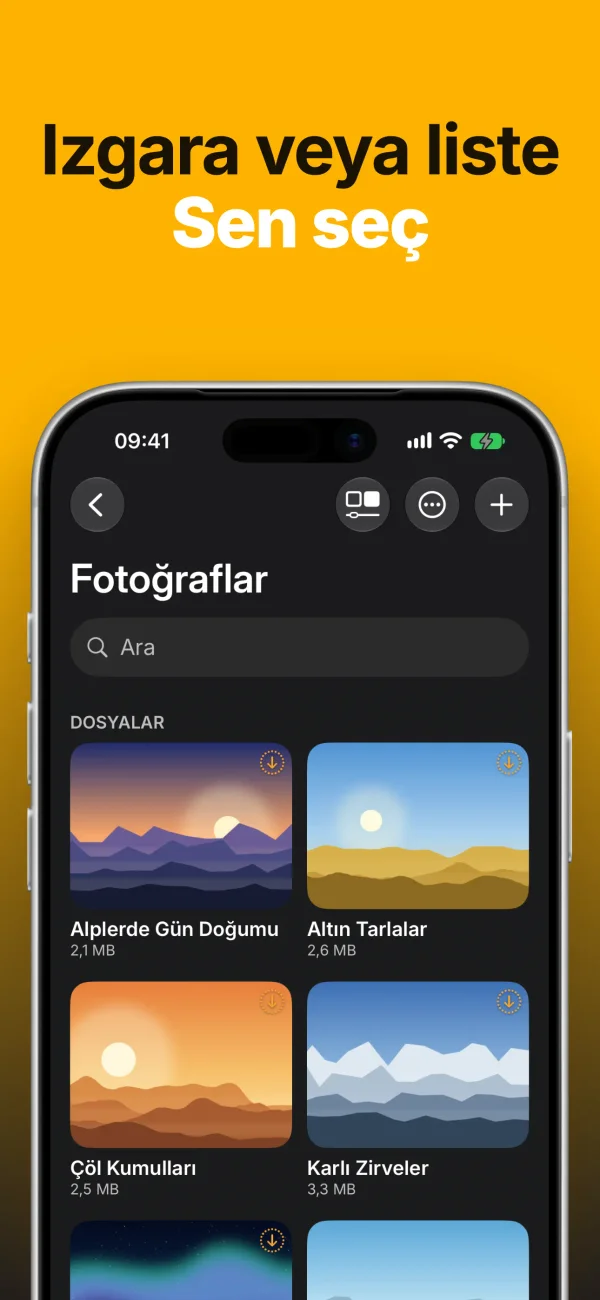
- Izgara ve Liste Görünümü: Sunucunun ürettiği küçük resimler, yol çubuğu ve çekerek yenileme ile akıcı gezinti.
- Zengin Önizlemeler: Fotoğraf, video, ses, PDF, metin ve kod için hareketler ve yakınlaştırmayla tam ekran galeri.
- Arşiv İncelemesi: ZIP arşivlerinin içine açmadan göz atın.
YERLEŞİK KOD VE METİN DÜZENLEYİCİ
- Sözdizimi Vurgulama: Swift, Python, JS/TS, Go, Rust, Java, HTML, CSS, JSON, YAML, Markdown ve daha fazlasını düzenleyin.
- Hızlı Düzenleme: Sunucudaki dosyaları doğrudan cihazınızdan değiştirin.
GÜÇLÜ ARAMA VE DÜZEN
- Ad ve Tam Metin Arama: Her klasörde arayın, içerik eşleşmelerinin tam satırını görün.
- Anında Filtreleme: Sonuçları tek dokunuşla dosya türüne göre daraltın.
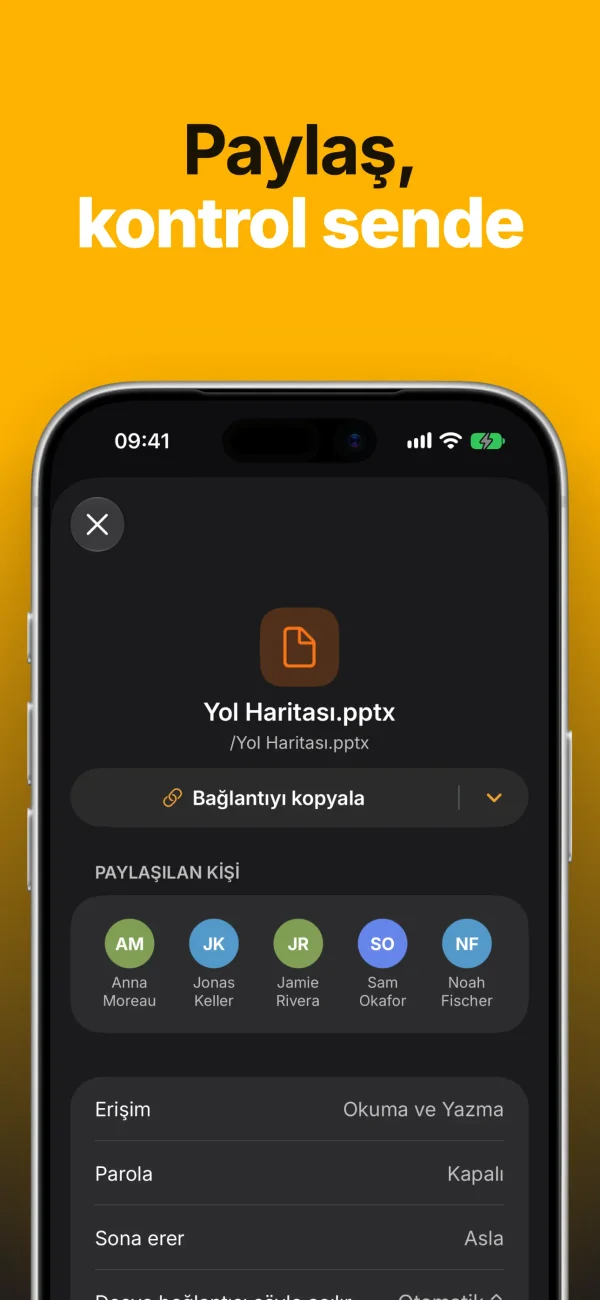
- Paylaş ve Yönet: Parolalı, süreli bağlantılar oluşturun; favorileri sabitleyin; yükleyin, taşıyın, kopyalayın, yeniden adlandırın ve geri alın, hepsi anında.
ÇEVRİMDIŞI VE ÖNCE GİZLİLİK
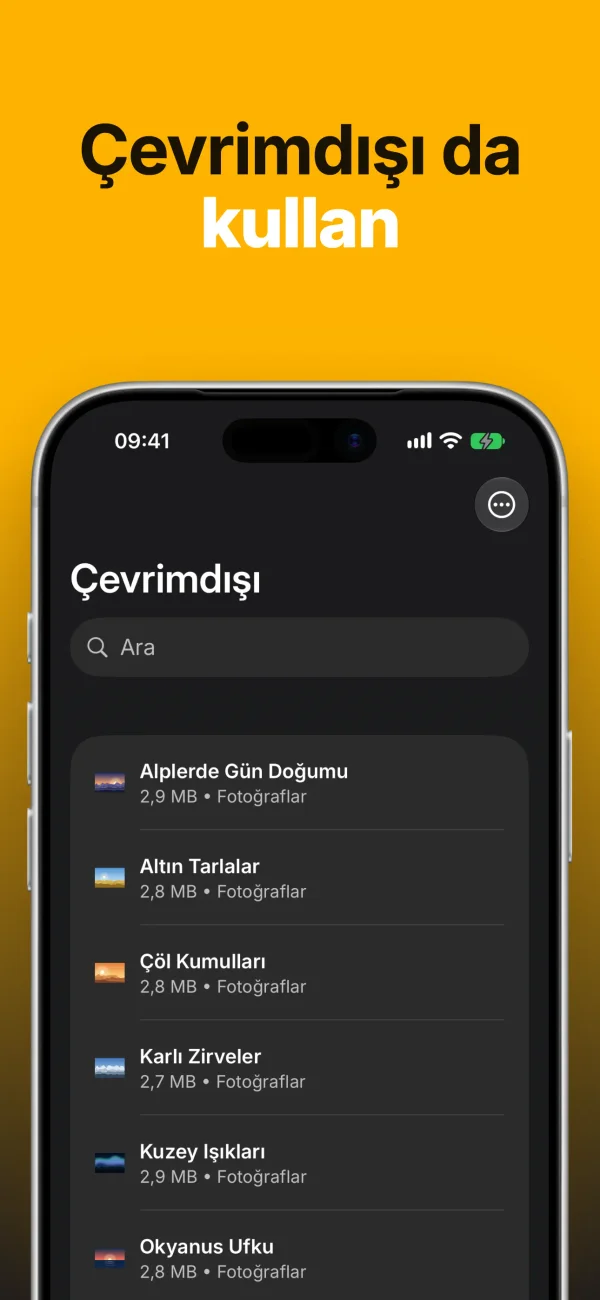
- Çevrimdışı Sekmesi: Herhangi bir dosya ya da klasörü cihazınızda tutun, bağlantı olmadan açın.
- Sıfır İzleme: Dosyalarınız doğrudan cihazınız ile sunucunuz arasında gider. Aracı yok, telemetri yok.
ERİŞİLEBİLİR VE KÜRESEL
- Yerelleştirilmiş: 30 dile çevrildi; Arapça ve İbranice için tam sağdan sola desteği var.
- Her Yerde Yerel: Koyu Mod, Dynamic Type, VoiceOver, hareketi azaltma ve artırılmış karşıtlık; ayrıca Paylaş uzantısı ve Mac'te buzlu cam görünümlü yerel kenar çubuğu.
Kendi bulutunuzu çalıştırın. Verileriniz sizde kalsın.
Yenilikler
Sürüm 1.4.0 · 23.11.2026
• Offline replaces Downloads: mark any file or folder Available Offline and open it without a connection
• Save to Device: photos and videos go to Photos, other files to the Files app
• The Offline tab shows the space it uses and when each item last updated
• Remove a single item from inside a folder you keep offline
• A dot on Offline tells you when new files were kept
• The app opens without a connection and shows your saved folders and files
• The gallery pages through every file in a folder: photos, videos, PDFs, text and more
• Video thumbnails, audio cover art and a preview of text and code files
• Pictures the server cannot read (ICO, BMP, TIFF, RAW) get thumbnails made on your device
• Every file opens with a zoom from its thumbnail
• Undo moves, copies and renames with a shake, a three finger swipe, Command Z or the toast's Undo
• Slide a finger sideways over rows or tiles to select them
• Select mode gathers its actions into one menu
• Name files shared from other apps before they upload
• Pictures and PDFs shared into the app show their thumbnail right away
• Search understands patterns like *.pdf and finds names with or without accents
• Search shows what is on this device first and works offline from your saved folders
• The top level searches everywhere, a folder searches itself, and Search Everywhere is one tap away
• Search results say where each file lives and what matched
• Long press a search result to show it in its folder or copy its path
• Settings is one menu with a page per section, and creating an API token is simpler
• A new font: Inter, the same as the NextExplorer website
• Stronger colors when Increase Contrast is on
• iPad: keyboard shortcuts, an account menu in the sidebar and a path bar over the folder
• iPad: a frosted sidebar and sign in card, solid when Reduce Transparency is on
• Mac: frosted windows and a native sidebar
• Mac: search in a Spotlight style panel from the magnifier, Command F or Command K, with your current folder's matches first and thumbnails
• Mac: a search result opens on top of where you were, so Back takes you there, and a file opens inside its folder
• Mac: undo and redo moves, renames and new folders and files with Command Z, Shift Command Z or the toast's Undo
• Mac: Upload, Refresh and Search sit together in the toolbar of every folder
• Mac: offline progress shows in a bar under the folder
• Mac: Help and Support writes to the support email, and the About window's coffee link opens the tip jar
• Moving or copying no longer reports a failure after it worked
• Sharing large files from other apps no longer fails
• Tapping an upload notification opens the folder the files went to instead of closing the app
• Offline size estimates no longer show folders in terabytes
• A video opened in the gallery starts playing and keeps its place
• Search keeps its results while you type, and a failed search says why with Try Again
• The gallery's page dots sit above the bottom bar
• Password and two factor settings no longer flash in and out
• Safer single sign on
• Smoother animations and haptics that follow Apple's guidance
Uygulama gizliliği
Bu uygulamanın verileri nasıl işlediği hakkında Phillip Maizza tarafından App Store üzerinde yapılan beyan.
-
Veri toplanmıyor
Geliştirici bu uygulamadan hiçbir veri toplamıyor.
Gizlilik uygulamaları, örneğin kullandığınız özelliklere veya yaşınıza göre değişiklik gösterebilir.
Bilgiler
- Satıcı
- Phillip Maizza
- Kategori
- Yardımcılar
- Sürüm
- 1.4.0
- Güncellendi
- 23.11.2026
- Yayın tarihi
- 22.09.2026
- Boyut
- 157,9 MB
- Gereksinim
- iOS 18.0 veya sonrası
- Yaş sınırı
- 4+
- Fiyat
- Ücretsiz
- Uygulama içi satın alma
- Evet
- Diller
- İngilizce, Arapça, Çekçe, Danca, Hollandaca, Fince, Fransızca, Almanca, Yunanca, İbranice, Hindi, Macarca + 17 dil daha
- Telif hakkı
- © 2026 Phillip Maizza