
PageBuddy - PDF Reader & Notes
Read. Understand. Annotate.
Dirancang untuk iPad
Gratis
- Batasan usia4+
- KategoriProduktivitas
- PengembangALEXANDER GOLOVKOV, IE
- BahasaInggris
- Ukuran5,4 MB
Tertaut ke halaman resmi App Store
Download.org tidak menyimpan file PageBuddy - PDF Reader & Notes apa pun. Tombol ini membuka halaman aplikasi di App Store, tempat ALEXANDER GOLOVKOV, IE menerbitkannya. Halaman terakhir diperiksa pada 12/11/2026.
Tangkapan layar
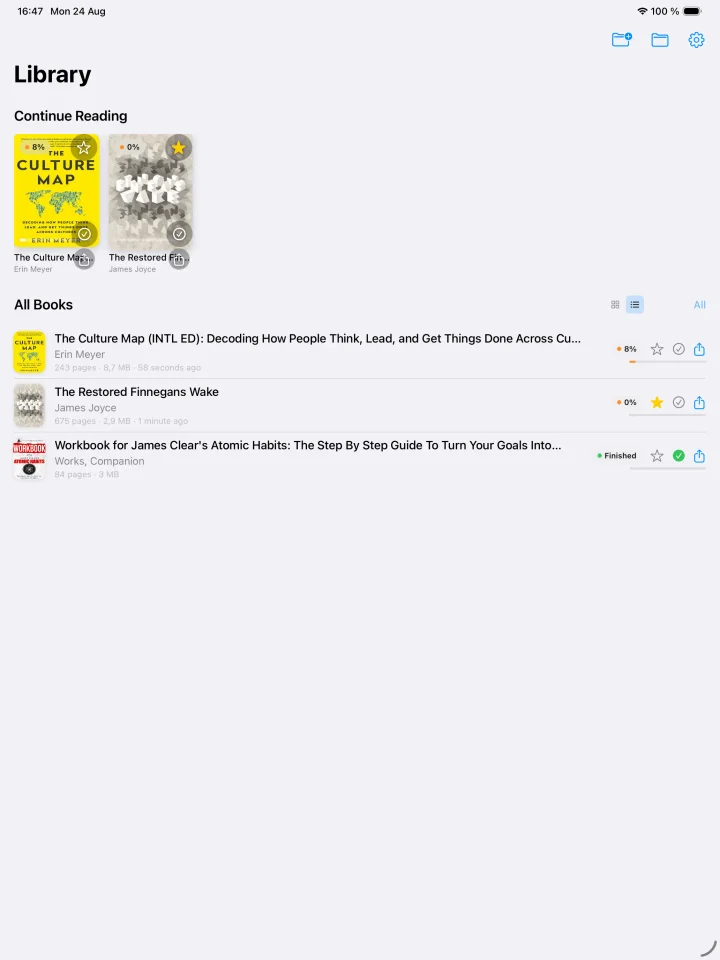
Tentang
Pengembang belum menyediakan teks ini dalam bahasa Anda.
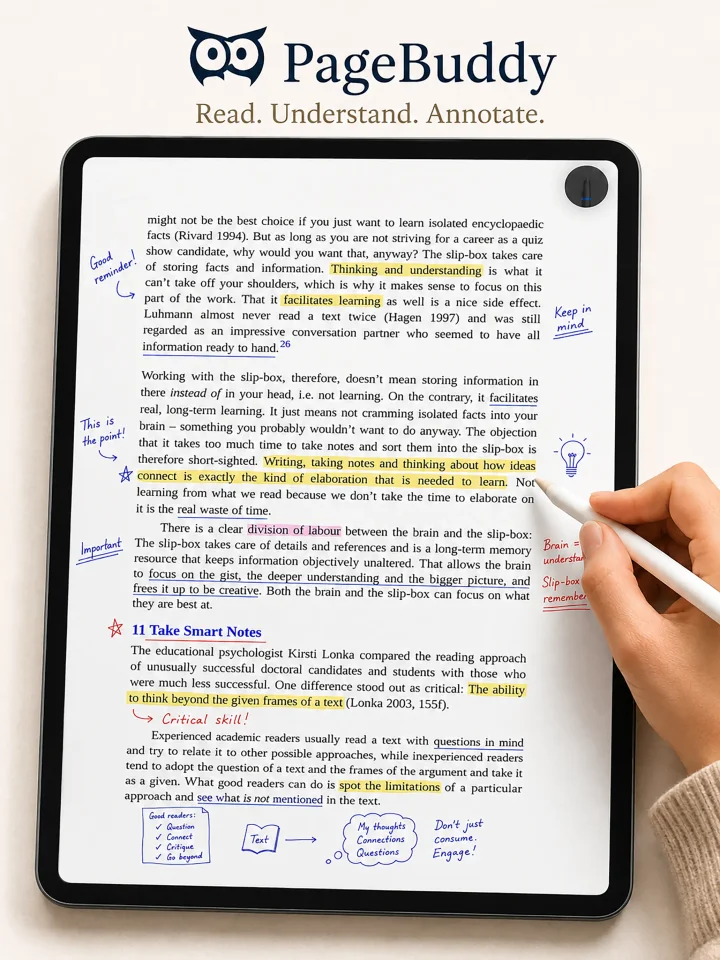
PageBuddy — Read. Understand. Annotate.
A PDF reader for iPad where reading and writing finally feel like one experience.
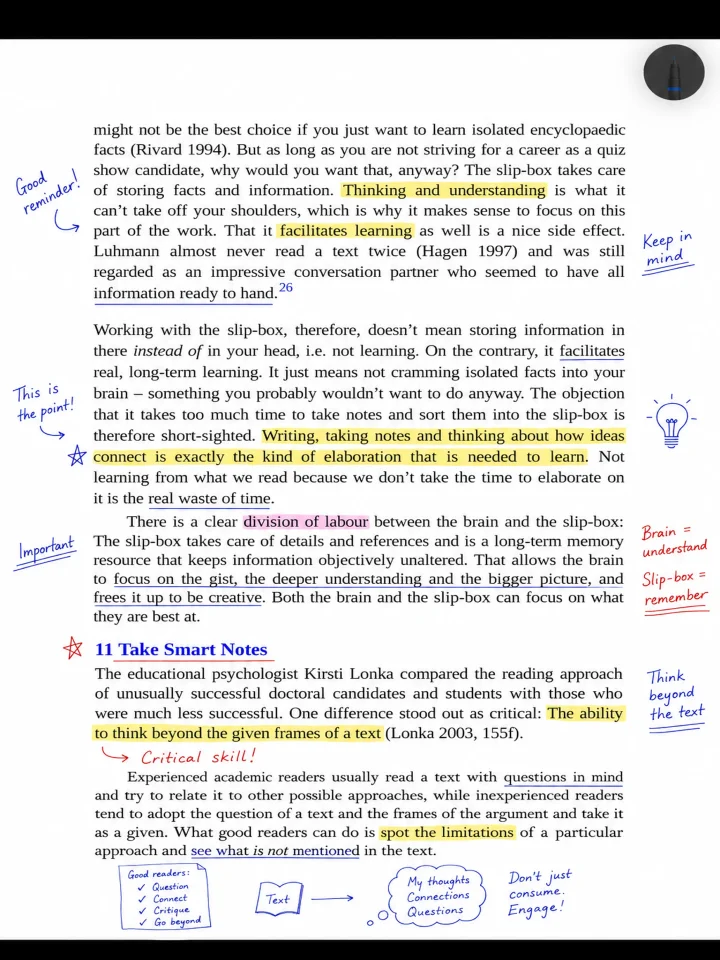
Open a PDF and start reading. Pick up your Apple Pencil and write directly on the page — without entering an annotation mode, opening a toolbar, or leaving full screen.
The page stays the page.
The book stays the book.
Your Pencil just works.
What makes PageBuddy different
Read and write without leaving the page
PageBuddy is designed around one simple idea: you shouldn't have to switch modes to interact with a book.
Read in full screen. Pick up your Apple Pencil. Underline, highlight, circle, draw, or write in the margins.
Your annotations happen directly on the page, while the reading experience stays completely intact.
No edit mode. No annotation mode. No extra UI.
Your PDFs stay where they are
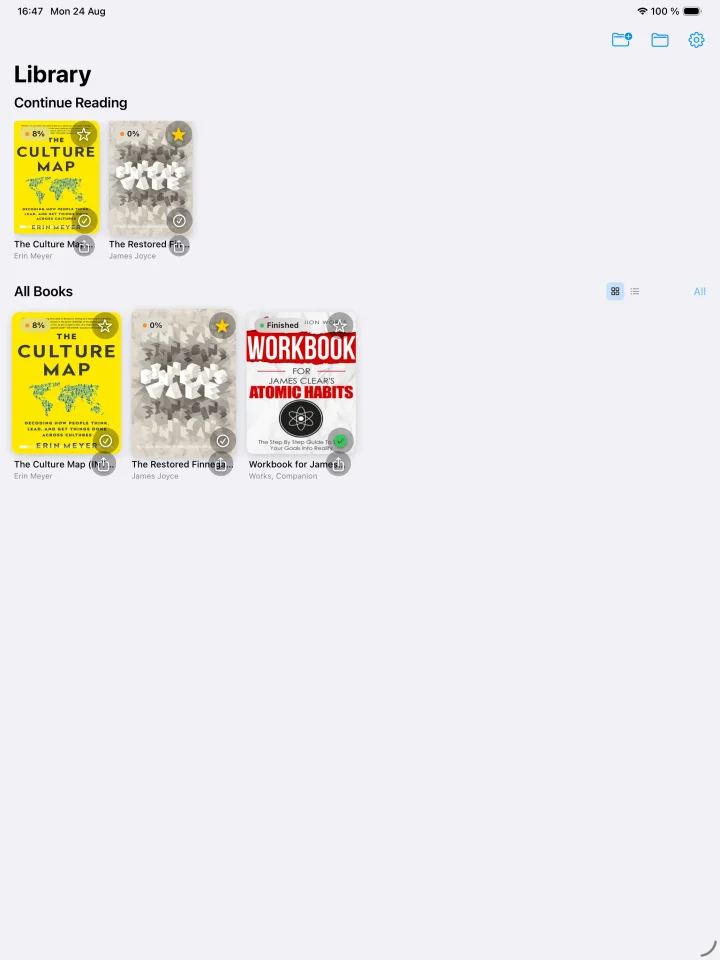
PageBuddy doesn't import your books into another library or copy your PDFs somewhere else.
It works directly with the files and folders you already use.
Move a PDF, rename it, organize your folders, or add new books — your files remain yours, exactly where you put them.
Your annotations don't modify the original PDF
This is important.
Your notes, highlights, drawings, and reading progress belong to PageBuddy, not to the original file.
The original PDF stays untouched.
PageBuddy remembers the documents you've read and recognizes them when they appear again in folders you follow. If the file hasn't changed externally, your annotations and reading progress come back with it.
Your library follows you
Your reading progress, favorites, document status, and annotations sync through iCloud, so your PageBuddy experience can follow you across your iPads.
And because PageBuddy doesn't need to copy your PDFs into its own library, your files don't have to move just because your device does.
Need the annotations inside the PDF?
You can export them whenever you want.
Export annotations into an existing PDF, or create a new annotated copy while keeping the original completely untouched.
So PageBuddy doesn't lock your notes inside the app. They're yours to take with you.
The PageBuddy feeling
The first time you pick up the Apple Pencil and underline a sentence, there is nothing to figure out.
You just write.
No mode.
No toolbar.
No confirmation.
No interruption.
Just a book and a pencil.
That's how reading and writing should feel on iPad.
Privasi aplikasi
Yang dinyatakan ALEXANDER GOLOVKOV, IE di App Store tentang cara aplikasi ini menangani data.
-
Data tidak dikumpulkan
Pengembang tidak mengumpulkan data apa pun dari aplikasi ini.
Praktik privasi dapat bervariasi, misalnya berdasarkan fitur yang Anda gunakan atau usia Anda.
Informasi
- Penjual
- ALEXANDER GOLOVKOV, IE
- Kategori
- Produktivitas
- Versi
- 1.0
- Diperbarui
- 7/9/2026
- Dirilis
- 7/9/2026
- Ukuran
- 5,4 MB
- Memerlukan
- iOS 26.5 atau yang lebih baru
- Batasan usia
- 4+
- Harga
- Gratis
- Bahasa
- Inggris
- Hak cipta
- © 2026 Alexander Golovkov
Mungkin Anda juga suka
-
 Grid Paper NotesProduktivitas
-
 PDF Duo: Edit, Sign & FillProduktivitas
-
 Papyrus - notes, PDFProduktivitas
-
 Useless NotesProduktivitas
-
 Warqa - notebookProduktivitas
-
 VidnotationProduktivitas
-
 PDF Viewer: Reader & MarkupProduktivitas
-
 BookhandProduktivitas
-
 PagePrep: PDF Margins & NotesProduktivitas
-
 NotedCut: Video NotetakingProduktivitas