PDF Projector
Show PDFs on external screens
Dirancang untuk iPhone, iPad, iPod touch
Rp 19ribu
- Batasan usia4+
- KategoriProduktivitas
- PengembangBenjamin Burton
- BahasaInggris
- Ukuran2,4 MB
Tertaut ke halaman resmi App Store
Download.org tidak menyimpan file PDF Projector apa pun. Tombol ini membuka halaman aplikasi di App Store, tempat Benjamin Burton menerbitkannya. Halaman terakhir diperiksa pada 12/11/2026.
Tangkapan layar

Tentang
Pengembang belum menyediakan teks ini dalam bahasa Anda.
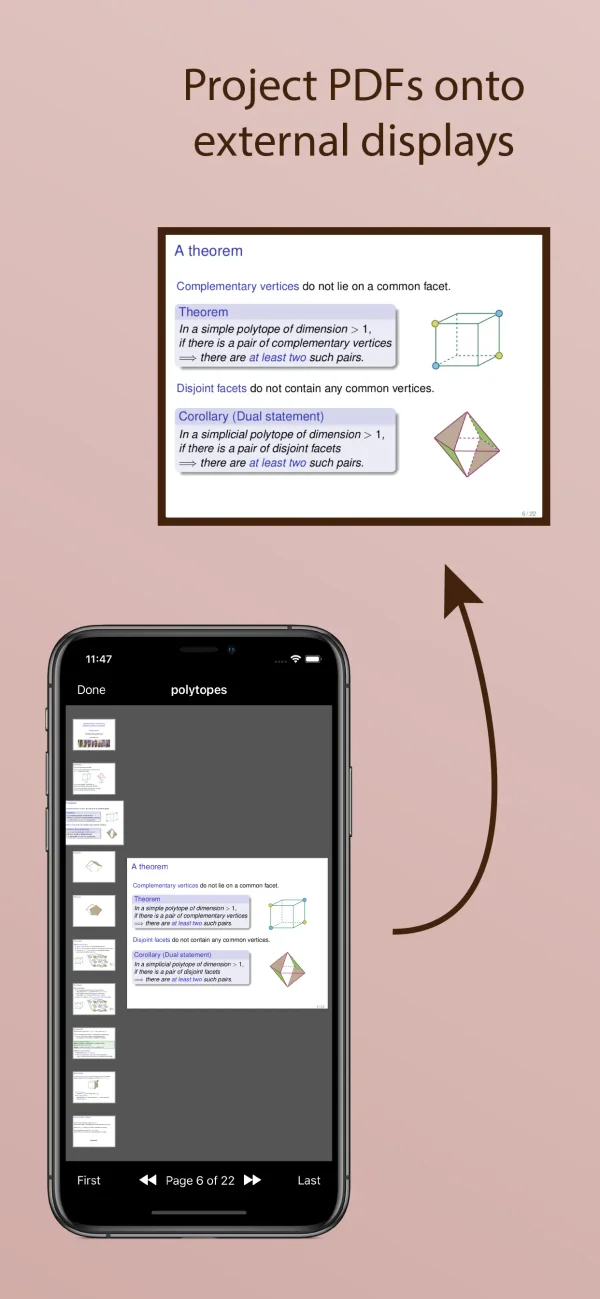
Projects PDF slideshows onto an external screen. If you have an Apple Watch, you can also use it as a remote control.
This app is useful if you write presentations using LaTeX Beamer, or LibreOffice Impress, or some other application that exports to PDF.
Simply open your PDF in the app and connect an external display (e.g., via VGA, HDMI, USB-C, or AirPlay). Your slides will be displayed full-screen on the external display, while the app provides additional navigation controls on your iPad or iPhone.
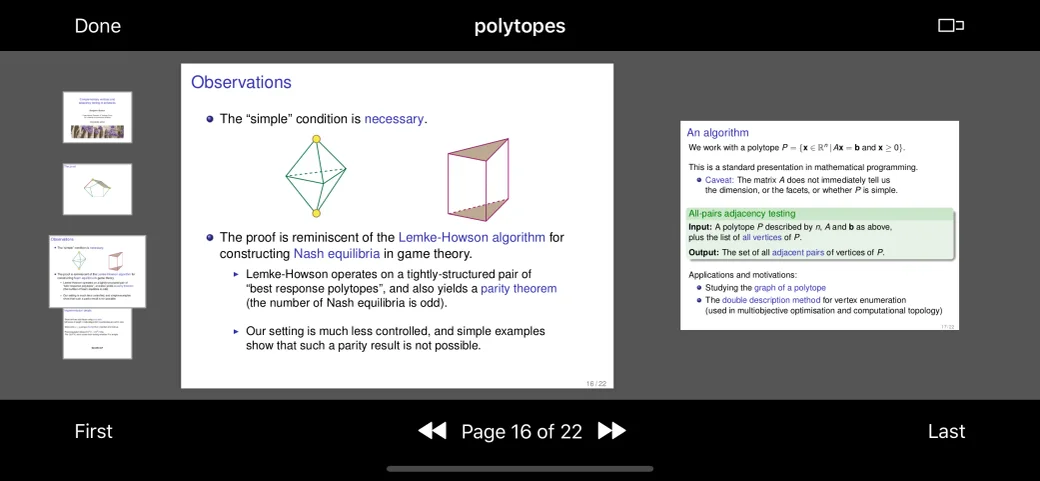
You can navigate on your iPad or iPhone by tapping and swiping, or using the buttons on the toolbar, or scrolling through the thumbnails, or using an external keyboard. When in landscape mode, you will also see a preview of the next page (which you can turn on/off using the button on the upper toolbar).
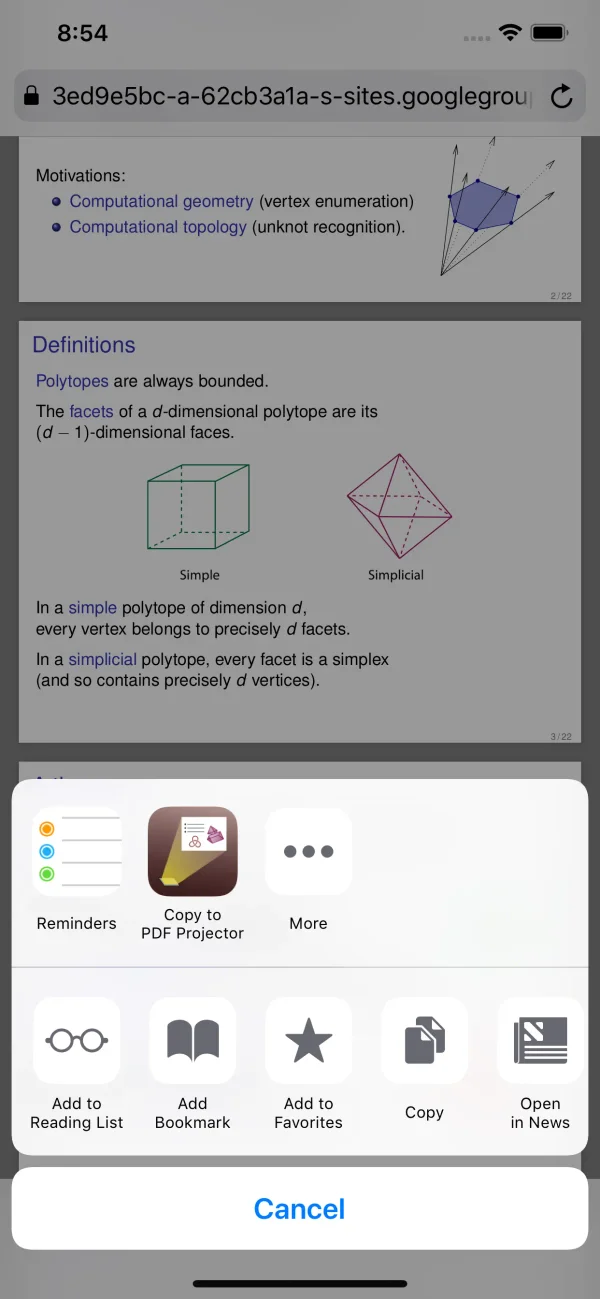
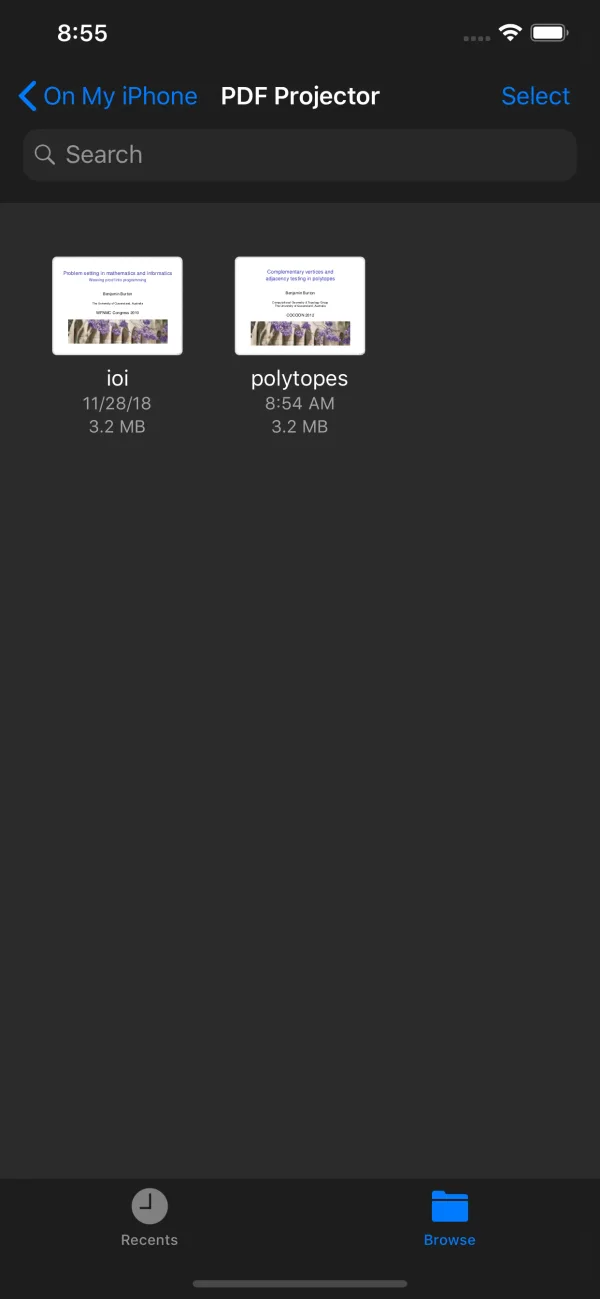
You can browse and open any of your iCloud documents, or you can share PDFs from your favourite app to open in PDF Projector.
WATCH REMOTE:
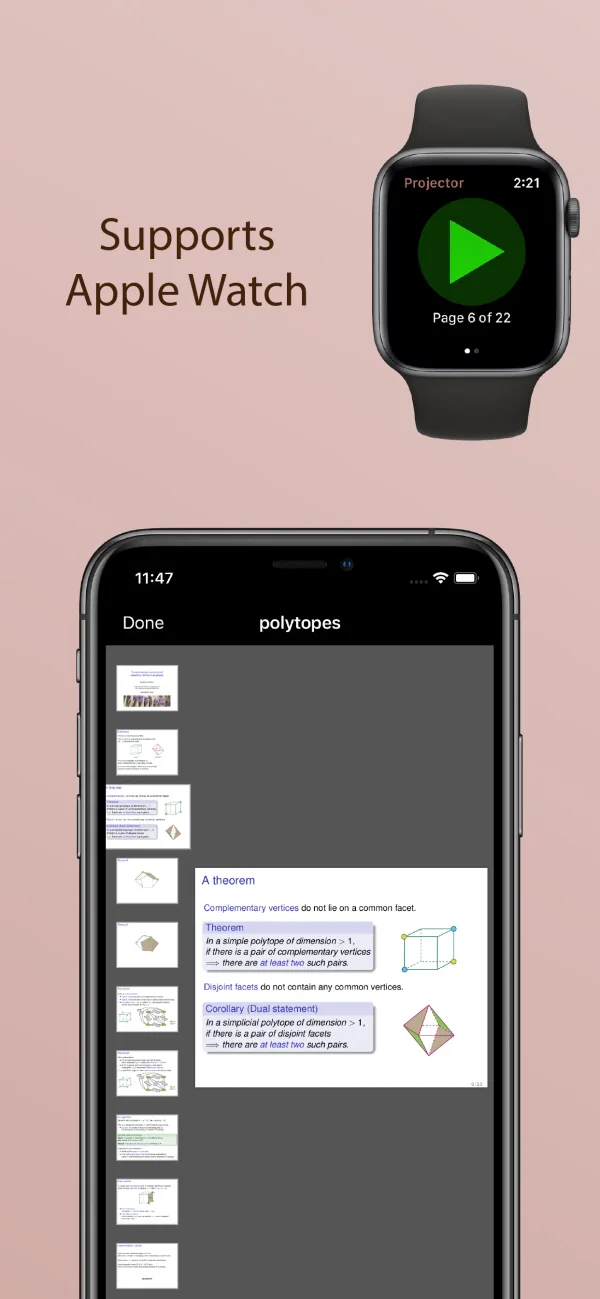
If you have an Apple Watch, you can use this as a remote control. Simply open a PDF document in the iPhone app and connect it to an external display, and then start the Watch app to use the remote control.
If you talk a lot between slides, try adding the "Next Page" complication to your clock face (requires watchOS 7). This will let you step through the slides without having to keep reopening the app. You can also configure Settings / General / Wake Screen (on any watchOS version) to keep the app on screen for longer while you present your talk.
Yang baru
Versi 1.7 · 23/9/2024
This app has been updated by Apple to prepare for watchOS 27 compatibility. No new features are included.
Added dark and tinted icons for iOS 18.
Privasi aplikasi
Yang dinyatakan Benjamin Burton di App Store tentang cara aplikasi ini menangani data.
-
Data tidak dikumpulkan
Pengembang tidak mengumpulkan data apa pun dari aplikasi ini.
Praktik privasi dapat bervariasi, misalnya berdasarkan fitur yang Anda gunakan atau usia Anda.
Informasi
- Penjual
- Benjamin Burton
- Kategori
- Produktivitas
- Versi
- 1.7
- Diperbarui
- 23/9/2024
- Dirilis
- 28/11/2018
- Ukuran
- 2,4 MB
- Memerlukan
- iOS 12.0 atau yang lebih baru
- Batasan usia
- 4+
- Harga
- Rp 19ribu
- Bahasa
- Inggris
- Hak cipta
- © 2018–2024 Benjamin Burton
Mungkin Anda juga suka
-
 Easy PDF ToolsEditor PDF Offline
-
 Traverse outliner mobileProduktivitas
-
 AnecnoteProduktivitas
-
 PDF AI: Ringkasan & Kuis UjianTanda Tangan Digital & Belajar
-
 Hilo - Personal CRMProduktivitas
-
 Blitztext – Voice KeyboardProduktivitas
-
 Video Summary - AI ChatProduktivitas
-
 Cue to Cue Theatre EditionProduktivitas
-
 Simplify Notes:Buku CatatanPDFCatatan, PDF & Apple Pencil
-
 FSNotesProduktivitas