
Tracing: Drawing Practice
Trace over a guide image
Dirancang untuk iPad
Rp 19ribu
- Batasan usia4+
- KategoriGrafik & Desain
- PengembangYasuo Fukushima
- BahasaInggris+ 6 lainnya
- Ukuran3,3 MB
Tertaut ke halaman resmi App Store
Download.org tidak menyimpan file Tracing: Drawing Practice apa pun. Tombol ini membuka halaman aplikasi di App Store, tempat Yasuo Fukushima menerbitkannya. Halaman terakhir diperiksa pada 18/11/2026.
Tangkapan layar



Tentang
Pengembang belum menyediakan teks ini dalam bahasa Anda.
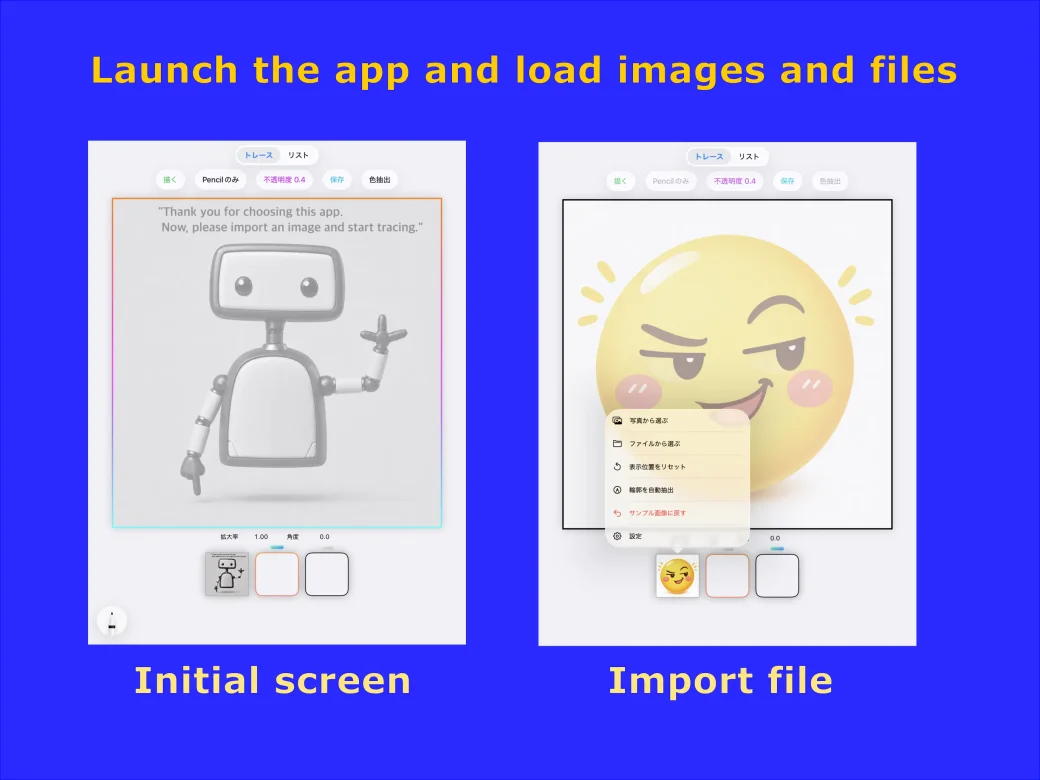
Trace is a simple drawing app that lets you import photos, images, and files as references, then trace and paint over them.
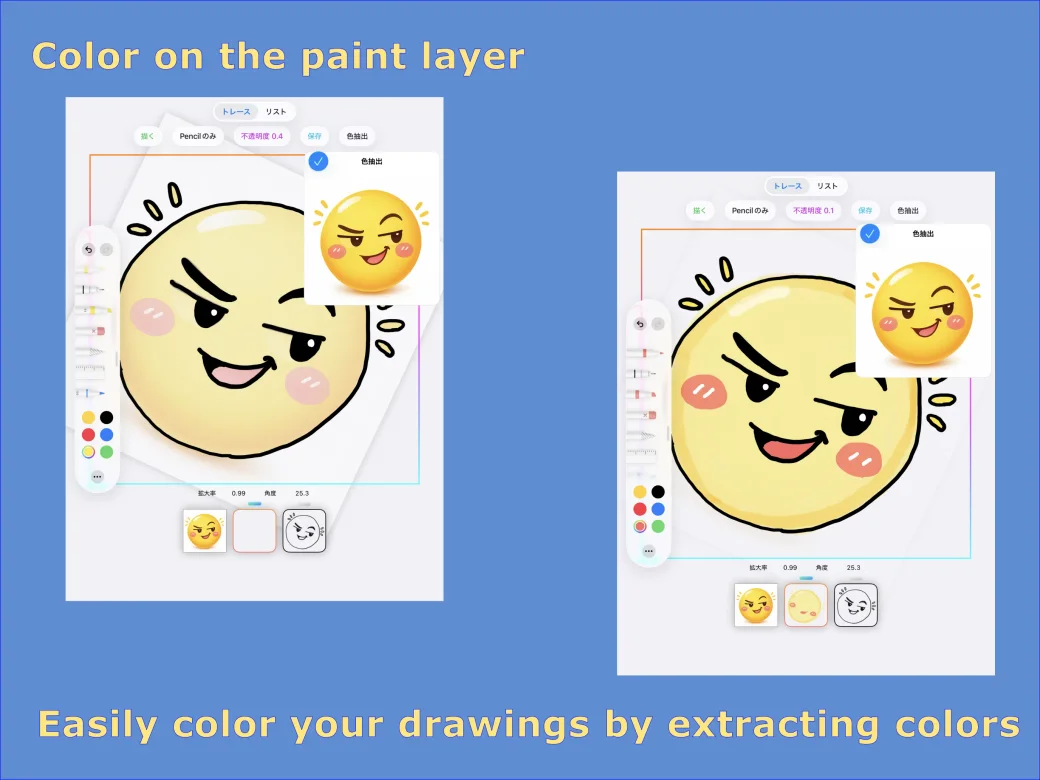
One of Trace’s key features is its three-layer structure: the Reference Layer, Trace Layer, and Paint Layer.
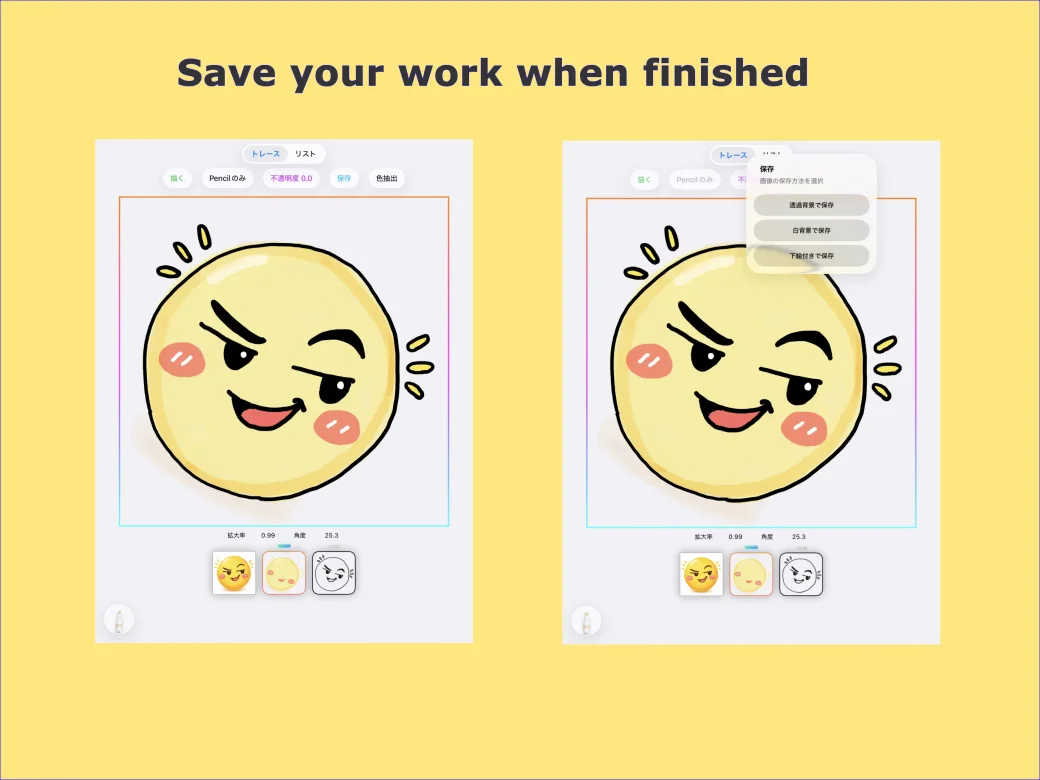
You can trace outlines while viewing your reference image, then add color on the Paint Layer to complete your artwork. By separating each step into its own layer, Trace makes the drawing process simple and easy to manage.
The Reference Layer supports zooming, scaling, and rotation, giving you the freedom to adjust the size and angle of your reference image to match your composition.
In addition to importing images from your photo library, Trace also supports importing image files, allowing you to use a wide variety of reference materials.
Key Features
* Reference Layer
Display a photo or image as your drawing reference.
Zoom, resize, and rotate it freely to match the size and angle you want.
* Trace Layer
Trace outlines and shapes while viewing the reference image underneath.
* Paint Layer
Add color while using your traced lines as a guide to complete your artwork.
* Import from Photos
Use images stored in your photo library as references.
* Import from Files
Import image files in addition to photos, giving you more flexibility when choosing reference materials.
* Flexible Reference Adjustment
Freely adjust the size and angle of your reference image to suit your composition and tracing needs.
* Simple and Intuitive Controls
Designed to keep unnecessary complexity to a minimum so you can focus on tracing, drawing, and painting.
Trace can be used for drawing practice, illustration, sketching, design studies, and many other creative purposes.
“Place your reference.”
“Trace the lines.”
“Add color.”
By separating these three steps into layers, Trace provides a smooth and intuitive workflow from tracing to painting.
Turn your favorite photos and images into your own artwork with Trace.
Yang baru
Versi 3.5 · 6/11/2026
• Minor bug fixes.
• Improved relationship between layer order and rendering.
• Easier color extraction from images for seamless painting.
• Improved drawing stability.
Privasi aplikasi
Yang dinyatakan Yasuo Fukushima di App Store tentang cara aplikasi ini menangani data.
-
Data tidak dikumpulkan
Pengembang tidak mengumpulkan data apa pun dari aplikasi ini.
Praktik privasi dapat bervariasi, misalnya berdasarkan fitur yang Anda gunakan atau usia Anda.
Informasi
- Penjual
- Yasuo Fukushima
- Kategori
- Grafik & Desain
- Versi
- 3.5
- Diperbarui
- 6/11/2026
- Dirilis
- 3/5/2020
- Ukuran
- 3,3 MB
- Memerlukan
- iOS 26.6 atau yang lebih baru
- Batasan usia
- 4+
- Harga
- Rp 19ribu
- Bahasa
- Inggris, Prancis, Italia, Jepang, Korea, Tionghoa Sederhana, Tionghoa Tradisional
- Hak cipta
- © 2020 FukushimaYasuo
Mungkin Anda juga suka
-
 Animator PlusGrafik & Desain
-
 Video Figure: Gesture DrawingGrafik & Desain
-
 Holo.Draw: Sketch On ScreenGrafik & Desain
-
 Round CornerGrafik & Desain
-
 Rotasi - Efek FenakistoskopMenciptakan visual menakjubkan
-
 Simple Trace ProGrafik & Desain
-
 Emerge - Draw and revealGrafik & Desain
-
 MahoujinEx MobileGrafik & Desain
-
 9VAeProGrafik & Desain
-
 Trace DrawGrafik & Desain